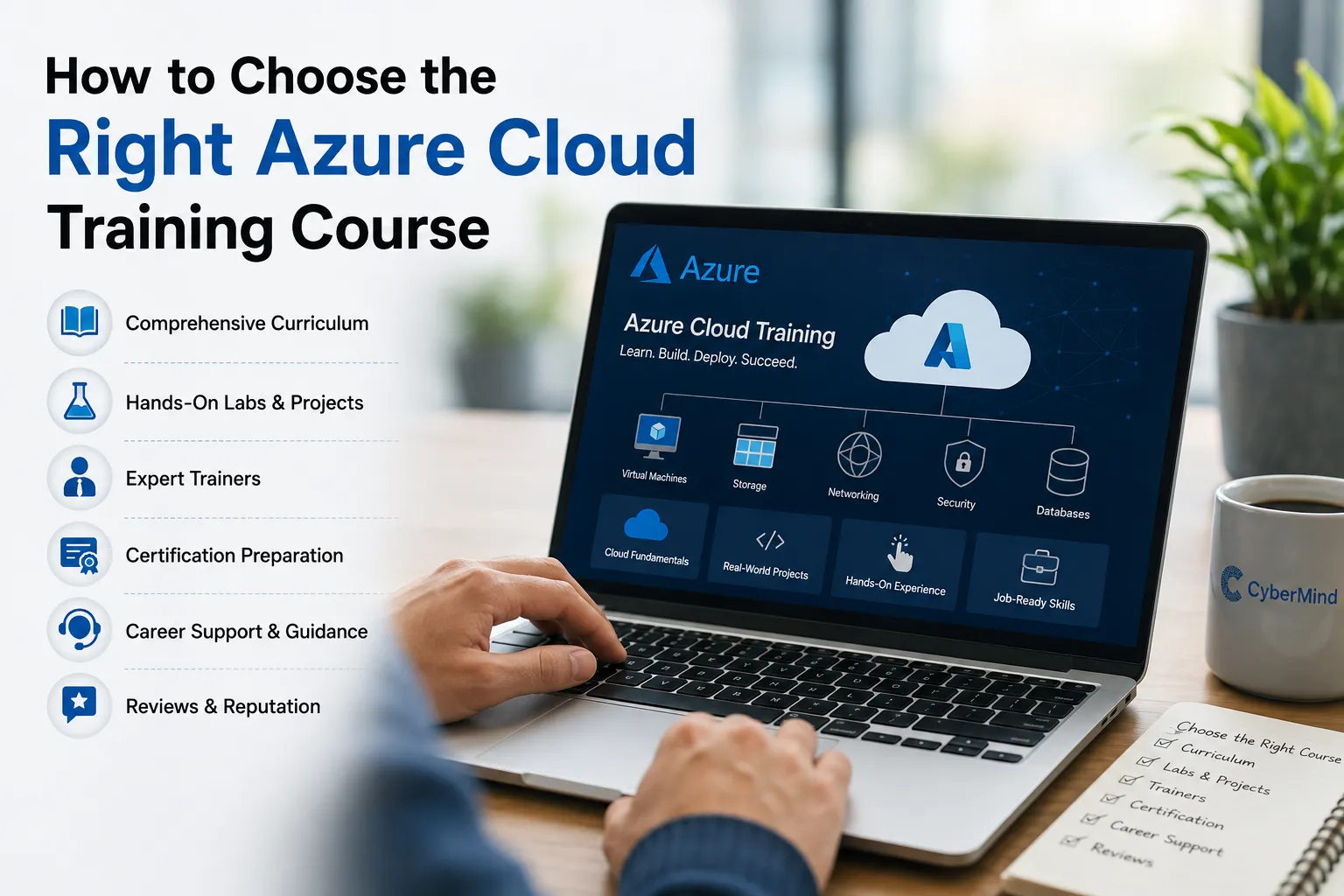

Everyone wants to get into cloud right now. Azure especially. And that's fair — it's one of the biggest platforms out there, and companies are hiring for it. But here's the problem: not every microsoft azure cloud training course out there is worth your time or money. Some are genuinely good. A lot are just recycled slides with a certificate at the end.
So this article is about how to actually tell the difference. What to check before you pay for a course. What usually works. What usually falls apart halfway through. And where people go wrong when picking an Azure Training Course.
How Do You Choose the Right Azure Cloud Training Course?
If you only read one section, read this one.
- Check if the curriculum is current. Azure changes fast. Old course material is a red flag.
- Make sure there are real hands-on labs, not just screenshots of the Azure portal.
- Look for projects that feel like real work, not toy examples.
- Ask who's teaching. A trainer who can't troubleshoot live is a problem.
- Confirm certification prep is actually built in, not tacked on.
- Check the format — live classes, recordings, or a mix — and be honest about what fits your life.
- See if there's support after class, when you're stuck at 11pm on a broken deployment.
- Ask about career and interview help, and what that support actually includes.
That's the short version. Now let's go deeper.
What Is Azure Cloud Training?
Azure Cloud Training teaches you how to actually use Microsoft Azure — the cloud platform — to build, deploy, secure, and manage stuff online. Virtual machines, storage, networking, identity, monitoring. The basics that show up in almost every cloud job.
Some courses stop at "here's what a virtual machine is." The good ones go further — they get you inside the portal, breaking things, fixing things, and understanding why something failed.
Why Does Picking the Right Course Actually Matter?
Because Azure doesn't sit still. Microsoft updates services constantly. A course built two years ago and never refreshed will teach you an outdated version of the platform, and you won't even know it until an interviewer asks about something you've never seen.
Picking the right course affects:
- Whether you understand real Azure environments or just PowerPoint slides
- Whether you're actually ready for the certification exam, not just familiar with it
- Whether you can troubleshoot when something breaks — because something always breaks
- Whether you walk into an interview and sound like someone who's used Azure, not someone who's read about it
Get the course wrong, and you end up spending money and time without much to show for it. That happens more often than people admit.
What to Look for in an Azure Cloud Training Course
Here's where most people should actually spend their evaluation time.
1. Course Curriculum
Check the syllabus line by line. Does it match what Azure looks like today? Does it map to the current certification exam? If a syllabus looks copy-pasted from five years ago, walk away.
2. Updated Azure Technologies
This is where a lot of courses quietly fail. The cloud moves fast, and updating a curriculum takes effort. Institutes that don't bother end up teaching interfaces and services that barely resemble what's live right now.
3. Hands-On Labs
This is the one that separates decent training from a waste of time. Reading about Azure and using Azure are two completely different things. If the course doesn't give you real lab access, that's a dealbreaker, not a minor gap.
4. Real-World Projects
Deploying a sample app, setting up a network, automating a task — projects like this teach you more in a week than theory does in a month. Toy examples that don't resemble actual work don't do much for you.
5. Trainer Expertise
A trainer who can explain the "why" behind a service, and who can troubleshoot in front of you when something goes wrong, is worth far more than one who just reads slides. This is honestly one of the biggest differences between a good course and a forgettable one.
6. Certification Preparation
If certification is the goal, the course should be built around the exam objectives, with practice questions and mock scenarios along the way — not a vague promise that "you'll be ready."
7. Learning Format
Live sessions, recorded content, hybrid — there's no single right answer. What matters is picking a format that fits how you actually learn and how much time you realistically have.
8. Doubt-Clearing Support
Questions don't stop when class ends. Good programs keep some form of support open after hours or after the course wraps up.
9. Career Guidance and Interview Prep
Technical skills get you in the door. Knowing how to talk about them in an interview gets you through it. Both matter.
10. Placement Assistance
Placement support varies a lot between institutes. Ask exactly what it means before assuming anything — "placement assistance" can mean very different things depending on who's offering it.
11. Student Reviews
Look for specific, detailed feedback, not generic five-star praise. Vague reviews tell you nothing.
12. Course Duration
Too short, and important topics get skipped. Too long, and it drags without adding value. Duration should match the depth of what's being taught.
13. Overall Value
Don't just look at the fee. Look at what's actually inside it — labs, projects, mentorship, certification prep. Cheap courses that skip all of this aren't really cheap.
Azure Cloud Training Checklist
Before you enroll anywhere, run through this:
- Curriculum matches current Azure services and exam objectives
- Real hands-on labs with actual Azure access
- Real-world or scenario-based projects included
- Trainers can troubleshoot live, not just present slides
- Certification prep is structured, not vague
- Learning format actually fits your schedule
- Doubt-clearing support exists during and after training
- Career guidance or interview prep is offered
- Placement assistance is clearly explained, not just promised
- Duration feels realistic for the content covered
- Fee reflects what's actually included
Who Should Join an Azure Cloud Training Course?
Pretty much anyone trying to move toward cloud work:
- Freshers and students starting out
- IT professionals looking to add cloud skills
- System admins moving into cloud infrastructure
- Network professionals applying their skills to Azure environments
- Developers deploying apps on Azure
- DevOps professionals working with Azure pipelines and automation
- IT support staff moving toward engineering roles
- Anyone switching careers into cloud from something unrelated
What Skills Can You Learn Through Azure Cloud Training?
A solid Microsoft Azure Training program usually covers:
- Azure fundamentals and cloud concepts
- Virtual machines and compute management
- Storage and data handling
- Virtual networking and connectivity
- Identity and access management
- Security configuration
- Monitoring and logging
- Basic automation and Infrastructure as Code
- Deployment and troubleshooting
- Certification exam preparation
These are the building blocks for roles like Azure Cloud Engineer or Azure Administrator.
Common Mistakes to Avoid When Choosing Azure Training
- Picking the cheapest option without checking what's actually taught
- Assuming theory alone will be enough — it won't
- Not checking if the content has been updated recently
- Ignoring certification alignment if certification is the goal
- Skipping research on who's actually teaching the course
- Believing "guaranteed job" or "guaranteed salary" claims — real institutes don't promise that
- Not asking what happens after the course ends
- Enrolling without understanding the course structure or timeline
How CyberMind IT Solutions Helps Learners Build Azure Skills
CyberMind IT Solutions is an IT training institute focused on turning learners into industry-ready professionals through expert-led training, hands-on projects, and structured certification preparation.
For learners going after an Azure Cloud Training Course, the focus at CyberMind IT Solutions stays on:
- Expert-led training that connects Azure concepts to real, practical use
- Hands-on learning inside actual Azure environments, not just theory
- Project-based work built to reflect real workplace scenarios
- Certification prep aligned with relevant Microsoft Azure exam objectives
- Career guidance to help learners understand roles and interview expectations
- Placement assistance to support learners as they look for opportunities
CyberMind IT Solutions also trains across related areas — Azure DevOps, DevOps, AWS Solution Architect, AWS DevOps, Google Cloud, Cyber Security, Generative AI with MLflow, CCNA, CCNP, Linux Administration, Linux Automation, Palo Alto Firewall, and Cisco ASA Firewall — for learners who want to build a broader IT skill set alongside Azure.
Worth being upfront about this: outcomes still depend on how much effort and practice a learner puts in. No training program can shortcut that part. What CyberMind IT Solutions focuses on is giving learners the structure, hands-on exposure, and guidance to build skills that actually hold up in real work.
Frequently Asked Questions
How do I choose the best Azure Cloud Training Course?
Check if the curriculum is current, confirm hands-on labs and real projects are included, look into trainer expertise, verify certification prep is built in, and check what support exists after the course ends.
Is Azure Cloud Training suitable for beginners?
Yes. Most well-structured Azure courses start from the basics before moving into advanced topics, so beginners with little to no cloud background can follow along without getting lost.
Is Azure certification necessary for a cloud career?
Not strictly necessary, but it helps. Certification proves you know the material to employers who don't have time to test you themselves. Combined with real hands-on skill, it's a strong foundation.
How long does it take to learn Azure?
Depends on depth and prior experience. Basic Azure skills can take a few weeks. Getting genuinely strong at it, especially with hands-on practice, usually takes a couple of months or more.
What should I check before joining an Azure Training Institute?
Curriculum relevance, real lab access, trainer quality, certification alignment, format flexibility, and what kind of support exists once the course is over. Skipping any of these usually shows up later as a problem.
Conclusion
Choosing the right Azure Cloud Training Course really comes down to ignoring the marketing and checking the fundamentals: is the content current, are the labs real, are the projects meaningful, can the trainer actually troubleshoot, and does support continue after class ends. Run any course through the checklist above before handing over your money.
For those exploring Azure Certification Training options, CyberMind IT Solutions offers expert-led, hands-on Azure training built around practical, job-ready skills.

























Sign in to leave a comment.