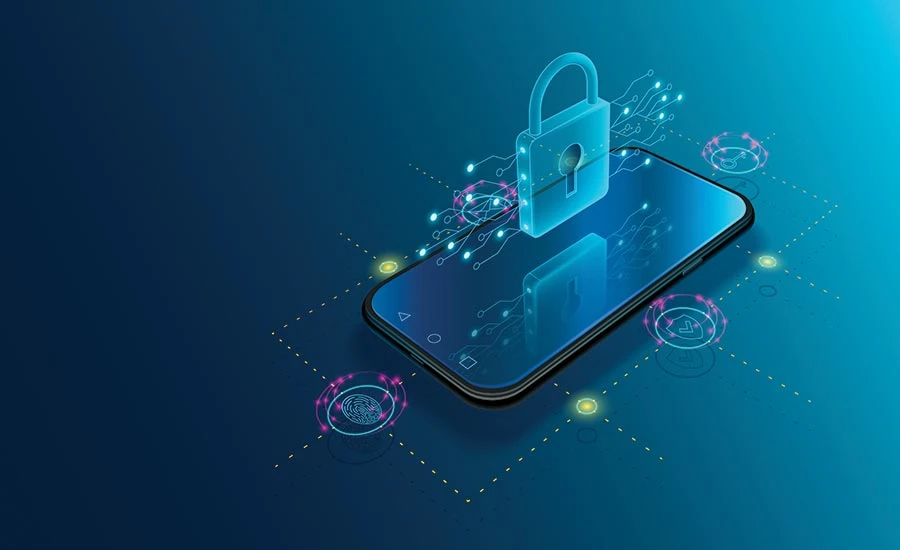
In today’s hyper-connected world, our mobile devices have become the epicenter of communication. From personal chats and SMS to emails and financial alerts, sensitive information is constantly transmitted through mobile apps. That’s why encrypting your mobile messages is no longer a luxury—it’s a necessity. Whether you're a business owner, an IT professional, or simply a privacy-conscious user, learning how to encrypt your mobile messages is crucial. If you're serious about understanding the latest mobile encryption techniques, enrolling in a Ethical Hacking Course in Dubai can equip you with the hands-on skills needed to protect your data effectively.
Why Encryption Matters in 2025
Encryption is the process of converting readable information into an unreadable format to prevent unauthorized access. In 2025, with AI-powered cyberattacks on the rise and data breaches becoming more common, mobile messaging is a key target. Hackers can intercept your conversations, steal personal information, or implant malware. End-to-end encryption (E2EE) ensures that only the sender and the recipient can read the message—making it a fundamental layer of mobile security.
Common Messaging Threats
Before diving into how to encrypt messages, it’s important to understand the threats you’re protecting against:
- Man-in-the-Middle (MITM) Attacks: Hackers intercept data while it's in transit.
- SIM Swapping: Attackers hijack your phone number to access authentication codes and messaging apps.
- Malware & Spyware: Malicious apps that read your messages in the background.
- Cloud Vulnerabilities: If messages are backed up without encryption, they can be accessed through cloud services.
Methods to Encrypt Messages on Android and iOS
Whether you’re an Android or iOS user, you have several encryption options. Here are the most secure and widely used methods in 2025:
1. Use Messaging Apps with Built-In End-to-End Encryption
Popular messaging apps now come with built-in encryption. These ensure messages are unreadable to anyone except the intended recipient. Always ensure encryption is enabled by default or activated in the settings.
Recommended Features:
- End-to-end encryption for messages, calls, and media
- Disappearing messages
- Encrypted backups (where available)
- Encrypted group chats
Pro Tip: Use disappearing messages for sensitive conversations to minimize data exposure if your phone is compromised.
2. Encrypt Your Phone’s Storage
Even with E2EE, unencrypted phone storage can be exploited if your device is lost or stolen.
For Android:
- Modern Android versions encrypt storage by default.
- Use File-Based Encryption (FBE) for app-level control.
- Set a strong screen lock with biometric authentication.
For iPhone:
- Encryption is enabled by default.
- Use a strong alphanumeric passcode.
- Enable Face ID or Touch ID for additional protection.
3. Disable Unencrypted Cloud Backups
Encrypted messages can become vulnerable when backed up to cloud storage without encryption.
What You Should Do:
- Turn off cloud backups for sensitive messaging apps.
- Use encrypted backup options provided in the app settings.
- Ensure your cloud accounts use multi-factor authentication.
4. Enable Two-Factor Authentication (2FA)
While 2FA doesn’t encrypt messages, it prevents unauthorized access to your messaging apps and cloud accounts.
Best Practices:
- Enable 2FA for all accounts associated with messaging apps.
- Use an authenticator app rather than SMS for added security.
- Store recovery codes in a secure, offline location.
5. Avoid Unverified or Suspicious Apps
Untrusted apps can silently access and share your unencrypted data.
Security Checklist:
- Install apps only from official app stores.
- Review app permissions regularly.
- Avoid apps that request excessive access to SMS, contacts, or media.
6. Use a VPN for Additional Privacy
A Virtual Private Network (VPN) encrypts your internet traffic, reducing the risk of interception during message transmission—especially on public Wi-Fi.
Features to Look For:
- Strong encryption standards
- No-logs policy
- Multi-device support
VPNs add a helpful privacy layer, but they should not replace app-level encryption.
7. Regularly Update Software and Apps
Cybercriminals often exploit outdated software. Always keep your device and apps updated.
- Enable automatic updates on your device.
- Check for app updates at least once a week.
- Regularly review security patches and apply them promptly.
8. Use Encrypted Email Services (When Needed)
For highly sensitive conversations, encrypted email can be a strong alternative. Look for email platforms that offer strong privacy policies and user-side encryption options.
When using email for secure communication:
- Avoid public Wi-Fi
- Use encrypted file attachments
- Enable two-factor authentication
Best Practices for Mobile Messaging Security
- Use encrypted messaging apps with good privacy policies.
- Avoid linking your account to multiple devices.
- Never share private keys or backup codes.
- Lock messaging apps with biometric or PIN access.
- Monitor app behavior and permissions.
Staying updated through a Best Cyber Security Course with Placement Guarantee in Dubai can help you implement these best practices with confidence, backed by real-world knowledge and skills.
Conclusion: Take Control of Your Mobile Security
In a digital world where every click can leave a trail, encrypting your mobile messages is one of the smartest moves you can make to protect your personal and professional life. Encryption isn’t just a tech buzzword












Sign in to leave a comment.