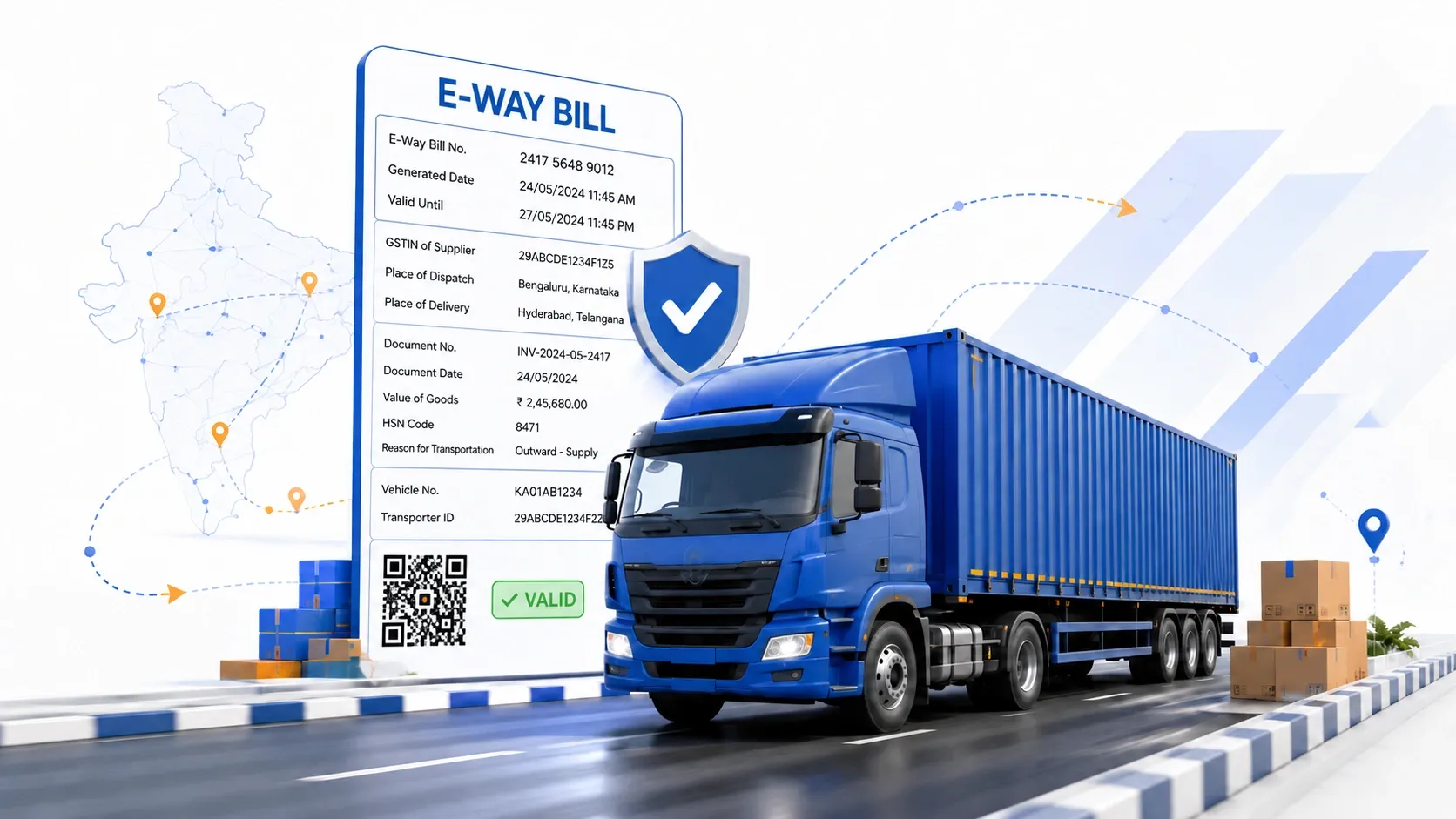

Moving goods worth more than ₹50,000 in a single vehicle isn't legal under GST without one document in hand — the e-way bill. This electronic way bill records details of the consignment, the parties involved, and the vehicle carrying it, and it's checked at every stopover. If you're new to e-way bill generation or just want a cleaner process, here's a simple walkthrough.
What Is an E-Way Bill?
An e-way bill (EWB) is an electronic way bill generated on the e-way bill portal whenever goods above the value threshold move by road, rail, air, or ship. Once generated, the electronic way bill system issues a unique E-Way Bill Number (EBN), which is shared with the supplier, recipient, and transporter.
Documentation Required Before Generating an E-Way Bill
Before you start the e-way bill generation process, keep the following ready:
- GST registration: Your GSTIN is mandatory for e-way bill registration.
- Invoice, bill, or delivery challan: The document related to the consignment of goods.
- Transporter details: Transporter ID or vehicle number for road transport; Transporter ID, transport document number, and date for rail, air, or ship movement.
- Login credentials: A registered username and password for the e-way bill login (first-time users must complete e-way bill registration using their GSTIN and OTP verification).
Having these on hand makes the actual e-way bill online generation quick — usually just a few minutes.
How to Generate an E-Way Bill Online: Step-by-Step
- E-way bill login: Visit the official e-way bill portal (ewaybillgst.gov.in) and log in using your username, password, and the captcha shown.
- Select "Generate New": On the dashboard, click the "Generate New" option under the E-Way Bill menu.
- Choose transaction type: Select "Outward" if you're the supplier, or "Inward" if you're the recipient.
- Pick the sub-type and document type: Choose the applicable sub-type, then select the document type — invoice, bill, or challan — along with its number and date.
- Enter consignor and consignee details: Fill in the From/To details, including GSTIN wherever applicable, item description, HSN code, quantity, and taxable value.
- Add transport details: Enter the mode of transport and either the vehicle number (for road) or the transport document number and date (for rail, air, or ship).
- Submit and download: Once submitted, the e-way bill system generates the EBN along with a QR code. Download or print this for the journey.
Besides the web-based e-way bill generation process, the e-way bill system also supports generation through SMS, a mobile app, bulk upload, API integration, and automatically through the e-invoice route for eligible taxpayers.
Things to Keep in Mind
- The e-way bill portal and its screens are updated periodically, so it's worth confirming the current flow on the official site before relying on any single guide.
- An e-way bill has a limited validity period based on distance, so plan generation close to the actual movement of goods.
- Any errors before submission can be corrected, but once generated, an e-way bill can only be cancelled within the allowed time window — not edited.
- Keep a digital or printed copy of the e-way bill with the transporter at all times during transit.
Wrapping Up
The e-way bill generation process was built to replace paperwork with a simple digital record, and once your documentation is in order, generating one takes only a few minutes. Whether you're a manufacturer, wholesaler, retailer, or transporter, staying on top of e-way bill compliance helps you avoid penalties and keeps shipments moving without delays.
Simplify Your Shipping with ShipGlobal
Generating an e-way bill is just one part of getting a shipment out the door. If you're shipping internationally, ShipGlobal helps take the operational load off your plate — from packaging and documentation support to customs paperwork and door-to-door delivery tracking. For businesses juggling GST compliance alongside cross-border logistics, having a reliable shipping partner like ShipGlobal means fewer moving pieces to manage and more time to focus on growing your business.





















Sign in to leave a comment.