
A slow laptop can affect your productivity and daily tasks. The good news is that improving your laptop’s performance doesn’t always require technical expertise or heavy investment. With a few simple steps, you can make your system faster and more efficient.
At LappyMind, we regularly help users optimize their laptops for better speed and performance. Here are some easy and effective ways to boost your device:
1. Remove Unwanted Programs & Malware
Unused software and hidden malware can consume system resources and slow down your laptop. If you notice random pop-ups or unknown apps running, it’s time to clean up. Use a reliable antivirus and uninstall unnecessary programs from your system settings.
2. Clear Temporary Files
Temporary files build up over time and take up valuable storage space. Cleaning them can improve system speed.
Quick steps:
Press Windows + R
Type %temp% and press Enter
Delete all files in the folder
Also, don’t forget to clear your browser cache regularly.
3. Disable Unnecessary Animations
Visual effects and animations may look appealing but can slow down older laptops. Turning off these effects can improve system responsiveness and make your laptop feel faster.
4. Keep Your System Updated
Regular updates bring performance improvements, bug fixes, and better security. Keeping your operating system and software up to date ensures smoother performance and stability.
5. Upgrade Your RAM
If your laptop slows down while multitasking, increasing RAM can make a big difference. More memory allows your system to handle multiple applications more efficiently.
6. Switch to an SSD
Upgrading from a traditional hard drive to an SSD is one of the best ways to boost performance. SSDs significantly reduce boot time, improve app loading speed, and enhance overall responsiveness.
7. Perform Regular Maintenance
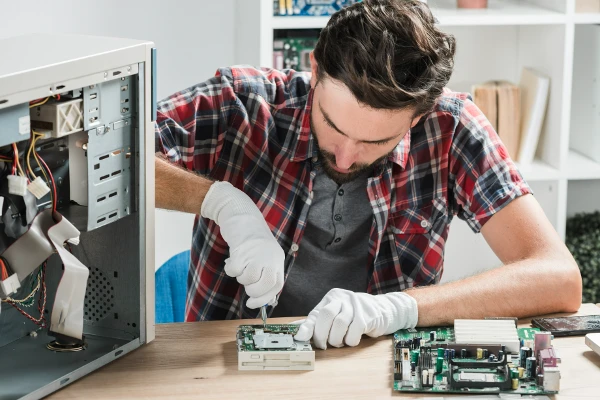
Dust buildup and overheating can reduce performance. Cleaning the internal components and ensuring proper cooling helps maintain speed and extends your laptop’s lifespan.
Final Thoughts
Improving your laptop’s performance doesn’t have to be complicated. By following these simple steps, you can enjoy a faster and smoother experience without spending too much time or money.
For professional assistance, LappyMind offers expert laptop optimization, upgrades, and repair services to keep your device running at its best.











Sign in to leave a comment.