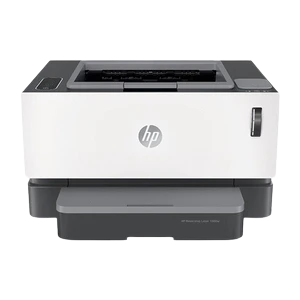

If you are considering a new printer, then one option is the HP laser printer. HP is known for making high-quality printers that are efficient and reliable, and laser printers are especially popular because they can produce sharp, clear text and images at a relatively low cost per page. However, with so many HP laser printers to choose from, it can be difficult to know which one is right for you. In this article, we'll look at some of the key factors to consider when choosing an HP laser printer.
Determine your printing needs
Before you start looking at HP laser printers, consider your printing needs. What type of documents do you print? Do you need to print in color or black and white? Do you print frequently or infrequently? Answering these questions will help you determine the type of printer that will meet your needs.
Consider the size of the printer
HP laser printers come in different sizes, from compact models that are great for home use to larger models that are designed for offices with high-volume printing needs. Consider the space you have available for the printer and choose a model that will fit comfortably in that space.
Check the printing speed
Printing speed is an important factor to consider if you do a lot of printing. The printing speed is measured in pages per minute (ppm), and faster printing speeds are generally better if you print a lot. However, if you don't print frequently, a slower printing speed may be sufficient for your needs.
Look at the print quality
The print quality of HP laser printers is measured in dots per inch (dpi). Higher dpi numbers generally mean better print quality, but they also usually mean a higher price tag. If you only need to print basic documents, a lower dpi number may be sufficient for your needs.
Check the connectivity options
HP laser printers come with different connectivity options, such as USB, Ethernet, and Wi-Fi. Consider the devices you will be using to print and choose a model that has the connectivity options you need.
Check the cost of replacement toner
When considering the cost of an HP laser printer, don't forget to factor in the cost of replacement toner cartridges. Some models have high-yield toner cartridges that last longer and cost less per page printed. If you print frequently, choosing a model with a high-yield toner cartridge can save you money in the long run.
Look at the additional features
Finally, consider any additional features that may be important to you, such as automatic duplexing (double-sided printing), automatic document feeding, and mobile printing capabilities. These features can make printing easier and more efficient.
Resolution
If you need to print high-quality images or graphics, you'll want a printer with a high resolution. The resolution is measured in dots per inch (dpi), and higher dpi numbers generally mean higher quality prints. Some HP laser printers have a resolution of up to 4800 x 600 dpi, while others may only have a resolution of 600 x 600 dpi.
Connectivity
Another important factor to consider is connectivity. Do you need a printer that can connect to your computer wirelessly, or will a USB connection suffice? Some HP laser printers come with built-in WiFi, while others may only have USB or Ethernet connections. Make sure to choose a printer that is compatible with your devices and that offers the connectivity options you need.
In conclusion, selecting the right HP laser printer for your needs involves considering your printing needs, the size of the printer, printing speed, print quality, connectivity options, cost of replacement toner, and additional features. Taking these factors into account will help you select a printer that meets your needs and fits your budget.










Sign in to leave a comment.