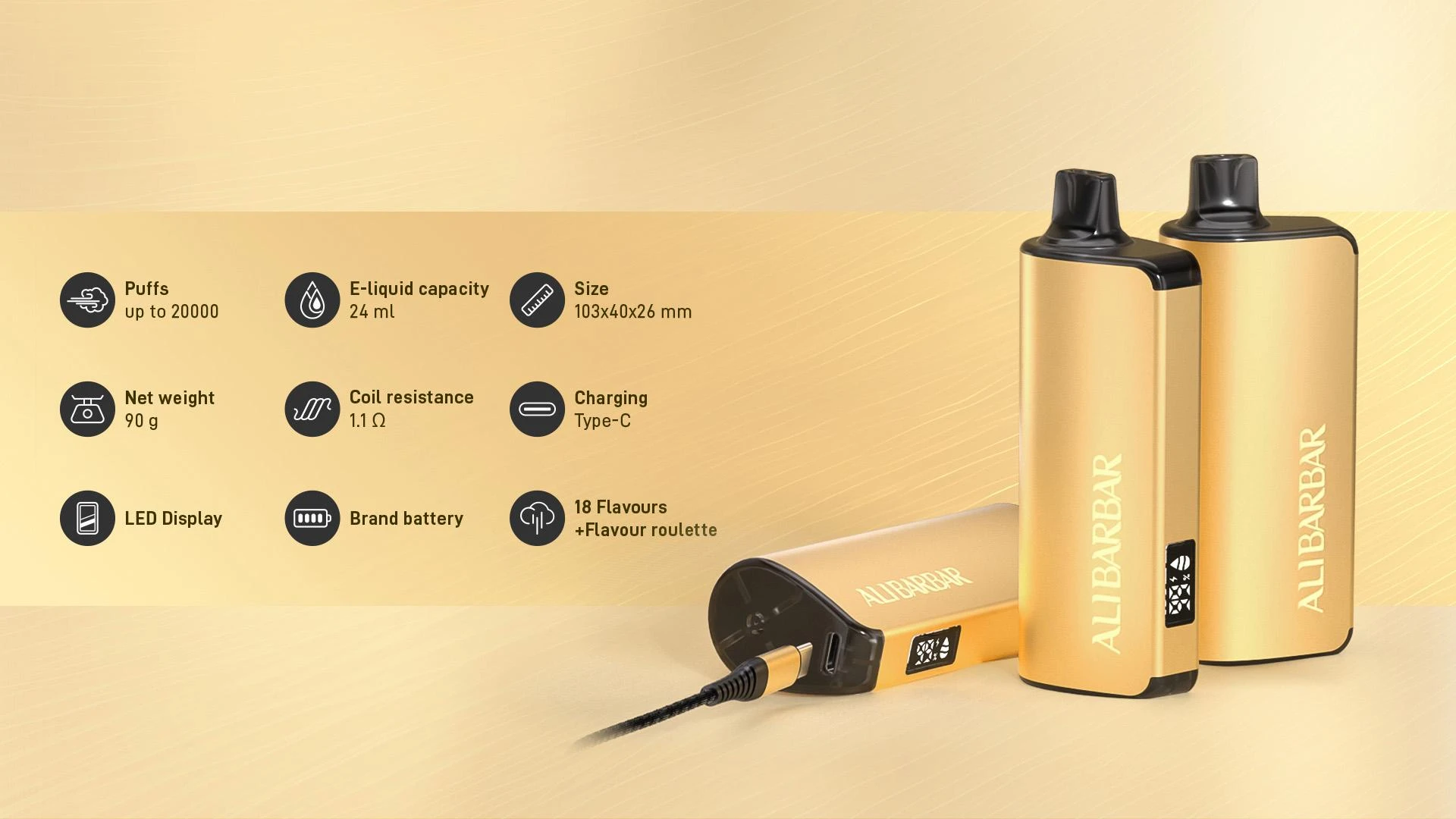

Rechargeable vapes have revolutionised the vaping experience, offering both convenience and cost-effectiveness. If you're wondering how to recharge Alibarbar vape devices, this comprehensive guide will walk you through everything you need to know, from basic charging procedures to troubleshooting common issues.
Understanding Your Alibarbar Vape's Charging System
Before diving into the charging process, it's essential to understand how your Alibarbar vape charging system works. Most modern Alibarbar devices feature USB-C or micro-USB charging ports, making them compatible with standard charging cables you likely already own.
The charging system in Alibarbar devices is designed with safety and efficiency in mind. These devices typically use lithium-ion batteries, which require proper care to maintain their longevity and performance. Understanding your device's specific charging requirements will help ensure you get the most out of your vaping experience.
Step-by-Step Charging Instructions
1. Locate the Charging Port
First, identify the charging port on your device. Most models, including the popular Alibarbar INGOT 9000, feature the charging port at the bottom or side of the device. You may need to remove a small rubber cover that protects the port from dust and moisture.
2. Use the Correct Cable
Always use the cable that came with your device or a high-quality replacement. Using substandard cables can lead to slow charging, device damage, or safety hazards. The cable should fit snugly into the port without forcing it.
3. Connect to a Power Source
Plug your device into a suitable power source. Whilst it might be tempting to use fast chargers, it's best to stick with standard USB adapters (5V/1A or 5V/2A) to prevent overheating and battery damage. You can charge your device using:
- Wall adapters
- Computer USB ports
- Power banks
- Car chargers (with appropriate voltage)
4. Monitor the Charging Process
Most Alibarbar devices feature LED indicators that show charging status. Typically, a red light indicates charging is in progress, whilst a green or white light signals a full charge. The Alibarbar 9000 series, for instance, has a clear indicator system that makes monitoring straightforward.
Charging Times and Battery Life
Charging times vary depending on your device model and battery capacity. Generally, you can expect:
- Small devices (under 1000 puffs): 30-45 minutes
- Medium devices (1000-5000 puffs): 45-90 minutes
- Large devices (5000+ puffs): 1-2 hours
To maximise battery life, avoid letting your device completely discharge before recharging. Maintaining a charge between 20% and 80% can significantly extend your battery's lifespan.
Safety Considerations
When charging your device, safety should always be your top priority. Here are essential safety tips to follow:
Temperature Management
Never charge your device in extreme temperatures. Both excessive heat and cold can damage the battery and potentially create safety hazards. Room temperature (20-25°C) is ideal for charging.
Supervision
Whilst modern devices have built-in safety features, it's wise to supervise the charging process, especially during the first few charges with a new device. Never leave your device charging overnight or whilst you're away from home.
Proper Ventilation
Ensure your device has adequate ventilation whilst charging. Don't charge it under pillows, in enclosed spaces, or near flammable materials.
Troubleshooting Common Charging Issues
Even with proper care, you might encounter charging problems. Here's how to address common issues:
Device Not Charging
If your device won't charge:
- Check the cable and port for damage or debris
- Try a different cable or power source
- Clean the charging port gently with a dry cotton swab
- Ensure the device isn't too hot or cold
Slow Charging
Slow charging often results from:
- Using low-quality cables
- Charging from low-power sources
- Port contamination
- Battery age
Intermittent Charging
If charging starts and stops:
- Check for loose connections
- Inspect the cable for damage
- Clean both the port and cable connector
- Consider battery replacement if the issue persists
Maintenance Tips for Optimal Performance
Proper maintenance extends your device's life and ensures consistent performance. Regular cleaning of the charging port prevents connectivity issues. Use compressed air or a soft brush to remove debris, but avoid liquid cleaners.
Store your device in a cool, dry place when not in use. Extreme temperatures and humidity can damage both the battery and internal components. If you won't be using your device for an extended period, charge it to about 50% before storage.
When to Replace Your Battery
Even with excellent care, batteries eventually wear out. Signs that your battery needs replacement include:
- Significantly reduced usage time between charges
- Device getting unusually hot during charging
- Charging taking much longer than usual
- Device shutting off unexpectedly
For quality replacements and authentic products, always purchase from authorised retailers like Alibarbar Australia.
Environmental Considerations
Responsible disposal of old devices and batteries is crucial. Never throw them in regular waste bins. Instead, use designated e-waste recycling facilities that can safely process lithium-ion batteries and electronic components.
Conclusion
Properly charging your Alibarbar vape ensures optimal performance and longevity. By following these guidelines, you'll enjoy a consistent, satisfying vaping experience whilst maintaining your device's safety and efficiency. Remember that investing a few minutes in proper charging practices can save you money and enhance your overall vaping satisfaction.
Whether you're new to vaping or an experienced user, understanding how to care for your device properly makes all the difference. With the right knowledge and practices, your Alibarbar device will provide reliable service for months or even years to come.












Sign in to leave a comment.