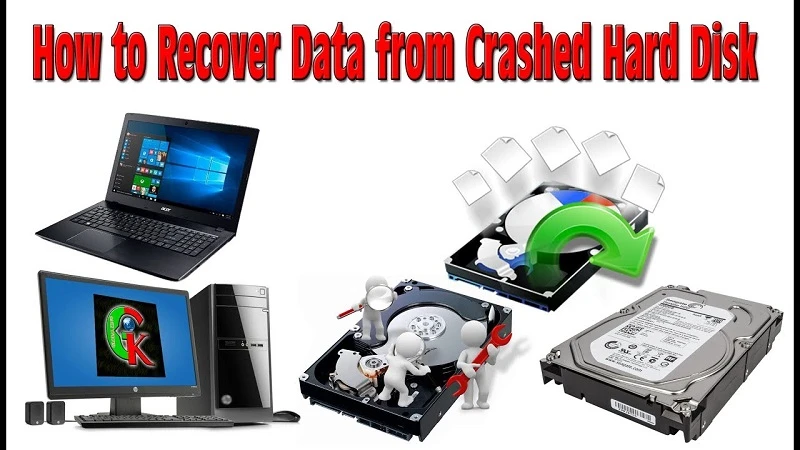

Most people use the computer to save loads of files and when the computer becomes non-functional then the files become inaccessible. In this case, you can’t readily access all the files to hardware problems. What you can do is to recover data from that crashed or dead hard drive.
Here, you will learn how to recover data from the hard drive. You can transfer all the data to a working computer or to another external drive. Otherwise, you can also seek help from top-notched companies offering hard drive data recovery services. So, let’s check out the processes.
Methods to Recover Data from Hard Drive
Whether you were using Windows, Mac or Linux operating systems on your computer, you can apply these methods. All these methods are compatible with these procedures.
[caption class="snax-figure" align="aligncenter" width="662"][/caption]
Method 1: Use the Old Drive as External Drive
First of all, you have to buy a hard drive disk enclosure. Before making the purchase, please check out the specifications of your computer. The disk enclosure should match the criteria of your computer’s hard disk drive. Additionally, you have to borrow or purchase a new computer.
If you owned a Windows computer then you would require a new one. After you have arranged these two things properly, now you can proceed with the below tasks:
Ensure that the computer is not plugged in. If it is a laptop, remove the battery from it. Now, use a screwdriver to remove the hard drive from the computer.
After you have successfully removed the hard drive, place the hard drive in the disk enclosure. Make sure that the pins of the hard drive are connected to the pins of the enclosure.
Next, you need to connect the disk enclosure to the borrowed or bought computer. You will need a USB cable to connect the enclosure to the working laptop or desktop.
You might connect an external drive to the same computer. But, this is completely optional and you might skip it.
You can transfer all the data on the old hard drive to either the computer or to the external hard drive. This process is going to take a longer time. Use the copy-paste option or click-drag option to transfer the files.
When you have completed the transfer process, you can now close the Windows File Explorer or Finder window. Finally, right-click on the USB option and choose the Eject option.
You are done with the hard drive data recovery.
Method 2: Use a Third-Party Data Recovery Application
You can use any third-party data recovery application in order to recover data from any hard disk drive. There are numerous applications available for this task. Initially, purchase the application according to your OS before you start off the procedure.
Next, you need to create a bootable USB. After that, follow the guidelines mentioned below:
Select the location that you need to scan. The application will initiate a scanning over that drive.
After the scanning completes, it will represent you all the Deleted Files. From there you have to choose those files that you want to keep.
You can preview the after the result of the data recovery process. Finally, click on the Recover option to initialize the recovery process.
This method is way simpler than the previous one. But, this is applicable if you have encountered data loss for a definite drive of your computer.
How to Choose Hard Drive Data Recovery Services?
If you don’t want these hassles then you can simply trust a service provider who is expert in recovering hard drive data. Please consider the factors below before choosing a data recovery service provider near you.
Choose an experienced company for the task. Don’t go to a new company. Only rely on those companies that you have heard of.
Contact the company through the customer support number. Ask them the right questions including the price, the time the task needs, etc.
Check out if the company is in partnership with the manufacturing company of your hard drive. It is better to choose a partnered company.
Hopefully, these tips will help you choose the right service for the data recovery process.









Sign in to leave a comment.