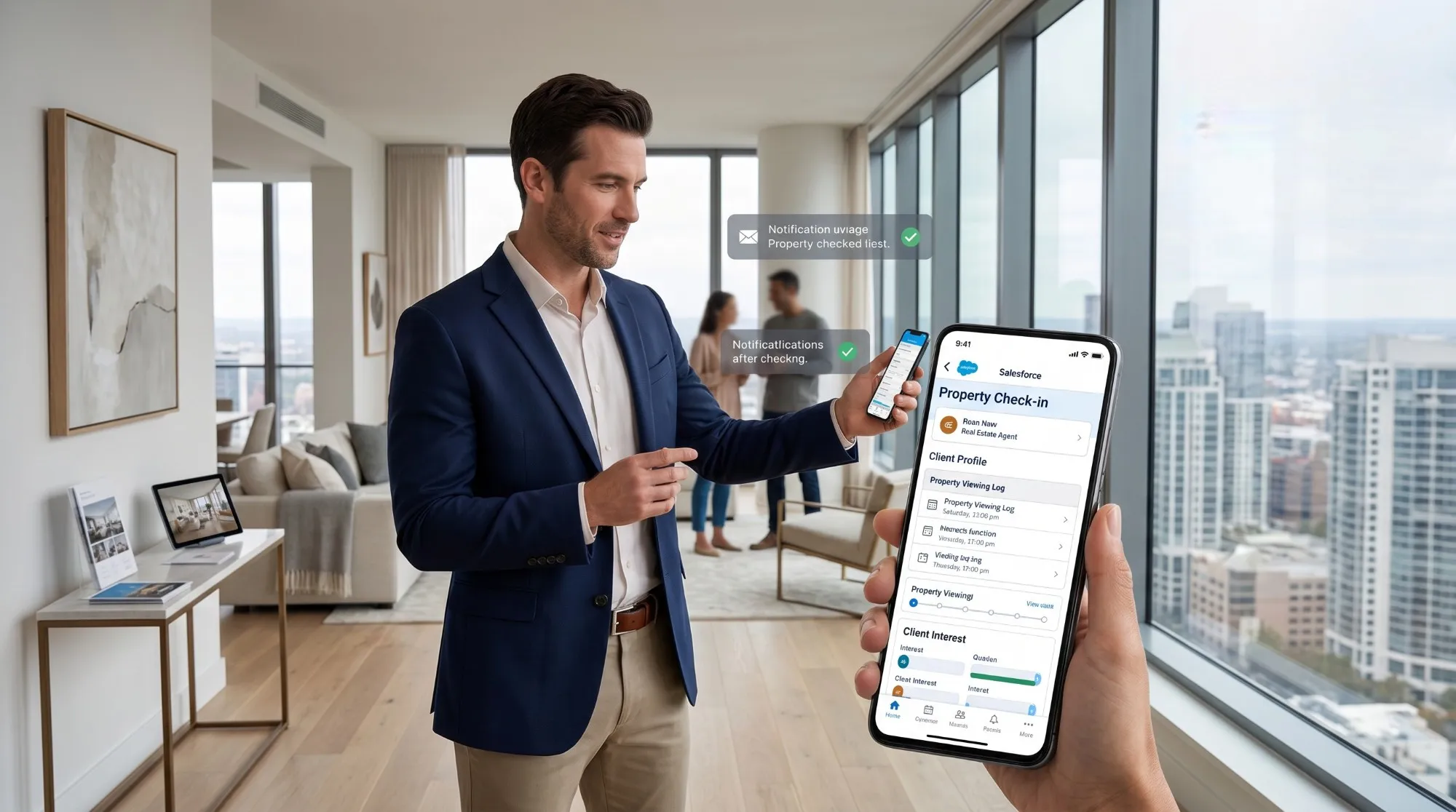

Optimizing salesforce for real estate involves transforming physical viewings into trackable data. By using custom junction objects and mobile check-ins, agents capture real-time feedback and market sentiment. This architecture enables powerful reporting on property performance and agent efficiency, turning fragmented field notes into a strategic roadmap for closing transactions.
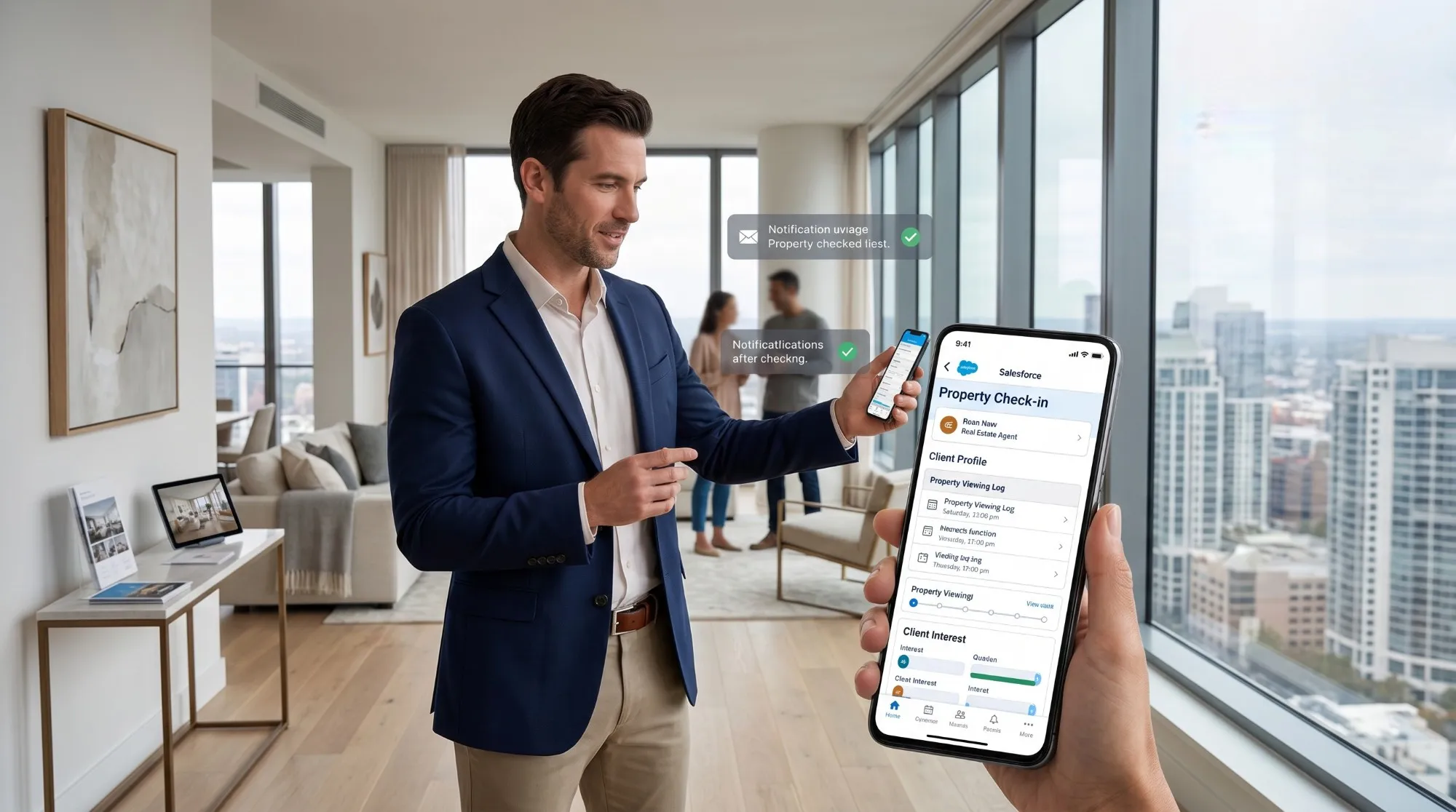
In the digital age of real estate, we often obsess over website clicks, email open rates, and lead capture forms. However, the most critical moment in any real estate transaction remains the physical viewing. It is the moment when a prospect transitions from a "lead" to a “contender.”
For many firms, this data is the "black hole" of their CRM. Information about who visited which property, what they thought, and how long they stayed often lives in a realtor's notebook or a fragmented WhatsApp thread. This lack of visibility prevents leadership from understanding why certain properties aren't moving and makes it impossible to accurately predict revenue.
Implementing Salesforce for real estate effectively requires moving beyond basic contact management. You must build a system that treats the property viewing as a high-value data event.
The Architecture of a Property Viewing in Salesforce
To track viewings correctly, you must first understand where this data lives in the Salesforce hierarchy. Standard CRM setups aren't naturally "property-aware." You aren't just tracking a person; you are tracking a relationship between a Person, a Property, and a Time Slot.
The Custom "Property" Object
Most successful implementations of crm software for real estate industry use a custom object for "Properties" or "Listings." This object holds the address, price, features, and status.
The "Viewing" Object (The Junction)
You should not track viewings simply as "Events" on a calendar. While an Event tells you when something happened, it is difficult to report on specific property feedback across multiple leads using only standard Tasks.
Instead, create a custom "Viewing" or "Showing" object. This acts as a "Junction Object" that connects:
- The Contact: The prospective buyer or tenant.
- The Property: The specific unit or house being viewed.
- The Agent: The team member conducting the tour.
By using a custom object, you can add specific fields that matter to the real estate workflow, such as "Visitor Punctuality," "Feedback Score," and “Follow-up Required.”
Leveraging Salesforce for Realtors: Mobile First
Real estate happens in the field, not behind a desk. If a system requires an agent to log back into a laptop at 6:00 PM to record their day's viewings, the data will be inaccurate or non-existent.
The Power of the Salesforce Mobile App
When using salesforce for realtors, the mobile experience is the primary driver of adoption. You can configure "Quick Actions" on the mobile app specifically for viewings.
Imagine an agent finishing a tour. They open the Salesforce app, click a button labeled "Log Viewing," and a simplified form appears. They can dictate their notes using voice-to-text, select a "Star Rating" for interest level, and hit save before they even get back into their car.
Geofencing and Check-ins
For more advanced operations, you can use Salesforce Maps or simple geolocation triggers. When an agent arrives at a property's coordinates, the system can send a push notification: “You've arrived at 123 Maple St. Would you like to start the viewing timer?”
The Logic of Feedback Loops
A viewing without feedback is a wasted data point. The goal of tracking these interactions is to provide "Market Intelligence" to your sellers or landlords.
Consider implementing a structured feedback system within your Viewing object:
- Price Sentiment: Too high, Fair, or Great value?
- Condition Rating: Did the "fixer-upper" status turn them off?
- Objection Tracking: Was it the noise, the layout, or the lack of parking?
When you aggregate this data across 20 viewings for a single property, you no longer have to tell a seller “I think the price is too high.”
Implementation Steps for Real Estate Teams
If you are transitioning to Salesforce or optimizing your current setup, follow this logical path:
- Define Your Data Model: Ensure your Properties and Viewings are linked via Lookup or Master-Detail relationships.
- Standardize Feedback Fields: Use Picklists instead of open text fields where possible. This makes your data "pollable" and reportable.
- Automate the "Post-Viewing" Workflow: Set up a Flow that triggers an automatic "Thank You" email to the prospect one hour after the viewing is logged, perhaps including a link to a formal feedback survey or a digital brochure of the property.
- Create an Agent Dashboard: Show realtors their own "Viewing Conversion" rates. How many viewings does it take for Agent A to get an offer versus Agent B?
Reporting: Turning Activity into Insights
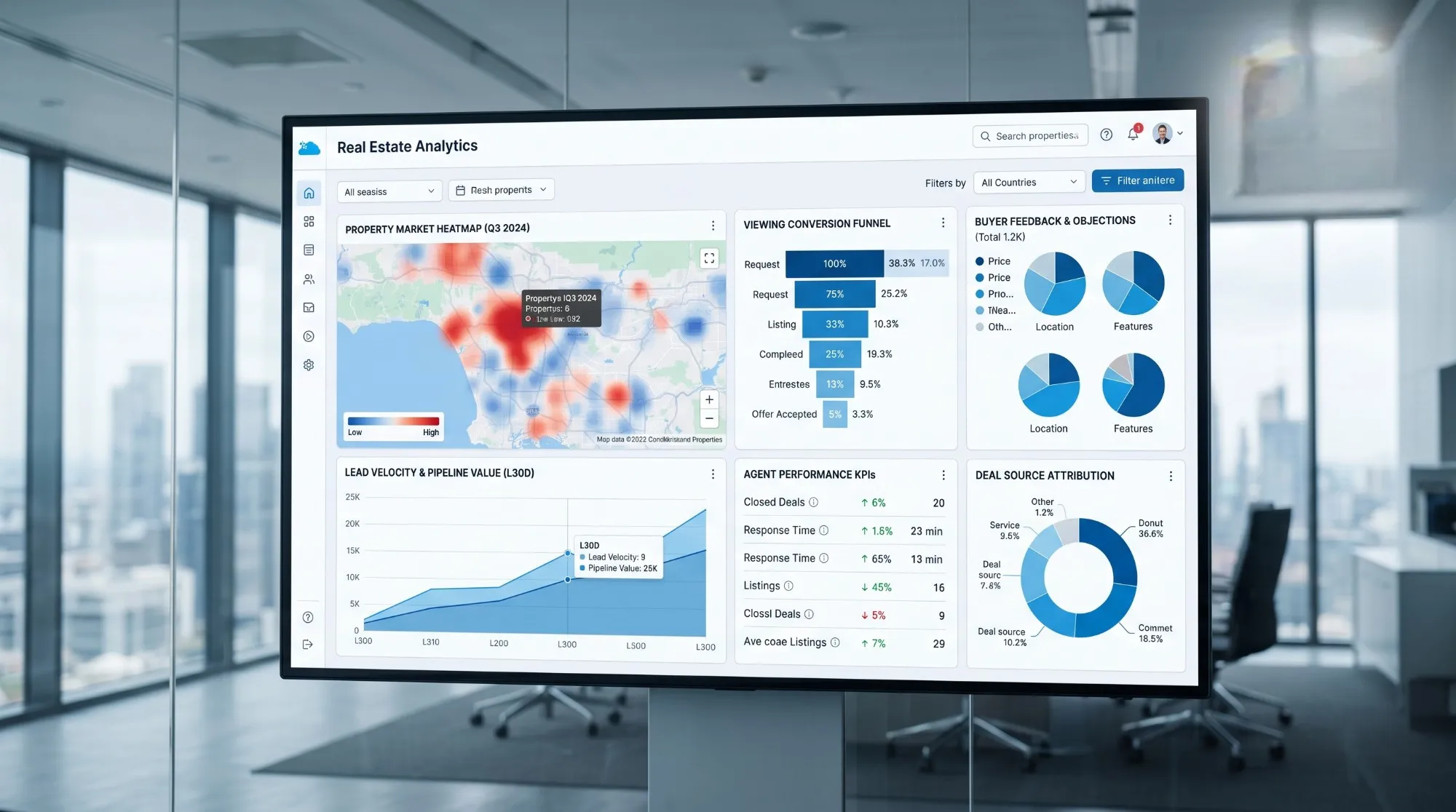
The ultimate value of using salesforce for real estate to track viewings is the reporting capability.
- Property Heatmaps: Which listings are getting the most "First Viewings" but zero "Second Viewings"? This identifies properties with great marketing but poor "curb appeal" or internal issues.
- Lead Velocity: How long does it take from the first inquiry to the first physical viewing? Top-performing firms aim to minimize this gap.
- Agent Performance: Track which agents are most active in the field and correlate that activity with closed deals to identify your most efficient closers.
Common Pitfalls to Avoid
- Over-complicating the Form: If your "Log Viewing" action has 20 fields, agents won't use it. Keep it to the 5 most essential data points.
- Ignoring the "No-Show": Ensure your system tracks cancelled viewings or no-shows. This is vital for assessing lead quality.
- Siloed Data: Ensure your viewings are visible to the marketing team so they can adjust ad spend based on which properties are already over-saturated with tours.
Conclusion
Tracking site visits and property viewings in Salesforce is not just about administrative oversight; it is about capturing the "truth" of the market. When you treat the viewing as a formal data event, you empower your agents with better tools, your leadership with better insights, and your clients with better results.
By shifting to a property-centric data model and prioritizing mobile-first entry, your firm can move from guessing why deals aren't closing to knowing exactly what it takes to get to “Sold.”
Frequently Asked Questions
1. Can we track viewings using the standard Salesforce Calendar?
Yes, you can, but it is not recommended for deep reporting. Standard Events are "Activity" records, which are harder to customize with specific real estate fields like "Property Condition Feedback." A custom object provides much richer data for long-term analysis.
2. How do we handle "Open Houses" where many people visit at once?
For Open Houses, we recommend a "Batch Check-in" tool or a simple flow where an agent can quickly create multiple "Viewing" records linked to the same property and time slot. Some firms use a tablet at the door that feeds directly into Salesforce via a Web-to-Lead form.
3. Is Salesforce too complex for a small real estate team?
Salesforce can be as simple or as complex as you build it. For smaller teams, focusing solely on the Mobile App and a few custom fields on the "Viewing" object provides immediate ROI without the need for a full-time administrator.
4. How does tracking viewings help with GDPR or CCPA compliance?
By centralizing viewing data, you can easily track when a prospect gave consent for follow-up and ensure that their physical interaction history is included if they ever request a "Right to be Forgotten" or a data export.


























Sign in to leave a comment.