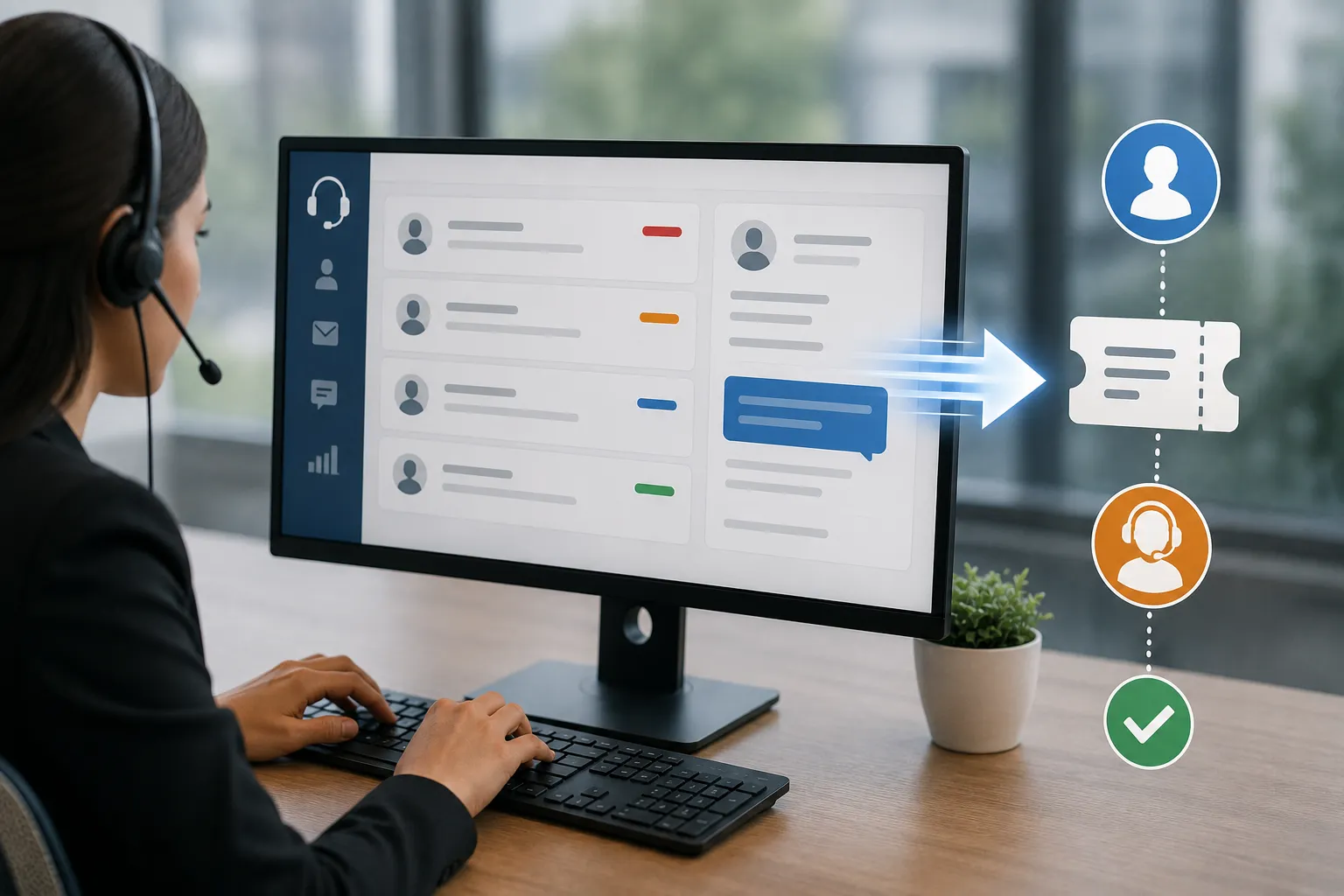

Picture this. An employee sends an email to HR about a payslip discrepancy on Monday morning. By Wednesday, they've followed up twice—once by email and once in person. HR hasn't responded, not because anyone is ignoring them, but because that original email is buried under 47 other messages that arrived the same day. The employee is frustrated. HR feels overwhelmed. And the underlying payroll issue still hasn't been fixed.
This isn't a management failure. It's a systems failure. And it plays out in thousands of organizations every single working day.
An HR ticketing system is the structural solution to this problem. It converts the chaos of unstructured employee requests—arriving through emails, WhatsApp messages, phone calls, and impromptu desk visits—into an organized, tracked, accountable process where every issue has an owner, a status, and a resolution timeline.
The difference in employee experience between a workplace with and without an HR ticketing system is significant enough to show up in engagement surveys and attrition data. The difference in HR team productivity is measurable in hours recovered every week. And the compliance and documentation benefits—particularly for companies with formal employment obligations tied to business registration—are increasingly non-negotiable in a regulatory environment that expects organizations to demonstrate systematic, documented responsiveness to employee issues.
This guide covers everything you need to know: what an HR ticketing system is, how it works, which features drive the most value, how to implement one effectively, and what the real-world outcomes look like for organizations across India and globally.
What Is an HR Ticketing System?
An HR ticketing system is software that captures, categorizes, tracks, assigns, and resolves employee queries and requests through a structured workflow—from initial submission through to documented resolution.
When an employee has a question about their leave balance, a concern about a payroll deduction, or a request for an experience certificate, they submit it through the system. The submission creates a "ticket"—a tracked record of that request with a unique identifier, category classification, assigned HR owner, target resolution time, and complete communication history.
Neither the employee nor the HR team needs to remember what was said in which email chain, or whether a particular request was actually acknowledged. The system holds that information, surfaces it on demand, and escalates automatically when resolution timelines are missed.
HR Ticketing System vs Generic Email Management
This comparison is worth making explicit, because many HR teams believe their shared inbox functions as an adequate ticketing alternative.
| Capability | Shared HR Email Inbox | HR Ticketing System |
| Unique ticket identifier | No | Yes—every request tracked |
| Ownership assignment | Manual, informal | Automatic routing by category |
| Response time tracking | None | SLA monitoring with alerts |
| Status visibility for employee | None | Real-time status updates |
| Audit trail of all communication | Fragmented across threads | Complete, searchable history |
| Escalation on deadline breach | Manual, often missed | Automatic escalation workflows |
| Analytics on query volume and type | None | Full reporting dashboard |
| Knowledge base integration | None | Deflects common queries to self-serve |
| Compliance documentation | Incomplete | Complete and exportable |
The email inbox manages correspondence. The HR ticketing system manages service delivery. These are fundamentally different functions.
Why Employee Issue Resolution Speed Actually Matters
The Business Cost of Slow HR Response
Slow HR response to employee issues is expensive in ways that don't always show up on a single budget line but accumulate into significant organizational cost.
Productivity impact: Every employee waiting on an unresolved HR issue is carrying a background cognitive load—they're thinking about the unresolved issue, making follow-up attempts, and experiencing the kind of low-grade dissatisfaction that research consistently connects to reduced work engagement.
Trust erosion: Employee trust in HR is closely correlated with perceived HR responsiveness. Organizations where employees feel HR doesn't respond reliably develop a cultural perception of HR as inaccessible or indifferent—which affects willingness to raise legitimate issues, including compliance and workplace safety concerns that have legal dimensions.
Attrition contribution: Exit interview data consistently surfaces HR responsiveness as a contributing factor in voluntary resignation decisions—particularly among employees whose issues went unresolved or whose queries were lost entirely in the informal communication chaos.
Compliance risk: For formally registered companies with statutory employee rights obligations, slow or documented non-response to specific categories of employee queries creates legal exposure. An employee whose formal complaint about wage discrepancy was never acknowledged has stronger grounds for labor authority complaint than one who received a documented response and resolution.
The Resolution Speed Benchmark
Research into HR service delivery expectations consistently shows:
- Employees expect acknowledgment of a submitted query within 2-4 hours
- 70% expect resolution of routine queries within 24-48 hours
- Only 30% of organizations without a structured system meet these expectations consistently
- Organizations with dedicated HR ticketing systems resolve routine queries 60-70% faster on average than those managing queries through email
The Anatomy of an HR Ticketing System
Understanding how the system works mechanically helps evaluate whether a specific platform is well-suited to your organization's environment.
Stage 1: Request Capture and Ticket Creation
The employee submits their query or request through one of several intake channels:
Self-service portal submission: The employee logs into the HR portal, selects the relevant request category, and completes a structured form that captures all information needed to process the request efficiently.
Email-to-ticket conversion: Some HR ticketing systems monitor a dedicated HR email address and automatically convert incoming emails into structured tickets—preserving the email as the communication vehicle while adding ticketing infrastructure around it.
Mobile application submission: Increasingly important for distributed workforces, mobile submission allows field employees, remote workers, and shop floor staff to raise requests from any location.
Manager-submitted tickets: In some categories—particularly disciplinary matters and performance concerns—managers submit tickets on behalf of their teams or to trigger HR involvement in specific situations.
Stage 2: Automatic Categorization and Routing
As soon as a ticket is created, the system categorizes it based on submission type and routes it to the appropriate HR team member or queue:
- Payroll discrepancy → Payroll specialist
- Leave policy query → HR generalist or automated FAQ response
- Document request → HR admin
- Grievance or complaint → HR manager or HR business partner
- Benefits enrollment → Benefits administrator
This automatic routing eliminates the manual triage step that consumes HR time in email-based systems and ensures that every request reaches the right person immediately.
Stage 3: SLA Assignment and Tracking
Each ticket category carries a configured Service Level Agreement—the maximum time within which the ticket should be resolved. The system begins tracking resolution time from ticket creation and:
- Sends reminder alerts to the assigned HR team member as the deadline approaches
- Escalates automatically to the assignee's manager if the deadline is breached
- Flags overdue tickets prominently in the HR team dashboard
- Notifies the employee when their ticket is approaching or past the expected resolution time
Stage 4: Resolution and Documentation
When the HR team member resolves the issue, they document the resolution within the ticket:
- The resolution action taken
- Any documents generated or attached (salary certificate, payslip, policy clarification)
- Any follow-up actions required from the employee or a third party
- The category classification for knowledge base contribution
The resolution documentation becomes the audit trail—the permanent record that demonstrates the organization's responsiveness to the employee's concern.
Stage 5: Employee Confirmation and Feedback
After resolution, the employee receives notification and is invited to:
- Confirm that their issue was resolved satisfactorily
- Provide a brief satisfaction rating
- Reopen the ticket if the resolution was incomplete
Post-resolution feedback creates a continuous improvement loop that identifies systemic service quality issues before they become cultural problems.
Core Features of an Effective HR Ticketing System
Feature 1: Multi-Channel Intake With Unified Queue
The most effective HR ticketing systems consolidate requests arriving through multiple channels—portal, email, mobile, and chat—into a single, unified queue. This eliminates the fragmentation problem where some requests are tracked in the ticketing system while others are managed separately through email, creating the blind spots that cause queries to be missed.
What to look for:
- Email integration that converts HR inbox messages to tickets automatically
- Portal-based submission with category-specific forms
- Mobile application with full ticket submission capability
- Chat integration (Microsoft Teams, Slack, WhatsApp) where applicable
Feature 2: Configurable SLA Framework
Different request categories require different response timelines. A payslip download request should resolve faster than a complex grievance investigation. An emergency salary advance request warrants a different SLA than a routine document request.
A configurable SLA framework allows HR to define appropriate response and resolution targets for each request category—and to distinguish between initial response SLAs (acknowledgment) and resolution SLAs (complete closure).
SLA configuration capability includes:
- Category-specific SLA definition
- Business hours vs calendar hours SLA calculation
- Separate response and resolution SLA targets
- Escalation path configuration when SLAs are breached
- SLA pause capability for tickets awaiting employee-provided information
Feature 3: Knowledge Base Integration
The most efficient resolution to a common query is no HR involvement at all. When employees can answer their own questions through a searchable knowledge base—integrated directly with the ticketing system—query volume to the HR team drops significantly for routine policy questions.
Knowledge base integration capabilities:
- Searchable FAQ articles covering common HR policy questions
- Automatic knowledge base article suggestions when employees submit certain query types
- Article effectiveness tracking (did the employee resolve their query without submitting a ticket?)
- Contribution workflow where resolved tickets can generate new knowledge base articles
- Multilingual support for organizations with diverse workforces
An Employee Self-Service Portal for Leave and similar self-service tools for payslip access, policy documents, and benefits information function as the first tier of issue resolution—reducing the volume of tickets that reach the HR team to those that genuinely require human involvement.
Feature 4: Automated Workflows for Common Requests
For structured, repeatable request types—salary certificate generation, leave balance confirmation letters, employment verification letters—the ticketing system should support automated workflow execution rather than requiring HR team manual processing for every request.
When an employee submits a salary certificate request, the workflow should:
- Verify the employee's identity and current employment status from the HR database
- Pull current compensation data from the payroll system
- Populate the salary certificate template
- Route for digital authorization
- Deliver the completed document to the employee
This automation converts a process that might take 2-3 business days with manual handling into one that delivers in hours—or minutes for organizations with digital signature infrastructure.
Feature 5: Integration With the Core HR Management System
An HR ticketing system operating in isolation from core HR data is significantly less effective than one integrated with the organization's hr management system. Integration enables:
- Automatic population of employee details when a ticket is submitted (eliminating manual data entry and verification)
- Real-time access to payroll data for compensation-related query resolution
- Leave balance and history visibility for leave-related queries
- Document history showing previous certificates and letters generated for the employee
- Employment history for tenure and entitlement calculations
Without this integration, HR team members must manually look up employee data in a separate system for every ticket—adding time to every resolution and creating opportunities for data inconsistency.
Feature 6: Analytics and Reporting Dashboard
The hr analytics tools capability within a ticketing system transforms operational data into strategic HR intelligence. Over time, ticketing data reveals patterns that inform HR resource planning, process improvement, and policy communication:
Operational analytics:
- Ticket volume by category, department, and time period
- Average resolution time by category and assigned team member
- SLA compliance rate by category and period
- Reopened ticket rate (indicating incomplete first resolutions)
Strategic analytics:
- Most common query types (indicating where policy communication needs improvement)
- Peak query periods (informing HR team capacity planning)
- Department-level query patterns (identifying teams with elevated HR service needs)
- Resolution quality trends over time
This analytics layer is what elevates an HR ticketing system from an operational tool to a strategic HR management asset.
Feature 7: Privacy and Access Control
HR tickets often contain sensitive personal information—salary details, medical circumstances, personal grievances, disciplinary records. Robust access controls are essential for maintaining appropriate confidentiality:
- Role-based access ensuring only authorized HR team members can access sensitive ticket categories
- Employee visibility limited to their own ticket history
- Manager visibility appropriately configured—managers may have visibility into their team's non-confidential HR requests but not sensitive personal matter tickets
- Audit logging of all ticket access for data protection compliance
HR Ticketing System Use Cases: Where the Value Is Most Visible
Use Case 1: Payroll Query Resolution
Payroll queries are the highest-volume HR ticket category in most organizations—and the one where resolution speed matters most to employees.
Without a ticketing system:
A payroll discrepancy email arrives in the shared HR inbox. It's acknowledged three days later. The payroll team investigates, discovers the error originated from an attendance data problem, resolves it, and responds—but the employee has already escalated to their manager, who has sent a separate email. The duplicate threads confuse the resolution. The employee isn't sure the correct amount will appear in next month's payslip. Trust is damaged even though the underlying issue was ultimately resolved.
With a ticketing system:
The employee submits a payroll query ticket through the portal. Automatic routing sends it to the payroll specialist with the relevant category and urgency classification. The specialist acknowledges within 2 hours, investigates, resolves the attendance data error, and documents the resolution with confirmation of when the correction will be reflected in payroll. The employee receives status updates throughout and a satisfaction survey at closure. The entire thread is documented in a searchable record.
Use Case 2: Grievance Management
Grievances—complaints about workplace conduct, management behavior, harassment concerns, or perceived policy violations—are among the most legally sensitive HR query types. They require documented, timely, and procedurally correct handling.
In the absence of a structured system, grievance management is highly vulnerable to:
- Loss of original complaint details
- Failure to acknowledge receipt within legally or policy-mandated timeframes
- Investigation steps not being documented
- Resolution communication not being confirmed in writing
An HR ticketing system with a dedicated grievance workflow creates a documented, date-stamped record of every step: receipt, acknowledgment, investigation activities, interim communications, resolution, and employee confirmation. This documentation is precisely what registered companies need to demonstrate in employment tribunal or labor court proceedings that the grievance was handled procedurally correctly.
For companies registered in India as Private Limited Companies or under specific sector regulations, the documentation standards for grievance handling are increasingly explicit—and an HR ticketing system provides the infrastructure to meet them systematically rather than case-by-case.
Use Case 3: Document Request Management
Salary certificates, experience letters, NOC letters, bank letters—document requests represent a significant HR administrative burden in any sizable organization. The volume in India's corporate environment is particularly high because employees routinely need official employment letters for bank loan applications, rental agreements, visa applications, and children's school enrollments.
Without a structured ticketing workflow, document requests arrive through multiple channels, get processed with variable turnaround times, and are occasionally lost entirely. With a ticketing system:
- Every request is captured and tracked from submission to delivery
- Automated workflows for standard document types reduce turnaround from days to hours
- Templates ensure consistent, properly formatted documents for every request
- Delivery confirmation is documented within the ticket
Use Case 4: Onboarding Issue Management
New joiners experience concentrated bursts of HR queries in their first 30 days—questions about system access, policy queries, missing equipment, payroll setup confirmation, and benefits enrollment. Without a structured system, these queries compete with ongoing HR workload in the same inbox, creating delayed responses precisely when impression formation is most sensitive.
A dedicated new joiner ticket category with elevated SLAs ensures that onboarding queries receive priority treatment—improving first-month employee experience in ways that research consistently connects to longer retention tenure.
Use Case 5: Exit-Related Query Management
Exiting employees generate their own cluster of high-priority queries: Full and Final Settlement timelines, experience certificate delivery, PF withdrawal assistance, gratuity confirmation, and insurance continuation options.
These queries carry particular urgency because they affect the employee's financial situation at a vulnerable transition point, and delays in FnF settlement may create labor law compliance issues for registered companies with statutory timelines for terminal payment.
An HR ticketing system with exit-specific workflows ensures these queries are treated with appropriate priority, documented completely, and resolved within the timeframes required by applicable employment law.
Implementing an HR Ticketing System: A Practical Guide
Phase 1: Audit Your Current Query Landscape (2-3 Weeks)
Before selecting or configuring any system, understand your current request environment:
Data to collect:
- Average weekly HR query volume across all current channels
- Top 10 most frequent query types by volume
- Current average response and resolution times by query type
- Queries that most frequently escalate or generate employee complaints
- Queries that could be deflected to self-service with appropriate knowledge base content
This audit typically reveals that 60-70% of total HR query volume falls into just 5-8 categories—which means a targeted configuration for those categories addresses the majority of the HR team's reactive burden.
Phase 2: Define Your Category Structure and SLA Framework (1-2 Weeks)
Map every query type identified in your audit to:
- A ticket category with a clear name and description
- The appropriate resolution owner (payroll team, HR generalist, HR manager)
- A response SLA (time to first acknowledgment)
- A resolution SLA (time to complete closure)
- Self-service potential (could this be resolved through knowledge base content?)
- Automation potential (could this be resolved through automated workflow?)
Sample SLA framework:
| Category | Response SLA | Resolution SLA | Self-Service? |
| Payslip download | Instant (self-service) | Instant | Yes |
| Leave balance inquiry | Instant (self-service) | Instant | Yes |
| Payroll discrepancy | 2 hours | 48 hours | No |
| Salary certificate | 1 hour | 24 hours | Partial |
| Leave policy query | 1 hour | 4 hours | Yes (80%) |
| Grievance complaint | 1 hour | Per investigation | No |
| Salary advance request | 2 hours | 48 hours | Partial |
| Exit FnF query | 1 hour | 48 hours | No |
Phase 3: Select and Configure Your Platform (3-6 Weeks)
Evaluate platforms against your specific requirements from the audit. Key evaluation criteria:
Functional requirements:
- Does it support all the intake channels your employees currently use?
- Can the SLA framework be configured to your category structure?
- Does it integrate with your existing HRMS?
- Does it offer the workflow automation capability needed for your high-volume standard request types?
Usability requirements:
- Is the employee submission interface genuinely simple—could a factory floor worker with basic digital literacy use it without training?
- Is the HR team interface efficient for high-volume ticket management?
- Is mobile capability genuinely functional, not just a responsive website?
Analytics requirements:
- Does it provide the operational and strategic analytics your HR leadership needs?
- Can reports be scheduled and distributed automatically?
- Does it integrate with BI tools if your organization uses them?
Phase 4: Build Your Knowledge Base (2-4 Weeks)
Before go-live, populate the knowledge base with answers to your most common query types. The goal is to have content ready that deflects at least 30-40% of current query volume to self-service from day one—significantly reducing the initial ticket volume that reaches the HR team.
Knowledge base content priority:
- Top 20 most frequently asked HR policy questions
- How-to guides for self-service portal functions
- Leave policy summaries by employee category
- Standard document request processes
- Benefits enrollment guidance
- Payroll cycle calendar and processing timeline
Phase 5: Train HR Team Members Before Go-Live (1-2 Weeks)
Training should be role-specific and completed before any live tickets enter the system:
HR admin training: Complete ticket management workflow from intake through resolution, SLA monitoring, escalation procedures, knowledge base contribution
HR manager training: Escalation management, oversight dashboard interpretation, SLA compliance reporting, sensitive ticket handling protocols
All HR staff: Category classification guidance, resolution documentation standards, customer communication tone and timeliness expectations
Phase 6: Communicate to Employees Before Launch (1-2 Weeks)
Employee adoption of a new intake channel requires proactive communication that:
- Explains the new system and its benefits to employees
- Provides clear instructions for submission
- Sets clear expectations about response times
- Explains what happens to queries submitted through old channels (email, WhatsApp) during the transition period
Leadership endorsement of the system—communicated through manager briefings and all-hands communications—significantly accelerates adoption compared to an HR-only announcement.
Phase 7: Monitor and Optimize Post-Launch (Ongoing)
The first 90 days post-launch are the highest-learning period. Monitor:
- Daily ticket volume vs pre-launch query volume baseline
- SLA compliance rates by category
- Self-service deflection rate (queries resolved through knowledge base without ticket submission)
- Reopened ticket rate (indicating incomplete resolutions)
- Employee satisfaction scores from post-resolution surveys
Use this data to identify categories where SLAs need adjustment, knowledge base content needs improvement, or workflow automations need refinement.
HR Ticketing Systems and Legal Compliance
Why Documentation Is a Legal Asset
For formally registered companies—Private Limited Companies, LLPs, factories, and commercial establishments in India; corporations and equivalent structures globally—employee relations documentation isn't just an operational preference. It's a legal necessity.
In India's regulatory context:
The Industrial Disputes Act governs how employers must respond to employee grievances and complaints. The Payment of Wages Act creates obligations around addressing wage-related employee concerns. The POSH Act (Prevention of Sexual Harassment) prescribes specific response timelines and documentation requirements for harassment complaints. State-specific labor laws create additional obligations around employee representation and complaint handling.
When an employee takes a matter to a labor authority—whether a wage complaint to the Labour Commissioner, a harassment complaint to the Internal Complaints Committee, or a termination dispute to the Industrial Tribunal—the employer's documented history of responsiveness to that employee's prior concerns is directly relevant to the authority's assessment.
An HR ticketing system provides this documentation automatically. Every ticket created, acknowledged, investigated, and resolved is date-stamped, attributed, and preserved in a searchable record. This documentation transforms the employer's compliance posture from one that depends on individual memory and fragmented email archives to one built on systematic, auditable records.
For global organizations:
Employment law frameworks in the UK (Employment Rights Act), EU (Working Time Directive, GDPR employee rights provisions), US (FLSA, Title VII, ADA), and equivalent frameworks globally create specific obligations around employee complaint handling, response timelines, and documentation that HR ticketing systems support systematically.
GDPR Article 15 gives EU employees rights to access their personal data—and employers must respond within defined timeframes. An HR ticketing system that tracks data access requests and their resolution timelines demonstrates compliance documentation capability that manual email management simply cannot provide.
Measuring HR Ticketing System Success
Metrics That Matter
Resolution Speed Metrics:
- Average response time (time from ticket creation to first HR response)
- Average resolution time (time from ticket creation to ticket closure)
- SLA compliance rate by category
- Percentage of tickets resolved within the first contact
Quality Metrics:
- Ticket reopening rate (low rate indicates high first-resolution quality)
- Employee satisfaction score (post-resolution survey average)
- Escalation rate (percentage of tickets requiring management escalation)
- Knowledge base deflection rate (queries self-resolved without ticket submission)
Volume and Trend Metrics:
- Total ticket volume trend over time
- Category distribution (revealing where policy communication gaps exist)
- Department-level ticket volume (identifying teams with elevated HR service needs)
- Peak period analysis (informing HR capacity planning)
Efficiency Metrics:
- Tickets resolved per HR team member per week
- Average cost per ticket resolution
- HR time spent on ticket management vs strategic work
Present these metrics to HR leadership and business stakeholders quarterly. Trend data across 4-6 quarters tells the definitive story of whether your HR service delivery is improving and where targeted investment would produce the greatest impact.
The Connection Between HR Ticketing and Employee Experience
From Transactional to Relational HR Service
The implementation of an HR ticketing system is often perceived as a purely operational improvement—faster resolution, better tracking, reduced chaos. These operational benefits are real and valuable. But the deeper impact is relational.
When employees experience HR as consistently responsive, transparent, and accountable—when they know their issues are tracked, owned, and resolved within predictable timeframes—their perception of HR transforms from an administrative obstacle into a genuine employee advocate.
This perceptual shift is measurable in engagement survey data. Organizations that implement structured HR service delivery consistently see:
- Improved HR satisfaction scores in employee engagement surveys
- Reduced number of employees who report "feeling their concerns aren't heard" in culture assessments
- Higher new hire satisfaction during onboarding periods
- Greater willingness to raise legitimate issues through formal channels rather than informal complaints
Each of these outcomes has downstream business value—in retention, engagement, and the quality of the employer-employee relationship that determines how well talent is attracted, developed, and retained over time.
Conclusion
The gap between HR teams that are respected employee partners and those that are perceived as unresponsive administrators is, more often than not, a systems gap rather than a capability gap.
HR professionals who spend their days firefighting unstructured, untracked employee requests through email and WhatsApp don't have the bandwidth to be strategic partners—regardless of how talented they are. They're too busy managing the chaos of a service delivery model that was never designed to scale.
An HR ticketing system solves the systems problem. It gives employee requests the structure, visibility, and accountability they need to be resolved reliably—without consuming the HR team's entire capacity in manual triage, follow-up, and communication management.
For Indian organizations navigating the statutory compliance obligations that come with formal business registration, the documentation and audit trail benefits of structured HR service delivery are increasingly essential rather than optional. For global organizations managing employee relations across multiple jurisdictions with varying legal obligations, the systematic, documented responsiveness that an HR ticketing system provides is foundational to legal compliance.
And for every organization—regardless of size, industry, or geography—the connection between how quickly and reliably employee issues are resolved and how employees feel about their employer is direct, documented, and consequential for retention.
Start with the audit. Understand your current query landscape. Define the categories and SLAs that reflect realistic, employee-centered service expectations. Choose technology that fits your organizational context. And build the knowledge base that deflects the resolvable queries before they become tickets.
The HR team that emerges on the other side of this transformation has the time, the data, and the organizational credibility to do the work that actually drives people strategy forward. That's the real return on implementing an HR ticketing system.
Frequently Asked Questions (FAQs)
1. What types of employee issues should an HR ticketing system handle?
An HR ticketing system should handle the full spectrum of employee queries and requests, including payroll discrepancies and payslip queries, leave and attendance issues, document requests (salary certificates, experience letters, NOC letters), HR policy questions, benefits enrollment and administration queries, onboarding and offboarding requests, grievances and complaints, salary advance and loan requests, and performance management process queries. The system works best when it consolidates all these request types into a single tracked environment rather than handling some through the system and others through email—which recreates the fragmentation problem the system is designed to solve.
2. How is an HR ticketing system different from a general IT helpdesk or customer support tool?
While HR ticketing systems share architectural similarities with IT helpdesks and customer support platforms, they are differentiated by HR-specific capabilities including integration with employee records and payroll data, HR-specific workflow automations (salary certificate generation, leave policy query routing), compliance documentation requirements appropriate for employment law contexts, privacy controls suited to sensitive personal and employment information, and SLA frameworks calibrated to HR service delivery expectations rather than technical support timelines. General customer support tools can be adapted for HR use, but purpose-built HR ticketing systems integrate with HRMS infrastructure in ways that generic platforms don't support natively.
3. How long does it take to implement an HR ticketing system?
For small to mid-sized organizations (under 500 employees) with straightforward requirements, a basic HR ticketing implementation can be operational within 4-6 weeks—covering category configuration, SLA setup, basic knowledge base population, and team training. More comprehensive implementations including HRMS integration, extensive workflow automation, and multi-channel intake configuration typically take 8-12 weeks. The most significant variable is knowledge base development—building sufficient content to meaningfully deflect self-service-appropriate queries from day one requires dedicated effort that is often underestimated in initial project planning.
4. Can small businesses with lean HR teams benefit from HR ticketing systems?
Yes—often more than larger organizations with dedicated HR service teams. Small businesses with 2-3 HR staff managing 100-200 employees are precisely the organizations most overwhelmed by unstructured query management, because the ratio of requests to HR capacity is most stretched at this scale. A ticketing system that deflects 40% of query volume to self-service, automates standard document generation, and eliminates the manual triage burden gives a small HR team capabilities that were previously only achievable with a much larger team. Most modern HR ticketing platforms offer per-employee pricing that makes them accessible to small businesses, with implementation simplicity appropriate for organizations without dedicated IT support.
5. How should organizations handle sensitive HR tickets like grievances or harassment complaints?
Sensitive ticket categories require specific configuration within the HR ticketing system to ensure appropriate confidentiality and procedural compliance. Grievance and harassment complaint tickets should be visible only to specifically authorized HR personnel—typically the HR manager or POSH Internal Complaints Committee members—with access logging enabled for data protection compliance. These tickets should carry elevated SLAs reflecting the legal and policy requirements for timely acknowledgment and investigation initiation. The ticketing system should support a multi-stage workflow appropriate for formal grievance investigation—intake, acknowledgment, investigation, finding, resolution, and employee communication—with each stage documented and date-stamped in the ticket record. This documentation is the primary evidence of procedural compliance if the matter is subsequently escalated to labor authorities or legal proceedings.
6. How does an HR ticketing system improve compliance for registered companies?
For formally registered companies with statutory employee relations obligations, an HR ticketing system provides three specific compliance benefits. First, it creates a documented record demonstrating that employee concerns were received, acknowledged, and addressed—evidence that is directly relevant in labor disputes, statutory inspections, and employment tribunal proceedings. Second, it enforces timely response through SLA monitoring and escalation, reducing the risk of response obligation failures that create legal exposure under applicable labor law. Third, it enables data subject access request fulfillment under data protection frameworks like India's DPDP Act or GDPR by maintaining organized, searchable records of all employee-related communications and resolutions that can be retrieved and provided to employees on request within legally mandated timeframes.






























Sign in to leave a comment.