
Businesses often use many platforms to manage sales, marketing, customer support, finance, and operations. While these tools help teams work faster, disconnected systems can create data issues, duplicate work, and reporting gaps. This is where a HubSpot custom integration becomes valuable.
A HubSpot custom integration connects HubSpot with other business applications based on specific company needs. Instead of depending only on standard apps from the marketplace, businesses can build workflows, data syncs, and automation that match their exact processes.
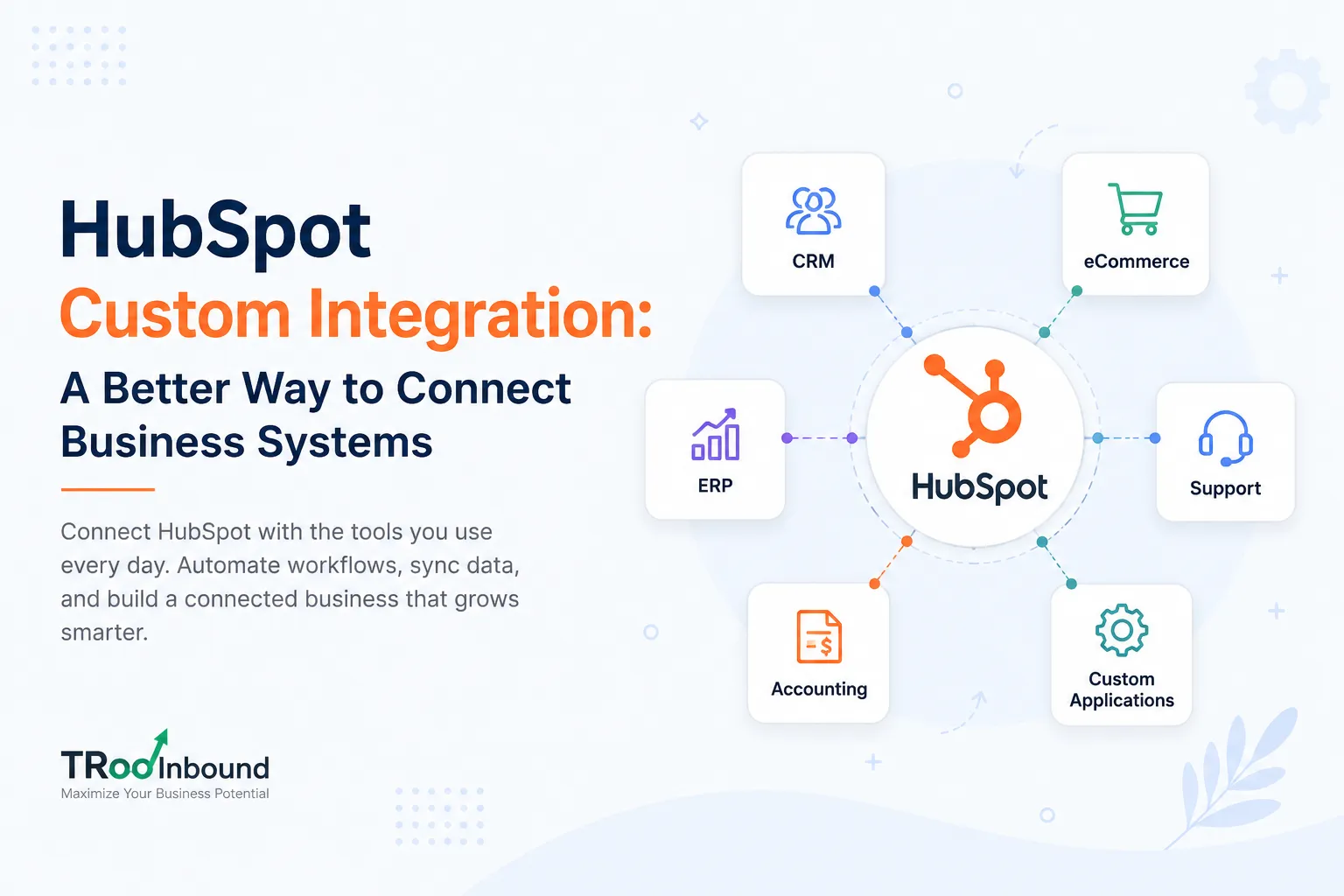
Many growing companies use custom integrations to connect ERPs, CRMs, accounting platforms, support systems, eCommerce stores, or internal applications with HubSpot. A well-planned integration creates better visibility across departments and helps teams work with accurate information.
TRooInbound works with businesses that need flexible HubSpot integration solutions designed around business goals, reporting requirements, and operational workflows.
What Is a HubSpot Custom Integration?
A HubSpot custom integration is a tailored connection between HubSpot and another platform or system. The integration uses APIs, middleware, or custom code to exchange information between systems automatically.
Unlike ready-made integrations, custom integration projects are designed for unique business operations. This gives companies more control over how data moves, when automation runs, and how teams use information inside HubSpot.
For example, a company may want to:
- Sync customer invoices from an accounting platform
- Send sales data from HubSpot to an ERP
- Connect a booking system with HubSpot contacts
- Update inventory data inside HubSpot
- Create custom workflows between multiple systems
- Pass lead information into internal business software
These business requirements often need a custom approach because standard connectors may not support advanced logic or field mapping.
Why Businesses Need HubSpot Custom Integration
Many companies begin with simple integrations. As operations grow, data structures become more complex. Teams may start facing issues such as:
- Duplicate contact records
- Missing customer information
- Manual spreadsheet work
- Reporting inconsistencies
- Delayed sales updates
- Limited automation
- Disconnected customer experiences
A HubSpot custom integration helps solve these operational problems by creating direct communication between systems.
When platforms work together correctly, sales, marketing, and operations teams can access cleaner data and stronger reporting.
Common Platforms Connected With HubSpot
HubSpot can connect with many business platforms through custom integration development.
CRM Systems
Some businesses use multiple CRMs across departments or regional teams. A custom integration can sync:
- Contacts
- Companies
- Deals
- Notes
- Activities
- Lifecycle stages
This helps maintain consistent customer information across systems.
ERP Systems
ERP integrations are common for manufacturing, wholesale, and enterprise businesses.
A HubSpot ERP integration may include:
- Order data
- Product information
- Customer billing records
- Shipping status
- Invoice details
- Inventory updates
Sales teams can access important operational data directly inside HubSpot.
eCommerce Platforms
Online stores often connect HubSpot with platforms like Shopify, Magento, WooCommerce, or custom eCommerce systems.
The integration may sync:
- Customer profiles
- Purchase history
- Cart activity
- Product data
- Revenue reporting
- Subscription information
This supports stronger marketing automation and customer engagement.
Customer Support Platforms
Businesses also connect support systems with HubSpot to improve customer communication.
This may include:
- Ticket history
- Chat records
- Customer satisfaction scores
- Service activity
- Escalation alerts
Support teams and sales teams can work with shared customer information.
Key Benefits of HubSpot Custom Integration
Centralized Customer Data
One major advantage of custom integration is centralized information.
Teams no longer need to switch between multiple systems to view customer details. Important records remain connected and updated automatically.
This supports better communication across departments.
Better Reporting Accuracy
Disconnected systems often create reporting problems.
A HubSpot custom integration helps businesses build cleaner dashboards and more accurate reporting because information syncs directly from source systems.
Leadership teams can make stronger business decisions with reliable data.
Reduced Manual Work
Manual data entry consumes time and increases the chance of errors.
Automation through custom integration reduces repetitive tasks such as:
- Updating contact records
- Creating deals
- Syncing invoices
- Assigning leads
- Updating customer status
Teams can focus more on strategic work instead of repetitive administration.
Improved Sales and Marketing Alignment
Sales and marketing teams work better when they use shared customer data.
A custom integration helps both teams track customer activity across multiple systems. This creates stronger lead management and better communication throughout the customer journey.
Flexible Business Logic
Every business has different processes.
Custom integration allows businesses to create workflows based on their operational requirements instead of adjusting internal processes around software limitations.
This flexibility is important for scaling companies with unique workflows.
Important Features in a HubSpot Custom Integration
A successful integration project includes careful planning and technical structure.
Data Mapping
Data mapping defines how information moves between systems.
For example:
- First Name → Contact Name
- Invoice Status → Deal Property
- Customer ID → Custom Field
Proper field mapping prevents sync issues and duplicate records.
API Connection
Most HubSpot integrations use APIs to exchange data between platforms.
API connections support:
- Real-time updates
- Automated workflows
- Secure communication
- Custom triggers
- Event-based actions
Strong API architecture helps maintain integration reliability.
Custom Workflow Automation
Custom workflows are often part of integration projects.
Automation can include:
- Lead assignment
- Customer onboarding
- Internal notifications
- Deal updates
- Task creation
- Customer follow-ups
Automation reduces delays and improves operational efficiency.
Error Handling
Integration systems should include error monitoring and validation rules.
Without proper monitoring, failed syncs may go unnoticed and create data issues later.
Good integration architecture includes:
- Error logs
- Retry mechanisms
- Sync validation
- Alert systems
This helps maintain data quality.
Challenges Businesses Face Without Custom Integration
Companies using disconnected platforms often experience operational friction.
Duplicate Records
When systems do not communicate correctly, duplicate customer records become common.
This affects reporting accuracy and customer communication.
Delayed Information
Manual updates often create delays between departments.
Sales teams may work with outdated customer information while operations teams manage different records elsewhere.
Limited Visibility
Without connected systems, leadership teams may struggle to build accurate reports across marketing, sales, finance, and support operations.
Increased Operational Costs
Manual processes increase labor costs and reduce efficiency.
Teams spend extra time correcting errors, updating spreadsheets, and validating records.
How TRooInbound Supports HubSpot Custom Integration
TRooInbound works with businesses that need scalable HubSpot integration solutions designed around operational goals.
The process focuses on business requirements, workflow planning, data structure, and long-term scalability.
TRooInbound supports:
- HubSpot API integration
- ERP integration
- CRM integration
- eCommerce integration
- Custom workflow automation
- Middleware integration
- Data synchronization
- Reporting integration
- HubSpot operations consulting
The goal is to create stable integrations that support business growth and reduce operational complexity.
Best Practices for HubSpot Custom Integration
Define Business Goals Clearly
Before starting development, businesses should define:
- What data needs syncing
- Which teams use the integration
- Reporting requirements
- Automation goals
- System limitations
Clear planning reduces project delays.
Focus on Data Quality
Poor data quality creates problems even with strong integration architecture.
Businesses should clean records, standardize fields, and remove duplicates before integration development begins.
Build for Scalability
Business systems evolve over time.
A scalable integration structure helps businesses add new workflows and systems without rebuilding the entire architecture later.
Test Before Full Deployment
Testing is critical for integration success.
Businesses should validate:
- Field mapping
- Workflow logic
- API limits
- Error handling
- Reporting consistency
This reduces operational risk after deployment.
Monitor Integration Performance
After launch, integrations should be monitored regularly.
Ongoing monitoring helps identify:
- Failed syncs
- API issues
- Data mismatches
- Workflow delays
Continuous maintenance supports long-term stability.
Industries That Benefit From HubSpot Custom Integration
Many industries use custom integration to improve operations.
Manufacturing
Manufacturing companies often connect ERP systems, inventory management, and sales operations with HubSpot.
SaaS Companies
Software businesses use integrations for subscription management, onboarding workflows, customer support, and product usage tracking.
eCommerce Businesses
Online retailers connect order systems, customer databases, and marketing automation workflows.
Healthcare and Professional Services
Service-based companies use integrations for appointment systems, billing platforms, and customer communication management.
Choosing the Right HubSpot Integration Partner
A successful integration project requires technical knowledge and business understanding.
Businesses should look for a partner with experience in:
- HubSpot APIs
- Workflow automation
- CRM architecture
- Data management
- ERP systems
- Reporting systems
- Long-term integration maintenance
Strong communication and planning are equally important during implementation.
TRooInbound works closely with businesses to create integration strategies aligned with operational goals and customer experience requirements.
Final Thoughts
A HubSpot custom integration helps businesses connect systems, improve reporting, reduce manual work, and create stronger operational workflows.
As businesses grow, disconnected software platforms can create inefficiencies that affect customer experience and internal productivity. A custom integration provides better control over data movement, automation, and business processes.
Whether the requirement involves ERP integration, CRM synchronization, eCommerce workflows, or custom automation, the right integration strategy supports long-term operational efficiency.
TRooInbound helps businesses build HubSpot integration solutions designed around real operational needs, helping teams work with cleaner data, stronger automation, and more connected business systems.
Frequently Asked Questions
What is a HubSpot custom integration?
A HubSpot custom integration is a tailored connection between HubSpot and another platform or system, utilizing APIs, middleware, or custom code to automate data exchange. Unlike standard integrations, custom solutions are designed to meet specific business needs, allowing for greater control over data movement and workflows.
Why do businesses need a custom integration with HubSpot?
Businesses often face challenges like duplicate records, missing information, and inefficient manual processes when using disconnected systems. A custom integration helps resolve these issues by ensuring seamless communication between platforms, leading to more accurate data and improved operational efficiency.
What platforms can be connected with HubSpot through custom integration?
HubSpot can be integrated with various platforms, including CRM systems, ERP systems, eCommerce platforms, and customer support systems. This flexibility allows businesses to sync important data, such as customer profiles, sales information, and support history, enhancing collaboration across departments.
What are the key benefits of implementing a HubSpot custom integration?
Key benefits include centralized customer data, improved reporting accuracy, reduced manual work, and better alignment between sales and marketing teams. By automating data flow and streamlining processes, businesses can enhance communication and make informed decisions based on reliable information.
How can businesses ensure the success of their HubSpot custom integration?
Successful integration requires clear planning, focusing on data quality, and building for scalability. Businesses should define their goals, test workflows and mappings before deployment, and monitor performance post-launch to identify any issues and ensure long-term stability.
What challenges might businesses face without a custom integration?
Without a custom integration, businesses may encounter issues like duplicate records, delayed information, and limited visibility across departments. These challenges can lead to increased operational costs and hinder effective decision-making due to unreliable data.
What industries benefit most from HubSpot custom integrations?
Industries such as manufacturing, SaaS, eCommerce, and healthcare see significant benefits from HubSpot custom integrations. These integrations help streamline operations, improve customer communication, and enhance data management tailored to specific industry needs.




























Sign in to leave a comment.