Illustration Brief: Free MiniMax H3 Video Generator No Signup Required


“Something dreamy, with a little character” gives an illustrator a mood but leaves the assignment open. Is the character the whole image? Will text sit beside it? Which parts matter, and which can the artist rethink?
Before collecting more references, write a short inquiry that separates those decisions. A useful brief can stand on its own in prose. A free MiniMax H3 video generator, with no signup required, can optionally help you explore one fictional motion idea afterward; it does not replace the description of the work you want to discuss.
Our teaching example is an original imaginary snail carrying a miniature observatory. All illustrations are AI-created planning art. There is no real commission, artist response or video test behind this example, and no price or delivery promise is implied.

Original AI-created teaching illustration. The snail and its observatory are a fictional commission idea, not an artist’s portfolio piece or a completed client order.
Start with the job the illustration must do
Write the destination before the atmosphere: “This is for ___, viewed by ___, and the first thing I want them to notice is ___.” Fill those blanks with your actual project. A character image beside a short paragraph has different space needs from a composition that must leave room for a large title.
For the fictional snail idea, a visual priority could be: the viewer should recognise a snail first, then discover the tiny observatory on its shell. That is more useful than “add lots of magical details.” It gives the artist a hierarchy without deciding every brushstroke.
Record where lettering would go, if any. If you do not know the required dimensions, say so and identify who can confirm them. Do not turn a convenient example size into a production requirement. Keep the actual use, dimensions, budget and deadline blank until they come from your project.
Give the artist room to interpret
Use three short lists instead of treating every reference detail as compulsory:
- Must keep: the snail silhouette, a spiral shell and a visibly miniature observatory carried on it. In this example, those define the idea.
- Open to discussion: warm or cool light, the exact teal of the shell, background detail and how polished or sketchy the finish feels.
- Avoid: lettering inside the art, an existing fictional character’s likeness, or so much architecture that the snail becomes hard to recognise.
If copper is merely a colour preference, put it in the second list. If a copper dome is central to your own story, move it to the first and explain why. The list should reveal priorities rather than lock every decorative detail.
When attaching reference material, identify what you mean by it: “This is a colour reference,” or “This shows the amount of empty space I need.” Name its source and only share material you have permission to share. A reference is not a request to reproduce another artist’s finished image.
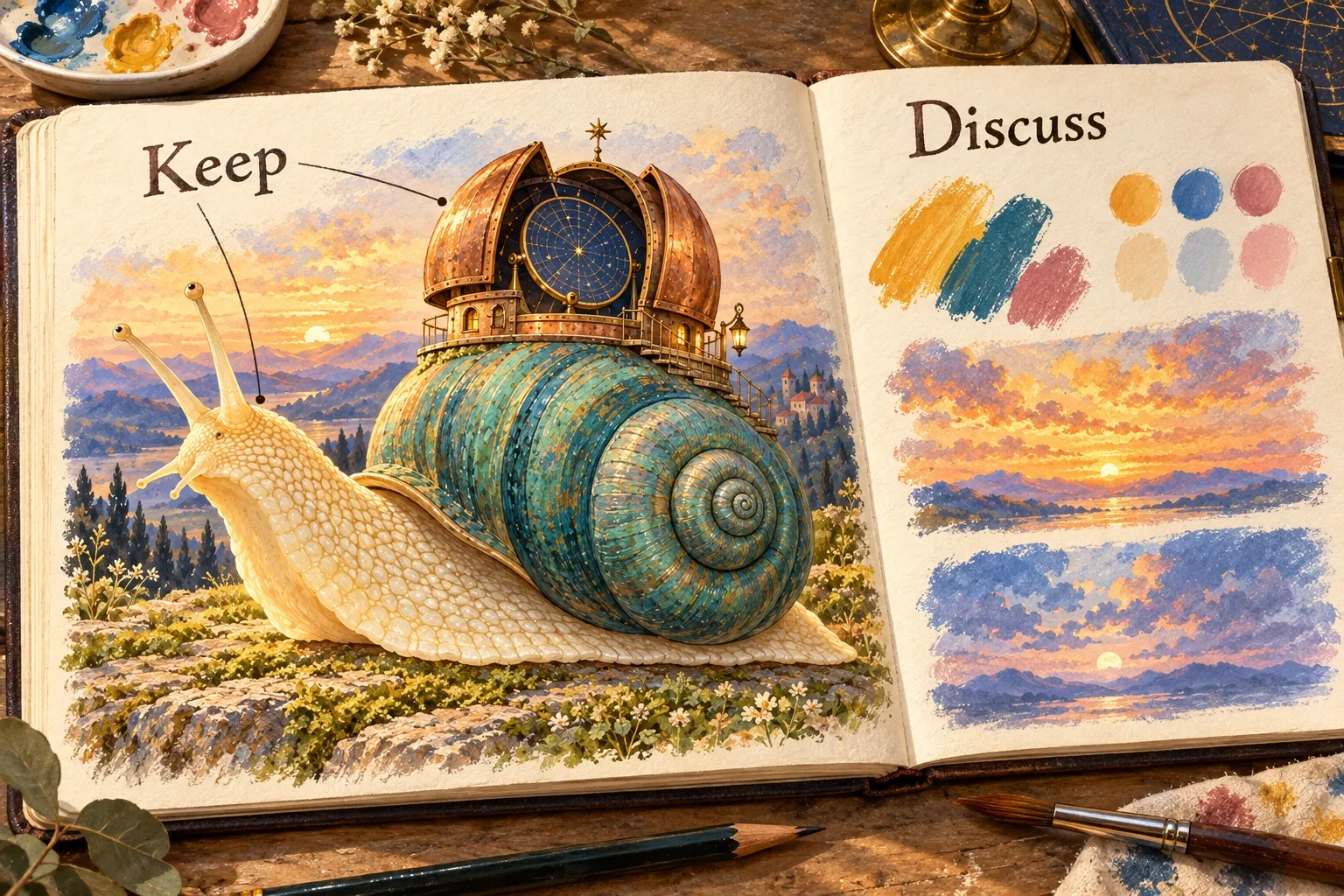
Keep the recognisable subject; discuss the palette and light. This planning illustration separates priorities rather than presenting alternative commissioned deliverables.
A short inquiry you can adapt
Copy this into a preparation document. Replace the fictional subject if needed; complete the real fields before sending. If something is genuinely undecided, keep “to discuss” and expect a clarification rather than a firm quote.
Subject: Illustration inquiry — [actual project name]
Hello [artist’s name], I’m enquiring about an original illustration for [actual use and audience].
The subject idea is [your subject; teaching example: a snail carrying a miniature observatory]. The first thing the viewer should notice is [your visual priority].
Must keep: [essential elements]. Open to discussion: [preferences]. Please avoid: [specific exclusions].
Intended placement and any space needed for text: [fill in]. Dimensions and file needs: [fill in or mark to discuss].
Budget range: [fill in]. Needed-by date and flexibility: [fill in]. Intended uses to discuss with you: [fill in].
References and what each one illustrates: [source + purpose]. Any AI-created reference is labelled as fictional concept material.
Could you quote this scope, listing what is included and any assumptions that would change the price?
That final question asks for the artist’s assessment; it does not prescribe a fee, revision allowance or agreement. If the response reveals a missing requirement, add it to the brief before comparing proposals. Compare what each quote actually includes, rather than assuming the same subject means the same scope.
Optional: describe one movement the still image cannot show
Only add a motion reference if motion is part of what you need to explain. In our fictional scene, the snail stays still while the observatory’s star disk turns a little. The intended feeling is quiet curiosity. A five-second mood reference could help discuss that pace, but it would not demonstrate a working mechanism or oblige the illustrator to reproduce an AI image.
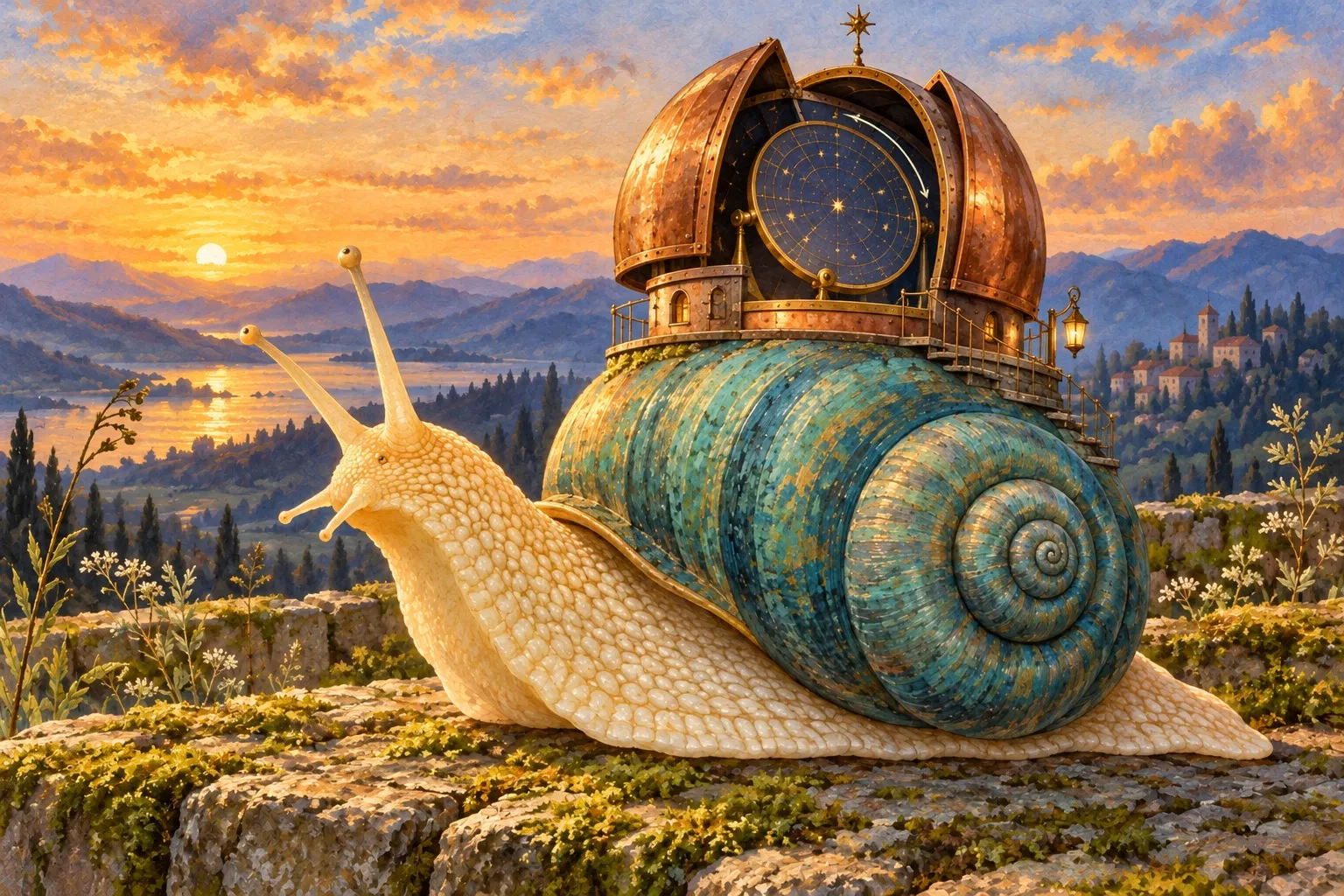
A drawn motion intention: only the star disk would turn. This is a still planning illustration, not a generated video frame or proof that the movement works.
For text-to-video exploration, prompts are the written generation instructions. A focused starting point is:
Five-second fictional gouache-style scene. A cream snail with a teal spiral shell carries a small open copper observatory. Inside it, one blue circular star disk turns slowly through a small angle. Keep the snail, shell, dome, mossy terrace, camera and golden light still. No added characters, text, scene changes or travelling camera. Quiet, curious mood.
Tool suggestion: Max Maker AI is one option for exploring the clearly labelled fictional mood reference in this guide.
The official Max Maker AI page describes free access with no signup, five-second clips with AI audio, and the labels unlimited and powered by minimax h3. The search phrase “free minimax h3 video generator no signup required” reflects those provider descriptions. For text-only input, it says to leave both image fields empty; its free image-guided route uses both a start and an end image. Verification may be requested, jobs can queue, and one video is processed at a time: unlimited does not mean unlimited simultaneous jobs or no waiting. Finished clips are available in the current browser, with a download option. These are the service’s descriptions, not findings from a video test here.
If you try it, inspect whether the snail and observatory remain recognisable and whether other objects move unexpectedly. Listen to the generated audio separately before attaching anything. Use only a reference you can clearly label “AI-created fictional motion concept — for discussion, not portfolio work or a promised deliverable.” If it distracts from the inquiry, leave it out.
A static alternative is enough: attach a permitted still reference and write, “Only the star disk would turn slowly; the rest stays still.” You can also use a rough sketch with a single arrow. The wording carries the intention even when no clip is made.
Before sending, remove any attachment that does not answer a question in the brief. The illustrator should be able to see what you need, where interpretation is welcome and what remains to discuss—without having to infer a job from a beautiful image.



Sign in to leave a comment.