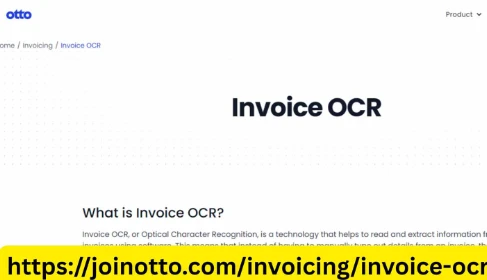
Running a small business or working as a self-employed entrepreneur comes with many responsibilities. From managing customers to tracking expenses and handling invoices, every task demands time and precision. One of the most time-consuming yet essential parts of the process is managing invoices accurately. That’s where Otto AI steps in, offering a powerful solution that simplifies invoice management through intelligent Invoice OCR technology.
If you’ve ever spent hours manually entering invoice data or worried about errors that could delay payments or cause accounting problems, then Otto AI is the tool you’ve been looking for. Its easy-to-use interface, rapid processing, and AI-powered accuracy make it the ideal solution for simplifying invoice workflows — no tech expertise required.
What Is Invoice OCR?
Invoice OCR stands for Invoice Optical Character Recognition. This technology extracts printed or handwritten text from invoices and converts it into structured, digital data. Instead of manually inputting supplier names, invoice numbers, dates, totals, taxes, and line items into accounting software, Invoice OCR does the heavy lifting for you.
Otto AI enhances standard OCR technology with artificial intelligence and machine learning, offering highly accurate data extraction from a wide variety of invoice formats. Whether the invoice is scanned, emailed, or photographed, Otto AI ensures it is processed quickly and correctly.
Why Small Businesses and Entrepreneurs Choose Otto AI
Small businesses and solo entrepreneurs don’t have time or resources to waste on repetitive administrative tasks. Manual data entry not only consumes valuable hours, but it also increases the likelihood of human error. Otto AI Invoice OCR automates invoice processing, reducing both the time required and the risk of mistakes.
Here’s why Otto AI is the preferred choice for small business owners:
- Ease of Use: Otto AI is designed with simplicity in mind. You don’t need technical skills to start using it — just upload an invoice, and the AI takes care of the rest.
- Speed and Accuracy: In just seconds, Otto AI extracts all relevant information from your invoice with near-perfect precision.
- Supports Multiple Formats: Whether your invoices are PDFs, scanned documents, or images from a smartphone, Otto AI handles them all.
- Secure and Compliant: Your data is encrypted and handled with the highest security standards to meet industry regulations.
- Cost-Effective: Otto AI offers plans suitable for solopreneurs and growing teams alike, ensuring you only pay for what you need.
How Otto AI Works
Otto AI Invoice OCR takes complex processes and turns them into simple, streamlined tasks. Here’s how easy it is:
- Upload: Drag and drop your invoice file into Otto AI. You can also upload via email or mobile.
- Extract: Otto AI scans the invoice and extracts key fields like vendor name, invoice date, itemized details, totals, taxes, and payment terms.
- Review: You can review the extracted data and make edits if needed.
- Export or Integrate: Push the data to your accounting software or export it to Excel, CSV, or other formats.
It’s that simple — no manual input, no retyping, and no wasted time.
Real-Life Scenarios: How Otto AI Helps
Let’s say you’re a freelance graphic designer. You work with different clients every month and receive multiple invoices from suppliers for stock images, software subscriptions, or printing services. Manually entering these invoices into your accounting software eats up hours you could use for billable client work.
By using Otto AI Invoice OCR, you can:
- Scan all incoming invoices in bulk.
- Automatically organize and file invoice details.
- Sync invoice data with your preferred accounting tool.
This results in faster month-end reconciliations and less stress during tax season.
Now imagine you’re a small business owner running a local e-commerce shop. You receive frequent invoices from suppliers, logistics partners, and marketing agencies. Otto AI helps you automate the process of reading and categorizing invoices, reducing labor costs and minimizing the risk of misfiled documents or missed payments.
Integrates With the Tools You Already Use
Otto AI was built to fit into your existing workflow, not replace it. It integrates smoothly with accounting platforms such as:
- QuickBooks
- Xero
- FreshBooks
- Zoho Books
- Sage
This means that once invoice data is captured, it can be automatically sent to your accounting software, eliminating duplicate entries and saving even more time.
You can also export your data in multiple formats like CSV, Excel, or JSON — giving you full control over how you manage and analyze your financial information.
Accuracy That Grows With You
One of the standout features of Otto AI Invoice OCR is its adaptive learning. The more you use it, the smarter it gets. Otto AI learns to recognize recurring vendors, formats, and invoice layouts, further improving accuracy over time.
Even if you receive complex invoices with tables, handwritten notes, or unusual formatting, Otto AI is capable of parsing and interpreting the data correctly — a level of intelligence that generic OCR tools can’t match.
Save Time, Reduce Errors, Focus on Growth
Time saved on administrative tasks is time you can invest in your business. By automating invoice processing with Otto AI, you:
- Eliminate hours of manual work
- Avoid costly data entry mistakes
- Speed up approvals and payments
- Gain greater visibility into your cash flow
- Prepare for audits with organized, searchable data
Whether you're preparing monthly reports or reviewing cash flow forecasts, Otto AI ensures that your financial data is accurate, timely, and easy to access.
Dedicated Support for Small Businesses
Otto AI understands the needs of its users. That’s why they provide outstanding customer support tailored for small businesses and independent professionals. You’ll have access to:
- Detailed help guides and video tutorials
- Onboarding support to get started quickly
- Responsive email and chat support from real people
So even if you’re not familiar with OCR or automation tools, you’ll feel supported every step of the way.
Conclusion: Let Otto AI Handle Your Invoices
Managing invoices doesn’t have to be a complicated, error-prone chore. With Otto AI, Invoice OCR is made simple, fast, and accurate — giving small business owners and entrepreneurs the tools they need to streamline billing and accounting.
From freelancers and consultants to growing startups, Otto AI empowers users to take control of their finances with minimal effort. Free up your time, reduce errors, and gain financial clarity — all with the help of Otto AI.



















Sign in to leave a comment.