
Introduction
In the world of gamified learning, Blooket has taken educational quizzes to a whole new level. Designed to engage students with its interactive game modes, Blooket has become a go-to tool for teachers and students alike. However, before students can dive into the exciting world of Blooket quizzes, they first need to understand how to join Blooket games.
This article provides a detailed, step-by-step guide for students on how to join Blooket. Whether you’re joining a quiz created by your teacher or participating in a class-wide competition, this guide will ensure you know exactly how to join and participate in Blooket games.
What is Blooket?
Blooket is an educational platform that turns quizzes into interactive, competitive games. Teachers create quizzes on any subject, and students join the game by entering a unique game code provided by the teacher. Once in the game, students compete against each other, earn points for correct answers, and see how they rank on the live leaderboard. With multiple game modes available, such as Battle Royale, Gold Rush, and Classic, Blooket adds a fun, dynamic element to learning.
For students, joining Blooket provides an opportunity to participate in these exciting quiz games. It’s a great way to review what you’ve learned, challenge yourself, and see how well you compare to your peers—all while having fun.
How to Join Blooket: Step-by-Step for Students
Whether you’re joining Blooket for the first time or have participated in games before, the process is simple. Here’s how you can join Blooket and start competing in interactive quiz games:
1. Go to the Blooket Website
Open your web browser and go to the official Blooket website at “www.blooket.com.” This is the homepage where you can start the login process.
2. Click the “Login” Button
Once on the homepage, look for the “Login” button at the top-right corner of the page. Click on it to go to the login page.
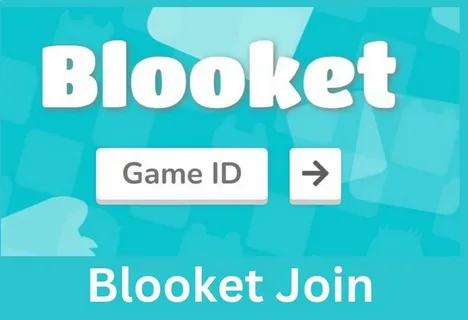
3. Enter the Game Code
As a student, you do not need to create an account or use a username and password. Instead, you will need a game code provided by your teacher. Enter the code in the provided text box and click Join Game. The game code is typically shared by the teacher either in class or through an online platform.
Tip: Double-check the game code for accuracy. Even a small mistake in entering the code can prevent you from joining the game.
4. Choose Your Name or Avatar
Once you enter the game code, you will be prompted to choose your name or avatar. This is the name you’ll use during the game. Teachers may allow students to use their real names or may provide a system to choose from avatars.
- Name: You may either type in your name or select a nickname based on the settings your teacher has established.
- Avatar: Some games offer fun, customizable avatars. Select one to represent you in the game.
5. Join the Game
After selecting your name or avatar, you’ll officially join the game. Once all players are logged in, the game will start. You will then begin answering questions based on the quiz your teacher has created. You will earn points for correct answers, and your progress will be tracked live on the leaderboard.
6. Start Answering Questions
Once the game begins, you will see a series of questions on your screen. As the timer counts down, answer each question as quickly and accurately as you can. The faster and more accurately you answer, the more points you earn. Each game mode will have its own unique set of rules and objectives, so pay attention to the instructions given by your teacher at the start of the game.
7. Monitor Your Progress
During the game, you’ll see your current score and how you rank among your peers on the leaderboard. This live feedback helps keep you motivated as you strive to climb to the top.
8. Exit the Game
Once the game ends, you can exit by simply closing your browser tab or logging out. Some teachers may give feedback on the results or discuss the answers with the class.
How to Join Blooket for Teachers: Hosting Games
For teachers, the process of joining Blooket takes on a different meaning, as teachers are the ones who set up and manage the games. Here’s how teachers can join Blooket and start hosting their own games:
1. Log into Blooket
Visit “www.blooket.com” and click the “Login” button. Teachers can log in using their Google or Microsoft account. Once logged in, they will be directed to the teacher dashboard.
2. Create or Select a Quiz
Teachers can either create their own quiz or select from pre-made quizzes in the Blooket library. Customizing quizzes ensures that they meet specific learning objectives. Teachers can choose the number of questions, add answers, and select the difficulty level for their class.
3. Choose a Game Mode
Once the quiz is set up, teachers can select from various game modes, including:
- Battle Royale: A high-energy competition where students answer questions to climb the leaderboard.
- Gold Rush: A team-based mode that encourages collaboration and teamwork.
- Classic: A traditional quiz format for students to answer questions and accumulate points.
4. Host the Game
Once the game mode is chosen, teachers click the Host button to generate a game code. This code will be shared with students so they can join the game.
5. Monitor Student Progress
During the game, teachers can monitor student performance in real-time. They can see which students are answering questions quickly, which ones need more time, and how well the class is performing as a whole.
6. Review Results
After the game ends, Blooket generates detailed reports showing each student’s performance. Teachers can analyze the data to identify which students need additional support and which topics require further review.
Benefits of Joining Blooket
1. Engaged Learning
Blooket transforms traditional quizzes into fun, competitive games. By joining Blooket, students are actively engaged in their learning and are motivated to do their best in a low-pressure, exciting environment. The real-time leaderboard adds an element of competition that fuels students’ drive to perform better.
2. Instant Feedback
One of the key features of Blooket is the immediate feedback students receive after answering each question. This helps reinforce learning by letting students know right away whether they answered correctly or need to try again. Instant feedback increases retention and helps students understand concepts more effectively.
3. Fun and Motivating
The game-based format of Blooket makes learning feel like a fun challenge, not a traditional quiz or test. The competitive aspect of the leaderboard encourages students to answer questions faster and more accurately, making learning feel more like a game than an academic task.
4. Data-Driven Insights for Teachers
By hosting Blooket games, teachers receive valuable data about student performance. This data allows teachers to assess which areas of the curriculum need further attention and where students might need extra practice. Teachers can use the detailed game reports to personalize instruction and improve learning outcomes.
Troubleshooting Common Issues When Joining Blooket
While joining Blooket is typically a smooth process, there are occasional issues students may encounter. Here are some common problems and solutions:
1. Incorrect Game Code
Ensure that you enter the game code exactly as provided by your teacher. Double-check the code for typos, as even a small mistake will prevent you from joining the game.
2. Slow or Unresponsive Login
If Blooket is not loading properly or is running slowly, try refreshing the page. Additionally, check your internet connection to ensure it’s stable. If the problem persists, consider clearing your browser’s cache or switching to a different browser.
3. Server Downtime
Occasionally, Blooket may experience server issues. Check Blooket’s social media pages or website to see if there are any announcements regarding downtime.
Conclusion
Joining Blooket is an easy and straightforward process for both students and teachers. For students, joining Blooket means entering a unique game code provided by their teacher and participating in a fun, interactive quiz game. For teachers, it means having access to a range of tools to create quizzes, monitor student progress, and provide real-time feedback.


























Sign in to leave a comment.