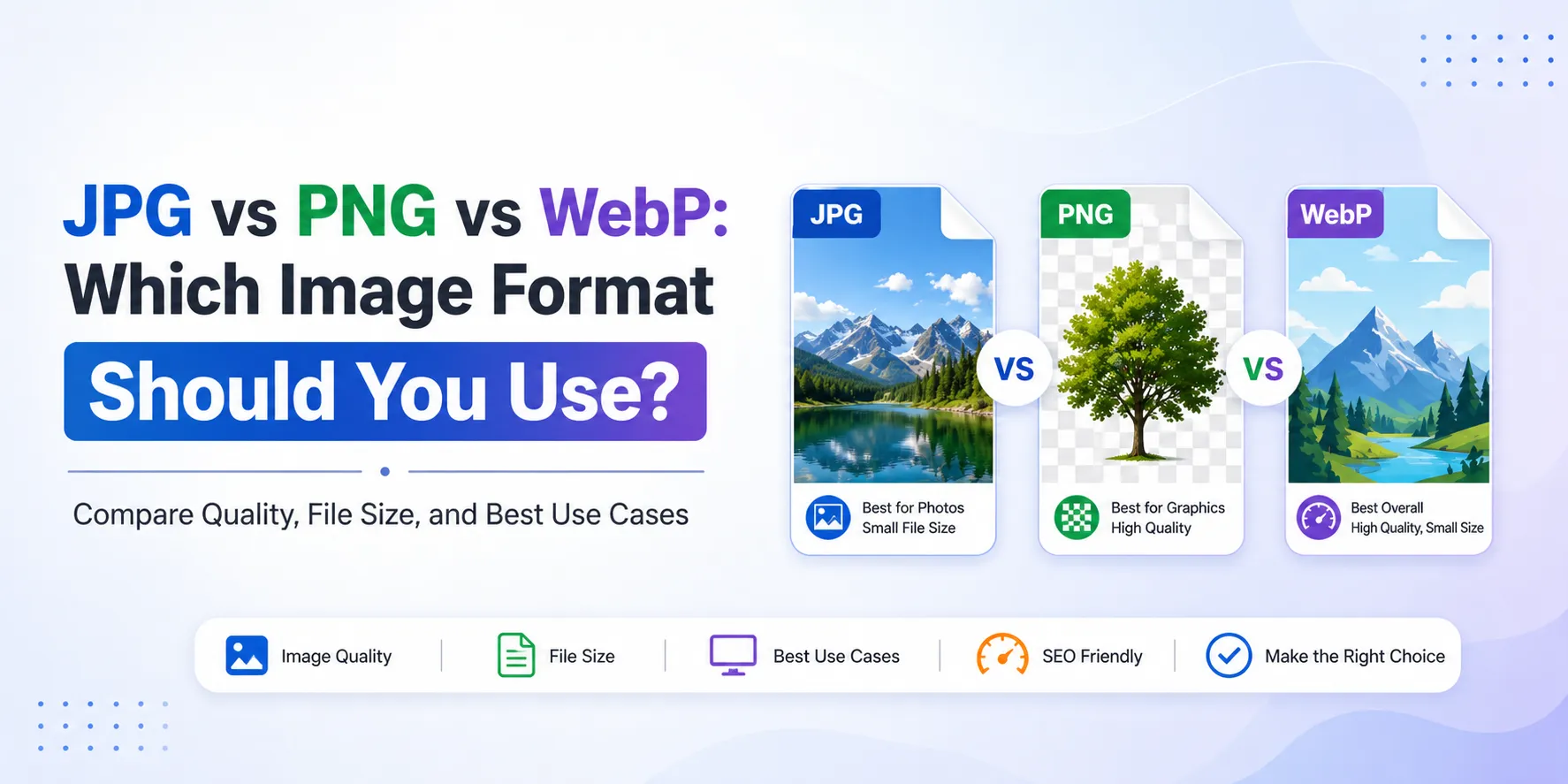

In today’s digital landscape, images are a critical part of online content. Whether you're running a website, creating social media posts, or designing marketing materials, choosing the right image format can significantly impact quality, performance, and user experience.
Among the most commonly used formats are JPG, PNG, and WebP.
Each format has its own strengths and limitations, making it important to understand when and where to use them.
In this guide, we’ll break down JPG vs PNG vs WebP to help you choose the best format for your needs.
Understanding Image Formats with FileXTool
Managing and converting image formats becomes much easier with tools like FileXTool. Whether you want to optimize images for websites or maintain high quality for design projects, using the right platform simplifies the process.
Image formats are designed to store visual data in different ways. Some prioritize smaller file sizes, while others focus on preserving quality and detail.
What Is JPG Format?
JPG (or JPEG) is one of the most widely used image formats. It uses lossy compression, which reduces file size by removing some image data.
Key Features of JPG
- Small file size
- Faster loading times
- Ideal for photographs
- Widely supported across devices
When to Use JPG
- Website images
- Social media posts
- Email attachments
However, repeated editing and saving can reduce image quality over time.
What Is PNG Format?
PNG (Portable Network Graphics) is a lossless format, meaning it retains all original image data.
Key Features of PNG
- High-quality images
- Supports transparency
- No data loss
- Larger file size
When to Use PNG
- Logos and graphics
- Images with transparent backgrounds
- Design projects requiring clarity
PNG is preferred when quality is more important than file size.
What Is WebP Format?
WebP is a modern image format developed for web optimization. It offers both lossy and lossless compression.
Key Features of WebP
- Smaller file size than JPG and PNG
- High-quality output
- Supports transparency
- Faster website performance
When to Use WebP
- Websites and blogs
- Online stores
- Performance-focused platforms
WebP is becoming increasingly popular due to its efficiency.
JPG vs PNG vs WebP: Key Differences
Understanding the differences helps you choose the right format for your specific needs.
1. File Size
- JPG: Small
- PNG: Large
- WebP: Smallest (optimized)
2. Image Quality
- PNG: Best quality (lossless)
- WebP: High quality with compression
- JPG: Good but compressed
3. Transparency Support
- JPG: Not supported
- PNG: Supported
- WebP: Supported
4. Best Use Cases
- JPG: Photos and web images
- PNG: Graphics and design
- WebP: Web optimization
For Detailed Guide Check This - Best Image Formats for Web: WebP vs PNG vs JPG
Why Choosing the Right Format Matters
Selecting the correct format affects:
Website Speed
Smaller images load faster, improving SEO rankings.
User Experience
High-quality visuals keep users engaged.
Storage Efficiency
Optimized formats reduce storage usage.
If you're working with multimedia content, you might also need to convert mp4 to mp3 for efficient audio extraction alongside image optimization.
Best Practices for Image Optimization
To get the best results, follow these tips:
1. Use the Right Format
Choose based on your needs—quality, size, or performance.
2. Avoid Over-Compression
Too much compression can reduce clarity.
3. Resize Images Properly
Use appropriate dimensions for your platform.
4. Use Reliable Tools
Platforms like FileXTool ensure high-quality conversions.
Common Mistakes to Avoid
Many users unknowingly reduce image quality by making simple mistakes:
- Using JPG for transparent images
- Uploading large PNGs unnecessarily
- Ignoring WebP for websites
- Repeatedly converting formats
Avoiding these mistakes helps maintain quality and performance.
How Image Formats Impact SEO
Image optimization plays a major role in SEO. Proper formats can:
- Improve page loading speed
- Reduce bounce rates
- Enhance mobile performance
- Boost search rankings
WebP is particularly effective for SEO-focused websites due to its smaller size and fast loading speed.
Future of Image Formats
As technology evolves, image formats continue to improve. WebP is already leading the shift toward optimized web performance, and newer formats may further enhance quality and compression.
However, JPG and PNG will remain relevant due to their widespread compatibility.
Final Thoughts
Choosing between JPG, PNG, and WebP depends on your specific needs:
- JPG for smaller file sizes and everyday use
- PNG for high-quality graphics and transparency
- WebP for modern web optimization
Understanding these formats helps you improve both visual quality and performance.
With tools like FileXTool, converting and optimizing images becomes simple and efficient.
In today’s content-driven world, selecting the right image format is a key step toward better performance, user experience, and SEO success.























Sign in to leave a comment.