
The legal department must manage all legal requests including any compliance questions and contract breaches in a transparent manner. In house matter management software helps general counsel and the team to view all matters in a single location. Matter software is part of the ContractPrime legal operations software offerings.
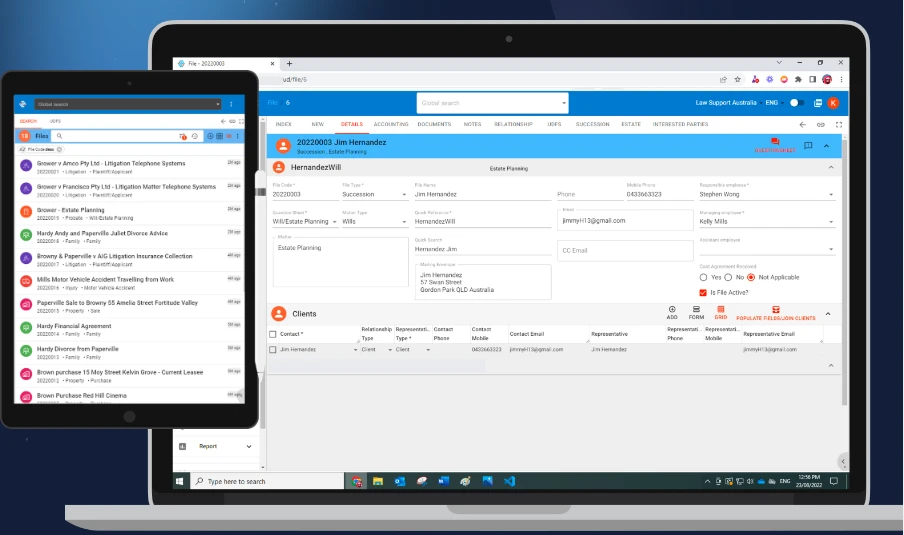
Case management software is the platform for internal and external team members to collaborate without the need to use email to send information. Outside law firms can be invited on specific matters. Matter documents are shared through legal document management solution. Coauthoring of documents, comments review and team sharing are available for members securely within the governance regulations.
Lawyers working on matters can get full timeline details like intake form submitted or related contracts. Contract management software can create matters automatically when there is a litigation requirement for the executed matters. Multiple contracts can be grouped under a matter and all the contract documents are available to the responsible attorney for the matter or practice area.
External lawyers can submit time sheets and expenses through the law firm client portal. Legal spend management will track budget allocations and total spends on matter, law firm or department level. All submitted invoices are routed through legal workflow software for approvals and disbursements are paid against the cost center assigned.
Additional integrations with legal research platforms like West Law are available and any articles can be saved directly to matter as evidence. Legal automation software will assemble documents based on templates, for lawyers and business users with approved clauses and precedents.
Dashboard will display personalized matter and related tasks. Filters and searches are available to identify the matter and documents. ML assisted tools can help lawyers review documents and identify nonstandard clauses and extract keywords and properties configured by legal department power users.
0







Sign in to leave a comment.