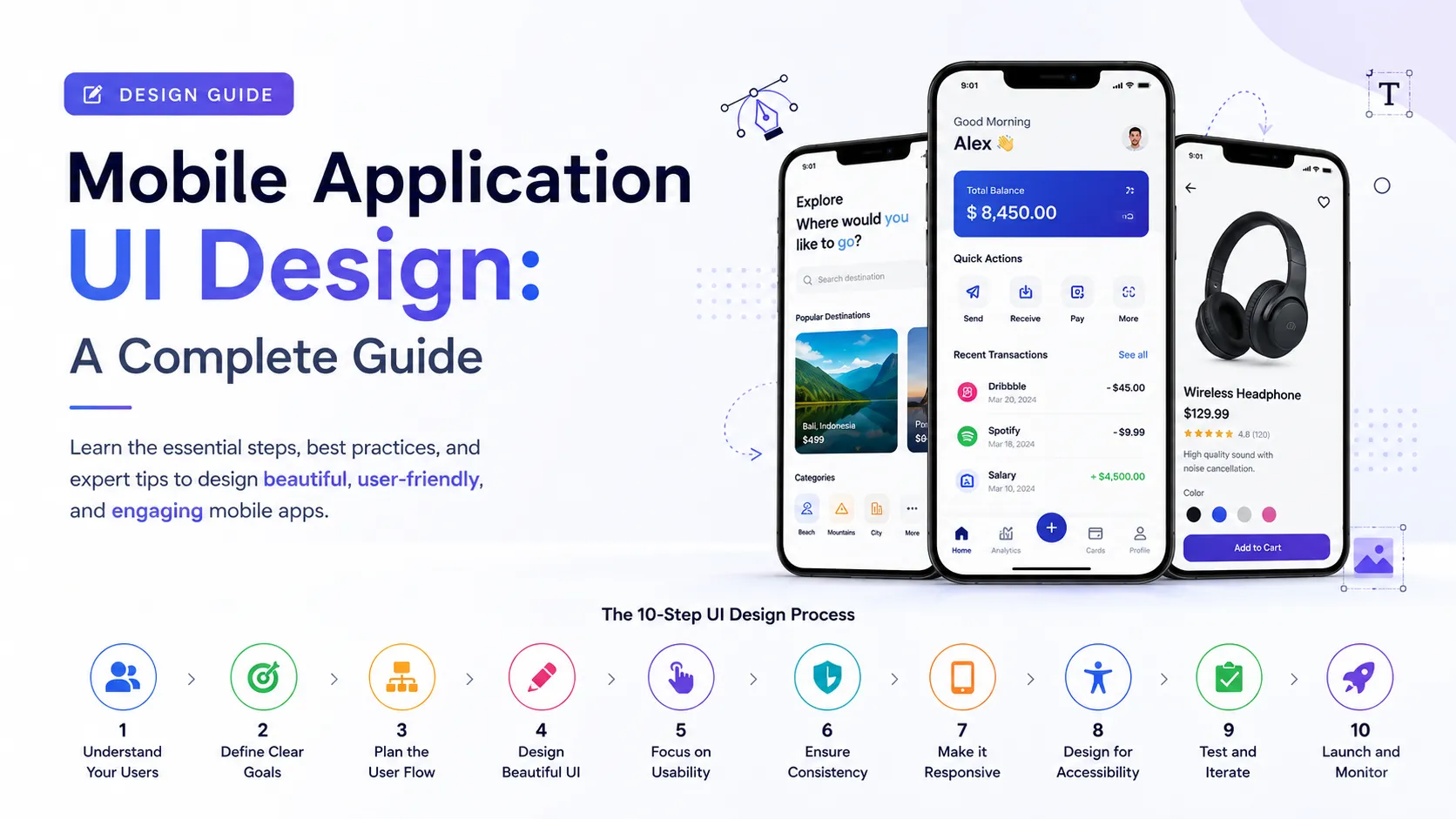

With over 6 billion smartphone users worldwide, your app's success often hinges on one thing: how it looks and feels the moment someone opens it. Mobile application UI design is the discipline of crafting screens, buttons, gestures, and visual elements that make an app intuitive, functional, and enjoyable to use.
Poorly designed interfaces are one of the leading reasons users abandon apps within the first session. On the other hand, thoughtful UI design keeps users engaged, reduces friction, and drives higher retention rates. Whether you're building a fintech app, an e-commerce platform, or a productivity tool, getting the interface right isn't just about aesthetics — it directly impacts your bottom line.
This guide breaks down what mobile application UI design involves, why it matters, and how to approach it strategically for long-term app success.
Why Mobile Application UI Design Matters More Than Ever
App stores are saturated. Users have countless alternatives, and their patience for clunky navigation or confusing layouts is razor-thin. Strong mobile application UI design determines whether a user stays engaged or uninstalls within minutes.
Business Impact of Good UI Design
- Higher User Retention — Clear navigation reduces drop-off rates.
- Increased App Store Ratings — Positive first impressions lead to better reviews.
- Improved Conversion Rates — Streamlined checkout or sign-up flows drive more completions.
Reduced Support Costs — Intuitive interfaces mean fewer confused users contacting support.
Investing in a solid UI/UX design strategy early in development prevents costly redesigns and helps apps scale smoothly as user bases grow.
Core Principles of Effective Mobile UI Design
1. Consistency Across Screens
Consistent colors, typography, and iconography build familiarity and trust as users navigate different sections of the app.
2. Touch-Friendly Layouts
Buttons and interactive elements must be appropriately sized and spaced for finger navigation, avoiding accidental taps.
3. Platform-Specific Guidelines
Designing according to iOS Human Interface Guidelines and Android Material Design ensures the app feels native to each platform.
4. Visual Hierarchy
Strategic use of size, color, and spacing guides users' attention to the most important actions on each screen.
5. Accessibility Considerations
Designing for color contrast, text scaling, and screen reader compatibility ensures the app is usable by everyone.
Partnering with an experienced mobile app design company ensures these principles are implemented correctly from the first wireframe to the final build.
The Mobile UI Design Process
A well-structured design process minimizes rework and keeps development on schedule:
- User Research — Understanding target audience behavior and pain points.
- Wireframing — Creating low-fidelity layouts to map user flow.
- Visual Design — Applying branding, color schemes, and typography.
- Interactive Prototyping — Testing user flows before development begins.
- Usability Testing — Gathering feedback to refine the interface further.
Developer Handoff — Delivering design specs and assets for implementation.
Following a proven UI/UX design agency methodology helps teams avoid guesswork and build interfaces backed by real user data rather than assumptions.
Common Mistakes to Avoid in Mobile UI Design
- Overcrowded Screens — Too many elements competing for attention confuse users.
- Ignoring Load Times — Heavy visuals can slow down performance and frustrate users.
- Inconsistent Navigation Patterns — Switching gesture logic mid-app disorients users.
- Skipping Usability Testing — Assumptions without real user validation often lead to costly redesigns.
Avoiding these pitfalls early can save significant time and budget during development.
Final Thoughts
Mobile application UI design is no longer a “nice-to-have” it's a critical factor in whether your app thrives or gets deleted after one use. By focusing on consistency, usability, and platform-specific best practices, businesses can create mobile experiences that keep users coming back. Whether you're building in-house or working with a trusted design partner, prioritizing thoughtful interface design pays off in retention, ratings, and revenue.
Frequently Asked Questions
1. What is mobile application UI design?
It refers to designing the visual and interactive elements of a mobile app — including buttons, layouts, typography, and navigation — to create an intuitive user experience.
2. How is mobile UI design different from web UI design?
Mobile UI design accounts for touch interactions, smaller screens, and platform-specific guidelines (iOS/Android), while web design focuses on larger screens and mouse/keyboard input.
3. How much does mobile app UI design cost?
Costs vary widely based on complexity, typically ranging from a few thousand dollars for simple apps to six figures for feature-rich enterprise applications.
4. How long does mobile UI design take?
Most projects take 4–10 weeks, depending on the number of screens, features, and revision cycles involved.
5. Should I follow iOS or Android design guidelines?
Ideally both — apps should feel native to each platform by following Apple's Human Interface Guidelines and Google's Material Design principles respectively.
6. Can UI design impact app store rankings?
Yes, positive user experience leads to better reviews and ratings, which indirectly improves app store visibility and downloads.
7. Do I need a UX designer separate from a UI designer?
While roles often overlap, UX focuses on user flow and research, while UI focuses on visual design — many agencies offer both as integrated services.
























Sign in to leave a comment.