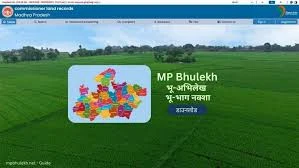
MP Bhulekh Naksha is an online facility that allows citizens of Madhya Pradesh to view and download land maps directly from the official land record system. In earlier times, people had to visit the local revenue office to check land maps and boundaries. Now, with digital services, land maps are available online in a simple and transparent manner. If you want to understand how to view and download land maps online, this complete guide will explain everything in clear and practical language.
What Is MP Bhulekh Naksha

MP Bhulekh Naksha refers to the digital land map service available through the official land records portal of Madhya Pradesh. Naksha means map, and it shows the graphical layout of land parcels within a village or area. It includes details such as plot boundaries, Khasra numbers, and nearby land parcels.
This service helps landowners verify their property location and boundaries without physical visits to government offices.
Importance of Viewing Land Maps Online
Land maps play a vital role in property management. Viewing land maps online provides several benefits
• Clear understanding of land boundaries
• Accurate identification of plot location
• Helpful during property purchase
• Useful for resolving boundary disputes
• Required for construction planning
Online access increases transparency and convenience.
Information Required Before Viewing Land Map
To check land maps on mp bhulekh land record, keep the following details ready
• District name
• Tehsil name
• Village name
• Khasra number
Correct information ensures accurate search results.
Step-by-Step Guide to View Land Maps on MP Bhulekh Naksha

Follow these simple steps to view your land map online.
Step 1: Visit the Official Portal
Open the official MP Bhulekh website on your computer or mobile device using a stable internet connection.
Step 2: Select Map or Naksha Option
On the homepage, locate the option related to land Deals. Click on it to proceed to the map section.
Step 3: Choose District
Select your district from the list provided. Make sure you select the district where the land is situated.
Step 4: Select Tehsil and Village
After choosing the district, select the appropriate tehsil and village. Double check the spelling before moving forward.
Step 5: Enter Khasra Number
Enter your Khasra number in the search box. Ensure that the number is entered correctly.
Step 6: View the Land Map
Once the details are submitted, the portal will display the land map on the screen. You can zoom in or zoom out to clearly view boundaries and surrounding plots.
How to Download Land Maps from MP Bhulekh Naksha
After viewing the land map, you may want to download it for future reference. Follow these steps.
Step 1: Locate Download Option
Look for the download or print option available on the map page.
Step 2: Click on Download
Click the download button to save the map in digital format on your device.
Step 3: Print if Required
If needed, print the downloaded map for official or personal use.
Step 4: Store Safely
Keep the digital copy saved in a secure location on your device or cloud storage.
Understanding the Details on the Land Map
When viewing the MP Bhulekh Naksha, you will notice various markings and numbers.
• Khasra number identifies the land parcel
• Boundary lines define the shape of the plot
• Neighbouring plots show adjacent land parcels
• Road and water sources may also be visible
Understanding these elements helps in accurate property identification.
Benefits of Downloading Land Maps Online
Downloading land maps online offers several advantages
• Saves time and travel costs
• Provides quick access for property verification
• Useful for legal documentation
• Helps in planning construction projects
• Assists in agricultural management
Digital access simplifies property handling.
Importance for Buyers and Sellers
Before buying property, it is important to verify the exact location and boundary of the land. MP Bhulekh Naksha allows buyers to confirm the physical layout of the plot. Sellers can also provide downloaded maps as proof of property details during transactions.
Role in Resolving Land Disputes
Boundary disputes are common in rural areas. Viewing official land maps online helps clarify confusion about plot limits. If disagreement continues, the map can serve as reference during official verification.
Common Issues While Viewing Land Maps
Sometimes users may face minor difficulties.
Map Not Loading
Possible reasons
• Slow internet connection
• High website traffic
Solution
• Refresh the page or try again later
Incorrect Plot Displayed
Possible reasons
• Wrong Khasra number
• Incorrect village selection
Solution
• Recheck entered details carefully
Outdated Map Information
If recent changes are not visible, contact the local revenue office for clarification.
Tips for Accurate Map Viewing

To ensure a smooth experience
• Keep original land documents nearby
• Double-check district and village names
• Enter the correct Khasra number
• Use the zoom feature for a clear view
These simple tips improve accuracy.
Security and Transparency
MP Bhulekh Naksha increases transparency by providing public access to official land maps. Since the data is linked with the revenue department records, users can rely on the authenticity of the displayed maps.
When to Visit the Revenue Office
Although online maps are helpful, certain official tasks such as certified copies or boundary measurement may require visiting the local revenue office. The online map mainly serves as a reference tool.
Conclusion
MP Bhulekh Naksha has made it simple for citizens of Madhya Pradesh to view and download land maps online. By selecting the correct district, tehsil, village, and entering the Khasra number, users can easily access detailed land maps from their homes. The service saves time, improves transparency, and supports secure property transactions. With careful entry of information and proper understanding of map details, landowners can confidently manage their property records using the digital land map system.










Sign in to leave a comment.