

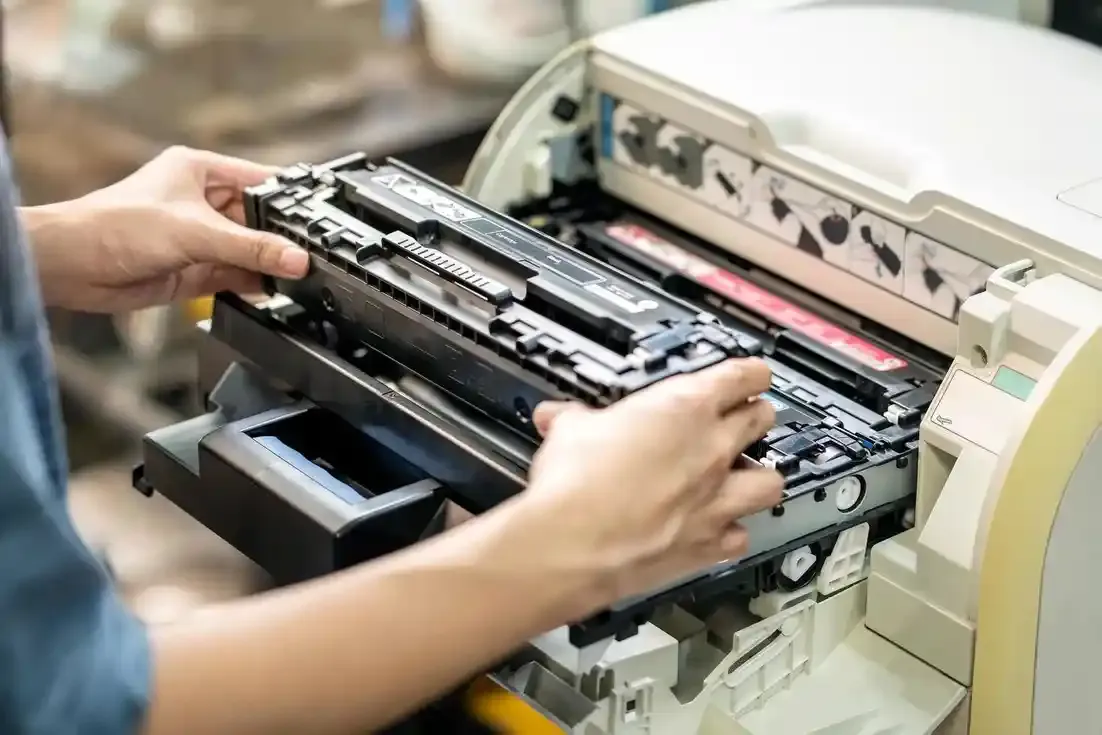
In any modern office, reliable printing equipment is a cornerstone of productivity. From daily invoices to large-format design plans, printers, copiers, and plotters keep businesses running efficiently. Yet, many offices in Ann Arbor, MI, underestimate the hidden costs associated with neglecting preventive maintenance.
This guide provides a comprehensive checklist, real-world examples, and actionable strategies to help your office avoid costly downtime, maintain high-quality output, and extend the lifespan of your equipment.
Why Preventive Maintenance Matters
Preventive maintenance isn’t just about avoiding problems—it’s about actively preserving your investment. Regular care ensures your office machines perform consistently while minimizing the risk of unexpected breakdowns.
Reduced Downtime
Equipment failures can halt entire workflows. Regular maintenance reduces unexpected stoppages, keeping employees productive and projects on schedule.
Improved Print Quality
Routine cleaning, calibration, and consumable checks help maintain sharp, accurate, and professional output, whether you are printing documents or high-resolution large-format plans.
Extended Equipment Lifespan
Consistent care slows the wear on critical mechanical parts, saving businesses from premature replacement costs.
Cost Efficiency
Preventing small issues from becoming major repairs can significantly lower repair bills. Emergency service calls often cost more than planned preventive inspections.
Comprehensive Preventive Maintenance Checklist
Follow this checklist to maintain printers, copiers, and HP DesignJet plotters in top condition:
1. Clean Rollers and Paper Trays
Dust and debris can cause paper jams and misfeeds. Clean all rollers, input trays, and internal surfaces using manufacturer-recommended solutions. Check for wear or misalignment that could affect paper handling.
2. Inspect and Replace Consumables
Monitor ink, toner, and cartridge levels regularly. Replace before depletion to avoid streaks, faded prints, or machine errors. Use high-quality, OEM consumables when possible to maintain warranty compliance and reliability.
3. Update Firmware and Drivers
Firmware updates improve functionality, fix known bugs, and ensure compatibility with new devices and software. Outdated drivers can create network conflicts or reduce print quality, particularly in shared office environments.
4. Calibrate Plotters Regularly
Large-format HP DesignJet plotters need frequent calibration for accurate print alignment and color fidelity. Misaligned plotters can result in costly wasted materials and repeated print jobs.
5. Monitor Usage and Load
Avoid exceeding daily recommended print volumes. Overloading devices accelerates wear, increases the risk of mechanical failure, and may shorten the equipment's life.
6. Conduct Environmental Checks
Keep equipment in dust-free, climate-controlled rooms. Avoid direct sunlight, excessive humidity, or extreme temperatures, which can negatively impact rollers, sensors, and electronics.
7. Schedule Periodic Professional Inspections
Even with consistent in-house care, professional service is essential. Technicians can detect potential problems early and perform tasks like alignment, system diagnostics, and advanced calibration that are difficult for internal staff.
Common Mistakes to Avoid
Many offices unknowingly undermine their preventive maintenance efforts. Here are some mistakes to watch out for:
- Overloading trays or media beyond recommended limits – increases jams and mechanical stress
- Skipping firmware updates – creates network conflicts or printer errors
- Using low-quality or incompatible consumables – reduces print quality and may damage components
- Neglecting environmental conditions – dust, humidity, and heat accelerate wear
- Waiting until an issue occurs – reactive repairs are more costly and disruptive
Avoiding these errors ensures your preventive maintenance efforts are effective.
Real-World Ann Arbor Office Scenarios
Consider a local architecture firm in Ann Arbor that relies on HP DesignJet plotters for large-format blueprints. A misaligned roller caused repeated streaking and wasted hundreds of sheets, delaying project deadlines. By implementing a regular maintenance schedule—including calibration checks, consumable monitoring, and professional inspections—the firm reduced errors, cut material waste, and kept projects on schedule.
Similarly, an educational office in Ann Arbor found frequent copier jams disrupted staff workflow. Simple preventive measures, such as roller cleaning, proper tray loading, and periodic technician checkups, eliminated recurring downtime.
These examples demonstrate how small investments in maintenance pay off in both time and money.
The Financial Benefits of Preventive Maintenance
Preventive maintenance is not just about performance—it directly impacts the bottom line:
- Reduced emergency repairs: Routine upkeep prevents costly urgent service calls.
- Lower replacement frequency: Proper maintenance extends the lifespan of printers, copiers, and plotters.
- Minimized downtime costs: Every hour a machine is out of service is lost productivity.
- Consistent output quality: Avoids wasted materials and client dissatisfaction.
A well-maintained office machine can save thousands of dollars annually when factoring in labor, repair, and material costs.
When to Seek Professional Assistance
Some situations require a trained technician:
- Recurrent mechanical failures or unusual noises
- Persistent streaking, fading, or misaligned prints
- Network or driver errors beyond internal troubleshooting
- Calibration issues in HP DesignJet plotters
Professional expertise ensures correct diagnosis, proper parts, and timely repair. Businesses in Ann Arbor, MI can rely on skilled technicians for HP DesignJet plotter and printer maintenance services, reducing both downtime and long-term repair costs.
Frequently Asked Questions
Q1: How often should I clean my printer or plotter rollers?
For high-use devices, a monthly cleaning is recommended; for moderate use, quarterly is sufficient. Always follow manufacturer guidelines.
Q2: Can preventive maintenance extend HP DesignJet lifespan?
Yes, regular inspections, calibration, and consumable management significantly increase the operational life of these machines.
Q3: What are the risks of skipping professional inspections?
Minor issues can become major breakdowns, increasing repair costs and causing extended downtime.
Q4: Are OEM consumables necessary for maintenance?
OEM or high-quality compatible consumables help maintain performance and protect sensitive components.
Q5: Can internal staff perform preventive maintenance?
Basic cleaning and monitoring are suitable, but professional inspections ensure mechanical and calibration accuracy.
Conclusion
Preventive maintenance is the key to keeping printers, copiers, and plotters reliable in any office. Businesses in Ann Arbor, MI, benefit from a structured checklist, careful in-house practices, and periodic professional service.
By following the steps outlined in this guide, offices can reduce downtime, save money, maintain high-quality output, and extend the life of critical printing equipment. Investing in preventive care today prevents costly disruptions tomorrow.






















Sign in to leave a comment.