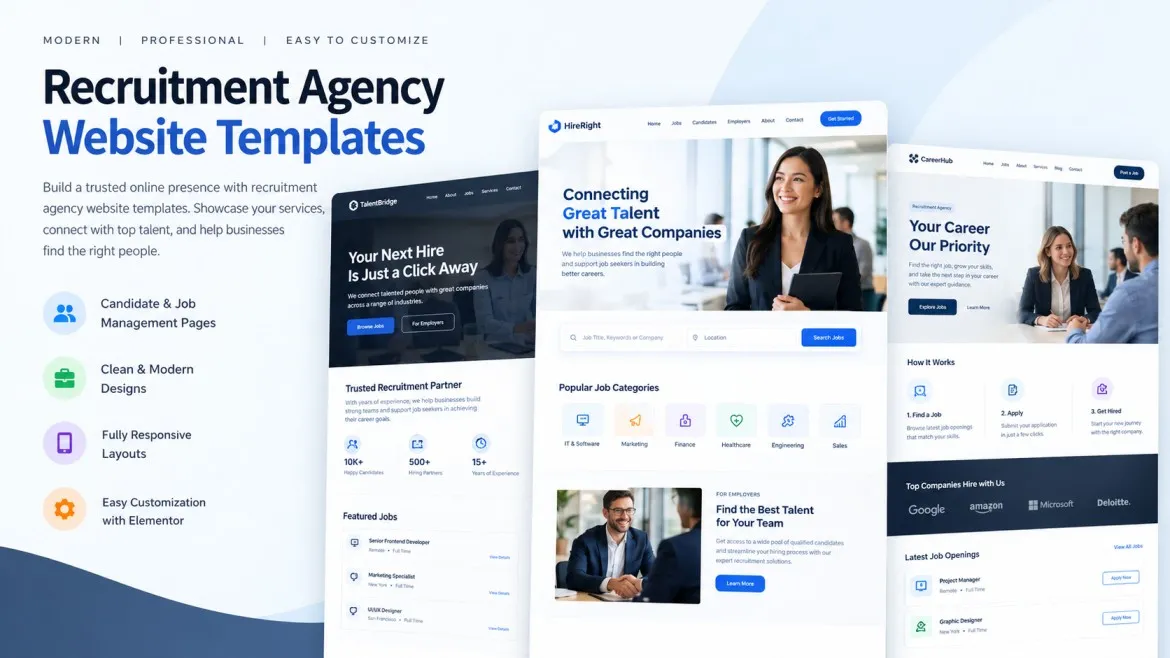


Think about a company that needs a cloud engineer for four months, a designer for a product launch, or a finance expert to help with a one-off audit. They don't want a permanent hire. They want the right specialist, quickly, for a set period. Well-designed recruitment agency website templates can help agencies showcase contract recruitment services, explain temporary hiring options, and connect employers with specialists for project-based work.
When that business goes online to find help, it's looking for something different from a normal job board. It wants to know: can you find people with these skills? How fast? How does pricing work? What happens if the person isn't a good fit?
If your agency places project-based specialists, your website has to answer those questions. Here's what a recruitment agency website template should include to do that well.
Why Project-Based Hiring Is Different
Speed Matters More
Project work often has a deadline. Businesses want to know how quickly you can introduce suitable candidates. If your website doesn't say, they may move on.
Skills Need to Match Closely
For a short project, there's no time for a long learning curve. Employers want specialists who can start fast and know the work. Your site should show that you understand this.
The Contract Is Different
Short-term work involves things like fixed terms, day rates, milestones and sometimes remote teams. Clients may have questions about how all this works, and a clear website can answer many of them.
A Clear Page for Businesses Hiring Specialists
Make It Easy to Find
Add a menu item such as "Hire Specialists" or "Project Staffing." Don't make businesses dig through a page built for job seekers.
Say Who You Help
Explain in plain words what types of businesses you work with and what kinds of projects, such as software builds, marketing campaigns, finance projects, engineering work or system upgrades. Be honest about your focus.
Speak in Simple Language
Instead of "talent solutions for agile workforce needs," say "we find skilled people for short-term projects, fast." Clear, simple words build trust.
Show the Specialist Areas You Cover
Use Cards or Category Pages
Give each skill area its own card or page, such as IT and software, design and creative, finance and accounting, engineering, marketing and project management. Each page should explain the sort of roles you place and the kind of projects they suit.
Include Examples of Roles
A short list of example roles helps visitors see themselves in your services. For instance, "mobile app developers, data analysts, UX designers, interim finance managers." Only list what you can really supply.
Add a Simple "Don't See Your Skill?" Prompt
Invite businesses to get in touch for less common needs. It keeps the door open without overpromising.
Explain How Your Process Works
A Step-by-Step Layout
Businesses like to know what happens after they reach out. A simple timeline or step block can show it, such as:
- Tell us about your project
- We discuss the skills, timing and budget
- We share suitable profiles
- You interview and choose
- The specialist starts
- We stay in touch during the project
Be Honest About Timing
Give a general idea of how quickly you can introduce candidates, and say it depends on the role and availability. Avoid promises you can't keep.
Explain What Happens If It's Not Working
A short, honest note on replacements or adjustments can reassure nervous clients. Keep it general and clear, and make sure it matches your real terms.
Be Clear About Pricing and Contracts
Explain How Fees Work
Say how you charge in plain words, such as a percentage of the specialist's rate, a fixed fee or a daily or hourly rate. If exact figures vary, say what they depend on.
Explain Contract Types
Briefly describe the common setups, such as contractor, freelance or fixed-term. Keep it general and avoid legal advice. Encourage businesses to check details with their own advisers, and have a qualified professional review your wording.
Mention Compliance in Simple Terms
If you help with things like right-to-work checks, references or contracts, say so. Rules differ by location, so keep it general and accurate.
Show That Your Specialists Are Vetted
Describe Your Screening
Explain how you check candidates, such as interviews, skills tests, reference checks and identity checks. Be specific about what you really do.
Show Sample Profiles
A short, anonymous example of a specialist profile helps clients see what they'd receive. Remove names and personal details.
Highlight Your Experience
If you've placed specialists in certain industries, say so, with permission from clients. Mention numbers only if they're accurate and current.
Build Trust With Proof
Client Testimonials
Short, genuine quotes from businesses that hired through you carry weight. Get permission, and don't invent or exaggerate. Avoid guarantees.
Case Studies
A short story, such as "A software company needed a data engineer for a six-month migration project. We introduced three suitable candidates within a week," shows what you can do. Only use real examples, and get approval first.
Logos and Partners
Show client or partner logos only with written permission.
Make It Easy to Get Started
A Simple "Request Specialists" Form
Keep it short. Ask for company name, type of specialist, project length, start date, location or remote preference and contact details. Too many fields scare people off.
Clear Contact Options
Show a phone number, email and a "Book a call" button. Many businesses prefer a quick conversation.
Fast Response Promise
If you reply within a set time, say so, but only if you really do it. It helps busy businesses feel they'll be looked after.
Visit Us: Human Resources WordPress Theme for HR Professionals
Include Helpful Resources
Hiring Guides and Blog Posts
Short articles such as "How to write a project brief for a contractor" or "Freelancer vs. contractor: what's the difference?" help clients and boost your visibility on search engines.
FAQs for Employers
Use accordion blocks to answer questions like "How fast can you find someone?" "Do you work with remote specialists?" and "What are your fees?" It keeps pages tidy.
Downloadable Checklists
A simple "Project hiring checklist" gives businesses something useful and keeps your agency in mind.
Don't Forget the Specialists Themselves
A Page for Candidates
Specialists need to find you too. Add a simple "Join Our Network" page that explains how to register, what kinds of projects you offer and how you work with them.
Easy CV Upload
Include a secure upload form. Explain how you store and use personal data, and check which privacy rules apply where you work.
Keep It Separate
Place employer and candidate sections under separate menu headings so each visitor finds the right path quickly.
Design Features That Help
Search and Filters
If you list specialists or roles, a simple filter by skill or location helps visitors. Keep it easy to use.
Mobile-Friendly Layout
Many busy managers browse on their phones. Make sure forms, buttons and text work well on small screens.
Fast, Accessible and Clean
Use readable fonts, good contrast and clear headings. Keep pages light so they load quickly.
Privacy and Accuracy
Use secure forms, and keep your page content up to date. Add a "last updated" date to key pages.
Conclusion
Businesses hiring project-based specialists want speed, clarity and confidence. A recruitment agency website should show which skills you cover, how your process works, how fees and contracts are explained and why your specialists can be trusted. Add simple forms, helpful resources and an easy path for candidates too, and your site becomes a useful tool for both sides. If you'd like to build this faster, premium WordPress templates made for recruitment agencies often include service layouts, step blocks, request forms, FAQ sections and candidate pages that make it much simpler to get started.
Frequently Asked Questions
1. Why do project-based hiring clients need a different kind of website?
Because they usually want specialists quickly, for a set period, with clear pricing and contract details. A site built only around permanent job listings may not answer those needs.
2. What pages should a recruitment website include for project hiring?
A "Hire Specialists" page, skill-area pages, a process page, pricing and contract information, vetting details, testimonials or case studies, a request form and FAQs.
3. Should I show pricing on my recruitment website?
You can explain how your fees work in simple terms, such as a percentage, fixed fee or daily rate. If exact figures vary, say what they depend on and invite businesses to get in touch.
4. How do I build trust with new business clients?
Describe your screening process, share real testimonials and short case studies with permission, show your experience honestly and make it easy to speak to a real person.
5. Do I need a separate section for specialists looking for work?
Yes, it's a good idea. A simple "Join Our Network" page with an easy CV upload helps you build your talent pool, and keeping it separate from the employer section avoids confusion.

















Sign in to leave a comment.