
You've just finished a tiring day at work and are scrolling through Facebook comments. While reading through the variety of comments, laughing at some, nodding at others, suddenly a few just disappeared. Poof! Gone. Or perhaps you're running a Facebook page for your business and wondering, “Wait, where did that customer’s comment go?”
If you've faced this, you’re not alone. But here’s the thing, it’s usually not a Facebook glitch or some mysterious tech bug.
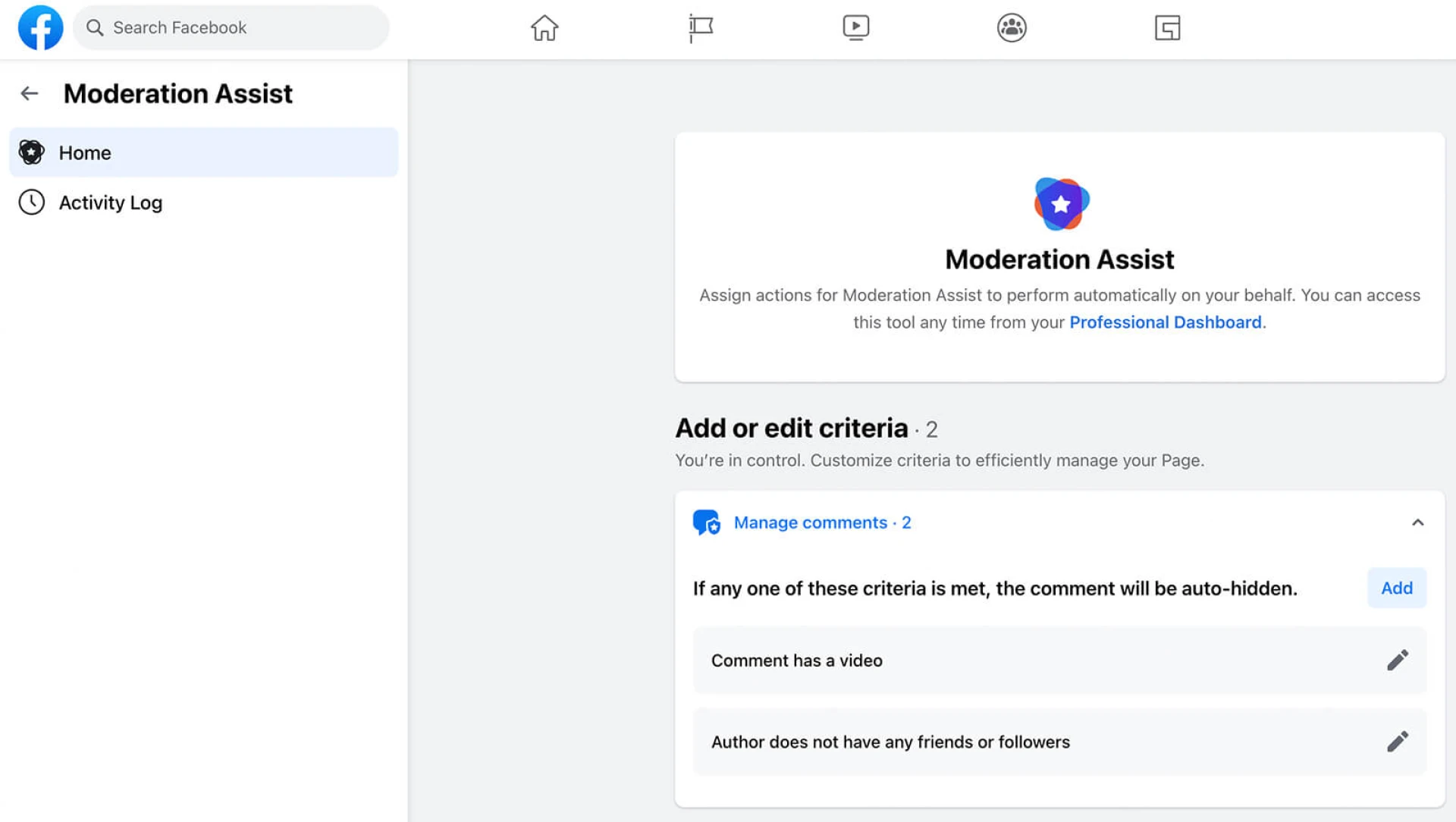
It’s something happening quietly behind the scenes: Facebook’s comment moderation tools.
Comment moderation tools work like security at a party to keep everyone safe. They're not there to ruin anything, but they’re just doing their own work and making sure no one sneaks in with spam, nasty comments, or harmful content. In today’s world, where everyone has the power to troll, even anonymously, these tools are crucial and can be considered digital superheroes, keeping things clean and safe.
So, next time you notice comments missing or parts of a conversation suddenly vanishing, don’t panic. It’s probably not your imagination, and it's not always a mistake. It’s Facebook’s moderation system doing its job.
Now, let’s dig a little deeper and understand what exactly is happening when these comments disappear.
So what’s really going on when comments go missing? Let’s break it down.
Why Some Facebook Comments Don’t Appear
People often ask, “Why can’t I see some Facebook comments?” It’s a genuine question whether you're someone chatting in the comments or a brand tracking feedback.
Here are a few common reasons:
- The page admin (or a tool) hid the comment.
- Facebook flagged it as spam.
- The comment was deleted by the user or the page.
- Privacy settings kept you from seeing it.
- A moderation tool filtered it out because of certain keywords or behavior.
So most of the time, it’s not an accident. It’s a choice made to protect the page, improve the conversation, or keep things relevant.
Difference Between Hiding and Deleting Comments
Hiding and deleting the comment are two different sides of the same coin!
When you hide a comment:
- The person who wrote it still sees it.
- Their Facebook friends can also see it.
- But everyone else? It’s invisible.
On the other hand, when you delete a comment, it disappears completely—for everyone.
Hiding is like quietly closing the door without confrontation. It doesn’t upset the original commenter and keeps things under control. That’s why many moderation tools prefer hiding over deleting it’s subtle and smart.
Why Brands Are Moderating Comments More Than Ever
Let’s look at things from a brand’s perspective. Why would they want to hide comments in the first place?
Because they often face:
- Bots promoting fake giveaways or crypto scams
- Trolls are looking to stir up trouble.
- Angry customers posting negative rants
- Competitors are throwing sneaky shade.
- Off-topic political debates hijacking a brand post
To protect their message and maintain trust, brands now rely on moderation tools that automatically watch for this kind of stuff. These tools help clean up the mess before it gets out of hand.
What Does a Facebook Comment Moderation Tool Actually Do?
Think of a comment moderation tool like a smart assistant, keeping your Facebook page tidy and safe even when you're asleep.
Here’s what it usually does:
Keyword Filtering
It hides or flags comments that include certain words like “scam,” “worst,” or a competitor’s name.
Auto-Hiding
It doesn’t wait for a human; it hides problematic comments the moment they appear.
User Blacklisting
If someone continues to post spam or offensive content, the tool can automatically block them.
Manual Review Queue
Sometimes, a tool doesn’t hide a comment right away. Instead, it puts it aside for a human to review.
Multiple Page Support
If you manage multiple Facebook pages, the tool helps you monitor all of them from a single dashboard.
How Comment Moderation Improves Brand Trust and Ad Performance
Moderation isn’t just about deleting bad comments; it’s about making sure your real audience feels welcome.
When someone visits your Facebook ad and sees meaningful, respectful conversations, they’re more likely to engage. But if they see spam or negativity, they’ll scroll right past it—or worse, avoid your brand altogether.
Unmoderated ads simply mean loss, as they do not receive enough click-through rates and also receive more negative feedback than usual, which ultimately results in spending more money for less impact.
So moderation isn’t censorship, it’s about creating the right vibe. A space where people focus on your message, not the mess.
Why Can't I See Comments on Facebook? A Real-World Example
Imagine you just launched an ad campaign for a brand-new product. A few hours later, you see comments like:
- “Tried this. It’s garbage.”
- “Don’t waste your money.”
- “Here’s a better product [competitor link]”
Now picture this happening across five different ads in three markets, and it’s 2 a.m. where you are.
If you don’t have a moderation tool, those comments stay up until someone manually removes them. But with a tool in place, they’re filtered out instantly, based on keywords or links.
So when someone checks your ad the next day and wonders, “Why aren’t there any comments?” it’s because the moderation tool did its job. It kept your brand safe while you were asleep.
How Moderation Tools Improve Customer Support Strategy
Here’s something most people overlook: moderation tools are also great for customer service.
Let’s say someone comments:
- “Where’s my order?”
- “Can I get a refund?”
- “Still no tracking info?”
A smart tool will:
- Flag those comments.
- Hide them and maybe send a private message.
- Notify your team to follow up.
- Tag them for an urgent response.
So these tools don’t just hide complaints; they help your team respond faster and make customers feel heard.
What to Consider When Choosing a Facebook Comment Moderation Tool
If you’re thinking of using a tool to manage your comments, here’s what to look for:
- It should sync with Facebook in real-time.
- You should be able to manage keywords easily.
- It should let you control comments post-by-post.
- An analytics dashboard is a big plus.
- It should support multiple pages without incurring a significant cost.
The idea is simple: save time, stay in control, and protect your brand.
Conclusion
So next time you think, “Why can’t I see that Facebook comment?” — chances are, it’s not a glitch. It’s moderation at work.
Tools like https://socialmediamanagement.app help brands automatically filter comments, hide negativity, and make sure their posts stay clean and focused.
If your comment section is becoming a headache or worse, a risk to your reputation maybe it’s time to take control. Let the tools handle the noise, so your message shines through loud and clear.


































Sign in to leave a comment.