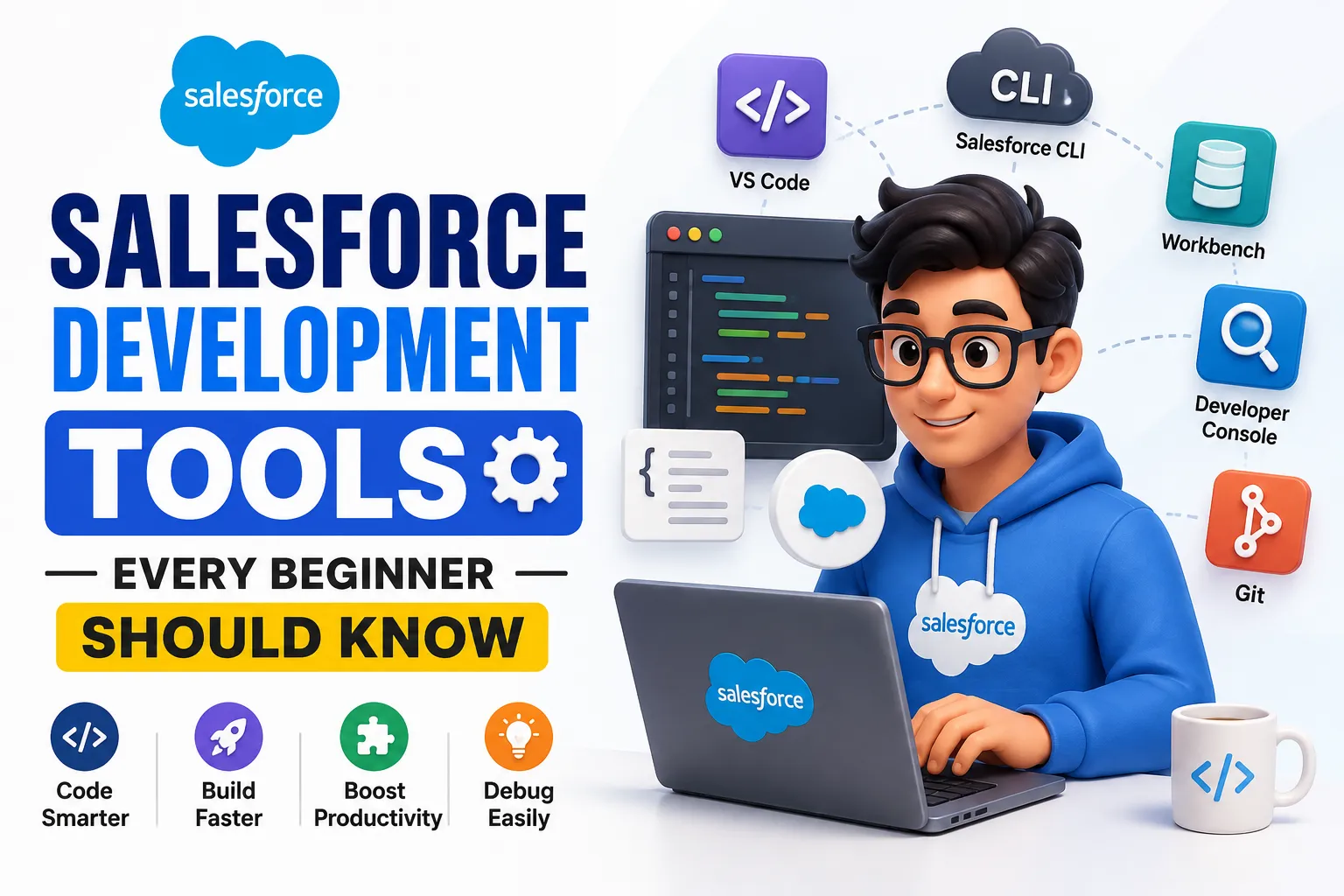

Starting a career in Salesforce can feel overwhelming when you first come across terms such as Apex, Lightning Web Components, SOQL, Developer Console, Salesforce CLI, and Visual Studio Code. The good news is that you do not need to master every tool at once.
Understanding the most important Salesforce Development Tools can make it easier to learn, build, test, and deploy Salesforce applications. These tools help developers work with code, data, components, automation, debugging, and deployment throughout the development process.
For beginners exploring Salesforce Development, learning how these tools fit into the development workflow is just as important as learning the technologies themselves.
What Are Salesforce Development Tools?
Salesforce development tools are applications, interfaces, and utilities that help developers create and manage customized solutions on the Salesforce Platform.
Depending on the project, developers may use these tools to:
- Write and manage code
- Create Lightning Web Components
- Work with Apex
- Query Salesforce data
- Debug applications
- Test functionality
- Manage metadata
- Deploy changes
- Connect Salesforce with development environments
The tools used can vary based on the developer's experience, project requirements, and preferred workflow.
Why Are Development Tools Important?
A Salesforce developer does more than write code. Development often involves creating components, working with data, testing changes, identifying errors, and moving solutions between environments.
The right tools can make these tasks more organized and efficient.
For example, a developer may use one tool to write Apex code, another to query records, and another to deploy changes to Salesforce.
Understanding these tools can help beginners develop better technical workflows and prepare for real Salesforce projects.
1. Salesforce Developer Console
The Salesforce Developer Console is a browser-based development environment available within Salesforce.
It provides several features that can help developers work with Salesforce applications and data.
Developers can use it for tasks such as:
- Writing and editing Apex
- Running SOQL queries
- Viewing debug logs
- Testing code
- Inspecting database information
- Troubleshooting application behavior
For beginners, Developer Console can be a convenient way to experiment with Apex and SOQL without setting up a complete local development environment.
When Should Beginners Use Developer Console?
It can be useful when learning basic Salesforce development concepts.
For example, a beginner can write a SOQL query, execute it, and review the returned records. Similarly, developers can use it to inspect debug logs when troubleshooting Apex code.
However, larger development projects often require more advanced tools and workflows.
2. Visual Studio Code
Visual Studio Code, commonly called VS Code, is a popular code editor used for Salesforce development.
With the appropriate Salesforce extensions, developers can work with Salesforce projects directly from their local development environment.
VS Code can support development tasks involving:
- Apex
- Lightning Web Components
- JavaScript
- HTML
- CSS
- Salesforce metadata
- Project files
It also provides features such as syntax highlighting, code navigation, extensions, debugging support, and source control integration.
For beginners planning to move beyond basic experimentation, learning VS Code can be a valuable step.
3. Salesforce Extensions for VS Code
Salesforce provides extensions that add Salesforce-specific functionality to Visual Studio Code.
These extensions can help developers work with Salesforce projects and metadata from their local environment.
Depending on the development workflow, developers can use them to:
- Create Salesforce projects
- Work with Apex
- Develop LWC components
- Retrieve metadata
- Deploy metadata
- Run Salesforce commands
- Work with Salesforce environments
This makes VS Code a central part of many modern Salesforce development workflows.
4. Salesforce CLI
The Salesforce Command Line Interface (CLI) allows developers to interact with Salesforce environments using command-line commands.
It can be used for activities such as:
- Creating projects
- Authenticating environments
- Retrieving metadata
- Deploying changes
- Running tests
- Managing development workflows
CLI tools are particularly useful when developers need repeatable and efficient development processes.
Beginners may initially find command-line development unfamiliar, but learning basic CLI commands can become valuable as their Salesforce development skills grow.
5. Salesforce DX
Salesforce DX, or Salesforce Developer Experience, provides a modern approach to Salesforce development.
It focuses on source-driven development, version control, collaboration, testing, and deployment.
Salesforce DX concepts are especially relevant for teams working on larger Salesforce applications.
Important concepts include:
- Salesforce projects
- Source format
- Scratch orgs
- Version control
- Metadata
- Automated development workflows
Understanding Salesforce DX can help beginners learn how professional Salesforce development teams manage application changes.
6. Scratch Orgs
Scratch orgs are temporary Salesforce environments that developers can use for development and testing.
Instead of making every change directly in a shared environment, developers can create a separate environment for specific development work.
Scratch orgs can be useful for:
- Testing new functionality
- Developing features
- Experimenting with configurations
- Working with Salesforce DX
- Creating isolated development environments
Because scratch orgs are temporary, they are particularly useful in source-driven development workflows.
7. SOQL Query Tools
Salesforce developers frequently work with data, which makes SOQL an important skill.
SOQL stands for Salesforce Object Query Language and is used to retrieve data from Salesforce objects.
Developers can run SOQL queries through different Salesforce development tools, including Developer Console and other development environments.
For example, a developer may use SOQL to find specific customer records, opportunities, or other business data.
Learning how to write effective SOQL queries is an important part of Salesforce programming.
8. Apex Developer Tools
Apex is Salesforce's programming language and is used to create custom business logic.
Developers can use development environments such as VS Code and Developer Console to write and test Apex.
Common Apex development tasks include:
- Creating classes
- Writing methods
- Developing triggers
- Handling exceptions
- Processing data
- Writing test classes
A strong understanding of Apex combined with practical tool experience can help beginners become more comfortable with Salesforce development.
9. Lightning Web Components Tools
Lightning Web Components, or LWC, is used to build modern user interfaces on Salesforce.
Developers can create LWC components using VS Code and Salesforce development extensions.
An LWC project can contain files related to:
- HTML
- JavaScript
- CSS
- Component metadata
Understanding the tools used for LWC development can help beginners move from basic Salesforce configuration toward application development.
10. Salesforce Workbench
Salesforce Workbench is a browser-based tool that can be used for working with Salesforce APIs and data.
It can support tasks related to:
- REST API
- SOAP API
- Data queries
- Data manipulation
- Metadata
- API exploration
Developers and administrators may use Workbench to understand how Salesforce APIs behave and to test certain API-related operations.
It can be particularly useful for learners interested in Salesforce Integration.
11. Salesforce APIs
APIs are not a single development application, but they are an important part of the Salesforce development ecosystem.
Salesforce provides different APIs that allow external applications to communicate with Salesforce.
APIs can be used for tasks such as:
- Retrieving data
- Sending data
- Updating records
- Connecting external applications
- Building integrations
Understanding APIs becomes increasingly important for developers working on integration-heavy Salesforce projects.
12. Debug Logs
Debugging is an essential part of Salesforce development.
Salesforce provides debugging capabilities that allow developers to investigate what happens when code or processes execute.
Debug logs can help developers identify:
- Apex errors
- Unexpected behavior
- Database operations
- Execution details
- Performance-related issues
Learning how to read debug logs can significantly improve a beginner's ability to troubleshoot Salesforce applications.
13. Salesforce Testing Tools
Testing is an important part of professional Salesforce development.
Developers need to make sure that their code works correctly and does not negatively affect existing functionality.
Apex testing allows developers to validate custom code before deployment.
Testing can help identify problems related to:
- Business logic
- Data processing
- Triggers
- Custom functionality
- Application behavior
Beginners should develop the habit of testing their code rather than relying only on successful execution during development.
14. Version Control with Git
Git is not a Salesforce-specific tool, but it is widely used in software development and can be important for Salesforce development teams.
Version control helps teams track changes to project files and collaborate on development work.
With Git, developers can:
- Track code changes
- Create branches
- Review modifications
- Collaborate with team members
- Restore previous versions
When combined with Salesforce DX and a source-driven development approach, Git can support a more organized development workflow.
How These Salesforce Development Tools Work Together
Beginners may wonder why so many tools are required.
The answer is that each tool supports a different part of the development process.
A simplified workflow could look like this:
VS Code → Salesforce CLI → Development Environment → Testing → Version Control → Deployment
For example:
- A developer creates a Salesforce project in VS Code.
- Salesforce extensions help manage Salesforce-specific files.
- Salesforce CLI connects the project with a Salesforce environment.
- The developer writes Apex or LWC code.
- SOQL is used to work with data.
- Debug logs help identify problems.
- Tests are executed to verify functionality.
- Git tracks changes.
- The completed solution is deployed to the required environment.
Understanding this workflow gives beginners a clearer picture of how professional Salesforce development can be organized.
Which Salesforce Development Tools Should Beginners Learn First?
You do not need to learn everything simultaneously.
A practical learning sequence can be:
Beginner Level
Start with:
- Salesforce Platform fundamentals
- Developer Console
- SOQL
- Basic Apex
Intermediate Level
Then move to:
- Visual Studio Code
- Salesforce Extensions
- Lightning Web Components
- Salesforce CLI
- Debugging
- Testing
Advanced Level
After gaining confidence, explore:
- Salesforce DX
- Scratch orgs
- Git
- APIs
- Integration
- Deployment workflows
This gradual approach can make learning Salesforce development less complicated.
How Salesforce Development Training Can Help
Learning development tools independently is possible, but structured training can provide a clearer path.
Salesforce Developer Training in India can help beginners understand not only individual tools but also how they are used in practical development workflows.
A comprehensive training program may include:
- Salesforce fundamentals
- Apex programming
- SOQL
- LWC
- VS Code
- Salesforce CLI
- Salesforce DX
- Testing
- Debugging
- APIs
- Practical Salesforce projects
Hands-on exercises are particularly useful because developers learn tools more effectively by using them rather than only reading about them.
Choosing a Salesforce Developer Course in India
If you are planning to enroll in a Salesforce Developer Course in India, check whether the curriculum includes practical development tools.
Look for a program that provides:
- Updated Salesforce development concepts
- Hands-on coding practice
- Apex and LWC projects
- SOQL exercises
- Development environment setup
- Testing and debugging practice
- Integration concepts
- Project-based learning
- Interview preparation
A course that combines development concepts with practical tools can help learners become more comfortable with real project workflows.
Do Salesforce Developers Need Certification?
A Salesforce Developer Certification can demonstrate knowledge of relevant Salesforce concepts, but certification should be supported by practical skills.
Employers may also value:
- Development experience
- Programming knowledge
- Salesforce projects
- Problem-solving ability
- Understanding of business requirements
- Communication skills
For beginners, a combination of training, certification preparation, and hands-on development can provide a stronger learning foundation.
Common Mistakes Beginners Should Avoid
While learning Salesforce development tools, beginners often make a few common mistakes.
Trying to Learn Everything at Once
Focus on the fundamentals first and gradually introduce advanced tools.
Ignoring Hands-On Practice
Reading about Apex or LWC is not enough. Practice writing code and building components.
Avoiding the Command Line
Salesforce CLI may look difficult initially, but learning basic commands can be useful for professional development workflows.
Not Learning Debugging
Errors are a normal part of development. Learn how to read logs and identify the source of problems.
Focusing Only on Certification
Certification can validate knowledge, but practical development skills are essential for real projects.
Final Thoughts
Learning Salesforce Development Tools is an important part of becoming a confident Salesforce developer. Tools such as Developer Console, Visual Studio Code, Salesforce CLI, Salesforce DX, Workbench, Git, and debugging tools support different stages of the development process.
Beginners do not need to master everything immediately. Start with Salesforce fundamentals, Apex, SOQL, and Developer Console, then gradually move toward VS Code, LWC, Salesforce CLI, version control, APIs, testing, and deployment.
Whether you are learning independently or through Salesforce Developer Training in India, focus on practical application. Building projects and using the tools regularly can help you understand how Salesforce development works in real-world environments and prepare you for future development opportunities.






















Sign in to leave a comment.