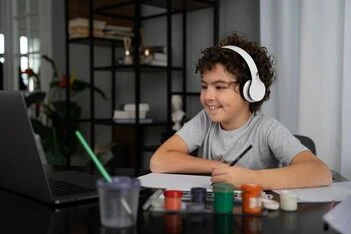
In today’s digital world, kids don’t just want to play games — they want to create them! That’s why Scratch and Roblox online coding classes are some of the most exciting ways to introduce children to programming. At Tutree.com, we make coding fun, interactive, and beginner-friendly for kids of all ages.
What Are Scratch and Roblox, and Why Should Kids Learn Them?
Scratch is a block-based coding platform designed for young learners to create games, animations, and stories without needing to write complex code.
Roblox Studio lets kids design and code their own 3D games using Lua scripting, giving them a real-world feel of what game development is like.
Benefits of Learning Scratch and Roblox
- Boosts creativity and imagination
- Teaches problem-solving and logic
- Enhances storytelling and design thinking
- Builds confidence through creation
- Introduces real coding concepts in a fun way
What We Offer in Our Scratch and Roblox Classes at Tutree.com
At Tutree.com, we offer personalized 1-on-1 online coding classes for both Scratch and Roblox. Our expert tutors make sure kids learn at their own pace while having a great time!
Our courses include:
- Scratch Game Design – Learn to build games and animations from scratch (literally!)
- Scratch Animation & Storytelling – Create interactive stories and cool visual effects
- Roblox Game Development – Learn Roblox Studio and Lua to create custom games
- Roblox Scripting for Beginners – Understand game mechanics, logic, and coding basics
Why Choose Tutree.com for Scratch and Roblox Classes?
- 1-on-1 personalized learning
- Certified and experienced tutors
- Safe, kid-friendly online environment
- Flexible scheduling that fits your routine
- Affordable rates — pay as you go
FAQs About Scratch and Roblox Coding Classes
Q1: What age is best to start Scratch and Roblox coding?
A: Kids as young as 6 years old can start with Scratch, while Roblox is great for kids aged 8 and up who want to explore game development.
Q2: Do kids need any prior coding experience?
A: No prior experience needed! Our courses are beginner-friendly and designed to take kids from basics to advanced concepts step by step.
Q3: What do kids need to join these classes?
A: A laptop or computer with internet access. For Roblox, installing Roblox Studio (free) is required.
Q4: How long does it take to make a game?
A: Depending on complexity, kids can create a simple game in a few sessions, and more advanced games as they progress.
Q5: Will kids get to share their games?
A: Absolutely! Kids can share, play, and showcase their games with family and friends — a huge boost to their confidence!
Get Your Child Started Today!
Don’t let screen time go to waste — turn it into a creative learning adventure with Scratch and Roblox online coding classes at Tutree.com.
Visit Tutree.com to book a free trial and see your child start building their first game!










Sign in to leave a comment.