
Are you ready to elevate your sim racing setup to the next level? Setting up your sim racing wheel base properly can drastically enhance your virtual racing experience, providing you with not only more enjoyment but also a more authentic feel of driving a race car. In this blog, we’ll walk you through some essential DIY tips for setting up your sim racing wheel base and answer some frequently asked questions that might pop up along the way.
Choose the Right Location
The first step in setting up your sim racing wheel base is choosing the right location. You need a stable and comfortable area where you can sit for long periods without discomfort. Ensure the space is away from high traffic areas in your home to minimize disturbances.
Mounting Your Wheel Base
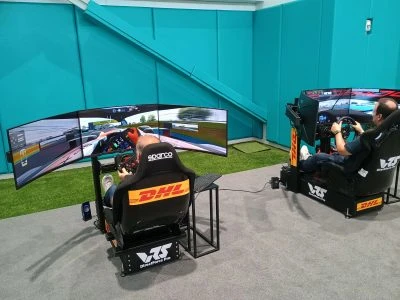
Mounting your wheel base securely is crucial for a realistic racing experience. Most wheel bases come with clamps that attach directly to a desk or table. For a more permanent and stable solution, consider mounting it on a dedicated sim racing cockpit or stand. Make sure the surface is flat and the clamps or bolts are tightly secured.

Adjusting Your Wheel Base
Once your wheel base is mounted, adjust its height and angle according to your comfort. The wheel should be at a height where your shoulders remain relaxed, and your arms can slightly bend at the elbows while holding the wheel. This setup reduces fatigue and mimics the position you’d find in a real race car.
Calibration
Calibrating your sim racing wheel base is essential to ensure accuracy and responsiveness. Follow the manufacturer’s instructions to calibrate the wheel within your racing software. This typically involves setting the steering sensitivity, force feedback levels, and other specific parameters that affect how the wheel responds during racing.
Testing and Fine-Tuning
After everything is set up and calibrated, it’s time to test your setup. Play different types of racing games to see how the wheel reacts. During this phase, you might find that further adjustments to the force feedback or sensitivity are necessary to match your driving style and preferences.
FAQs about Sim Racing Wheel Bases
Q1: What is the best sim racing wheel base for beginners?
A1: For beginners, a sim racing wheel base that offers plug-and-play functionality and comprehensive software for easy calibration is ideal. Look for models that provide good force feedback and reliability without being overly complex.
Q2: How often should I calibrate my sim racing wheel base?
A2: It’s best to calibrate your wheel base whenever you connect it to a new system or if you feel the feedback or responses have changed. Regular calibration ensures your wheel base performs optimally.
Q3: Can I use a sim racing wheel base on any type of desk?
A3: While you can mount most sim racing wheel bases on standard desks, it’s essential that the desk is sturdy enough to handle the force and movement during intense racing sessions. For the best stability, dedicated sim racing stands or cockpits are recommended.
Q4: What should I do if my sim racing wheel base starts to feel loose?
A4: Check all the mounting points and tighten any loose bolts or clamps. Regular maintenance checks can prevent most issues related to stability.
Conclusion
Setting up your sim racing wheel base doesn’t have to be complicated. By following these straightforward DIY tips, you can create a reliable and enjoyable racing environment in your home. Remember, the key to a great setup is stability, comfort, and regular maintenance. With your wheel base set up correctly, you’re ready to take on the virtual tracks like a pro!








Sign in to leave a comment.