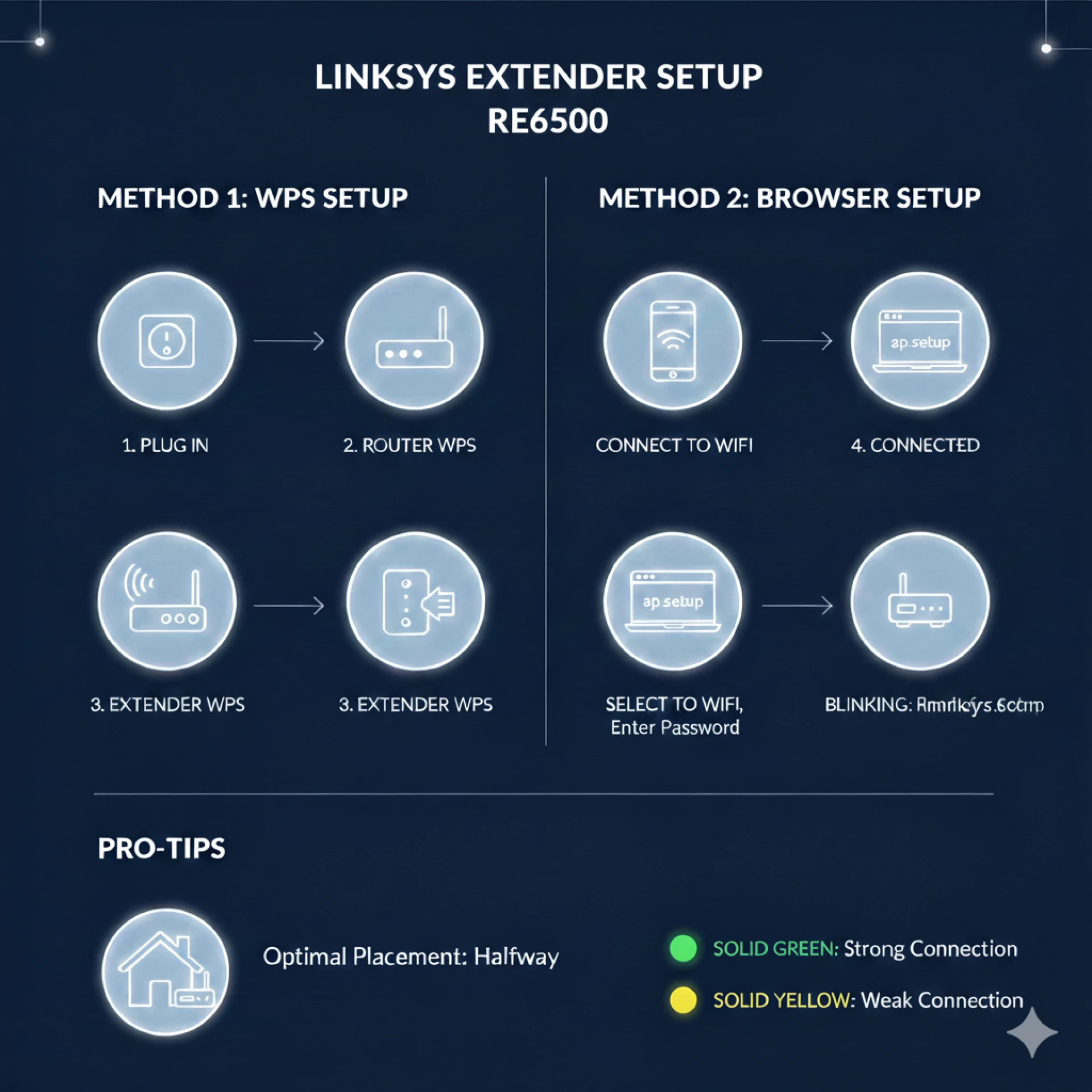
Setting up your Linksys extender setup RE6500 doesn’t have to be complicated — even if you’re not tech-savvy. The Linksys RE6500 is an AC1200 dual-band Wi-Fi range extender that delivers up to 867 Mbps speed and features four Gigabit Ethernet ports for wired connections. Its simple setup process and versatile configuration options make it a great choice for extending Wi-Fi coverage in your home or office.
🔹 What You’ll Need
Before starting the linksys extender setup RE6500 process, ensure you have:
- A working Wi-Fi router with stable internet
- A smart device (phone, tablet, or laptop) with a web browser
- Access to a nearby power outlet
- Optional: Ethernet cable for wired setup
🔹 Setup Methods
✨ Web Browser Setup
This is the most common method and gives you more control over settings:
- Attach the antennas and plug the extender into a power outlet near your router.
- Wait for the LED to turn solid white, indicating it’s ready.
- Connect your device to the extender’s Wi-Fi network.
- Open a browser and go to extender.linksys.com or 192.168.1.1.
- Follow the on-screen instructions to select and connect to your main Wi-Fi network.
🔐 WPS Setup
If your router supports WPS (Wi-Fi Protected Setup):
- Plug in the extender and power it on.
- Press the WPS button on your router.
- Within two minutes, press the WPS button on the extender.
- Wait for the LED to indicate a successful connection.
🔑 PIN Configuration
Some setups let you enter a WPS PIN from either your router or the extender itself — useful if your router uses PIN-based security.
🔹 Tips for Best Results
- Place the extender halfway between your router and the Wi-Fi dead zone for optimal performance.
- Make sure the extender receives at least 50 % signal strength from the router before final placement.
- If setup fails, try resetting the extender and repeat the process.
🔹 LED Indicator Meanings
- Blinking white: Powering on or resetting
- Solid white: Ready and connected
- Solid amber: Weak connection to router
With these easy steps, your linksys extender setup RE6500 should be complete in minutes, providing a stronger Wi-Fi signal throughout your space. If you have any issues, try relocating the extender or checking your router settings for interference.




























Sign in to leave a comment.