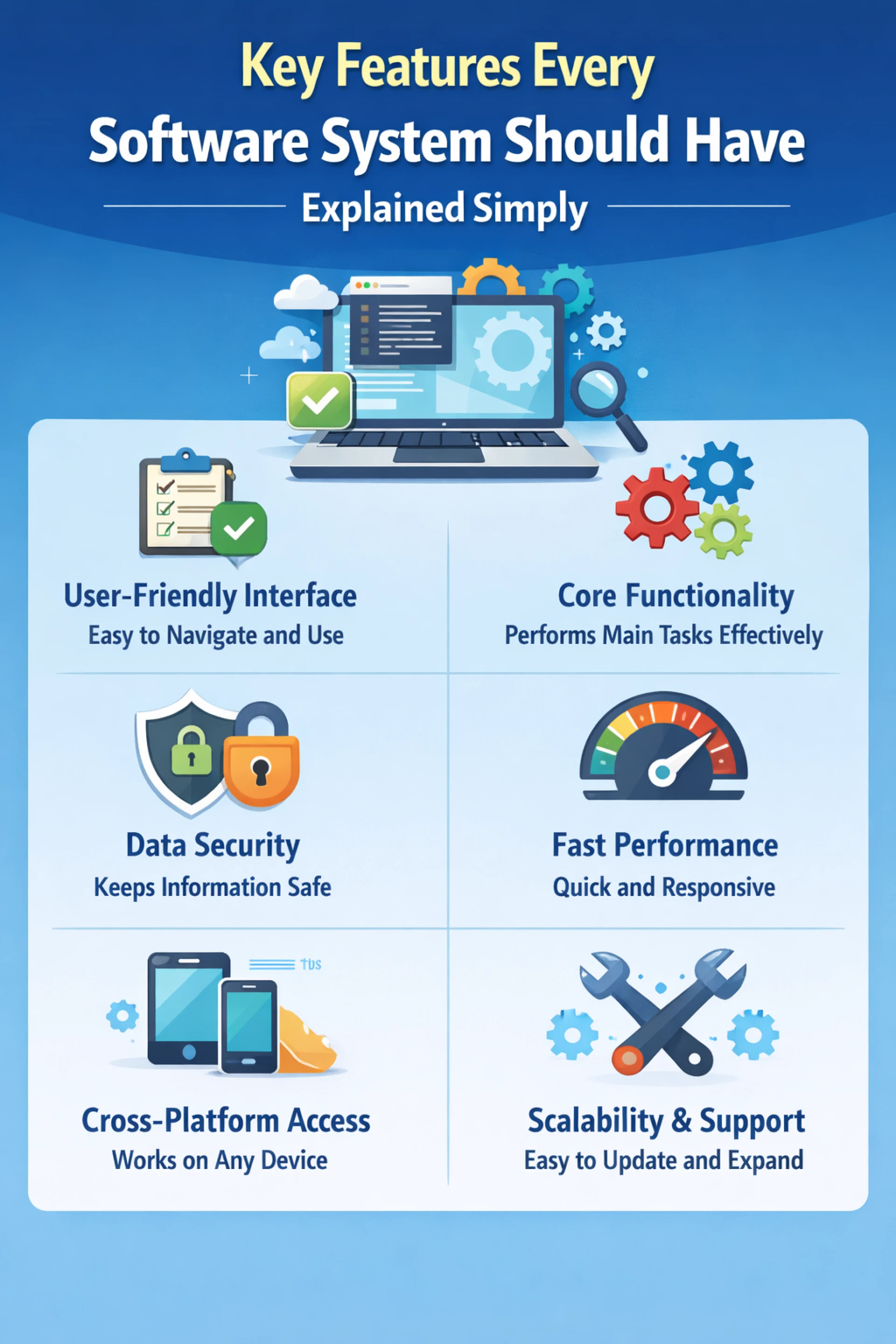

Building a good software system isn’t just about writing code that works. It’s about creating something reliable, easy to use, secure, and capable of growing with user needs. Whether you’re a beginner, a developer, or a business owner, understanding the essential features of a software system helps you make better decisions and build better products.
In this guide, we’ll break everything down in a simple, easy-to-understand way so you can clearly see what makes a software system truly effective.
- Cost Efficiency
A good software system should deliver value without unnecessary cost. This doesn’t mean it has to be cheap, but it should be worth the investment.
Cost efficiency includes:
Optimal resource usage
Reduced maintenance costs
Long-term value
Efficient systems save money over time.
- Reliability and Stability
A software system must work consistently without crashing or producing errors. Users expect the system to perform the same way every time they use it.
Reliability includes:
Fewer bugs and errors
Consistent performance
Proper handling of unexpected inputs
Strong error recovery mechanisms
If your system crashes frequently, users lose trust quickly.
- Performance and Speed
No one likes slow software. Performance is all about how fast and efficiently your system responds to user actions.
Key aspects include:
Fast loading time
Quick data processing
Smooth user interactions
Efficient use of system resources
A high-performing system improves user satisfaction and productivity.
- Security
Security is critical, especially when dealing with sensitive data like passwords, personal information, or financial details.
A secure software system should:
Protect data from unauthorized access
Use encryption where necessary
Provide secure authentication (like passwords or OTPs)
Prevent common attacks (like hacking or data leaks)
Ignoring security can lead to serious consequences, including data breaches and loss of user trust.
- Scalability
As your users grow, your software should be able to handle increased demand without slowing down or failing.
Scalability means:
Supporting more users over time
Handling larger amounts of data
Expanding features without breaking existing functionality
For example, a startup app should still work smoothly when it grows from 100 users to 100,000 users.
- Maintainability
Software systems need regular updates, bug fixes, and improvements. Maintainability ensures that developers can easily modify and improve the system.
Good maintainability includes:
Clean and well-structured code
Proper documentation
Modular design (breaking code into smaller parts)
Easy debugging and testing
A maintainable system saves time and cost in the long run.
- Flexibility
A flexible system can adapt to changing requirements. In real-world scenarios, needs often change after the software is built.
Flexibility allows:
Adding new features easily
Modifying existing functionality
Supporting different user needs
This feature is especially important in fast-changing industries.
- Compatibility
Your software should work across different devices, platforms, and environments.
Compatibility includes:
Working on mobile, desktop, or web
Supporting multiple operating systems
Integrating with other systems or tools
For example, a web app should work smoothly on Chrome, Firefox, and mobile browsers.
- Data Management
Most software systems deal with data, so managing it properly is essential.
Good data management means:
Efficient storage and retrieval
Data accuracy and consistency
Backup and recovery systems
Organized database structure
Without proper data handling, even a powerful system can fail.
- Clear Functional Requirements
A strong software system starts with clearly defined requirements. This brings us to an important concept in software development: what is functional requirements in software engineering.
Functional requirements describe what the system should do. They define the features and functions of the software from the user’s perspective.
For example:
A login system should allow users to sign in with a username and password
An e-commerce app should allow users to add items to a cart and make payments
A messaging app should allow users to send and receive messages
Understanding what is functional requirements in software engineering helps developers build systems that actually meet user needs. Without clear functional requirements, software can become confusing, incomplete, or unusable.
- Non-Functional Qualities
While functional requirements define what the system does, non-functional features define how well it performs.
These include:
Performance (speed)
Security
Usability
Reliability
Both functional and non-functional aspects are essential for a complete software system.
- Error Handling
No system is perfect, and errors are inevitable. What matters is how the system handles them.
Good error handling means:
Showing clear error messages
Preventing system crashes
Guiding users to fix mistakes
Logging errors for developers
For example, instead of showing “Error 404,” a better system says, “Page not found. Please check the URL.”
- Backup and Recovery
Data loss can be disastrous. A reliable software system must have backup and recovery options.
This includes:
Automatic data backups
Recovery systems in case of failure
Protection against accidental deletion
This feature ensures business continuity even during unexpected problems.
- Integration Capability
Modern software rarely works alone. It often needs to connect with other systems.
Integration allows:
Payment gateway connections
API usage
Data sharing between systems
Automation with third-party tools
For example, an online store may integrate with payment services, delivery tracking, and customer support tools.
- Testing and Quality Assurance
Before releasing software, it must be tested thoroughly to ensure it works correctly.
Testing ensures:
Features work as expected
Bugs are identified and fixed
Performance meets standards
Security vulnerabilities are minimized
Quality assurance is what separates professional software from poorly built systems.
- Documentation
Documentation is often overlooked but extremely important. It helps both users and developers understand the system.
Good documentation includes:
User guides
Installation instructions
Developer notes
API documentation
Without documentation, even a great system can become difficult to use or maintain.
- Accessibility
Software should be usable by as many people as possible, including those with disabilities.
Accessibility features include:
Screen reader support
Keyboard navigation
Clear fonts and colors
Adjustable text sizes
Making software accessible improves usability and inclusivity.
Conclusion
A great software system is not just about functionality—it’s about delivering a complete, reliable, and user-friendly experience. From usability and performance to security and scalability, each feature plays a vital role in the system’s success.
Understanding these key features helps developers build better software and helps businesses choose the right solutions. And as we discussed, knowing what is functional requirements in software engineering is especially important because it forms the foundation of what the system is supposed to do.
When all these features come together, the result is a powerful, efficient, and trustworthy software system that meets user needs and stands the test of time.

Sign in to leave a comment.