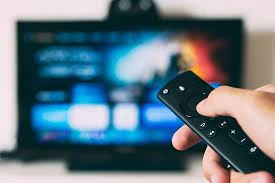

Introduction
Roku is a popular streaming device that gives users access to thousands of movies, TV shows, and live entertainment options. Whether you have a Roku Stick, Roku Express, or Roku Ultra, activating your device is the first step toward unlocking an endless library of content. This guide will take you through the activation process and help you start streaming in no time.
Step 1: Setting Up Your Roku Device
Before activating your Roku, ensure that your device is properly connected.
- Unbox your Roku device – You should have the Roku player, remote control, power adapter, and HDMI cable (if needed).
- Connect Roku to your TV – Insert the Roku Stick into an HDMI port or connect the Roku Express/Ultra via an HDMI cable.
- Power the device – Use the provided adapter and plug it into a wall outlet for a stable power source.
- Turn on your TV – Select the correct HDMI input where Roku is connected.
Once you see the Roku startup screen, proceed with the setup process.
Step 2: Connect to the Internet
A strong internet connection is essential for smooth streaming.
- Choose your preferred language – Roku will display a list of available languages.
- Select a Wi-Fi network – Choose your home network and enter the password.
- Let Roku update – The system will check for the latest software updates and install them automatically.
For the best performance, use a wired Ethernet connection if your Roku model supports it.
Step 3: Generate Your Roku Activation Code
After connecting to the internet, Roku will generate a unique activation code on your screen. Write it down or keep the screen open as you move to the next step.
Step 4: Activate Roku Online
To complete the activation, follow these steps:
- Open a browser on your phone, tablet, or computer.
- Visit www.roku.com/link.
- Enter the activation code displayed on your TV screen.
- Sign in or create a Roku account – If you don’t have an account, sign up with your email and create a secure password.
- Set up a payment method – While Roku activation is free, adding a payment option allows you to rent movies or subscribe to premium services.
- Follow the on-screen prompts – Your Roku will link to your account and finalize the setup.
Step 5: Personalizing Your Roku Experience
After activation, your Roku device is ready for use.
- Download popular apps – Add services like Netflix, Amazon Prime Video, Hulu, and Disney+.
- Log into your streaming services – Sign in to access your subscriptions.
- Discover free content – Explore free movies, TV shows, and live TV on the Roku Channel.
Troubleshooting Roku Activation Issues
If you experience any difficulties, try these solutions:
- Re-enter the activation code – Make sure you input the correct code on the Roku activation website.
- Restart your Roku device – Unplug it for a few seconds and reconnect.
- Check your internet connection – A slow or dropped connection can interfere with activation.
- Use an updated web browser – Try a different browser if the activation site doesn’t load.
- Contact Roku support – If problems persist, visit Roku’s official support page for assistance.
Conclusion
Activating your Roku device is a straightforward process that opens the door to unlimited entertainment. By following these steps, you can quickly set up your device and start streaming your favorite shows and movies. If you run into issues, the troubleshooting tips provided should help you resolve them. Happy streaming!




![[[Full]]List of EXPEDIAA®️ Customer Service®®️®️ PHONE Numbers in USA : A Quick StepByStep Guide 2026](https://writeupcafe.com/data/post/1574410/eb430fc108bb428466b6dea1dd66e4b3.jpg.webp)






Sign in to leave a comment.