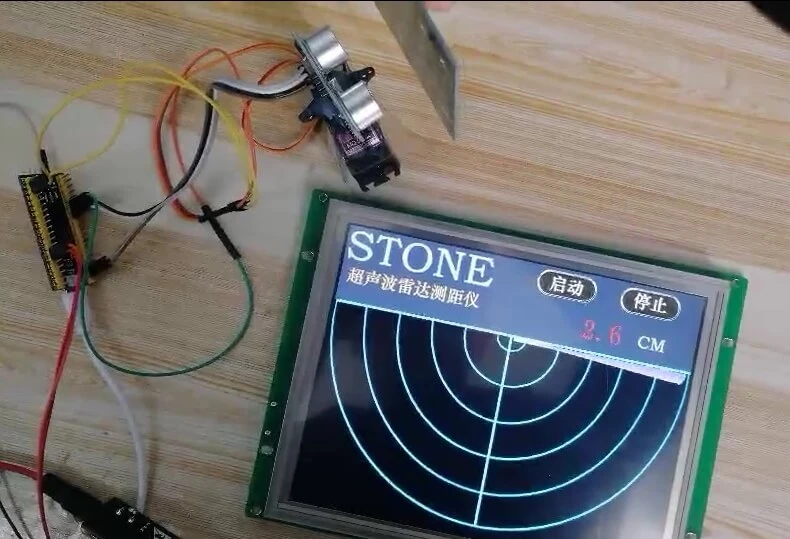

This project shows how to use STONE display screen, STM32 MCU, relay module. The aim of the project is to be able to control home appliances through the STONE display as a human-computer interface.
Consumables used in the project
Thedisplay adopts 8-inch STONE screen and 8-inch intelligent STONE display screen (thin film transistor - LIQUID crystal display) industrial display module
8 "Intelligent STONE display screen(Thin Film Transistor - LIQUID Crystal Display) industrial display module
STONE STVI080WT-01 TFT LCD Module
The STONE intelligent TFT LCD module with the Cotex-M4 32-bit CPU can be controlled by Any MCU via the UART port via a simple Hex instruction.
STONE provides software engineers with easy and visual Settings for a variety of graphical user interface features such as text, numbers, curves, image switching, keyboard, progress bar, slider, dial, clock and touch buttons, data storage, USB download, video & audio.
Engineers can easily adopt STONE display screen color user interfaces and touch functions on a variety of industrial devices, and much less
Development time and cost.
Easy to use:
Design a beautiful set of "graphical user interface" and use our toolbox software to set up various application functions on the GUI.Connect the customer MCU directly through RS232, RS485 or TTL level, plug and play.Compile MCU program and control STONE display screen module through 4 simple Hex instructions.
Relay module -8 channels
Instructions for use of relay board:
When there is no or insufficient voltage at both ends of the relay coil, COM and NC at the common end and normally closed end of the relay conduct
When the voltage at both ends of the relay reaches the absorption voltage, the COM common end of the relay is on with normally open NO
Wiring the electrical equipment installation and modification method
The module adopts patch optocoupler isolation and has strong anti-interference ability. There are altogether 8 ways of control from IN1 to IN8
Reference wiring diagram:
STM32F411 MCU core board
STM32 core board:
MCU program STM32CUDEMX using firmware library programming: Pin figure:
Next up is programming
Clockwise configuration:
Defines IO pin output to be high by Default
Click generate code
Hardware connection:
Connected according to the schematic diagram:
The J17 jumper behind the STONE screen disconnects, selects to the TLL level and communicates with the MCU:
Photoshop is used to design the base image displayed on the page:
The renderings are also ready:
Import images into GUI TOOL by number:
Add good touch controls in turn:
Variable address assignment:
Bedroom light on:0x0001
Kitchen light on: 0x0002
Switch on the bathroom lamp: 0x0003
Electric fan on: 0x0004
Air conditioning on: 0x0005
TV on: 0x0006
Balcony light on: 0x0007
Bedroom lights off: 0x0011
Kitchen light off: 0x0012
Switch off the bathroom lamp: 0x0013
Electric fan off: 0x0014
Air conditioning off: 0x0015
TV off: 0x0016
Balcony light off: 0x0007
Then add the text display control:
Status display text address:
Bedroom light: 0x0020
Kitchen light: 0x0030
Bathroom lamp: 0x0040
Electric fan: 0x0050
Air conditioning: 0 x0060
TV: 0 x0070
Balcony light: 0x0080
After setting, no click on the compile button to generate the files that need to be imported into the screen
Plug in the USB of the screen and click "Download" to wait for the successful Download:
The screen display effect is as follows:
Source code analysis:
MCU uses serial port 1 and touch screen communication, the use of baud rate is 115200
void MX_USART1_UART_Init(void)
{
huart1.Instance = USART1;
huart1.Init.BaudRate = 115200;//
huart1.Init.WordLength = UART_WORDLENGTH_8B;
huart1.Init.StopBits = UART_STOPBITS_1;
huart1.Init.Parity = UART_PARITY_NONE;
huart1.Init.Mode = UART_MODE_TX_RX;
huart1.Init.HwFlowCtl = UART_HWCONTROL_NONE;
huart1.Init.OverSampling = UART_OVERSAMPLING_16;
if (HAL_UART_Init(&huart1) != HAL_OK)
{
Error_Handler();
}
}
The configuration of HAL library GPIO is as follows:
void MX_GPIO_Init(void)
{
GPIO_InitTypeDef GPIO_InitStruct = {0};
/* GPIO Ports Clock Enable */
__HAL_RCC_GPIOC_CLK_ENABLE();
__HAL_RCC_GPIOH_CLK_ENABLE();
__HAL_RCC_GPIOA_CLK_ENABLE();
__HAL_RCC_GPIOB_CLK_ENABLE();
/*Configure GPIO pin Output Level */
HAL_GPIO_WritePin(GPIOA, A8_Pin|A7_Pin|A6_Pin|A5_Pin, GPIO_PIN_SET);
/*Configure GPIO pin Output Level */
HAL_GPIO_WritePin(GPIOB, A4_Pin|A3_Pin|A2_Pin|A1_Pin, GPIO_PIN_SET);
/*Configure GPIO pins : PAPin PAPin PAPin PAPin */
GPIO_InitStruct.Pin = A8_Pin|A7_Pin|A6_Pin|A5_Pin;
GPIO_InitStruct.Mode = GPIO_MODE_OUTPUT_PP;
GPIO_InitStruct.Pull = GPIO_NOPULL;
GPIO_InitStruct.Speed = GPIO_SPEED_FREQ_LOW;
HAL_GPIO_Init(GPIOA, &GPIO_InitStruct);
/*Configure GPIO pins : PBPin PBPin PBPin PBPin */
GPIO_InitStruct.Pin = A4_Pin|A3_Pin|A2_Pin|A1_Pin;
GPIO_InitStruct.Mode = GPIO_MODE_OUTPUT_PP;
GPIO_InitStruct.Pull = GPIO_NOPULL;
GPIO_InitStruct.Speed = GPIO_SPEED_FREQ_LOW;
HAL_GPIO_Init(GPIOB, &GPIO_InitStruct);
}
The sending format of the sending register is set according to the manual, and GB2312 Chinese character encoding library is used:
GB2312 The internal code library can refer to this website for searching:http://www.knowsky.com/resource/gb2312tbl.htm
Such as:
The "off" code is B9D8 and the "closed" code is B1D5
The inside code of "open" is B4F2, and the inside code of "open" is BFAA
Refresh all display states before MCU initialization:
data_send[4]=0x00;//
data_send[5]=0x20;//
data_send[6]=0xB9;//
data_send[7]=0xD8;
data_send[8]=0xB1;
data_send[9]=0xD5;
UART1_Send_Array(data_send,12);//
data_send[5]=0x30;//
UART1_Send_Array(data_send,12);//
data_send[5]=0x40;//
UART1_Send_Array(data_send,12);//
data_send[5]=0x50;//
UART1_Send_Array(data_send,12);//
data_send[5]=0x60;//
UART1_Send_Array(data_send,12);//
data_send[5]=0x70;//
UART1_Send_Array(data_send,12);//
data_send[5]=0x80;//
UART1_Send_Array(data_send,12);//
Receive the data sent by the screen to the MCU, and control the status of IO:
if ((char *)buffer != NULL)
{
if (strlen((char *)buffer) == 0)
{
//buffer
}
else//
{
switch(buffer[5])
{
case 0x01 : HAL_GPIO_WritePin(A1_GPIO_Port,A1_Pin,GPIO_PIN_RESET); break;//
case 0x02 : HAL_GPIO_WritePin(A2_GPIO_Port,A2_Pin,GPIO_PIN_RESET); break;//
case 0x03 : HAL_GPIO_WritePin(A3_GPIO_Port,A3_Pin,GPIO_PIN_RESET); break;//
case 0x04 : HAL_GPIO_WritePin(A4_GPIO_Port,A4_Pin,GPIO_PIN_RESET); break;//
case 0x05 : HAL_GPIO_WritePin(A5_GPIO_Port,A5_Pin,GPIO_PIN_RESET); break;//
case 0x06 : HAL_GPIO_WritePin(A6_GPIO_Port,A6_Pin,GPIO_PIN_RESET); break;//
case 0x07 : HAL_GPIO_WritePin(A7_GPIO_Port,A7_Pin,GPIO_PIN_RESET); break;//
case 0x11 : HAL_GPIO_WritePin(A1_GPIO_Port,A1_Pin,GPIO_PIN_SET); break;//
case 0x12 : HAL_GPIO_WritePin(A2_GPIO_Port,A2_Pin,GPIO_PIN_SET); break;//
case 0x13 : HAL_GPIO_WritePin(A3_GPIO_Port,A3_Pin,GPIO_PIN_SET); break;//
case 0x14 : HAL_GPIO_WritePin(A4_GPIO_Port,A4_Pin,GPIO_PIN_SET); break;//
case 0x15 : HAL_GPIO_WritePin(A5_GPIO_Port,A5_Pin,GPIO_PIN_SET); break;//
case 0x16 : HAL_GPIO_WritePin(A6_GPIO_Port,A6_Pin,GPIO_PIN_SET); break;//
case 0x17 : HAL_GPIO_WritePin(A7_GPIO_Port,A7_Pin,GPIO_PIN_SET); break;//
}
}
CLR();//
}
Determine the IO's status, and display the current output status feedback screen
// Determine the value of IO and display the corresponding status value in the status box if(!HAL_GPIO_ReadPin(A1_GPIO_Port,A1_Pin))//
{//
data_send[4]=0x00;//
data_send[5]=0x20;//
data_send[6]=0xB4;//
data_send[7]=0xF2;
data_send[8]=0xBF;
data_send[9]=0xAA;
UART1_Send_Array(data_send,12);//
}
else
{//
data_send[4]=0x00;//
data_send[5]=0x20;//
data_send[6]=0xB9;//
data_send[7]=0xD8;
data_send[8]=0xB1;
data_send[9]=0xD5;
UART1_Send_Array(data_send,12);//
}
After the code is coded, click the compile button to view the output box showing no error and no warning:
Click the button to burn the program into the MCU:










Sign in to leave a comment.