

Are you ready to take your data visualization skills to the next level? Earning a Tableau certification can open doors to new career opportunities and validate your expertise in data analytics. Whether you're just starting or looking to enhance your skills, this comprehensive guide will help you navigate the certification process.
If you want to excel in this career path, then it is recommended that you upgrade your skills and knowledge regularly with the latest Tableau course in Chennai.
Why Get Certified in Tableau?
Tableau is one of the leading data visualization tools used by businesses worldwide. Here are some compelling reasons to pursue certification:
- Career Advancement: Certification can enhance your resume and make you stand out in a competitive job market.
- Skill Validation: It demonstrates your proficiency in Tableau, showcasing your ability to analyze and visualize data effectively.
- Networking Opportunities: Joining the Tableau community can connect you with industry professionals and mentors.
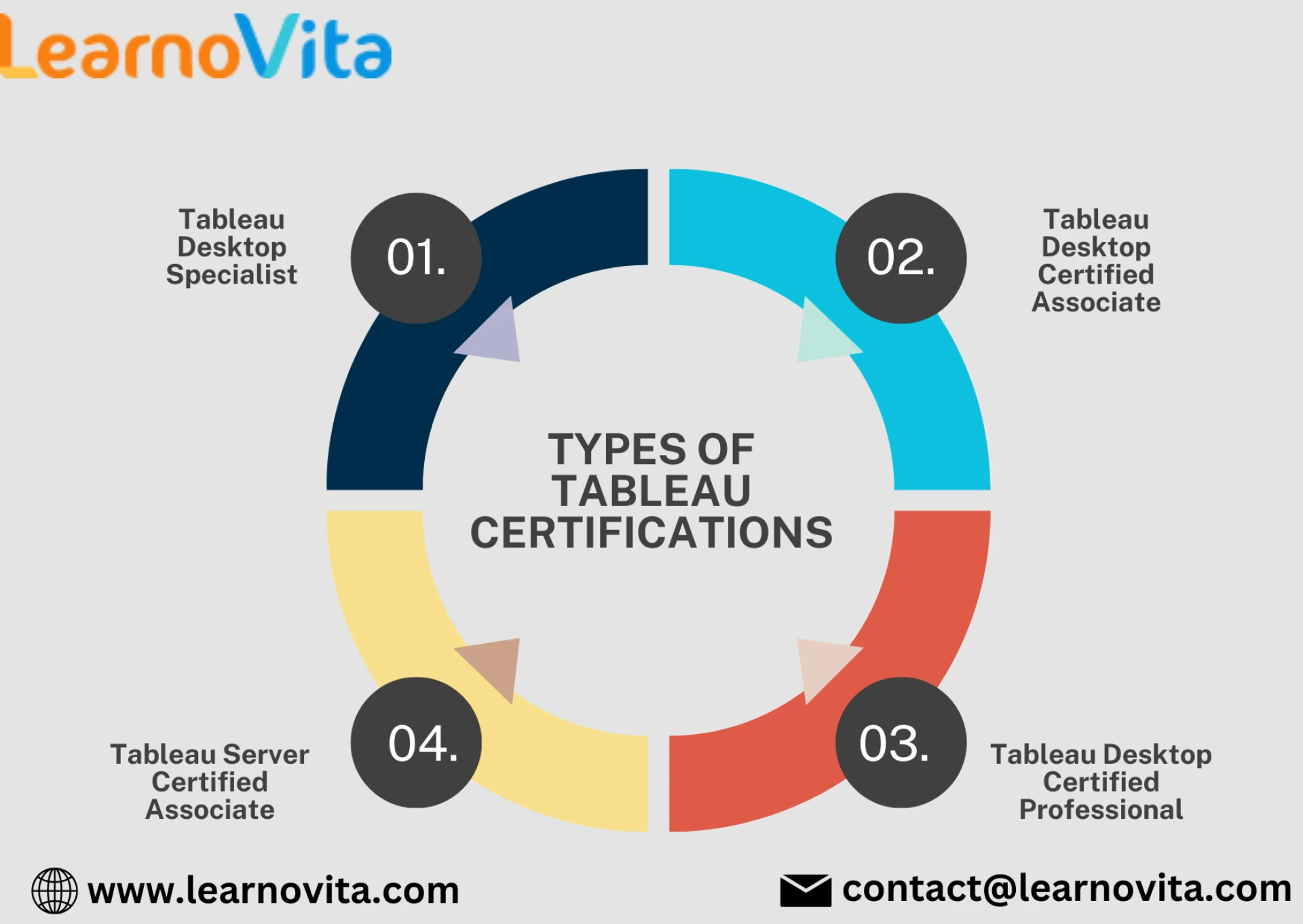
Types of Tableau Certifications
Tableau offers several certification paths, each catering to different skill levels and professional needs:
- Tableau Desktop Specialist: Ideal for beginners, this certification covers the foundational skills needed to use Tableau Desktop.
- Tableau Desktop Certified Associate: This is for intermediate users who have a deeper understanding of the tool's features and functionalities.
- Tableau Desktop Certified Professional: Aimed at advanced users, this certification focuses on complex data visualization and advanced analytics.
- Tableau Server Certified Associate: This certification is for those managing Tableau Server installations and requires knowledge of server architecture and administration.
Preparing for the Exam
1. Understand the Exam Format
Each certification exam typically consists of multiple-choice questions and hands-on tasks. Familiarize yourself with the format to manage your time effectively during the test.
2. Utilize Official Resources
Tableau provides a wealth of resources to help you prepare:
- Tableau Training: Take advantage of online courses offered by Tableau and other platforms like Udemy or Coursera.
- Study Guides: Review the official exam guide, which outlines the topics covered and provides sample questions.
3. Hands-On Practice
Practice is key to mastering Tableau. Use real datasets to create dashboards and reports. Consider the following activities:
- Build a variety of visualizations (bar charts, line graphs, scatter plots).
- Create interactive dashboards with filters and parameters.
- Explore data connections and calculations.
4. Join the Community
Engaging with the Tableau community can provide additional support. Participate in forums, attend meetups, and follow Tableau influencers on social media to gain insights and tips.
With the aid of Best Online Training & Placement programs, which offer comprehensive training and job placement support to anyone looking to develop their talents, it’s easier to learn this tool and advance your career.
Exam Day Tips
- Stay Calm: A clear mind will help you think critically and apply your knowledge effectively.
- Read Questions Carefully: Ensure you understand what is being asked before answering.
- Manage Your Time: Keep track of how much time you have left to ensure you can complete all questions.
After Certification
Once you pass the exam, celebrate your achievement! But don’t stop there:
- Keep Learning: Tableau regularly updates its features, so stay current with new functionalities and best practices.
- Engage in Projects: Apply your skills to real-world projects or contribute to open-source data visualization initiatives.
Conclusion
Earning a Tableau certification is a valuable investment in your professional development. With dedication, the right resources, and hands-on practice, you can master Tableau and elevate your career in data analytics. Start your journey today and unlock the potential of data visualization!























Sign in to leave a comment.