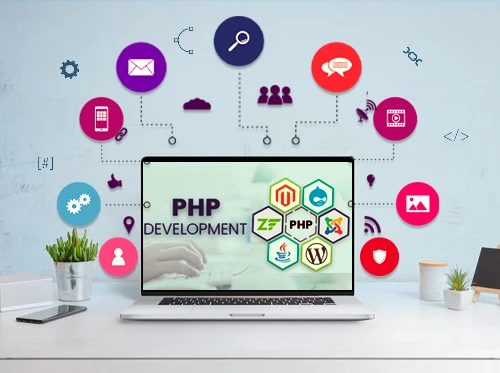

Website design is a multifaceted discipline that involves creating visually appealing, user-friendly, and functional websites. One of the most popular server-side scripting languages for web development is PHP (Hypertext Preprocessor). Known for its flexibility, ease of use, and robust community support, PHP powers millions of websites, including some of the largest platforms on the internet. This article explores the essentials of template for website design in php, focusing on key concepts, tools, and best practices.
Key Concepts in PHP Website Design
Dynamic Content: One of PHP\'s primary strengths is its ability to generate dynamic content. It can interact with databases, manage sessions, and handle forms, making it ideal for creating personalized user experiences. For example, PHP can display different content based on user preferences, login status, or past interactions.
Modular Code Structure: PHP encourages the use of a modular code structure, which promotes reusability and maintainability. Developers can create reusable components, such as header and footer files, that can be included across multiple pages. It not only saves time but also ensures consistency throughout the website.
Database Integration: PHP seamlessly integrates with various databases, with MySQL being the most commonly used. Using PHP Data Objects (PDO) or MySQLi, developers can perform CRUD (Create, Read, Update, Delete) operations securely. It is crucial for websites that require data storage, such as blogs, e-commerce platforms, and social networks.
Essential Tools for PHP Website Design
Integrated Development Environments (IDEs): Tools like PhpStorm, Visual Studio Code, and NetBeans provide robust environments for writing, testing, and debugging PHP code. They offer features like syntax highlighting, code completion, and version control integration, enhancing the development workflow.
Frameworks: PHP frameworks, such as Laravel, Symfony, and CodeIgniter, offer pre-built modules and libraries, promoting best practices and speeding up development. These frameworks follow the MVC (Model-View-Controller) architecture, which separates the application logic from the presentation layer, making the code more organized and easier to manage.
Content Management Systems (CMS): Platforms like WordPress, Joomla, and Drupal are built on PHP, allowing users to create and manage website content with minimal coding knowledge. These CMSs offer numerous themes and plugins, enabling customization and extending functionality effortlessly.
Best Practices for PHP Website Design
Security: Security is paramount in web development. PHP developers should follow best practices such as input validation, using prepared statements to prevent SQL injection, and implementing proper authentication and authorization mechanisms.
Performance Optimization: Efficient code can significantly improve website performance. Techniques such as caching, minimizing HTTP requests, and optimizing database queries are essential. Using tools like Memcached or Redis can help manage server load and enhance response times.
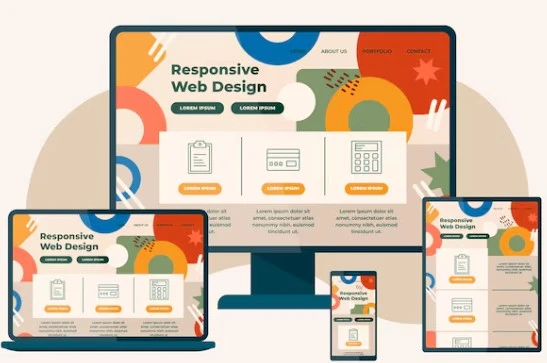
Responsive Design: Modern websites must be accessible on various devices, from desktops to smartphones. Combining PHP with HTML5, CSS3, and JavaScript allows developers to create responsive designs that adapt to different screen sizes and resolutions.
Conclusion
Template for website design in php remains a powerful and versatile tool for website design, capable of creating dynamic and feature-rich web applications. By understanding its core concepts, leveraging essential tools, and adhering to best practices, developers can build secure, efficient, and visually appealing websites that meet the demands of today\'s digital landscape. Whether you\'re a beginner or an experienced developer, PHP offers the resources and flexibility needed to bring your web design projects to life.







Sign in to leave a comment.