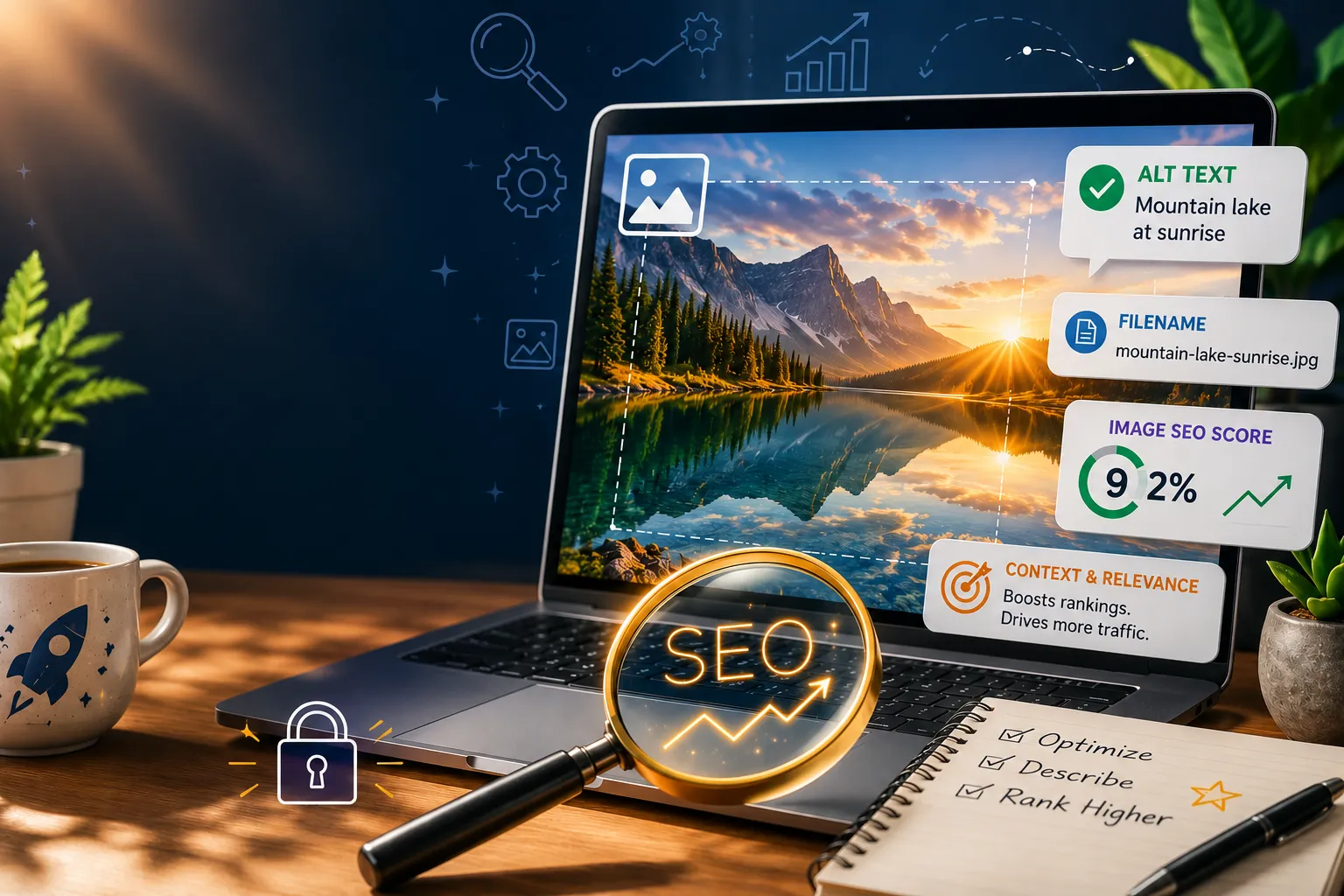

Most websites already have the raw material for better search visibility.
It is sitting in their media library.
Every portfolio image, every service-page graphic, every project screenshot, and every branding mock-up has the potential to do more than make a page look good. Images can help search engines understand your website. They can make pages load faster. They can improve accessibility. They can bring people in through Google Image Search. And, when used well, they can help turn attention into enquiries.
That is the real promise of SEO image optimisation.
It is not about turning a beautiful website into a technical checklist. It is about helping your visual content work harder.
For creative professionals, designers, photographers, agencies, and service-based businesses, this matters because your images are often the proof of your expertise. They show the work before the words explain it. But if those images are uploaded with generic file names, oversized dimensions, missing alt text, or poor mobile performance, they are only doing part of the job.
Good image optimisation turns visuals into assets.
Not just design assets. Search assets. Performance assets. Accessibility assets. Business assets.
Images Are Not Decoration. They Are Information.
Search engines do not see images the way people do.
A person can look at a homepage mock-up and instantly understand the layout, colour palette, brand feel, and quality of the design. A search engine needs help. It looks for signals: the file name, the alt text, the surrounding copy, the page topic, the image size, the format, and how efficiently the image loads.
When those signals are clear, the image becomes easier to understand.
That is why a file called IMG_2045.jpg is a missed opportunity. It tells search engines almost nothing. But a file name like gold-coast-wordpress-web-design-homepage.jpg gives context before the image even appears on the page.
Small details compound.
A single optimised file name may not transform a website overnight. But a whole media library full of clear, relevant, well-described images creates a stronger foundation for search visibility.
That is the simple rule: make every image easier to understand.
Alt Text Is Where Accessibility and SEO Meet
Alt text is often treated as an SEO trick. It should not be.
At its best, alt text is a service to the user. It describes what is visible in the image for people who rely on screen readers or who cannot view the image for any reason. Search engines benefit from that clarity too, but the human purpose comes first.
Good alt text is plain, useful, and specific.
Instead of stuffing in keywords, describe what the image actually shows. A homepage design preview. A logo concept. A mobile-responsive layout. A photography portfolio grid. A branded landing page for a local business.
The goal is not to impress an algorithm. The goal is to reduce ambiguity.
When your website becomes easier for people to understand, it often becomes easier for search engines to understand as well. That is the best kind of optimisation: the kind that helps everyone.
Speed Is Part of the Experience
A beautiful image loses some of its value if it makes the page slow.
This is especially important for WordPress websites, where media-heavy pages can quietly become performance bottlenecks. A portfolio may look impressive, but if every image is uploaded at full resolution without compression, the page can feel heavy, especially on mobile.
Users notice.
They may not know why a page feels slow, but they feel the friction. And friction changes behaviour. People scroll less. They click less. They leave sooner.
Image optimisation helps remove that friction.
Compressing images, resizing them to appropriate dimensions, using efficient formats like WebP, and enabling lazy loading can make a page feel faster without compromising visual quality.
The principle is simple: keep the visual impact and remove the unnecessary weight.
WordPress Makes This Easier, But Not Automatic
WordPress gives website owners a lot of flexibility. That is one of its strengths.
But flexibility still needs structure.
Plugins can compress images, convert formats, enable lazy loading, and support responsive delivery. These tools are useful, especially for websites with large media libraries. But automation cannot make every decision for you.
A plugin can reduce file size. It cannot know whether an image belongs on the page.
A plugin can convert a JPEG to WebP. It cannot write thoughtful alt text.
A plugin can help with performance. It cannot replace intention.
The best approach combines automation with good habits. Use tools for efficiency, then apply human judgement for meaning, relevance, and context.
That is where the real improvement happens.
Every Image Can Become a Search Entry Point
Text-based SEO is still important. Headings, page structure, internal links, and useful copy all matter.
But images extend the reach of a page.
When images are properly optimised, they can appear in Google Image Search. For creative professionals, this is especially powerful because many people begin their research visually. They search for examples, inspiration, layouts, branding styles, colour palettes, and design ideas before they are ready to contact a provider.
That means each optimised image can become another doorway into your website.
A service page is one doorway.
A blog article is another.
But a portfolio with 20 well-optimised images may create 20 additional discovery opportunities.
This is where image SEO becomes more than a technical task. It becomes a visibility strategy.
The Practical Workflow
The best optimisation process is simple enough to repeat.
Start before the upload.
Rename the file so it reflects the image and the page it supports. Resize it to the dimensions actually needed. Compress it so the file stays light. Use a modern format like WebP where appropriate.
Then upload it with context.
Place the image where it supports the surrounding content. Add alt text that clearly describes what is shown. Make sure the image works on mobile. Enable lazy loading where it makes sense. Test the page after publishing.
That last step matters.
Optimisation is not finished when the image is uploaded. It is finished when the page loads well, looks right, and supports the user experience.
A useful image SEO workflow looks like this:
- Rename the file clearly before uploading.
- Resize and compress the image.
- Use the right format, preferably WebP, where supported.
- Upload it to the correct page or section.
- Add descriptive, human-friendly alt text.
- Check mobile display and load speed.
- Review the page experience after publishing.
The workflow is not complicated. The value comes from consistency.
The Bigger Business Benefit
SEO image optimisation is not just about rankings.
It supports the full journey from discovery to trust.
A faster website creates a smoother first impression. Clearer images help users understand your work. Better accessibility makes your content available to more people. Stronger visual search presence creates more ways for potential clients to find you.
For small businesses, especially in competitive local markets like the Gold Coast, these details can matter.
Visual quality alone is not always enough. The website also needs to be discoverable, fast, accessible, and easy to use. When images support all four of those goals, they become part of the business development engine.
That is the opportunity many websites miss.
They already have the visuals. They already have the portfolio. They already have the service pages. What they need is a more intentional way to connect those assets to search performance and user experience.
The Takeaway
Image SEO is one of the most practical improvements a website owner can make because it sits at the intersection of design, accessibility, performance, and visibility.
It does not require reinventing the website.
It requires treating images as part of the strategy.
Rename them with care. Describe them clearly. Compress them thoughtfully. Deliver them efficiently. Place them with purpose.
Do that consistently, and your images stop being passive decoration.
They become traffic magnets.
They become trust signals.
They become part of how people find, understand, and choose your business.
























Sign in to leave a comment.