
TNod User Password Finder - The Best Way to Crack Passwords for Free!
Are you looking for a free tool to crack passwords? This has come at the right time. Introducing TNod User Password Finder! It’s completely free and very effective. With just one click, you can gain access to any password you need and have full control over it! Just use this application wisely and the password will be yours! Download it now if you haven’t done so yet! It’s absolutely free of charge!
Why Do We Need TNod User Password Finder?
How to Install and Use TNod User Password Finder
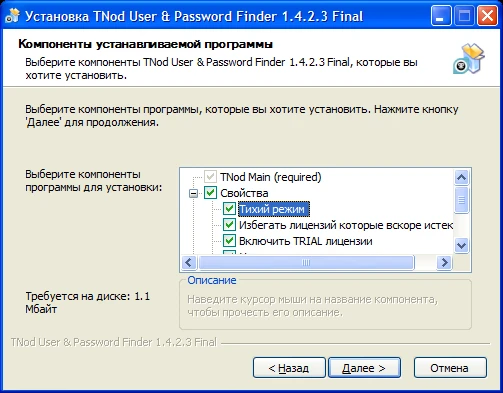
Installing TNod is an easy process, and most PC users will have no trouble figuring it out. It’s recommended that you scan your PC with Avast first before installing as a precaution. Once installed, TNod will run in your system tray until activated. Selecting Start with Windows on your login screen ensures that TNod launches automatically when you boot up your computer. Alternatively, you can also load TNod from a desktop shortcut or from any folder on your computer if you prefer not to let it auto-start.
How Can I Recover Passwords with This Software?
Before you can begin logging into your accounts, you’ll need to recover passwords with TNod. Fortunately, it’s easy: simply install and run TNod on a computer that’s connected to your victim’s network and – within moments – it will reveal all of their login information. This includes usernames, passwords and (most importantly) passwords generated with unique encryption methods such as KeePass. In fact, you won’t find a more powerful password-recovery tool anywhere online!
How Do I Update This Tool?
Updating tnod is pretty simple. You just download it from github, unzip it and copy all of its contents into your program files directory. Then you should be able to run tnod normally and enjoy all of its updates. That said, I'd recommend making a back up first (just in case). To do that simply save off your existing program files directory (typically found in C:Program Files as a single folder named TNOD) as well as any data or settings associated with tnod (usually found in c:Users(Your Username)AppDataRoamingtnod). Once those are backed up, delete them and copy everything from your downloaded version into its place.
Will My Passwords Be Kept Safe?
For years, people have sought out password cracking tools that don’t cost them a lot of money. Up until recently, however, most password-cracking software was only available to enterprise or government agencies—for millions of dollars. Now, you can use TNod User Password Finder on your own computer without worrying about being charged exorbitant fees or having to deal with a lengthy contract. You’ll be able to use TNod’s advanced algorithms and infrastructure at no charge whatsoever! In fact, if you do make any money from your activities with TNod you'll be required by our end user license agreement (EULA) to pay us 10% of your profits.
Any Other Versions Available?
A number of sites offer password crackers as paid services, but TNod is different. It’s a free, downloadable tool that anyone can use and it offers a variety of options that are simply not available with any other service. After downloading and running TNod, users will be able to create custom rules based on complex criteria—and even find previously cracked passwords used by victims across multiple platforms. If you have ever had your password stolen or wanted to test security measures, then you need TNod.
0



























Sign in to leave a comment.