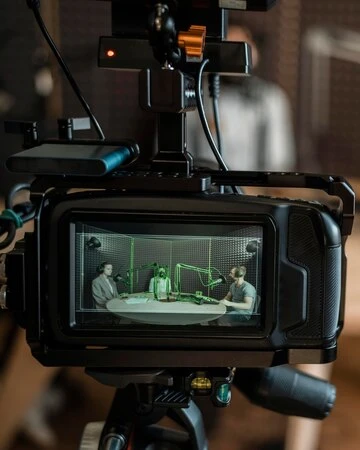

Creating high-quality YouTube videos that captivate viewers requires more than just a smartphone and a script. To achieve a professional look and sound, you'll need to invest in some essential equipment. This guide explores the top six must-haves for your home studio setup, along with valuable tips for recording and editing your videos.
1. Lighting: Illuminate Your Subject Like a Pro
Professional lighting is paramount for achieving crisp, clear visuals. Here are three key options to consider:
Ring Lights: Offering soft, even illumination, ring lights are ideal for beauty and makeup tutorials. Popular choices include the Spectrum Aurora series, known for their excellent color rendering and adjustable brightness.
Softboxes: These versatile modifiers diffuse harsh light, creating flattering shadows. Consider buying a softbox kit like the Spectrum Aurora 18" Diamond Luxe III, which includes two lights and stands for a complete setup.
LED Side Lights: Compact and portable, LED panels provide additional fill light, enhancing the dimensionality of your shots. They're also energy-efficient and don't emit heat, making them perfect for longer recording sessions.
2. Capture High-Quality Audio: Invest in a Reliable Microphone
Sound is equally important as visuals. Even the most stunning video loses its impact with poor audio. Here are some microphone options to suit your needs:
Rode Wireless Go II Dual Channel Microphone System: Ideal for smartphones and DSLRs, this wireless system delivers clear audio and freedom of movement.
Boya BY-WM4 PRO-K2 Dual Wireless Microphone System: This clip-on mic is perfect for capturing audio on the go, ensuring consistent sound quality even in outdoor settings.
3. Backdrops: Create a Polished and Seamless Background
Backdrops provide a clean and professional aesthetic, eliminating visual clutter. Spectrum offers a wide variety of paper backdrops in various colors and sizes to match your video's mood and theme. Don't forget a backdrop stand like the Spectrum Backdrop Stand (3.1M x 3.0M) for secure and convenient setup.
4. Editing Software: Polish Your Masterpiece
Transform your raw footage into engaging videos with editing software. Here are some popular options for both beginners and experienced editors:
Free Editors:
Windows Movie Maker (Windows)iMovie (Mac)InShot (Mobile app)Premium Editors:
Adobe Premiere Pro: Industry-standard software with powerful editing tools and effects (subscription-based).Final Cut Pro: Professional-grade video editing software exclusive to Mac users (one-time purchase).5. Tripod: Ensure Stable and Smooth Footage
A sturdy tripod keeps your camera steady, preventing shaky or blurry shots. The Beike Q999 Aluminium Tripod/Monopod is a versatile choice, while Hypop's travel tripods offer portability for on-the-go videography.
6. Additional Tips for Recording Success
Hook Them in the First 15 Seconds: Grab viewers' attention from the start with a captivating introduction that hints at the value your video offers.Embrace Your Authenticity: Let your personality shine through to connect with your audience on a genuine level.Maintain Eye Contact: Look directly into the lens instead of the screen to create a more personal connection with viewers.Leverage Social Media: Promote your YouTube channel across your social media platforms to build your audience and engagement.Conclusion
By incorporating these essential Professional filming equipment recommendations and recording tips, you'll be well on your way to creating professional-looking YouTube videos that grab attention and keep viewers engaged. Remember, consistency and quality are key, so invest in the right tools, refine your skills, and let your creativity flow!
Read More: How the Wireless CCU-700 Sony Revolutionizes Professional Filming Equipment?
Sign in to leave a comment.