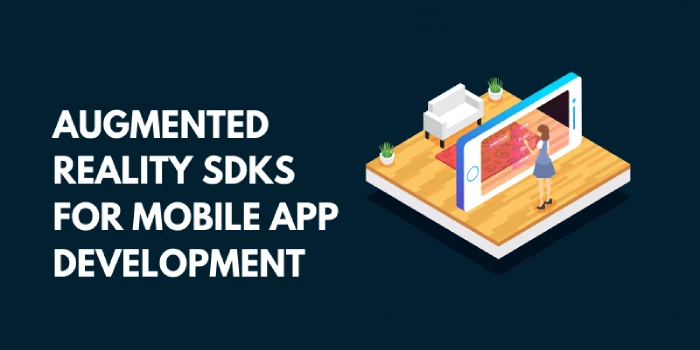

The world of mobile app development is being increasingly flooded by augmented reality (AR). Multiple forecasts have predicted a staggering rise in the AR market share in the coming years. Whether it’s Android app development or any other mobile app, AR is set to become mainstream. AR dramatically enhances the functionality of mobile apps and makes them more interesting. The wide-ranging applications of AR, from entertainment to healthcare and beyond, make it a fascinating element of mobile apps.
However, to seamlessly integrate AR onto mobile apps, you need the right tools and technologies. That’s where AR SDKs come into play. In this blog post, we will discuss elaborately what software development kits are best for your mobile AR development. But let’s briefly discuss the types of augmented reality apps first.
Types of Augmented Reality Mobile Apps
Before developing an AR-enabled mobile app, you must know what kind of augmented reality would perfectly meet your requirements. Knowing the major types of AR apps is, therefore, the first step toward developing an AR-enabled Android app development. Here are the main types of AR apps.
Marker-based AR apps
These apps are based on an augmented reality marker that uses image recognition technology. These apps use the device’s camera to detect patterns and markers. Once the recognition part is done, the app overlays the information on the marker. The object orientation capability of the marker depends on its positioning.
Location-based AR apps
Location-based augmented reality relies on GPS and other location functionalities of the device. The app detects the location of the device and creates AR images for the user. For instance, AR-enabled maps use this capability.
Superimposition AR apps
Superimposition replaces an object’s appearance partially or fully. The superimposition of the object creates an augmented view of the object. The user will see an actual object with dramatic effects, in an enhanced form. For example, many AR video games use this kind of superimposition.
Projection-based AR apps
These kinds of AR apps utilize advanced projection technologies. The projection methods are used to AR applications like simplifying complex tasks in industrial processes. Many heavy industry companies hire Android app developers to build projection-based AR apps for their manufacturing processes.
7 Popular Augmented Reality SDKs With Features
Once you’ve figured out which one of these AR apps perfectly suits your needs, you need a development kit. Different AR software development kits have different functionality.
You need to consider multiple factors before finally picking a development kit. Below discussed are some of the most widely used AR development kits. Compare the feature and functionalities of top AR SDKs to find out which one addresses all your app development needs.
Google ARCore
The ARCore software development kit is used for Android app development. This AR development framework offers an extensive range of features. These include light estimation, environmental recognition, and motion tracking, among others. However, this platform currently supports a limited range of devices, such as Samsung Galaxy S8 and the Google Pixel series. It’s an open-source AR development platform and considered one of the best Android AR development platforms.
Apple ARKit
Apple’s augmented reality development platform, ARKit is used for building AR-enabled iOS apps. It offers features like rendering optimization, the advanced TruDepth camera, and lighting estimation, among others. This framework is still in an experimental phase. This could be the right choice for integrating AR onto an iPhone or iPad app.
Cordova
Cordova is mainly used for developing android apps. This SDK enables you to link JavaScript code to the backend native code of your app. The drawback of this framework is that some of its plugins have bugs. Besides, it doesn’t provide a native user experience. Cordova is open source and preferred widely by Android app developers worldwide.
ARToolKit
ARToolKit enables you to achieve high-quality AR development with a limited budget. The open-source platform is fast and offers an array of unique features. This is most widely used for real-time AR application development. It has plugins for the Unity software development kit and compatible with OpenSceneGraph. A key downside of ARToolKit is that integrating the code library could be challenging. Nevertheless, it’s popular among app developers and business owners alike.
EasyAR
EasyAR is a subscription-only AR development kit. Developers can choose from two different pricing plans according to their needs. EasyAR offers you stunning features like enhanced APIs, seamless compatibility, and impressively easy workflow. Developers love this platform for its user-friendliness. Subscribers also get features like SLAM and 3D object tracking. The most talked-about downside, however, remains its cost. Development projects with a lower budget are unlikely to consider this SDK.
Vuforia
Vuforia is one of the most versatile AR development kits. It supports Android, iOS, Unity3D Editor, and UWP development frameworks. The plugins and functionalities offered by this SDK are free. Vuforia enables you to add a diverse range of visual objects, like boxes and planes. The framework has an outstanding capability to recognize texts and their environment. Developers can set up the recognition process through local storage or cloud.
Wikitude
Wikitude was launched as a location-based AR development platform. Later it expanded to other types of AR apps as well. The SDK offers a free trial and a licensed version of the AR development kit. This framework has been used by leading brands like Jack Daniels, Nissan, and Walmart. Wikitude is one of the most popular AR development SDKs.
Wrapping Up
From analyzing the requirements of your AR apps to finding the right SDK, every step demands an informed approach. Knowing your goal of developing the AR app and the target audience is pivotal. Then you need to choose the app type accordingly. When you have decided what kind of AR app you want to build, the most crucial step is to choose an AR App development company that addresses all your needs. Always discuss with the development team about the kind of tools and SDK they would use for building your app. With the right team and right SDK, you can get the desired AR app for your business/organization.








Sign in to leave a comment.