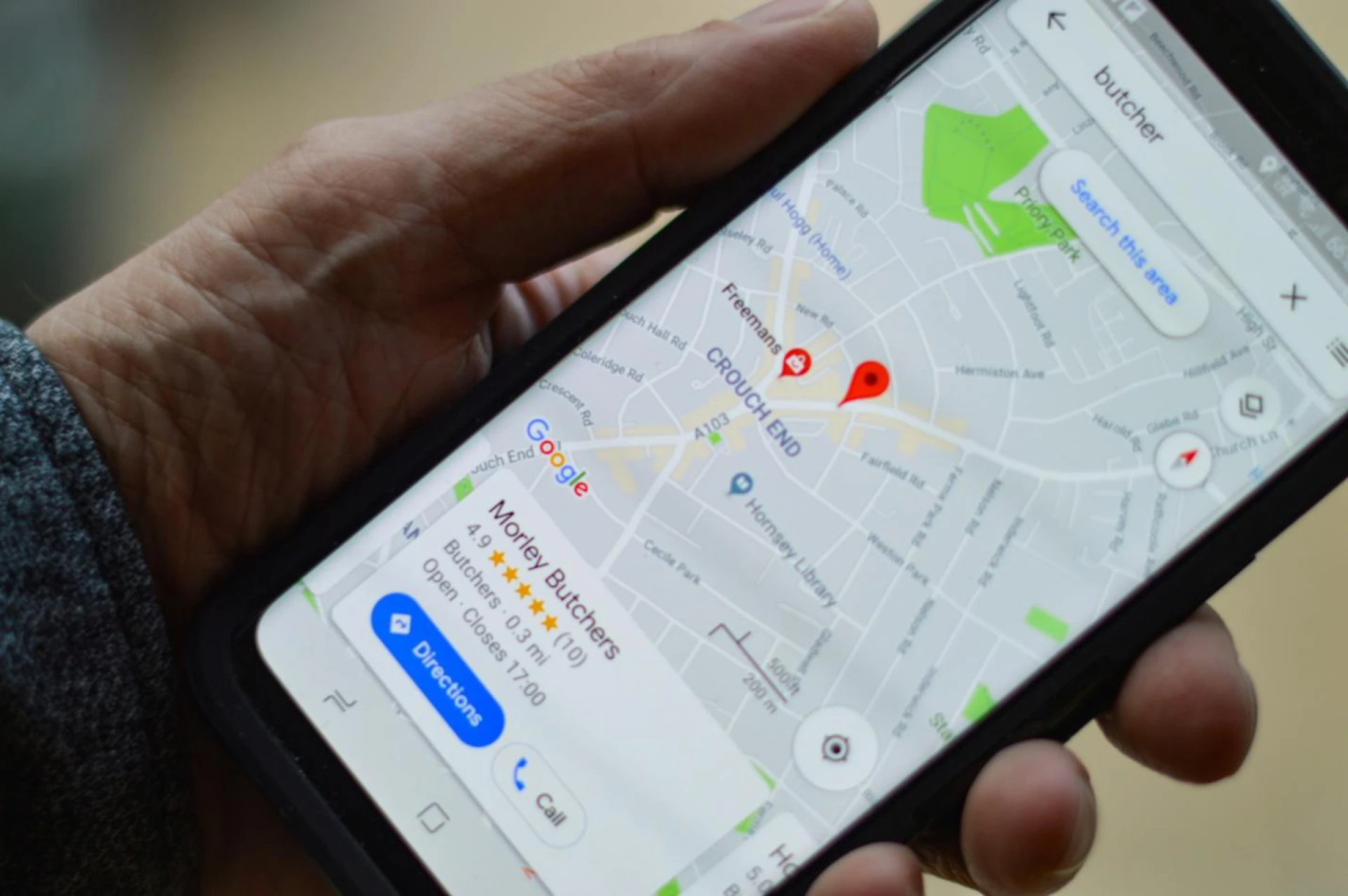

A question that has been repeatedly asked is whether investing in local SEO is worth it. The best way to find out is by looking at the relevant statistics.
More and more consumers today want their online purchases delivered the same day they buy those items. A 2022 study by Google found that an increasing number of people were using “open now near me” in Google searches when shopping for products online. It shows the importance of immediacy and proximity for many online shoppers today.
When people use search terms like “open now near me” in Google’s search engine, the results typically show Google Business Profiles (previously Google My Business) that show the operating hours and directions on Google Maps to the store. With nearly 400 YOY increase in local SEO searches in the past three years, it’s almost criminal not to have a Google Business Profile today—you will miss out on a lot of potential foot traffic.
However, simply creating a Google My Business account or a Google Business Profile is not enough—you also need to learn the GMB optimization strategies that can help you outrank your competitors in local search.
Before we dive into the key strategies for optimizing your Google Business Profile, let’s understand what GBP is (previously GMB) and how a Google Business Profile Optimization Service can use it to benefit your business’s local SEO efforts.
What Is Google Business Profile?
Google Business Profile (previously Google My Business) is a tool you can use for free to provide potential customers with a snapshot of your business. It includes the name of your business, phone number, address, and other means of contact.
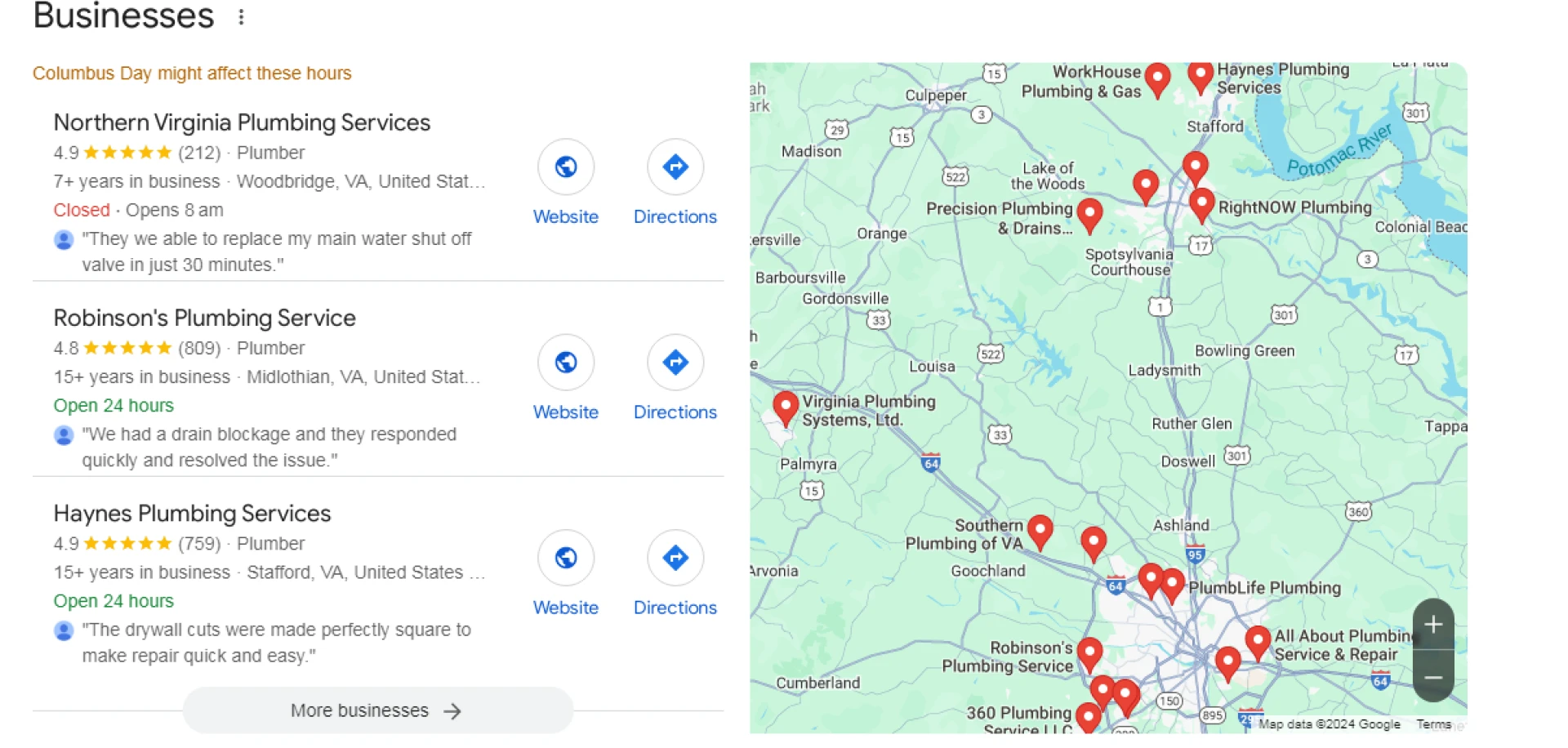
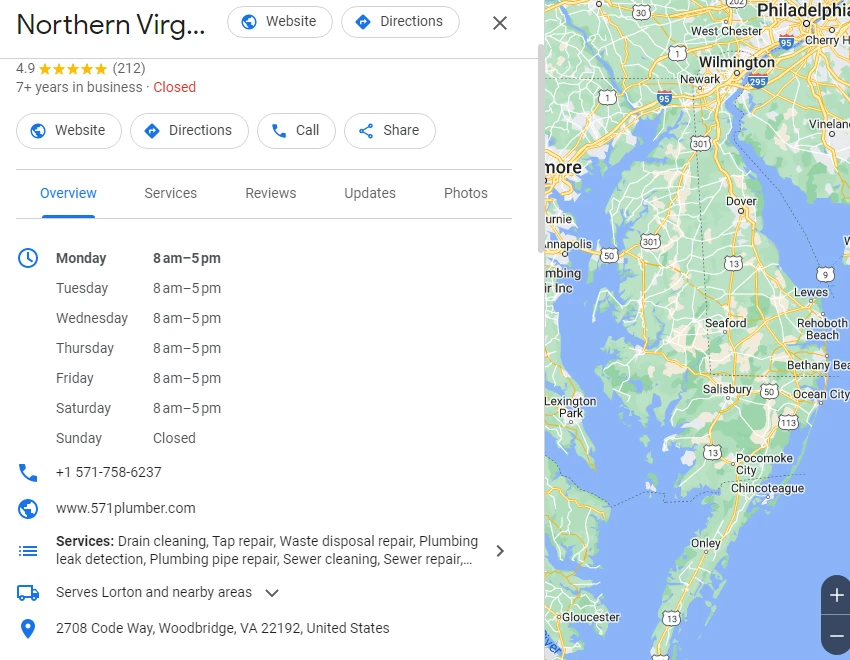
We got the search results after entering “plumbing services open now near me” in Google. Clicking on any of the results on the sidebar will provide more information on the business. For instance, clicking on Northern Virginia Plumbing Services provides information such as operating hours, phone number, address, website URL, and the specific areas served. All of this information is updated on the business’s Google Business Profile.
Google Listing Optimization Services can also help you control where your business appears on the search engine results pages (SERPs). These results show the local 3-pack or the top three firms in an area just before the organic search rankings. The local 3-pack shows the names of the businesses and directions to the location on Google Maps. The best way to achieve a place on this list is by using a GMB Optimization Service.
There are several benefits of this. In addition to updating your business information, you can use your Google Business Profile to engage with customers by updating them on your products or services, answering their questions, and responding to their reviews of your business on Google.
It will help you improve your local SEO and boost your business’s online visibility, get more quality website traffic, increase foot traffic to your physical location, update customers about new products and services, and increase customer engagement.
Overall, your Google Business Profile will include the following parts/features:
● A description of your business
● Reviews and ratings of your business by customers
● Updates on products or services by you
● Enquiries
● Question and answer section
Using the relevant keyword and engaging content in your Google Profile to optimize it will help you rank higher in local search results.
With an overview of Google Business Profile, let’s proceed to the strategies that can help you optimize your GMB presence to outperform competitors in local search results.
1. Use Relevant Keywords In The Business Description
Using relevant keywords in your GBP’s business description is essential, but using them too often will penalize you. After the last update by Google, keyword stuffing is no longer a good strategy to optimize your Google Business Profile for local search results. Also, you only have 750 characters to describe your business.
You must make the most of the 750 characters you are given. Optimize your description for what people are “most likely to search” when looking for a business like yours. Include only those keywords that are highly relevant to your company and customers. These include keywords describing your products, services, or unique value propositions.
A good strategy is to limit vital business information, such as your business name, address, phone number, and business hours, to a maximum of 250 characters. Then, using the remaining 500 characters, you can include two to three highly relevant keywords that people in your area will search for to find products or services you offer.
For example, if you’re a medical malpractice lawyer in Baltimore, you should use keywords such as Baltimore medical malpractice lawyer or experienced Baltimore medical malpractice attorney in your description. Ensure the keyword is highly relevant to your offering and is used optimally in the description.
2. Optimize For Voice Search
Over 125 million people used voice search to find things or information on Google in 2023. Half of these people use voice search every day, using tools like Siri, Alexa, and Google Assistant. This should be enough to convince any business owner to use a Google My Business Optimization Service to optimize their Google Business Profile for voice search.
There are a few different strategies for doing this. The first strategy is using conversational language and long-tail keywords to optimize your profile. Use keywords and descriptions that people are likely to use when commanding Google Assistant, Siri, or Alexa to look up businesses matching your description in the area. Also, many voice searches include “near me,” so make sure you optimize your description and your overall Google Business Profile for that.
Another way you can rank higher in local voice search results is by encouraging your customers to leave reviews of your business. Businesses with high customer ratings appear in the top results for related voice searches and often end up in the local 3-pack when highly relevant long-tail keywords are included.
A final strategy for optimizing your Google Business Profile for voice search is using schema markup. This allows search engines to better understand your business by offering context to your content.
A great place to use schema markup is in content responding to “how-to” customer questions. It provides them with the answers they are looking for, allows them to gain insights, and engages them with your content, all of which helps to improve your business’s visibility and, of course, ranking in voice search results.
3. Enhance Search Relevance By Using Attributes
Google My Business Optimization Services will require you to choose a category for your business to optimize your Google Business Profile. This means that you will need to be specific about the type of business you run and the products or services you offer.
You can choose from over three thousand options under the primary category and then a list of secondary categories based on your selected primary category. Once you have chosen primary and related secondary categories for your business, you must check off a list of “attributes” to describe your business further.
These are additional features or services that potential customers look for, in addition to your primary services, when searching for businesses like yours. Examples of this would be “free Wi-Fi,” “live music,” or “vegan options” when searching for a local restaurant offering a certain type of cuisine.
While attributes are not specific to GBP, Google’s attributes are granular and can help people find what they want in a particular location.
4. Update Your Google Business Profile With New Services, Products, and Events To Stay Relevant
All good Google Business Profile Optimization Services will tell you to update your Google Business Profile information if you want to build trust with your customers. Make sure all information on your Google Business Profile is accurate and up-to-date.
If you’ve recently changed your phone number or location, make sure your profile reflects that. If your customers call a number that no one is picking up or arrive at a business location where you no longer operate, they will trust you less, hurting your reputation.
Similarly, if customers search for a specific product or service on Google, find your Google Business Profile in the search results, and then proceed to your website to make the order/purchase but cannot find the product or service they are looking for, they will not only be disappointed but also tell others about their experience with your business, driving away potential customers from you.
The same is the case with events. You do not want your Google Business Profile to list events from 2020, 2021, or 2022 in 2024, or your customers will think your business is no longer operational or active as it once was.
5. Use GBP’s Question-And-Answer Feature To Engage With Potential Customers
Using the question-and-answer feature of Google Business Profile, you can interact directly with your potential customers. This is a way to provide them with useful information, educate them about your offerings, and dispel fake news and misconceptions about your business.
Anyone with a Google account can use the question-and-answer section to ask or answer questions related to your business. While the questions asked can be relevant or meaningful, the answers can be valuable, accurate, or completely bogus or made up.
So, make sure you answer all the relevant questions related to your business and provide value to those reading them. The more likes you get on your answers, the more likely people will see them as the correct answer, maintaining the integrity and reputation of your business.
Also, update the answer whenever your business information changes and the answer you provided is no longer accurate. The Q&A section is also an excellent way to boost your local SEO efforts. You can add highly relevant keywords to your answers to ensure they pop up in search results when people search for related things. It will increase traffic to your GBP listing and website.
6. Track and Analyze GBP Metrics For Continuous Improvement
A Google Listing Optimization Service will examine your Profile Performance Metrics to gain insights that can help your business rank higher in local search results and attract more qualified leads.
Profile Performance Metrics is the analytics platform tied to your GBP listing that shows:
● The number of people who viewed your profile;
● How they found it; and
● The most common ways they interact with it.
You can find out how customers are interacting with your Google Business Profile by tracking and monitoring several key metrics, including:
● Searches: the search queries people use to find your business
● Users who viewed your profile: the number of unique visitors who visited your profile
● Direction requests: the number of people looking for directions to your physical location
● Calls: the number of people who clicked on the call button showing your business’s provided number
● Website clicks: the number of people who clicked on the website URL you provided
● Total interactions: the total interactions with your Google Business Profile
This list is not exhaustive, but tracking these metrics can help you gain critical insights into the performance of your Google Business Profile and improve the metrics that are performing well. You can make these improvements using Google My Business Management Services with the required experience and expertise.
Conclusion
Optimizing your Google Business Profile with relevant keywords, updating the information, and using engaging content in the question and answer section can boost your visibility in local search results.
Using the voice search strategies detailed above, engaging with customers through the Q&A feature, and tracking performance metrics will increase your chances of attracting more customers and dominating local search. Ultimately, you can build trust, drive traffic, and position your business ahead of competitors in your area.
Sign in to leave a comment.