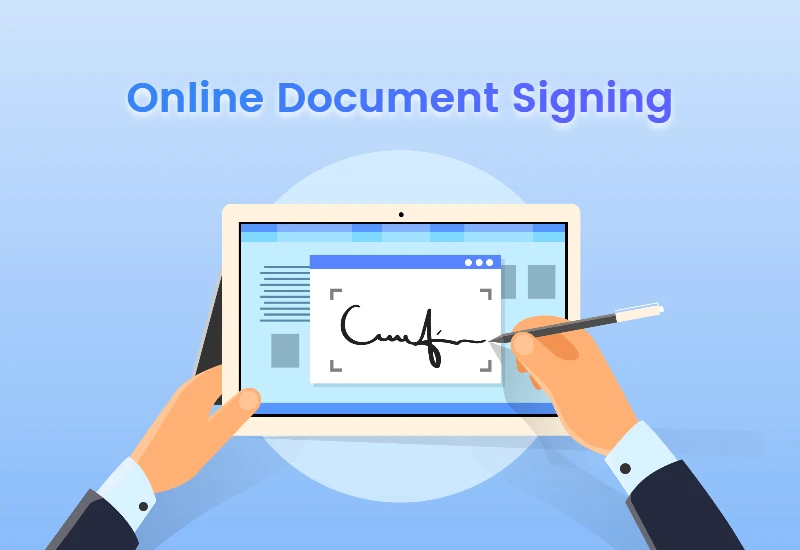

In today\'s digital-first world, signing documents online is no longer a convenience but a necessity. Online PDF signing, in particular, has gained popularity for its efficiency and eco-friendliness, Saving countless trees in the process. However, As with any technology, users may encounter issues that can hinder the process.
Here, we explore some common problems associated with PDF document signing online and how to troubleshoot them, ensuring a smooth and efficient digital workflow.
Compatibility Issues
One of the foremost issues users face is compatibility. All devices be it your laptop, tablet, or smartphone should be able to open, read, and allow you to sign the PDF document without hiccups.
Solution: Ensure that the PDF signing service you use is cross platform and works across multiple operating systems and devices. Keeping your PDF reader and signing software up to date can also mitigate compatibility problems. If the service offers a browser-based signing feature, opt for that, As it\'s less likely to encounter compatibility issues.
Signature - Verification Problems
After signing a document, The last thing you want is for the recipient to be unable to verify your signature.
Solution: Use a reputable and secure online PDF signing tool that adds a digital certificate to your signature. This certificate acts as a verification tool, assuring the recipient of the authenticity of your signature. If verification issues persist, check if the recipient\'s software supports digital signature verification.
Trouble Uploading Documents
Sometimes, users may find it challenging to upload documents to the online signing platform, which can be due to file size limits or unsupported formats.
Solution: Before uploading, check the file size and format requirements of your online PDF signing service. If your document is too large, consider using a tool to reduce its size or compress it without losing quality. Should format be the issue, convert your document to an accepted PDF format using online conversion tools.
Connectivity Issues
A smooth Internet connection is crucial for online PDF signing. Connectivity issues can stem from both your Internet service provider and the signing service’s server.
Solution: Ensure your internet connection is stable. If you\'re experiencing slow speeds, Try resetting your router or connecting to another network. If the problem lies with the signing service’s server, try accessing the service at a different time or contact their support team for assistance.
Digital Signature Placement Errors
Mistakenly placing your digital signature in the wrong section of a document can be frustrating, impacting the validity of the document.
Solution: Some online PDF signing services allow you to preview documents before finalizing them, offering you a chance to correct any errors. If your service doesn’t support this, be extra cautious when placing your signature. Zoom in on the document for better accuracy and double-check before finalizing the signature.
Forgot Password or Security Issues
Securing your digital signature with a password is common practice. However, it\'s also common to forget these passwords, denying you access to your digital signature or the signing platform.
Solution: Most online PDF signing services offer a way to reset your password through a verified email address. To enhance security and avoid forgetting passwords, consider using a reputable password manager. Always choose strong, unique passwords for different platforms.
Software Bugs and Glitches
At times, the problem may not be with your document or device but with the PDF signing software itself.
Solution: Regularly updating your PDF signing software can help, as developers continuously work on fixing known bugs. If you\'re using a browser-based service and encounter glitches, clear your browser\'s cache and cookies or try a different browser. When issues persist, report them to the service provider\'s customer support.
Limited Features in Free Services
Free online PDF signing tools are convenient, but they often come with limitations, such as a cap on the number of documents you can sign or limited security features.
Solution: While the temptation to use free tools is understandable, for frequent use or sensitive documents, consider investing in a paid service that meets all your needs. Evaluate the features and security assurances offered by premium options.
Conclusion
While encountering issues related to sign a PDF online can be frustrating, most problems have straightforward solutions. By recognizing the common hurdles and knowing how to overcome them, you can make digital document signing a hassle-free part of your daily routine. Adopting a proactive approach to troubleshooting can save you time and ensure your documents are securely and efficiently signed. Remember, in the evolving landscape of digital signatures, staying informed and adaptable is key to overcoming obstacles.
Sign in to leave a comment.