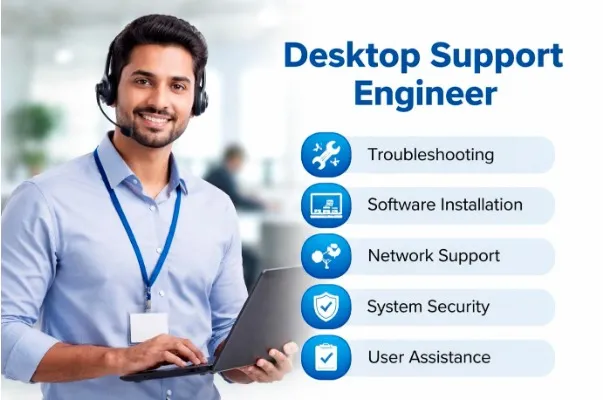

In today’s digital workplace, businesses rely heavily on computers, networks, and software systems to perform daily operations. Whenever technical issues arise, productivity can stop instantly. This is where a Desktop Support Engineer plays a crucial role. A Desktop Support Engineer ensures that employees’ computers, laptops, operating systems, and IT resources work smoothly without interruptions.
For freshers who want to enter the IT industry without coding knowledge, desktop support engineering is often considered one of the best entry-level career options.
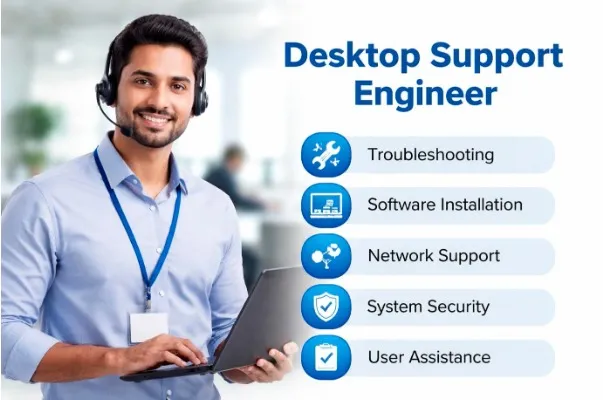
Who is a Desktop Support Engineer?
A Desktop Support Engineer is an IT professional responsible for maintaining, troubleshooting, and supporting computer systems and hardware within an organization. Their primary goal is to help users resolve technical problems quickly so business operations continue efficiently.
They act as the first line of technical support for employees facing issues related to desktops, laptops, printers, networks, software installations, and operating systems.
In simple words, whenever a system stops working, software crashes, internet disconnects, or login issues occur — the Desktop Support Engineer is the person who solves it.
Key Responsibilities of a Desktop Support Engineer
The daily work of a Desktop Support Engineer involves a mix of technical troubleshooting and user support tasks. Common responsibilities include:
1. Hardware Support: Installing and maintaining desktops, laptops, printers, scanners, and other IT devices. They diagnose hardware failures and replace faulty components when needed.
2. Software Installation & Configuration: Installing operating systems like Windows, configuring applications, updating software, and ensuring systems run efficiently.
3. Troubleshooting Technical Issues: Resolving problems related to system performance, network connectivity, drivers, email configuration, and user access errors.
4. Network Support: Basic networking tasks such as IP configuration, LAN/Wi-Fi troubleshooting, printer sharing, and connectivity management.
5. User Assistance: Providing technical help to employees either physically or remotely through remote desktop tools.
6. Security & Updates: Installing antivirus software, managing system updates, and ensuring company data remains secure.
7. Documentation & Ticket Handling: Working with IT ticketing systems where users raise complaints, and engineers track, resolve, and document issues.
Skills Required to Become a Desktop Support Engineer
You don’t need advanced programming knowledge to start this career. However, certain technical and soft skills are essential:
- Technical Skills
- Windows Operating System installation and troubleshooting
- Computer hardware knowledge
- Networking fundamentals (IP, DNS, DHCP)
- Printer and peripheral configuration
- Remote support tools
- Microsoft Office & email setup
- Basic server concepts
- Soft Skills
- Communication skills
- Problem-solving ability
- Patience while handling users
- Time management
- Customer support mindset
Since desktop support involves interacting with non-technical users, communication skills are just as important as technical knowledge.
Educational Qualification
Most companies prefer candidates with:
- B.Sc IT / Computer Science
- BCA
- Diploma in IT
- Engineering graduates
- Or any graduate with IT training certification
Even non-IT graduates can enter this field by completing practical IT training or internship programs focused on desktop support skills.
Career Growth Opportunities
Desktop Support Engineering is often the first step into the IT industry. With experience and skill upgrades, professionals can move into higher roles such as:
- System Administrator
- Network Engineer
- System Engineer
- Cloud Support Engineer
- IT Infrastructure Engineer
- Technical Support Specialist
Many successful IT professionals begin their careers in desktop support because it builds strong practical fundamentals.
Salary Expectations in India
Salary depends on skills, certifications, and company size.
Freshers: ₹15,000 – ₹25,000 per month
1–3 Years Experience: ₹25,000 – ₹40,000 per month
Experienced Professionals: ₹50,000+ per month
MNC companies, IT service providers, and corporate offices continuously hire desktop support engineers due to increasing dependence on IT systems.
Why Desktop Support is a Good Career for Freshers
Many fresh graduates struggle because companies demand experience. Desktop support roles are more accessible because they focus on practical skills rather than coding expertise.
Advantages include:
- Easy entry into IT industry
- No coding required
- High demand across industries
- Fast skill development
- Multiple career upgrade options
- Opportunity to work in MNC environments
It also helps candidates understand real corporate IT infrastructure, which becomes valuable for future career growth.
How to Start a Career as a Desktop Support Engineer
If you are a fresher, follow this practical roadmap:
- Learn computer hardware and operating systems.
- Understand networking basics.
- Practice troubleshooting real system issues.
- Gain hands-on experience through internships or live projects.
- Learn ticketing tools used in companies.
- Prepare for technical interviews with real scenarios.
Practical exposure matters more than theoretical knowledge.
Watch Now: Why 80% Freshers Fail Interview – Do not Do These 3 Mistakes
Conclusion
A Desktop Support Engineer plays a vital role in maintaining an organization’s IT environment. From solving technical issues to ensuring smooth system operations, they keep businesses running efficiently behind the scenes.
For freshers looking to start a stable and growing IT career without programming, desktop support engineering offers an excellent entry point. With the right training, hands-on practice, and continuous learning, this role can open doors to advanced careers in networking, cloud computing, and IT infrastructure.
In short, if you enjoy solving technical problems, helping users, and working with computer systems, becoming a Desktop Support Engineer can be the perfect beginning of your IT journey.




























Sign in to leave a comment.