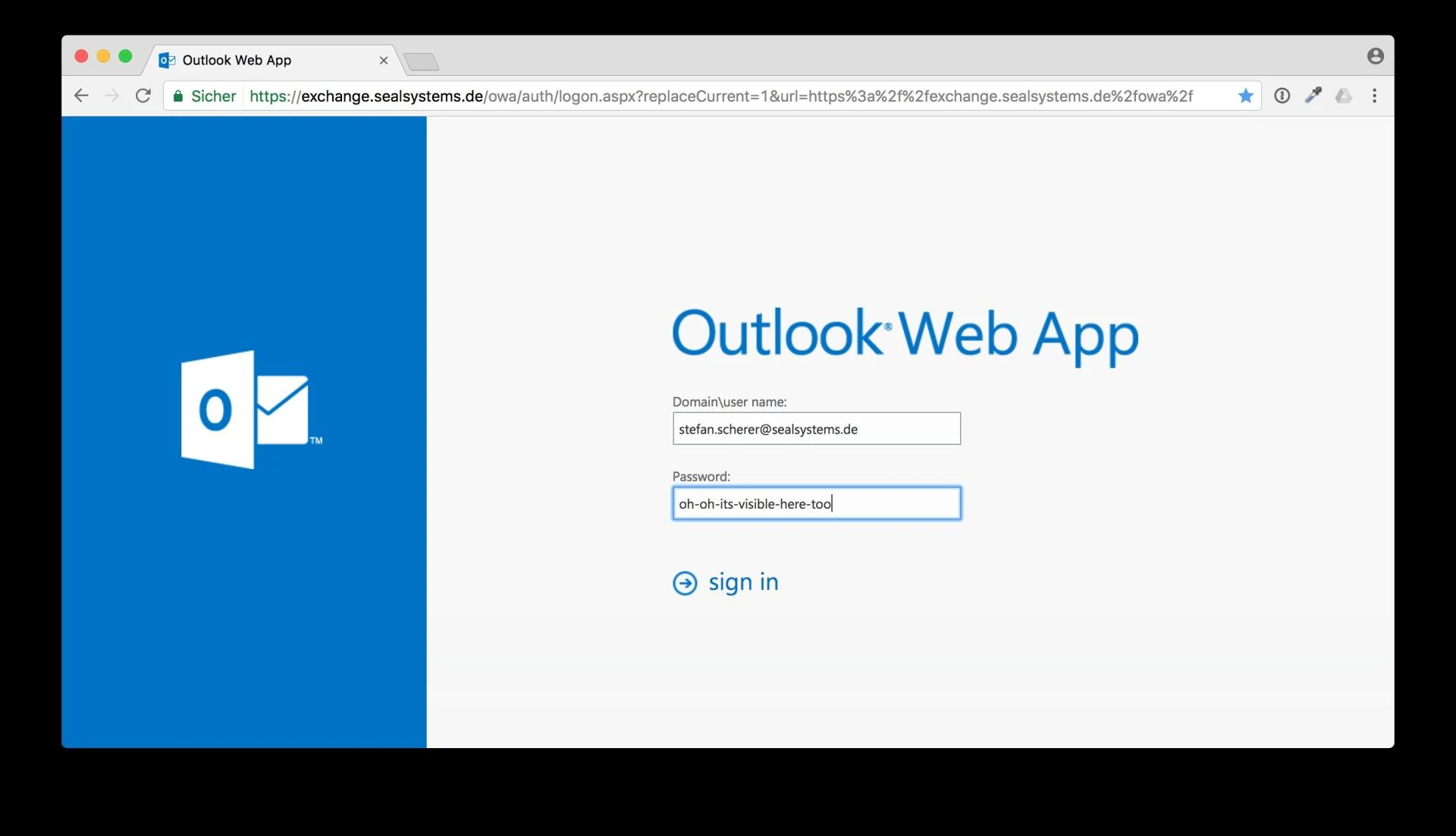

The Army OWA (Outlook Web Access) email system is a crucial tool for soldiers, personnel, and contractors working with the U.S. Army. It provides secure, accessible communication, allowing users to stay connected from virtually anywhere in the world. Whether you’re in the field, at a base, or working remotely, Army OWA email ensures that you can access and send emails efficiently, securely, and in a way that meets the Army’s stringent cybersecurity standards.
If you’ve recently joined the Army or are looking to better understand Army OWA email, this blog will explain everything you need to know; from its features and how to access it, to troubleshooting common issues.
What is Army OWA Email?
Army OWA (Outlook Web Access) is the official web-based email system for Army personnel, contractors, and service members. It is part of the Army’s comprehensive enterprise email system, which uses Microsoft Outlook as the foundation for communication.
Army OWA Email enables Army users to access their email accounts through a web browser, eliminating the need for traditional email clients or software installations. This service makes it incredibly convenient for users to check and send emails securely from any internet-enabled device, while maintaining the Army's high-security protocols.
Key Features of Army OWA Email
The Army OWA email platform comes equipped with several powerful features designed to meet the needs of military professionals:
a) Web-Based Access
- As a web-based email platform, Army OWA allows users to log in from any device that has an internet connection, including laptops, smartphones, or tablets.
- This makes it easy to stay connected, even when you’re deployed or away from a desktop computer.
b) High-Level Security
- Army OWA email adheres to Department of Defense (DoD) security requirements, ensuring that sensitive communication is protected through encryption and multi-factor authentication (MFA).
- The Army’s email servers are fortified with additional security measures, ensuring confidentiality and minimizing the risks of cyber-attacks or breaches.
c) Integration with Microsoft Outlook
- While Army OWA is web-based, it integrates seamlessly with Microsoft Outlook, giving users the ability to manage their inbox, calendars, contacts, and tasks, just as they would with the desktop application.
- This integration enhances user experience and consistency across devices, providing familiarity for anyone already accustomed to using Outlook.
d) Shared Mailboxes
- Army OWA supports the use of shared mailboxes, allowing multiple users to access and manage a central inbox. This is particularly useful for teams, departments, or units that need to coordinate communication.
e) Calendar and Task Management
- OWA allows users to manage their calendars and schedule meetings, similar to the functionality found in desktop versions of Outlook.
- Army personnel can easily organize appointments, set reminders, and track essential tasks directly through the email platform.
How to Access Army OWA Email
Accessing Army OWA is a straightforward process, but it requires proper authorization and credentials. Here’s how you can access your Army OWA email account:
Step-by-Step Process:
Visit the Army OWA Login Page:
- Open your web browser and navigate to the Army OWA login page (typically located under the official Army or DoD websites).
Enter Your CAC or DS Logon:
- For security reasons, Army personnel are required to use either a Common Access Card (CAC) or a DoD Self-Service Logon (DS Logon) to authenticate.
- If you’re logging in from a personal device, you’ll need to use a CAC reader or have DS Logon credentials.
Input Your Email Credentials:
- After authentication, input your Army email username and password (if necessary).
- Once authenticated, you will be granted access to your inbox.
Troubleshooting Access Issues:
- If you experience issues accessing your account, ensure that your CAC card is functioning properly and is inserted into the reader correctly.
- If you don’t have a CAC reader or are using a mobile device, you can still access your email using DS Logon credentials through supported apps and browsers.
How to Use Army OWA Email on Your Mobile Device
While Army OWA can be accessed on any browser, the U.S. Army has also developed mobile solutions to help personnel stay connected on the go. To access your email from a mobile device:
Use the OWA Mobile App:
- The OWA for iPhone and Android apps are available for download in their respective app stores.
- Download the app, input your Army credentials, and begin accessing your Army email on your mobile device.
Access via Mobile Web Browser:
- You can also access Army OWA by navigating to the Army’s OWA login page via your mobile browser. Log in using your CAC card or DS Logon.
Benefits of Army OWA Email
Here are some key advantages of using Army OWA email:
a) Mobility and Flexibility
- Army OWA allows personnel to access their emails from anywhere in the world, regardless of their location. This flexibility is essential for personnel in the field or stationed at remote locations.
b) Secure Communication
- With security measures that comply with DoD standards, Army OWA ensures that communications remain private and protected from unauthorized access. This is especially important for sensitive military correspondence.
c) Centralized Email Management
- With Army OWA, service members can keep track of important communications, meetings, and tasks in one centralized platform, enhancing organization and productivity.
d) Integration with Microsoft Ecosystem
- Army OWA is part of the broader Microsoft ecosystem, meaning it seamlessly integrates with other Microsoft tools and applications. This integration streamlines workflow, especially for those using other Microsoft services like SharePoint and OneDrive.
Common Problems with Army OWA Email and How to Fix Them
While Army OWA is a highly reliable email system, users may occasionally face technical issues. Here are some common problems and troubleshooting steps:
a) Login Issues:
- If you cannot log in, double-check that your CAC is inserted correctly or ensure your DS Logon credentials are correct.
- Clear your browser cache or try a different browser to resolve any session issues.
b) Slow Performance:
- If Army OWA is slow, check your internet connection. A stable, fast connection is essential for the web-based email client to work efficiently.
c) Syncing Problems:
- If your inbox is not syncing properly, make sure that you are connected to a reliable internet connection. If using mobile apps, ensure that they are up to date.
d) Security Warnings:
- If you receive security warnings while using Army OWA, ensure you are accessing the platform from the official Army or DoD website. Avoid using public networks for sensitive email communication.
Conclusion
The Army OWA email system is an invaluable tool for the U.S. Army and its personnel. Its secure, web-based platform offers flexibility and convenience, allowing soldiers, contractors, and staff to communicate effectively no matter where they are in the world. By leveraging Microsoft Outlook’s familiar interface, Army OWA keeps personnel connected while meeting the stringent security and privacy requirements set forth by the Department of Defense.
If you’re a member of the Army or associated personnel, understanding how Army OWA works and how to use it effectively will make your communication more efficient and seamless. From troubleshooting common issues to learning about the full range of features, this guide should serve as a helpful resource to navigate your Army email system with ease.
























Sign in to leave a comment.