
WordPress is the world’s most popular content management system (CMS), powering over 43% of all websites on the internet as of 2025. From personal blogs and portfolios to large e-commerce stores and corporate sites, WordPress offers unmatched flexibility and ease of use.
However, to run a WordPress site, you need a place to store its files, databases, and media—this is where WordPress hosting comes in.
In simple terms, WordPress hosting is a type of web hosting that is specifically configured and optimized for running WordPress websites (mua hosting wordpress). While any standard web hosting plan can technically run WordPress (as long as it meets the minimum requirements: PHP 7.4 or higher, MySQL 5.7 or MariaDB 10.3+, and HTTPS support), WordPress hosting goes several steps further to deliver better performance, security, and convenience.
Types of WordPress Hosting
There are several flavors of WordPress hosting, each suited to different needs and budgets:
1. Shared WordPress Hosting
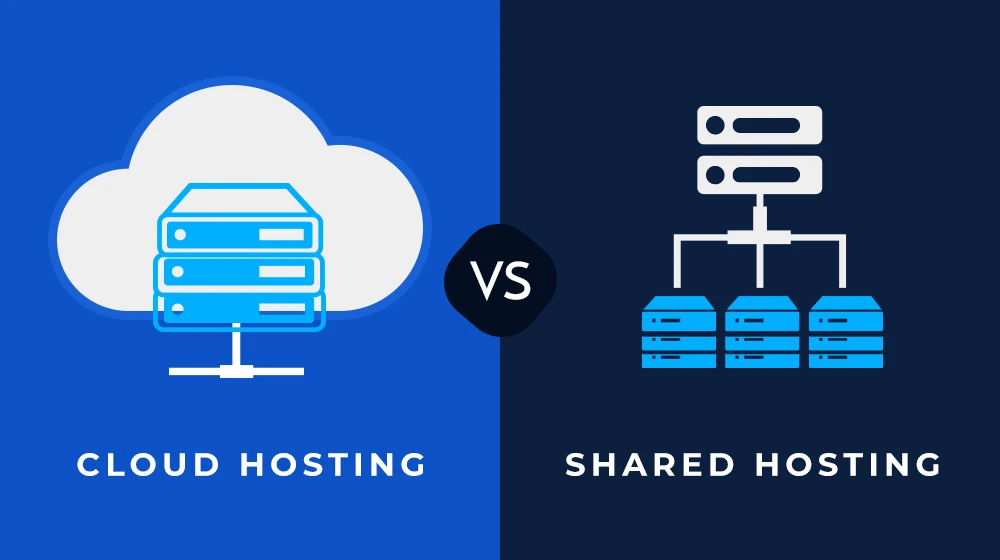
The most affordable option. Your site shares server resources (CPU, RAM, disk space) with hundreds or thousands of other WordPress sites. Providers like SiteGround, Bluehost, and Hostinger offer “managed” shared WordPress hosting that includes automatic updates, basic caching, and one-click WordPress installation. Great for beginners, small blogs, and low-traffic sites.
2. Managed WordPress Hosting
This is the premium tier of shared or VPS-based hosting where the provider takes care of almost everything technical for you. Companies such as WP Engine, Kinsta, Flywheel, and Rocket.net fall into this category.
Typical features include:
- Automatic daily backups
- Server-level caching (page cache, object cache, OPCache)
- Built-in CDN integration
- Staging environments (a clone of your site for testing changes)
- Enhanced security rules specifically designed to block WordPress-specific attacks
- Automatic core, theme, and plugin updates (sometimes with visual regression testing)
- Expert WordPress support 24/7
- Managed hosting is ideal for businesses, agencies, and anyone who wants to focus on content and growth rather than server administration.
3. VPS WordPress Hosting
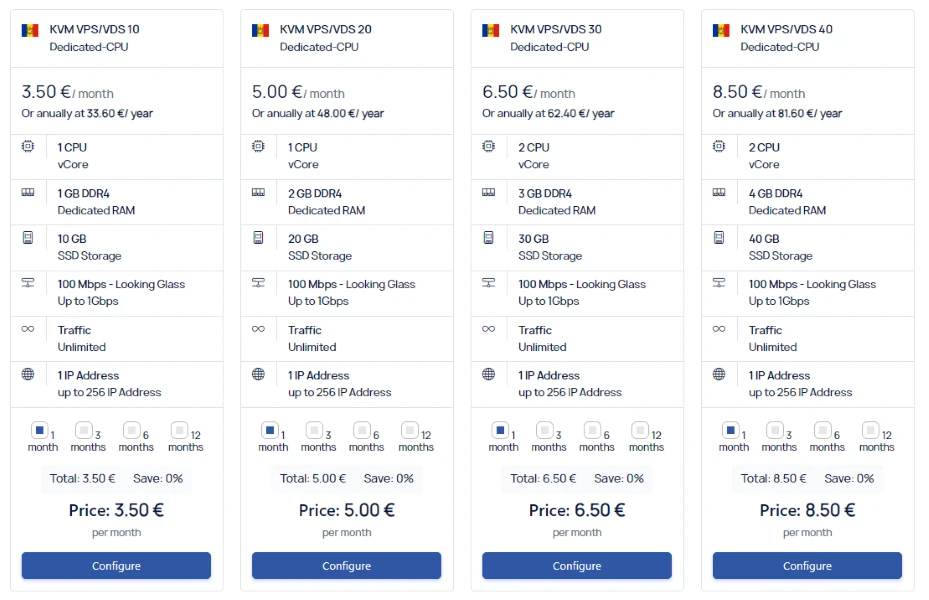
A Virtual Private Server gives you dedicated resources inside a larger physical server. Providers like DigitalOcean, Linode, or Cloudways (with managed WordPress add-ons) let you install and optimize WordPress yourself, or you can choose semi-managed VPS plans. This option offers more control and scalability than shared hosting but requires more technical knowledge.
4. Dedicated WordPress Hosting
You rent an entire physical server for your site(s). Extremely powerful and expensive—usually only needed for very high-traffic sites (think WooCommerce stores doing millions in revenue or major news portals).
5. Cloud WordPress Hosting
Modern managed hosts (Kinsta, Cloudways, WP Engine’s higher plans) run on cloud infrastructure from Google Cloud, AWS, or Azure. Resources scale automatically during traffic spikes, and you often get geographic data-center choices for lower latency worldwide.
Key Features That Make WordPress Hosting Different
What separates true WordPress hosting from generic shared hosting? Here are the most important optimizations:
Server-Side Caching: Tools like NGINX FastCGI cache, Redis, or Memcached dramatically reduce database queries and speed up page delivery.
PHP Optimizations: Latest PHP 8.2/8.3 versions with OPcache enabled, plus the ability to switch versions easily.
One-Click Installers & Auto-Updates: No manual FTP uploads or database creation—everything is automated.
WordPress-Specific Security: Hardened firewalls that block XML-RPC attacks, brute-force login attempts, fake Google bots, and malicious plugin behavior.
Staging Sites: Test theme/plugin updates without risking your live site.
Git Integration & WP-CLI: For developers who want version control and command-line management.
Performance Monitoring: Real-time insights into slow plugins, database queries, or external requests.
Benefits of Choosing Specialized WordPress Hosting
Speed – Properly configured caching and modern server stacks can make a WordPress site load in under 1 second, which improves SEO rankings and user experience.
Security – The majority of WordPress hacks exploit outdated software or poorly coded plugins. Managed hosts keep everything updated and add an extra layer of protection.
Uptime & Reliability – 99.99% uptime guarantees backed by SLAs are common among reputable providers.
Scalability – Traffic surge because your post went viral? Good managed/cloud hosts scale resources automatically so your site doesn’t crash.
Support That Actually Understands WordPress – Generic hosting support often says “We don’t support third-party software.” WordPress hosts employ engineers who live and breathe WP.
How Much Does WordPress Hosting Cost?
Prices in 2025 vary widely:
Basic shared WordPress hosting: $2–$10/month (often discounted the first year)
Managed WordPress hosting: $20–$50/month for entry-level plans (Kinsta starts around $35, WP Engine $25–$30)
High-end agency or enterprise plans: $100–$1,000+/month
Always check what’s included—cheap introductory prices sometimes balloon on renewal, and overage fees for visits or storage can add up quickly.
Who Should Use WordPress Hosting?
- Beginners who want a hassle-free experience
- Small-business owners running membership sites or online stores
- Agencies managing dozens or hundreds of client sites
- High-traffic blogs and news sites that can’t afford downtime
- Anyone who values time over tinkering with server configurations
Conclusion
WordPress hosting is not just “hosting that happens to run WordPress.” It is a specialized service built from the ground up to make WordPress faster, safer, and easier to manage. While you can certainly install WordPress on cheap generic hosting and make it work, the difference in performance, security, and peace of mind is enormous especially as your site grows.
If you’re serious about your WordPress site in 2025 and beyond, investing in proper WordPress hosting is one of the smartest decisions you can make. Your visitors will thank you with longer sessions and higher conversions, Google will reward you with better rankings, and you’ll sleep better knowing professionals are keeping everything updated and secure behind the scenes.







Sign in to leave a comment.