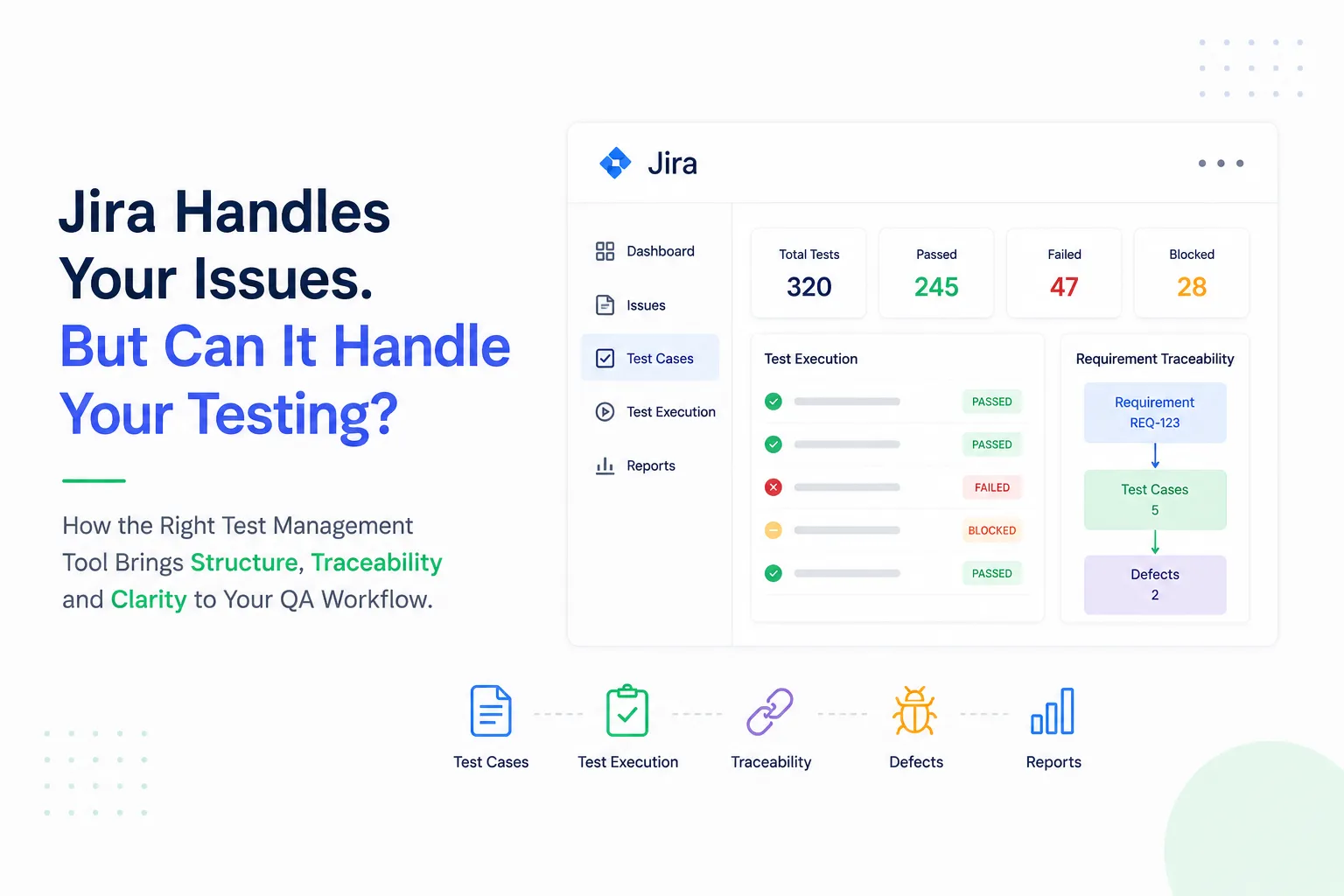

A Jira board can tell you what needs to be built, what is being worked on, and which bugs are still open.
But can it tell you whether your product is actually ready to release?
That is where software testing becomes more complicated.
As development teams move faster, QA teams are expected to test more features, support frequent releases, manage regression testing, track automation, and provide clear quality insights. Trying to handle all of this through ordinary Jira issues or spreadsheets can quickly turn testing into a fragmented process.
The solution isn't simply adding more tickets.
It is creating a testing workflow that connects everything.
Why Testing Gets Complicated as Projects Grow
Testing may start out easy.
One makes up a couple of test cases, executes them before releasing the product, and logs defects in Jira. However, as the application develops, the amount of work done by testers increases as well.
All of a sudden, there are hundreds of test cases related to different features and releases, some of which have to be reused in regression testing, others – linked to specific requirements. As a result, one ends up with automated testing and execution results.
Without a properly organized system, QA specialists find themselves spending more time on managing the testing information than actually testing the product.
A dedicated test management tool helps solve this problem by providing a centralized environment for creating, organizing, executing, and tracking test cases.
The Missing Link Is Often Traceability
Consider an important user story that goes wrong for a release.
The QA lead must know which test cases exist for that requirement, which executions have failed, if any of those failures generated defects, and whether there are enough test cases for the other requirements.
This is where traceability comes into play.
A proper testing process links requirements, test cases, executions, and defects together. The need for going through different Jira issues to find the way from one step to another becomes unnecessary.
This will make it easy for decision-making for a release.
Moreover, it will help detect missing links. For instance, it would be easier to see the missing test cases for a requirement.
Manual Testing and Automation Need to Work Together
The modern QA teams do not conduct purely manual testing any longer.
Automated testing frameworks like JUnit, TestNG, Cucumber, Selenium, etc., may perform large test sets very fast. However, automation does not replace the need for manual testing, exploratory testing, or properly designed test cases.
The problem is how to integrate all of them into one quality testing process.
A modern test management solution will allow managing manual test cases and integrating the results of automated execution into one picture.
This way, the QA managers will have a clearer picture about the state of testing rather than jumping between different applications to learn about product quality.
Choosing the Right Jira Testing Solution
But there isn't a one-size-fits-all solution for every team out there.
Jira tools such as AIO Tests, Xray, QMetry, Zephyr Scale, Tricentis Test Management for Jira, Testmo, and PractiTest provide various approaches for test management, automation, reporting, traceability, and scalability.
For instance, the AIO Tests solution specializes in keeping the testing process within Jira with features such as test case management, execution planning, integration with automated tools, test generation using artificial intelligence, and reporting. Other tools may focus more on enterprise-level processes, exploratory testing, automation, or reporting.
And instead of asking, "Which tool is the best?"
We should be asking ourselves the following question:
Which solution corresponds to our real testing workflow?
Better Testing Starts With Better Visibility
Test management shouldn’t be about adding an additional level of bureaucracy to your process.
Test management should be about making your testing easier to manage and quality easier to assess.
By linking together all of these things – requirements, test cases, test execution, automated results, and defects – you get a much clearer view of your release status.
So rather than spending time looking for data, QA teams can focus on finding risks.
If you already use Jira as the heart of your development process, having the right testing tool along with it can help transform that process into a quality process.


























Sign in to leave a comment.