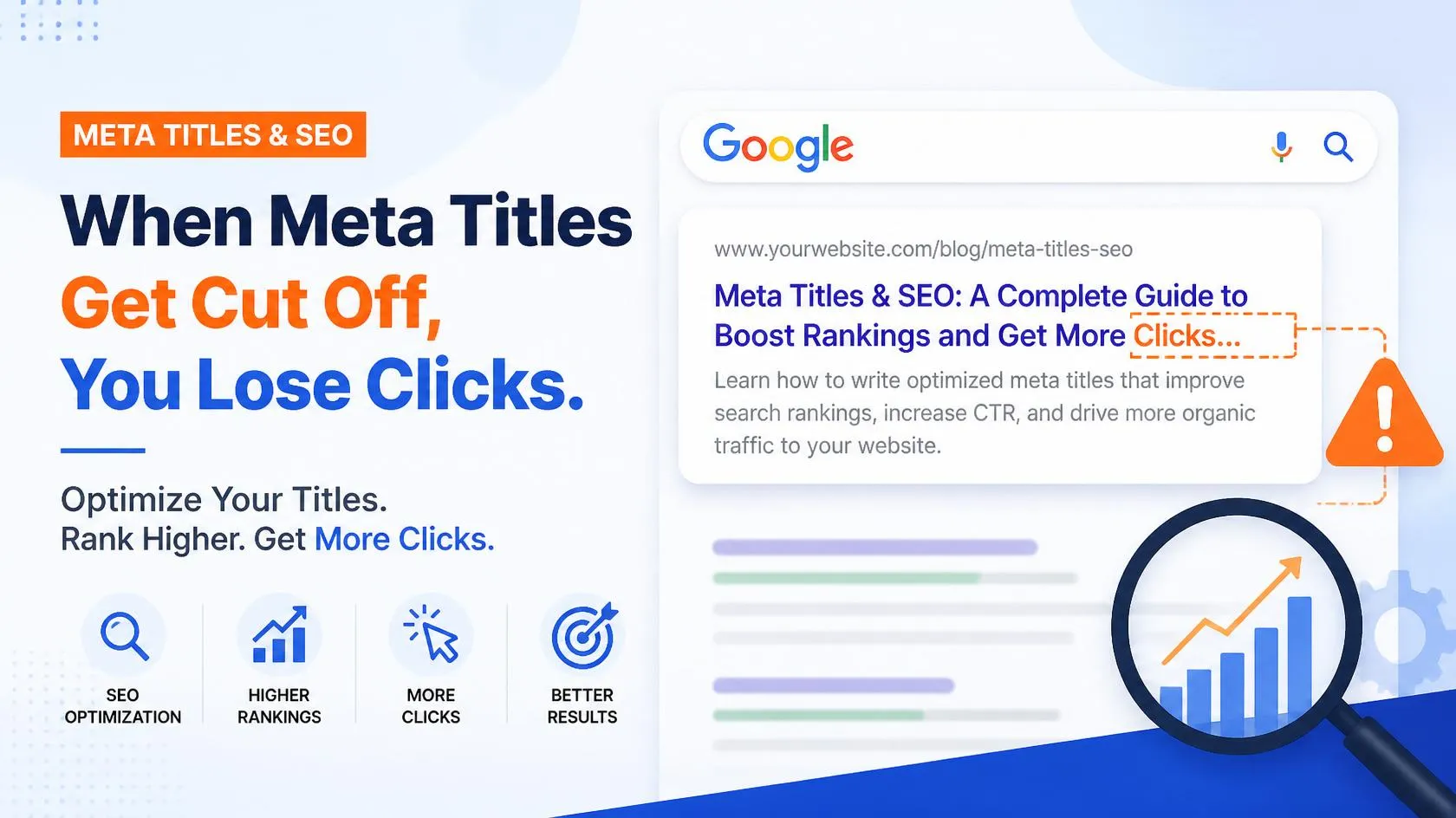

You spend twenty minutes crafting the perfect meta title. It's got your primary keyword, a compelling hook, and your brand name — exactly 62 characters, just like every SEO checklist told you. You hit publish, check it on Google a day later, and there it is: cut off mid-word, ending in an awkward ellipsis that makes no sense to anyone scrolling past it.
This happens far more often than most website owners realize, and it's rarely a character-count problem. It's a pixel-width problem — and once you understand how Google actually measures titles, it's completely avoidable.
Why "60 Characters" Was Always the Wrong Rule
Most SEO advice still repeats the old rule: keep your title under 60 characters. That guidance made sense years ago, but it was never fully accurate, and it's even less reliable today.
Google doesn't count characters. It measures pixel width — the actual horizontal space your title takes up when rendered in search results, which is roughly 580–600 pixels on desktop.
The problem is that every letter takes up a different amount of space. A lowercase "i" or "l" is narrow. A capital "W" or "M" is wide. Two titles with the exact same character count can render completely differently — one fits perfectly, the other gets chopped off.
This is exactly why a title that looked fine in your CMS preview, and passed every character-count check, can still show up truncated on the actual search results page.
The Real Reasons Titles Get Cut Off
1. Wide Characters Without Realizing It
Capital letters, numbers, and characters like W, M, and @ are visually wide. A title packed with capitalized words or numerals can hit the pixel limit well before it hits 60 characters.
2. Front-Loading with Brand Names
Starting every title with your brand name pushes the important, unique part of the title toward the end — right where it's most likely to get cut off if the title runs long.
3. Google Rewriting the Title Anyway
Even when your title fits perfectly, Google sometimes rewrites it based on the page content or the searcher's query. This isn't a truncation issue, but it means your carefully crafted title may not even be the one that shows up — a separate problem worth checking for.
4. Different Devices, Different Limits
Mobile search results allow less horizontal space than desktop. A title that fits comfortably on a laptop screen can still get cut off when the same result appears on a phone.
How to Check Before You Publish (Not After)
The only reliable way to know whether your title will get cut off is to preview it the way Google actually renders it — as pixels, not characters. That's exactly what a SERP snippet simulator is built for: you enter your title and meta description, and it shows you a live preview of exactly how the listing will look in search results, including where the cutoff point falls.
Instead of guessing based on a character counter, you see the real rendered width instantly, and can adjust before the page ever goes live — not after you notice it looking wrong in Google a week later.
How to Write Titles That Don't Get Cut Off
- Put your primary keyword and the most important information first, not last
- Use a snippet simulator to check pixel width, not just character count
- Avoid stacking multiple capitalized words or numbers near the end of the title
- Keep brand names at the end, separated by a pipe or dash, so they're the part that gets trimmed if needed
- Re-check titles on both desktop and mobile previews, since limits differ
- Write a title that still makes sense even if the last few words are cut off
Does This Still Matter With AI Overviews and AI Search?
Yes — arguably more than before. When Google's AI Overviews or platforms like ChatGPT pull information to construct an answer, a clear, complete, well-structured title makes it easier for these systems to understand exactly what your page is about at a glance. A title that gets cut off mid-thought doesn't just look sloppy to a human searcher — it gives AI systems a broken signal to work with too.
Check Your Title Instantly with SeoBix's SERP Simulator
SeoBix's free SERP Simulator shows you exactly how your title and meta description will render in Google's search results, before you ever hit publish. Paste your title in, see the real pixel-width preview, and adjust until it fits perfectly.
Pair it with SeoBix's Keyword Research and SEO Audit tools to make sure every page you publish is optimized from the title down to the technical details — all in one free workflow.
Final Thoughts
A great meta title only works if people actually get to read all of it. Chasing a fixed character count gives you a false sense of safety, while the real limit — pixel width — quietly cuts off titles that looked perfectly fine in your editor.
The fix is simple: stop guessing, and start previewing. A few seconds in a SERP simulator before you publish can save your click-through rate from a mistake most website owners don't even know they're making.


























Sign in to leave a comment.