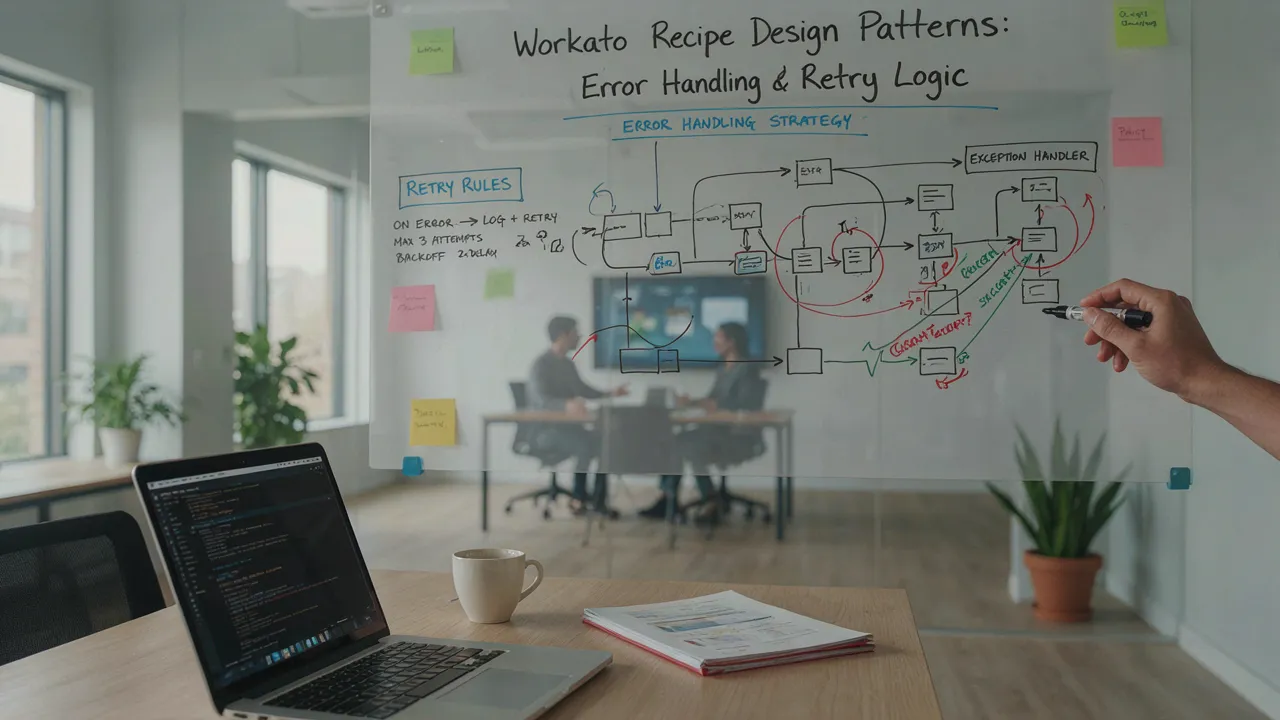

Most Workato recipes work fine in testing and then fail quietly in production - a timeout on a Salesforce call, a rate limit hit during a bulk sync, an intermittent 500 from a partner API. The recipe itself isn't broken. What's missing is a deliberate error handling and retry strategy built into the design from the start, not bolted on after the first incident.
This article walks through the core Workato recipe design patterns experienced Workato architects use to build recipes that fail gracefully instead of silently.
Why Error Handling Can't Be an Afterthought
Integration recipes sit between systems you don't fully control. APIs go down, rate limits get hit, network calls time out, and source data occasionally doesn't match the schema you expected. None of that is a Workato problem, it's the normal behavior of distributed systems.
The difference between a reliable recipe and a fragile one isn't whether errors happen. It's whether the recipe knows what to do when they do.
Pattern 1: Fail Fast vs Fail Safe
Every recipe step should have an explicit answer to one question: if this fails, should the recipe stop immediately, or should it continue and flag the issue?
Fail fast makes sense for steps where a bad result would corrupt downstream data for example, a failed lookup that would otherwise pass a null customer ID into a financial system. Stop the recipe, alert the team, don't propagate bad data.
Fail safe makes sense for non-critical steps; a Slack notification failing shouldn't block a payment sync. Log it, move on, retry separately.
Deciding this per-step, rather than applying one blanket error policy to the whole recipe, is the single biggest improvement most teams can make.
Pattern 2: Retry Logic with Exponential Backoff
Not every failure deserves an immediate retry, and not every failure deserves a retry at all.
Transient errors - timeouts, 429 rate-limit responses, 503 service unavailable are good retry candidates. Retrying immediately, however, often makes things worse: if a system is struggling under load, hammering it with retries every second just extends the outage.
Exponential backoff solves this by increasing the wait time between each retry attempt for example, 5 seconds, then 15, then 45, then 2 minutes capped at a maximum number of attempts (commonly 3-5). Workato's built-in retry configuration on action steps supports this directly, and it should be the default for any step calling an external API, not something added only after a production incident.
Permanent errors - 400 bad requests, 401 unauthorized, 404 not found should never be retried automatically. Retrying a malformed request just repeats the same failure and burns API rate limits for no benefit. These need to route to error handling, not a retry loop.
Pattern 3: Dead Letter Queues for Unrecoverable Records
When a specific record fails even after retrying a malformed record, a permanently missing reference doesn't let it block the rest of the batch. Route it to a dead letter queue: a separate table, sheet, or ticketing step that captures the failed record along with the error reason, while the recipe continues processing everything else.
This single pattern prevents the most common production failure mode: one bad record in a batch of 500 stopping all 500 from syncing.
Pattern 4: Idempotency to Prevent Duplicate Processing
Retry logic introduces a real risk: if a step partially succeeded before failing (e.g., a record was created, but the confirmation step timed out), a retry can create a duplicate.
Idempotent design solves this by checking for an existing record (via an external ID or unique key) before creating a new one. Every action step that creates records not just updates them should include this check when retries are enabled. It's a small amount of extra logic that eliminates an entire category of data quality issues.
Pattern 5: Centralized Error Notification, Not Per-Recipe Alerts
Scattering Slack or email alerts across dozens of individual recipes creates alert fatigue fast, and makes it hard to see patterns (like one API consistently failing across multiple recipes). A better approach: route all error events to a single error-handling sub-recipe or a centralized error notification step, then trigger alerts from that single point based on severity and frequency.
This also makes it possible to build a simple dashboard showing error trends over time which is far more useful for spotting a degrading integration than individual point alerts.
A Practical Checklist
Before publishing a recipe to production, confirm:
- Every external API call step has retry logic configured, with backoff, not immediate retry
- Permanent errors (4xx except 429) are excluded from retry and routed to error handling
- Batch operations include a dead letter path for individual record failures
- Record-creation steps include idempotency checks before retry-triggered re-execution
- Error events route to a centralized logging/notification point, not scattered per-recipe alerts
- Retry attempt limits are capped, with a clear fallback (manual review, queue, or escalation) after the final attempt
The Bottom Line
Error handling and retry logic aren't edge-case engineering, they're core recipe design. Teams that build these patterns in from the start typically see a measurable drop in production incidents and a significant reduction in the manual firefighting that comes from chasing down failed syncs after the fact. The patterns above cover the majority of real-world failure scenarios and are worth treating as a standard checklist for every recipe, not a response to the next outage.
























Sign in to leave a comment.