
Introduction:
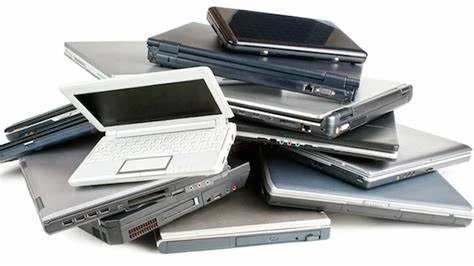
In today's fast-paced world, owning a reliable laptop is essential for both personal and professional needs. However, the high cost of brand-new laptops often leads many individuals to consider purchasing used ones. Buying a used laptop can be a great way to save money while still getting a device that meets your requirements. In this blog post, we will provide you with a comprehensive guide to buying a used laptop. We will discuss the key factors to consider, the potential risks involved, and the best practices to ensure a successful purchase. Whether you're a student, a freelancer, or a budget-conscious individual, this guide will help you navigate the process and make an informed decision.
Research and Evaluation:
Determine Your Needs: Before you start browsing for used laptops, it's crucial to identify your specific requirements. Consider factors like the purpose of your laptop (e.g., gaming, work, multimedia), the necessary specifications (e.g., processor, RAM, storage), and any special features you might need (e.g., touchscreen, graphics card). Knowing what you need will help you narrow down your options and make a more targeted search.
Research the Market: Familiarize yourself with the current market prices of different laptop models to understand the average cost of a used laptop. Online marketplaces, refurbished laptop stores, and tech forums can provide valuable insights into pricing trends and popular models.
Reliable Sellers: It's essential to buy from trustworthy sources when purchasing a used laptop. Look for reputable sellers with positive reviews and a track record of fair dealing. Online platforms such as Amazon, eBay, and certified refurbishers can be good options, as they often provide warranties and return policies.
Check the Laptop's Condition: Carefully examine the laptop's physical condition, including the screen, keyboard, trackpad, and overall build quality. Look for signs of wear and tear, such as scratches, dents, or loose hinges. Test all the ports, buttons, and connectivity options to ensure they are functioning properly.
Evaluate the Specifications: Inspect the laptop's internal specifications, such as the processor, RAM, storage capacity, and graphics card. Ensure that the laptop meets your performance requirements and can handle the tasks you intend to perform.
Battery Life and Health: Battery life is crucial, especially if you plan to use the laptop on the go. Inquire about the battery's health and condition, as it may need to be replaced if it no longer holds a charge or drains quickly.
Assessing the Risk:
Warranty and Return Policy: One of the advantages of buying from certified refurbishers or reputable sellers is the availability of warranties or return policies. Read the terms and conditions carefully, paying attention to the duration of the warranty and any limitations or conditions.
Test the Laptop: Before making a purchase, test the laptop thoroughly to ensure it functions as expected. Run software diagnostics, check the performance during multitasking, and test the laptop's connectivity options, including Wi-Fi and Bluetooth.
Operating System and Software: Verify that the laptop comes with a legitimate operating system license and that any pre-installed software is properly licensed. This ensures you won't encounter licensing issues or malware concerns after the purchase.
Check for Stolen or Blacklisted Devices: It's crucial to verify that the laptop is not stolen or blacklisted. You can use online tools to check the device's serial number or IMEI (International Mobile Equipment Identity) to ensure it hasn't been reported as stolen.
Finalizing the Purchase:
Negotiate the Price: Don't be afraid to negotiate the price when buying a used laptop. Inquire about the seller's willingness to negotiate, especially if you've noticed any flaws or significant wear on the laptop. Be prepared with information about the average market price and similar laptop models to support your negotiation.
Ask for Documentation: Request any available documentation related to the laptop, such as the original purchase receipt, warranty information, or service records. This documentation can provide valuable insights into the laptop's history and help establish its authenticity.
Payment Method: Discuss and agree on a secure payment method with the seller. Popular options include cash, bank transfer, or trusted online payment platforms like PayPal. Avoid making payments through unsecured or unfamiliar methods to protect yourself from scams.
Meet in a Safe Location: If you're meeting the seller in person for the transaction, choose a safe and public location, such as a coffee shop or a shopping mall. Consider bringing a friend along for added security.
Transfer of Ownership: Ensure that the necessary paperwork is completed to transfer ownership of the laptop to your name. This may involve signing a bill of sale or other relevant documents. Keep copies of these documents for future reference.
Post-Purchase Support: Inquire about any post-purchase support the seller may offer, such as assistance with setting up the laptop, troubleshooting, or warranty coverage. Having reliable support can be beneficial, especially during the initial period of using the used laptop.
Conclusion:
Buying a used laptop can be a smart financial decision, provided you approach it with caution and thorough research. By following the tips and considerations outlined in this blog post, you can increase your chances of finding a reliable and suitable used laptop within your budget. Remember to evaluate the laptop's condition, specifications, and warranty options, as well as verify its legitimacy and negotiate the price. With proper diligence, you can find a used laptop that meets your needs and offers excellent value for your money.







Sign in to leave a comment.