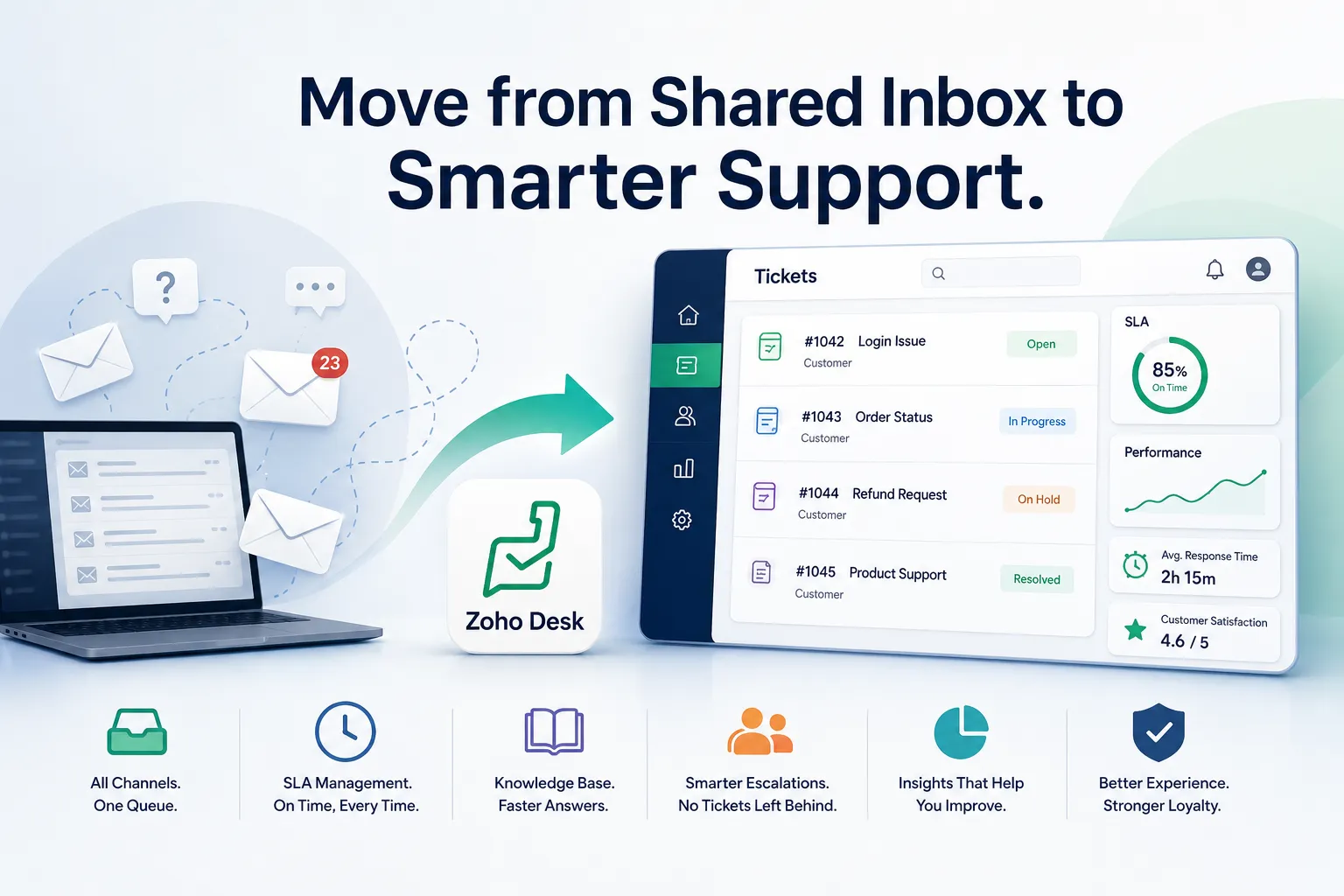

Quick definition: A helpdesk ticketing platform built on Zoho, such as Zoho Desk, converts every customer query, whether it arrives by email, chat, phone, or social media, into a trackable ticket with a status, an owner, and a resolution deadline. It replaces a shared inbox with a structured queue, which becomes necessary once support volume outgrows what a few people can track manually.
Most businesses start customer support in a shared inbox. It works fine until it does not. Below are six signs that the shared-inbox model has quietly stopped working, what a proper ticketing system changes, and where Zoho consulting expertise tends to matter most during the switch.
1. Customer Queries Are Getting Lost or Duplicated
In a shared inbox, two support agents can reply to the same email without realizing it, or a query can sit unread for days because nobody explicitly owns it. A ticketing system assigns a unique owner to every query and flags duplicate threads automatically. If your team has ever discovered a customer complaint that was never answered because everyone assumed someone else replied, this is the clearest sign of the problem.
2. You Cannot Answer "How Long Does It Take Us to Resolve a Query?"
Without ticket-level tracking, resolution time is a guess. Zoho documents this timestamping behavior directly in its ticket management knowledge base, which logs every stage of a query, from first contact to resolution, and reports average handling time by agent and by category. For an operations lead trying to set realistic SLAs with clients, this data is not optional once the business has more than a handful of recurring customers.
3. Support Requests Are Scattered Across Email, Phone, and Social Media
A retail or e-commerce SME often fields queries through an email inbox, a phone line, an Instagram DM, and a website contact form, with no single view of what is open. Zoho Desk consolidates these channels into one ticket queue, so a query that starts as a DM and continues as a phone call still shows up as one continuous case history instead of four disconnected touchpoints.
4. The Same Questions Keep Getting Asked, With No Shared Knowledge Base
If every new support hire has to be manually trained on the same ten recurring issues because there is no documented resource, that is a scaling cost that compounds with every hire. Ticketing platforms include a self-service knowledge base and canned response templates, so common questions get resolved faster and new agents ramp up without shadowing a senior teammate for weeks.
5. There Is No Escalation Path When a Ticket Gets Stuck
In a shared inbox, an unresolved issue just sits there until someone happens to notice it. A ticketing system applies SLA rules that automatically escalate a ticket to a manager if it crosses a time threshold without a response, a pattern covered in more depth in how a Zoho implementation partner resolves common CRM support challenges. For a healthcare or pharma distributor where a delayed reply can mean a missed compliance window, this automated escalation is not a convenience, it is a risk control.
6. You Have No Visibility Into Which Products or Services Generate the Most Complaints
A ticketing system tags and categorizes every query, which means you can eventually run a report showing that 40 percent of tickets relate to one specific product line or one specific onboarding step. Without that categorization, recurring product or process problems stay invisible until a customer churns and mentions it on the way out.
What Changes Operationally After the Switch
The shift from email to a ticketing system is not just a tooling change, it changes how a team is measured. Instead of "did we reply," the metric becomes "did we resolve it within SLA, and did the customer need to follow up again." Teams that have run both models describe the first month after switching as an adjustment period, mainly because agents have to get used to closing tickets explicitly rather than letting a thread go quiet.
What the First 90 Days Usually Look Like
Businesses that switch from email to a ticketing system tend to go through three distinct phases in the first quarter. The first two to three weeks are friction: agents forget to close tickets, categorization is inconsistent, and reports look messy because the historical data has not caught up yet. Weeks four through eight are where the SLA rules and canned responses start reducing actual handling time, and the first clean monthly report becomes possible. By week twelve, most teams stop thinking about the system as new and start using its data to make staffing and process decisions, such as identifying which product category needs a dedicated support resource.
Skipping the setup discipline in the first phase is the most common reason a ticketing rollout underdelivers. If ticket categories are too broad, too numerous, or inconsistently applied, the reporting layer that justifies the whole switch never produces reliable numbers, and the team quietly drifts back toward inbox habits inside the new tool.
Common Questions About Zoho Ticketing Systems
How is a ticketing system different from a shared email inbox? A shared inbox has no ownership structure, no SLA tracking, and no reporting layer. A ticketing system assigns every query a unique ticket ID, an owner, a status, and a resolution deadline, and it reports on all of this data automatically.
Is a ticketing system worth it for a small support team of two or three people? Once a team is fielding more than roughly 20 to 30 queries a day across multiple channels, the tracking overhead of a shared inbox usually exceeds what two or three people can manage reliably. Below that volume, a well-organized shared inbox with clear ownership rules can still work.
Can a Zoho ticketing system integrate with a CRM? Yes. Zoho Desk integrates directly with Zoho CRM, so a support ticket and a sales record for the same customer share one history. This matters for account-based businesses where the same contact might raise a support issue and a renewal question within the same relationship.
Getting the Setup Right
A ticketing platform only delivers on the points above if the SLA rules, ticket categories, and escalation paths are configured around how your specific team actually works, not left as generic defaults. Businesses that bring in consulting expertise during setup typically get category structures and SLA thresholds mapped to their real support volume from day one, instead of discovering gaps three months in, and the two systems working together is where most of the long-term value sits.
The decision to move off email is rarely about any single missed ticket. It is usually the accumulation of the six signs above, reaching a point where the team spends more time managing the inbox than actually resolving customer problems.



























Sign in to leave a comment.