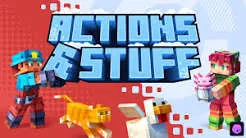

Minecraft Bedrock Edition players looking for smoother animations, more realistic mob movements, and upgraded visual effects often turn to Action and Stuff Bedrock, one of the most popular resource pack addons available for the game. This guide covers everything you need to know about Action and Stuff for Bedrock Edition, including its key features, installation steps, device requirements, and answers to common questions.
What Is Action and Stuff Bedrock?
Action and Stuff Bedrock is a visual enhancement resource pack built specifically for Minecraft Bedrock Edition and MCPE. Rather than changing core gameplay mechanics, it focuses on upgrading how the game looks and feels — smoother player animations, more natural mob behavior, improved textures, and detailed 3D item models — all while keeping Minecraft's original blocky art style intact. This makes it a favorite among Bedrock Edition players who want a fresher, more immersive experience without overhauling the game itself.
Key Features of Action and Stuff Bedrock
Action and Stuff Bedrock stands out because of the range of small but impactful upgrades it brings to everyday gameplay:
- Smooth Player Animations – Walking, running, climbing, and swimming all feel more fluid and natural.
- Upgraded Combat Movements – Sword swings, bow shots, and blocking animations are more detailed and responsive.
- Realistic Mob Animations – Hostile and passive mobs move and react in more lifelike ways.
- Animated Items and Tools – Using pickaxes, swords, shields, and food items feels more complete and visually satisfying.
- High-Quality 3D Models – Items and objects are redesigned with modern 3D detail while matching Minecraft's aesthetic.
- Upgraded Particle Effects – Breaking blocks, landing hits, and interacting with the environment produce cleaner visual effects.
- Customizable Texture Resolutions – Players can choose higher or lower resolution textures depending on device performance.
Action and Stuff Bedrock Requirements
Before downloading, make sure your device meets the following requirements for the best experience:
| Requirement | Details |
|---|---|
| Game | Minecraft Bedrock Edition / MCPE |
| Supported Version | Minecraft Bedrock 1.21+ (or the version recommended for the release) |
| Platforms | Android, Windows, iOS |
| Android Version | 8.0 or later |
| RAM | Minimum 3 GB (4 GB+ recommended) |
| Storage | At least 200 MB free space |
| Resource Pack Support | Required |
How to Download and Install Action and Stuff Bedrock
Installing Action and Stuff on Bedrock Edition is straightforward across all major platforms:
- Download the file in MCPACK or MCADDON format from a trusted source.
- Open the downloaded file — Minecraft Bedrock Edition should launch automatically and begin importing the addon.
- Wait for the "Import Successful" message, confirming the pack has been added to your game.
- Open an existing world or create a new one.
- Enable the Resource Pack (and Behavior Pack, if included) from the world settings.
- Save and enter your world to see the new animations and visual effects in action.
Activating Action and Stuff in Your Minecraft World
Once installed, activation only takes a few extra steps:
- Open Minecraft Bedrock Edition and confirm the addon has imported successfully.
- Edit an existing world or create a new one.
- Go to Resource Packs > My Packs, select Action and Stuff, and tap Activate.
- If a Behavior Pack is included, activate it the same way under Behavior Packs.
- Enable any required Experimental settings if prompted.
- Tap Play and enjoy the upgraded animations while walking, fighting, swimming, and exploring.
Common Issues and Fixes
Missing or purple textures – Remove and reimport the addon, and check for conflicts with other texture packs.
Animation glitches – Disable other animation-based addons and keep only Action and Stuff active.
FPS drops or lag – Lower graphics settings, reduce render distance, or switch to a lower texture resolution.
Addon not working – Confirm both the Resource Pack and Behavior Pack are activated, then restart Minecraft.
Frequently Asked Questions
Is Action and Stuff available for Bedrock Edition only? Yes, it's built specifically for Minecraft Bedrock Edition and MCPE, and is not officially available for Java Edition.
Does Action and Stuff change gameplay mechanics? No — it's a visual and animation enhancement pack that keeps Minecraft's core gameplay untouched.
Can I use Action and Stuff on mobile and PC? Yes, it supports Android, iOS, and Windows devices running Minecraft Bedrock Edition.
Will Action and Stuff affect my game's performance? On lower-end devices, high-resolution textures may impact FPS. Switching to a lower resolution option helps maintain smooth performance.
Final Thoughts
Action and Stuff Bedrock remains one of the most downloaded animation and visual enhancement addons for Minecraft Bedrock Edition. With smoother player movements, upgraded combat animations, realistic mob behavior, and customizable performance options, it offers an easy way to refresh the Minecraft experience without altering the game's original charm. Following the installation and activation steps above will have your world looking and feeling more dynamic in just a few minutes.





















Sign in to leave a comment.