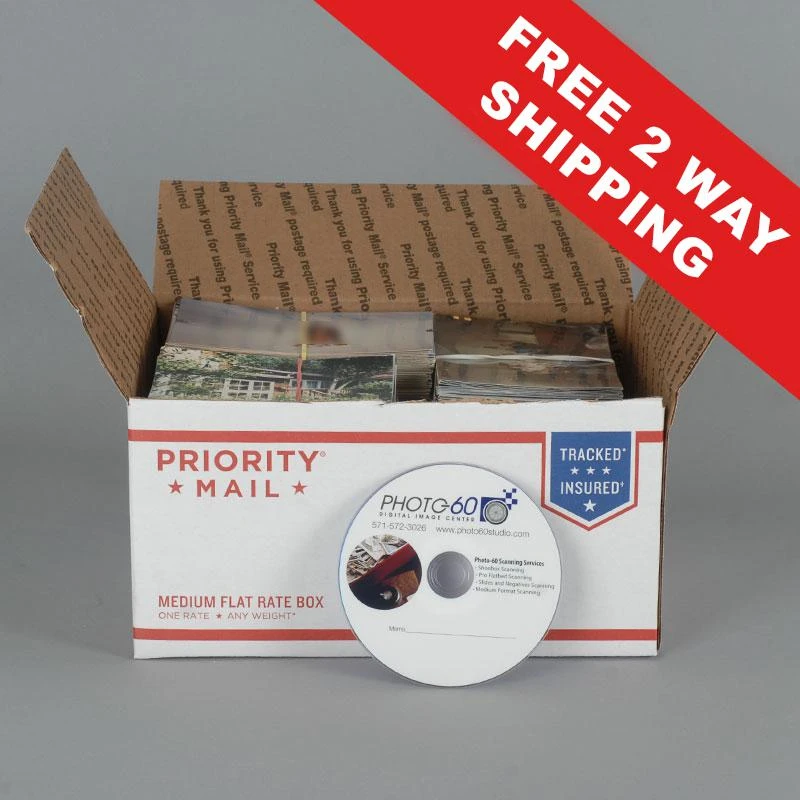

We all have our lots of photographs scattered over the house or kept in boxes to make sharing and keeping them easier. With the Photo scanning box, huge numbers of loose photoscan be swiftly scanned and digitally saved on a DVD, USB drive, or external hard drive. In essence, you try to fit as many photographs as you can into a Medium Rate Box with top loading, size 11-1/4" x 8-3/4" x 6".Scan in Order, Scan Photos Into Folders, Scan Photos in Various Sizes, and All Shipping are all included in this service.
Where am I able to buy the Box?
Following the completion of your order, we will send you a box for scanning photos that is a Medium Flat Rate Box with a shipping label attached and instructions for organising your photos. The box can hold around 2000 3.5x5 photographs or 1800 4x6 photos. Any size, from 2.5 x 3.5 wallet size to 8 x 10, can be scanned.
Our scans are now digitalized at a minimum resolution of 600 dots per inch. The bulk of scanning firms deliver photographs with 300 dpi or less for this pricing. You may order high-quality reproductions of your photos and view them at 600 dpi on digital devices.
By default, a secure link will be used to send all scans to the email address you provided and we'll make sure to notify you before we shut down the connection so that you can download the pictures before they become inaccessible. We do provide a tangible option, too, if you would rather a USB disc containing your scans. If you prefer this option, kindly add the Physical Storage - USB Drive as an accessory before proceeding to the checkout.
Every photograph will be scanned both in its original form and in enhanced scans created by our scanning program. Although the goal of these automated improvements is to lessen red eye and brighten faded colours, the final results may vary. We will also provide a picture of any writing on the back of the photo that needs to be saved along with every scan.











Sign in to leave a comment.