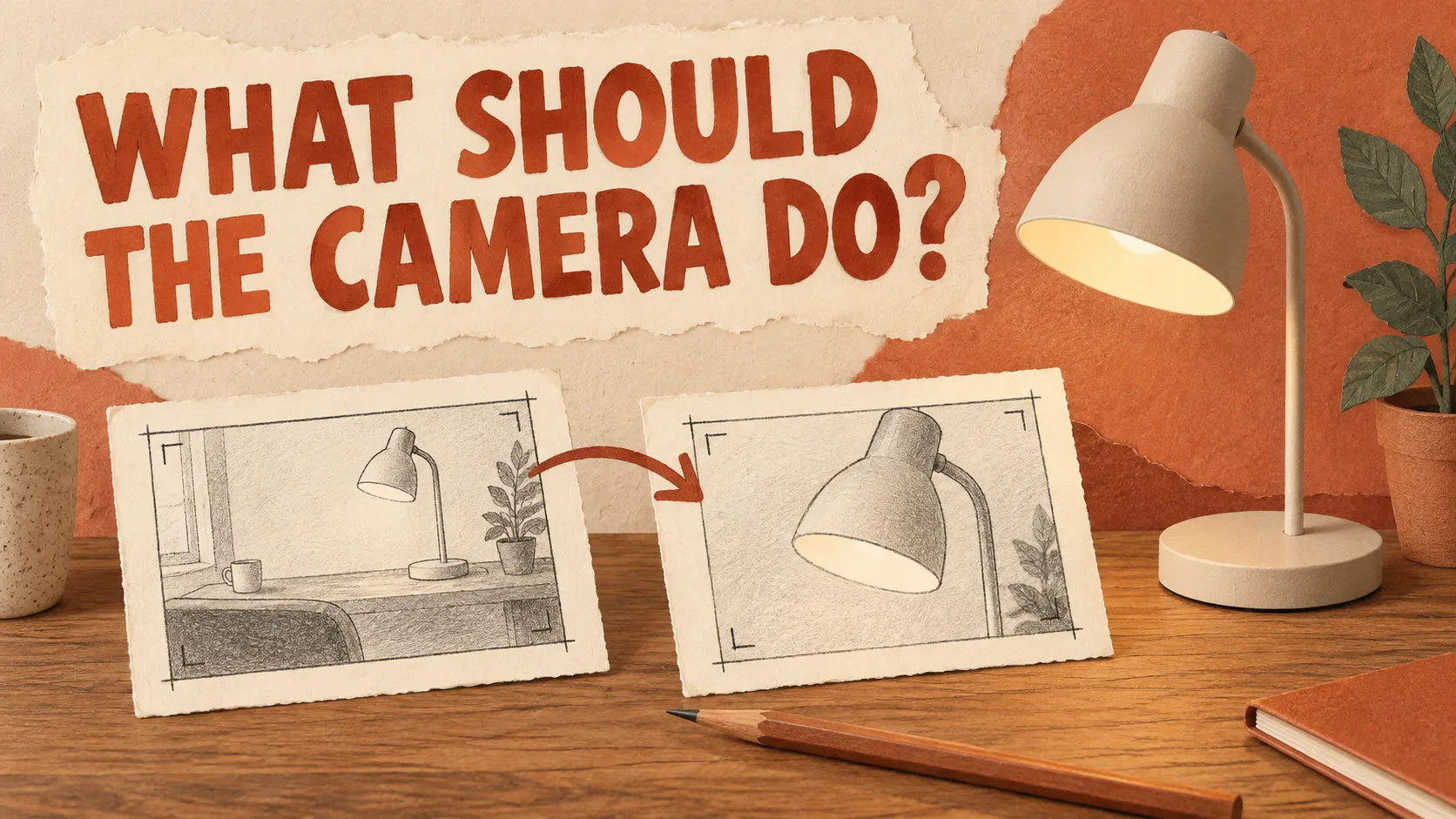

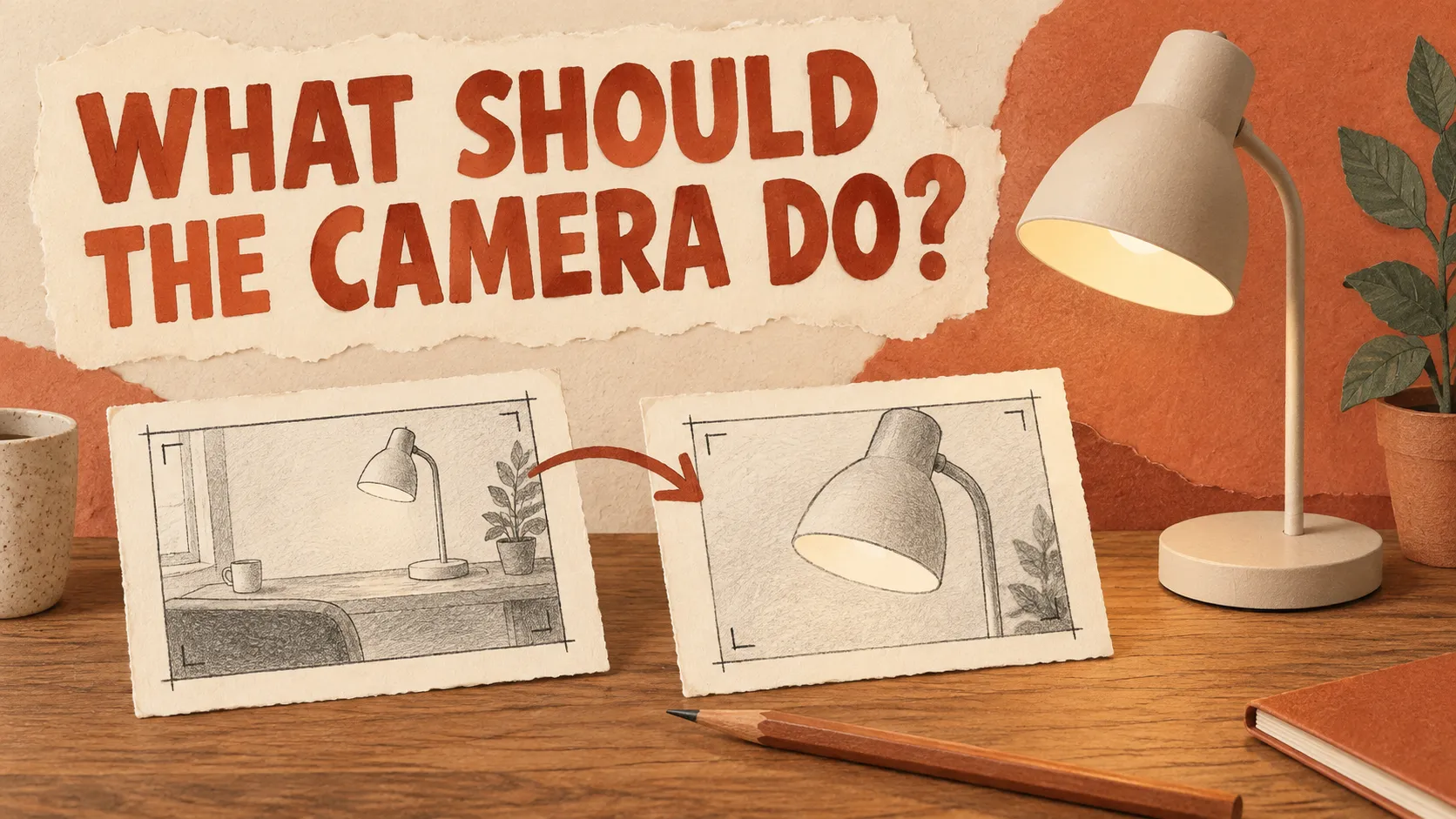
Imagine asking someone to film a desk lamp and giving them this entire brief: “Make it cinematic.”
They could shoot a close-up of the switch, circle the lamp, or pull back to show the room. Any of those choices might look attractive. Only one might explain the feature you meant to show.
The same ambiguity is worth addressing before using an AI video generator. A style word describes a preference, but it does not tell a reviewer what must be visible when the shot ends.
This article is a research-based planning guide, not a hands-on model review. I checked official camera-prompting documentation on September 18, 2026. The desk-lamp example and prompts are hypothetical and untested. My aim is to offer a brief that you can evaluate, not a formula that guarantees a particular output.
Start with the detail someone needs to understand
Suppose the lamp has a small adjustment knob on its stem. You want to show where it is, not animate the lamp bending or demonstrate a mechanism you have not verified.
Write the destination before the prompt: “The final view clearly includes the adjustment knob and enough of the lamp to show where it sits.”
That sentence already rules out some otherwise attractive shots. An extreme close-up might remove the context. A wide room view might make the knob too small. A full turn around the lamp might hide it for most of the clip.
I would sketch the starting frame and the ending frame on paper. They do not need to look good. The purpose is to notice a contradiction before generating: perhaps the planned endpoint puts the feature outside the intended crop, or the reference photograph does not show it clearly enough.
This also separates a visual explanation from a product claim. Showing the knob is not proof of what it controls. Do not add a functional demonstration simply because it would make the shot livelier.
Write the camera action and the object action separately
“The lamp moves closer” is not the same request as “the camera approaches the lamp.” If the lamp is meant to stay on the desk, state that independently.
Here is an original example for planning, not a tested prompt:
A desk lamp stands on a plain wooden desk. The camera slowly approaches the adjustment knob on the stem, ending with the knob and the lower part of the lampshade visible. The lamp stays in place. Soft window light illuminates the scene.
The instruction has a visible endpoint. It also avoids asking the object to perform a second action during the move.
For a different purpose, change the action rather than decorating the same sentence:
Begin with a close view of the desk lamp. The camera slowly moves backward to reveal the desk surface and a closed notebook beside the lamp. Both objects remain stationary. End with the lamp and notebook fully visible.
This second shot introduces context. It is not an improved version of the first. A useful prompt depends on the job, which is why copying an impressive example without its purpose can send you in the wrong direction.
You can find movement terminology in Runway's camera reference. Treat the documentation's examples as examples for that system, not a cross-platform performance guarantee.
Check the photograph before blaming the words
For image-to-video work, look at the starting asset at the size you expect to use. A tiny knob, a reflective edge blending into the background, or a cropped base can make the intended review difficult from the outset.
I would ask whether a clearer photograph could solve the problem. If the feature is absent, requesting that the generator reveal it does not supply evidence of its real appearance. For an accurate product presentation, get an appropriate reference rather than accepting a plausible invention.
Framing deserves the same attention. Leave room for the planned movement, but do not assume a large blank area will remain blank. If you intend to add a heading later, the space for it becomes another condition to inspect throughout the final clip.
A camera setting can also sit outside the text field. Before generating, check whether a previous preset is still selected. Record the visible model and settings with the prompt so a later revision is not based on incomplete information.
These steps are ordinary production checks. I have not measured how much time they save, and I would not claim a percentage improvement without recording the work.
Watch for the failure that an attractive frame can hide
A thumbnail cannot tell you whether a clip is usable.
Watch the full sequence first. Then stop at the point where the lamp's stem, knob, or base becomes hard to follow. Compare it with the source asset and ask whether it is still the same object rather than merely a similar-looking one.
For this example, I would reject a take if the adjustment knob visibly changes position, the base loses believable contact with the desk, or the required detail disappears before the intended endpoint. Those are proposed acceptance rules for this brief, not observations from a generated clip.
Do not treat all visual change as damage. A moving viewpoint can alter the appearance of reflections. The question is whether the change is plausible and whether the feature remains useful to the viewer.
Write a short rejection reason. “Bad result” provides little help. “The knob becomes a different shape halfway through” tells you what needs attention and prevents an unrelated change from being mistaken for a fix.
Make the next attempt answer one question
If the shot ends too close, revise the endpoint. If the camera moves in the wrong direction, clarify that action. If the photograph does not contain the detail you need, change the input before spending more attempts on phrasing.
For a small comparison, keep the image, model, duration, ratio, and visible settings unchanged. Alter one requirement and keep both sets of outputs. If you can repeat each condition, record the differences between repeats rather than selecting only the best take.
This is a proposed testing method. It does not establish which generator is best, and a handful of attempts would not settle that question anyway. Its value is narrower: you can explain what changed and why you kept or rejected a clip.
There should also be a point at which you stop generating. If the visual only needs a modest enlargement, consider animating a crop of the still image in your editor. You lose a new viewpoint, but you may not need one. If the shot depends on an accurate unseen surface or mechanical action, reconsider the source material or production method.
A few questions before you try it
Does a cinematic style prompt have any use?
It can communicate a look, but it should not replace the action and endpoint that matter to your brief.
Should every prompt start with the camera instruction?
You can organize it that way for readability, but it is not a universal requirement. Runway's prompting guide explicitly emphasizes clarity over rigid structure.
Can a static shot still be useful?
Yes. If the purpose is to inspect a feature, movement may be unnecessary. Review the generated result rather than assuming a static instruction guarantees a motionless camera.
For your next AI video prompt, choose a single detail someone should understand. Describe where the camera starts, where it ends, and what the object does in between. That is enough to begin a meaningful review, even before you decide how cinematic the scene should feel.























Sign in to leave a comment.