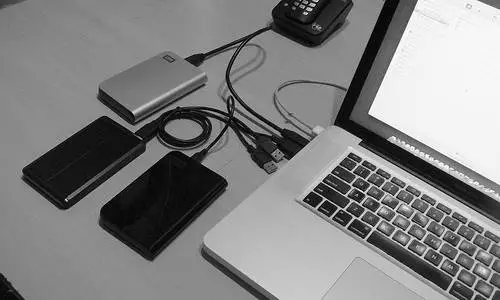

Choosing the best external hard drive isn’t just about storage capacity—it’s about ensuring reliability, security, and scalability for your business operations. This guide walks you through setup, troubleshooting, and the benefits of investing in enterprise-grade external storage solutions.
Why the Best External Hard Drive Matters for Businesses
External hard drives play a vital role in IT infrastructure by:
- Backing up mission-critical data securely
- Expanding storage capacity without replacing existing systems
- Supporting disaster recovery strategies for B2B enterprises
- Providing mobility for teams managing projects on the go
Server Tech Central specializes in enterprise storage devices, ensuring your external drives integrate seamlessly with servers, firewalls, and networking equipment.
How to Set Up the Best External Hard Drive
Proper setup ensures that your external hard drive performs at peak efficiency. Here’s a step-by-step approach:
- Connect via USB, Thunderbolt, or eSATA depending on your device compatibility.
- Initialize and format the drive (NTFS for Windows, APFS for macOS, exFAT for cross-platform).
- Partition storage for organized backups and business workflows.
- Enable encryption for sensitive data, especially in enterprise use.
- Schedule automatic backups using OS-based tools or third-party applications.
A well-configured external hard drive minimizes risks of data corruption and ensures reliability for business continuity.
Common Troubleshooting Tips for External Hard Drives
Even the best external hard drive may face performance issues. Common problems include:
- Drive not detected: Check cable connections, drivers, and ports.
- Slow transfer speeds: Verify port type (USB 2.0 vs. USB 3.0/Thunderbolt).
- Corrupted files: Run error-checking tools and scan for malware.
- Overheating: Ensure proper ventilation and avoid long, heavy transfer sessions.
If problems persist, Server Tech Central offers replacement solutions, warranty guidance, and enterprise-level support to keep your storage systems reliable.
Best External Hard Drive for Enterprise Needs
B2B buyers should consider:
- Storage Capacity – From 2TB to 20TB for scalable business operations.
- Speed & Connectivity – USB 3.2, Thunderbolt 4, and RAID configurations for faster transfers.
- Durability – Rugged or rack-mounted drives for enterprise setups.
- Security Features – Encryption, password protection, and hardware-level safeguards.
- Compatibility – Integration with servers, firewalls, and networking equipment.
At Server Tech Central, we supply enterprise-ready storage devices at affordable rates, designed for IT managers who demand both performance and reliability.
Need scalable storage for your growing business? Explore our bulk external hard drive solutions and request a custom quote from Server Tech Central today.
Beyond External Hard Drives – Complete IT Hardware Support
When businesses source from multiple vendors, costs and downtime increase. That’s why Server Tech Central also offers:
- Enterprise Servers for scalable workloads
- Firewalls and Security Systems for safe operations
- Networking Accessories and Cables for seamless connectivity
- Processors and Computer Accessories to support your IT backbone
This all-in-one supply approach ensures smooth procurement and reliable compatibility across your IT infrastructure.
Why Choose Server Tech Central Over Competitors
Competitors like Newegg and ServerMonkey provide variety, but often fall short in key areas for B2B buyers:
- Faster shipping across the USA for urgent IT projects
- Dedicated customer support managers for enterprise clients
- Affordable bulk pricing without compromising quality
- Trusted sourcing with guaranteed authenticity
We combine low-cost solutions with high-end reliability, giving you an edge over traditional suppliers.
Frequently Asked Questions
Q1: What is the safest way to back up data on an external hard drive?
Always use encryption, schedule automated backups, and test recovery regularly to ensure business continuity.
Q2: Can external hard drives be integrated into enterprise servers?
Yes. With proper setup, external drives can expand server storage or serve as backup solutions.
Q3: Do you offer discounts for bulk orders of external hard drives?
Yes. Servertech Central specializes in bulk enterprise orders with tailored pricing and fast delivery.
Secure Your Data with the Best External Hard Drive
From setup to troubleshooting, investing in the best external hard drive ensures that your business data remains safe, accessible, and scalable. At Server Tech Central, we go beyond offering storage devices—we deliver trust, affordable pricing, and faster shipping for IT managers and enterprise buyers.
Don’t wait for storage failures to disrupt your business. Contact Server Tech Central today for bulk external hard drive deals and get enterprise-grade reliability at the best prices in the USA.

























Sign in to leave a comment.