

Gaming Laptop Buying Guide: How to Choose the Right One in 2026
Shopping for a gaming laptop can feel overwhelming. Between confusing GPU names, marketing buzzwords like "AI-powered cooling," and a price range that stretches from $800 to $4,000, it's easy to end up with buyer's remorse. Whether you're chasing 200+ frames per second in competitive shooters or just want a machine that can handle both work and play, this guide breaks down everything you need to know before you buy.
By the end of this article, you'll understand what actually matters in a gaming laptop, how current models like the Lenovo Yoga Pro 9i and Dell 16 Premium stack up as gaming-capable alternatives to dedicated gaming rigs, and how to avoid the most common purchasing mistakes.
What Makes a Laptop a "Gaming Laptop"?
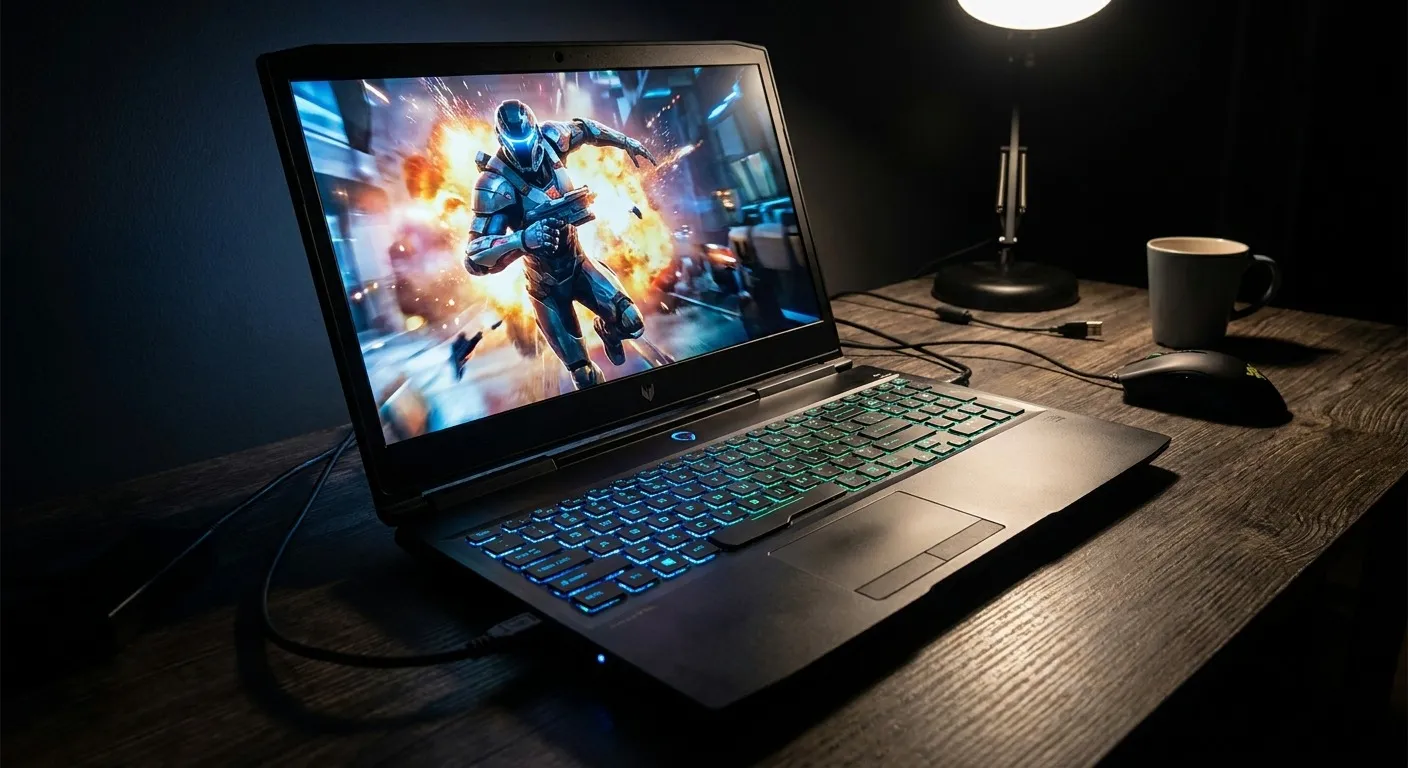
A gaming laptop isn't defined by RGB lighting or an aggressive-looking chassis. It comes down to three core components working together:
- A dedicated GPU (graphics card) — this is the single biggest factor in gaming performance. Integrated graphics simply can't keep up with modern titles at high settings.
- A high-refresh-rate display — 144Hz, 165Hz, or even 240Hz panels make fast-paced games feel noticeably smoother than a standard 60Hz screen.
- A cooling system built for sustained load — gaming pushes a laptop's CPU and GPU far harder, for much longer, than everyday tasks like browsing or word processing.
Everything else RAM, storage, keyboard feel, battery life matters too, but these three factors separate a true gaming laptop from a laptop that merely runs games in a pinch.
Key Specs to Compare Before You Buy
Graphics Card (GPU)
The GPU determines your frame rates and how high you can push visual settings. Entry-level discrete GPUs handle esports titles and older AAA games comfortably at 1080p. Mid-tier and high-end GPUs are needed for demanding titles at 1440p or 4K, or if you care about ray tracing.
Processor (CPU)
Modern gaming CPUs, including Intel's latest Panther Lake-generation chips, pair strong single-core performance with efficient multi-core handling for streaming, background apps, and CPU-heavy simulation games.
Display
Look beyond resolution. Refresh rate, response time, and color accuracy (measured in sRGB or DCI-P3 coverage) all affect how a game actually looks and feels in motion.
RAM and Storage
16GB of RAM is the realistic minimum for gaming in 2026; 32GB gives headroom for streaming or multitasking. A fast NVMe SSD of at least 1TB is worth prioritizing over a larger but slower drive.
Cooling and Build Quality
Thermal throttling is the silent killer of gaming laptop performance. A laptop that looks powerful on paper can lose 20-30% of its performance under sustained load if the cooling system can't keep up. Vapor chamber cooling, multiple fans, and well-placed exhaust vents are good signs.
Dedicated Gaming Laptops vs. Premium Multimedia Laptops
Here's a distinction many buyers miss: not every powerful, GPU-equipped laptop is a "gaming laptop" in the traditional sense. Some of today's most talked-about premium laptops include capable discrete graphics but are designed primarily for content creation, with gaming as a strong side benefit rather than the main event.
Case Study: Lenovo Yoga Pro 9i
The Lenovo Yoga Pro 9i is a good example of this crossover category. Refreshed for 2026 with Intel's latest Panther Lake processors, it pairs a striking 16-inch 3.2K Tandem OLED display with configurations that include RTX 5000-series graphics. Reviewers have noted that the 2026 Yoga Pro 9i runs noticeably quieter than earlier generations, even under gaming loads. That's a meaningful advantage if you game in shared spaces or simply prefer a quieter setup.
Where it can fall short as a pure gaming machine is battery life under load and the tradeoffs Lenovo made in chassis design to keep things slim. It's best suited to buyers who want one laptop for creative work, everyday productivity, and solid not extreme gaming performance.
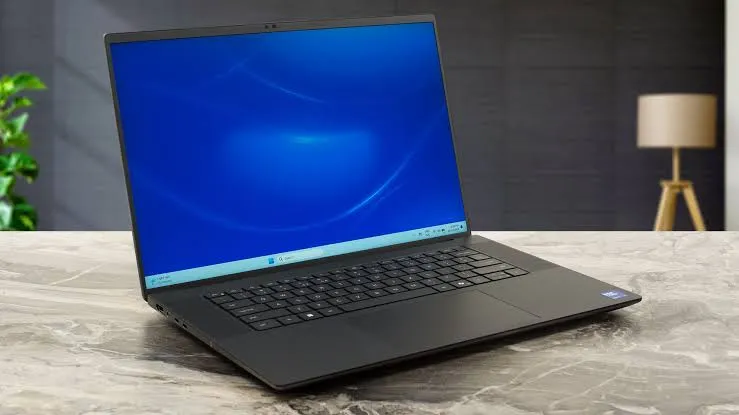
Case Study: Dell 16 Premium
The Dell 16 Premium takes a similar approach. Configurations pairing an Intel Core Ultra processor with an RTX 5070 GPU deliver performance that reviewers have described as closer to a gaming laptop than a typical productivity machine, aided by a vapor chamber cooling system that keeps fan noise and keyboard heat in check. However, its power-limited GPU configuration means it won't outperform a dedicated gaming laptop at the same price point, particularly in demanding, ray-traced titles.
The takeaway: laptops like the Yoga Pro 9i and Dell 16 Premium Laptop are excellent "hybrid" choices if gaming is one of several priorities. If gaming performance is your top priority above all else, a laptop purpose-built around a higher-wattage GPU and gaming-first cooling design will get you more frames per dollar.
Gaming Laptop Price Tiers: What to Expect at Each Budget
Understanding what you get at each price point helps set realistic expectations before you start comparing model numbers.
Budget ($800–$1,200): Entry-level discrete GPUs, 1080p displays at 60-144Hz, and 16GB of RAM are typical here. These laptops handle esports titles like competitive shooters and MOBAs comfortably, but you'll need to dial back settings for graphically demanding AAA releases.
Mid-Range ($1,200–$1,800): This is the sweet spot for most buyers. Expect stronger discrete GPUs, higher refresh-rate 1080p or 1440p displays, and better cooling systems that avoid heavy throttling during long sessions. Many hybrid multimedia-and-gaming laptops, including configurations of the Lenovo Yoga Pro 9i, land in this range.
High-End ($1,800–$2,800): Here you'll find top-tier GPUs, premium OLED or mini-LED displays, and CPUs capable of handling both gaming and demanding creative workloads simultaneously. The Dell 16 Premium's higher-spec configurations sit in this tier.
Enthusiast ($2,800+): Flagship GPUs, the fastest available CPUs, and premium build materials define this tier. These machines are built for buyers who want desktop-replacement performance without compromise, whether for competitive gaming, 4K content creation, or both.
Knowing your tier ahead of time prevents the common trap of overspending on a spec you don't need like a top-tier GPU paired with a 1080p 60Hz display that can't take advantage of it.
Battery Life: The Trade-Off Nobody Talks About Enough
Gaming laptops are notorious for battery life that looks fine on a spec sheet but disappoints in practice. Manufacturers often advertise "all-day battery life" based on light productivity use web browsing, video playback, document editing not gaming. Once you launch a demanding title, the GPU and CPU both draw significantly more power, and battery life can drop to two hours or less, even on laptops with large battery capacities.
If portability without a charger matters to you, look specifically for reviews that test battery life during actual gameplay, not just idle or productivity benchmarks. Laptops with efficient chip architectures, like Intel's latest Panther Lake generation, tend to perform better in mixed-use scenarios, but no current gaming laptop matches non-gaming ultrabooks for unplugged endurance during play.
Common Mistakes to Avoid When Buying a Gaming Laptop
Buying based on GPU name alone. The same GPU model can be configured with different power limits (measured in watts) depending on the laptop. A higher-wattage version of a given GPU can significantly outperform a lower-wattage version of the same chip, so always check the configured TGP (total graphics power) rather than assuming all laptops with the same GPU name perform identically.
Ignoring display refresh rate. A beautiful 4K panel capped at 60Hz will feel noticeably less responsive in fast-paced games than a 1080p or 1440p screen running at 144Hz or higher. Match your display choice to the type of games you play most.
Overlooking port selection. Gaming setups often involve external monitors, peripherals, and storage. Confirm the laptop has enough USB-C, USB-A, and HDMI or DisplayPort connections for your setup before buying.
Skipping real-world thermal reviews. Marketing claims about cooling systems don't always hold up under sustained load. Independent reviews that measure sustained frame rates over 30+ minutes of gameplay give a much more honest picture than manufacturer benchmarks.
Pros and Cons of Gaming Laptops
Pros:
- Portable powe take your setup to a friend's house, a dorm, or a coffee shop
- All-in-one convenience no need for a separate monitor, keyboard, or tower
- Increasingly capable displays, including high-refresh OLED options
- Dual-purpose use for work, school, and creative software
Cons:
- Higher price than an equivalent desktop for the same performance tier
- Limited upgradeability compared to desktop PCs
- Battery life drops sharply during actual gaming sessions
- Heat and fan noise, even on well-designed models
Frequently Asked Questions
Do I need 32GB of RAM for gaming? Not necessarily. 16GB is sufficient for most current titles. 32GB becomes valuable if you stream, run multiple background apps, or work with creative software alongside gaming.
Is a 1080p or 1440p display better for a gaming laptop? It depends on your GPU. A 1080p panel is easier to drive at high frame rates, which matters for competitive gaming. A 1440p or higher-resolution screen looks sharper but demands more GPU power to maintain smooth frame rates.
Can a laptop like the Dell 16 Premium or Lenovo Yoga Pro 9i replace a dedicated gaming laptop? For casual to moderate gaming alongside productivity or creative work, yes. For competitive or graphically demanding gaming at maximum settings, a purpose-built gaming laptop with a higher-wattage GPU will outperform these hybrid designs.
How long do gaming laptops typically last? With reasonable care, three to five years of solid performance is realistic, though you may need to lower graphics settings in newer titles toward the end of that span.
Is it worth buying an OLED display for gaming? OLED panels offer excellent contrast and color accuracy, which many gamers love. The tradeoff can be lower peak brightness in some models and a higher price tag compared to standard IPS panels.
Final Thoughts
Choosing the right gaming laptop comes down to matching hardware to how you actually intend to use it. If gaming is your primary focus, prioritize GPU performance, a high-refresh display, and robust cooling above all else. If you want a single machine that handles creative work, everyday tasks, and gaming reasonably well, hybrid options like the Lenovo Yoga Pro 9i or Dell 16 Premium are worth serious consideration.
Whatever you choose, don't buy on specs alone read hands-on reviews, check real-world thermal performance, and think honestly about which games you'll actually be playing.
Found this guide helpful? Share it with a friend who's laptop shopping, and drop a comment below with the games or workloads you're shopping for we're happy to help you narrow down the right pick.

























Sign in to leave a comment.