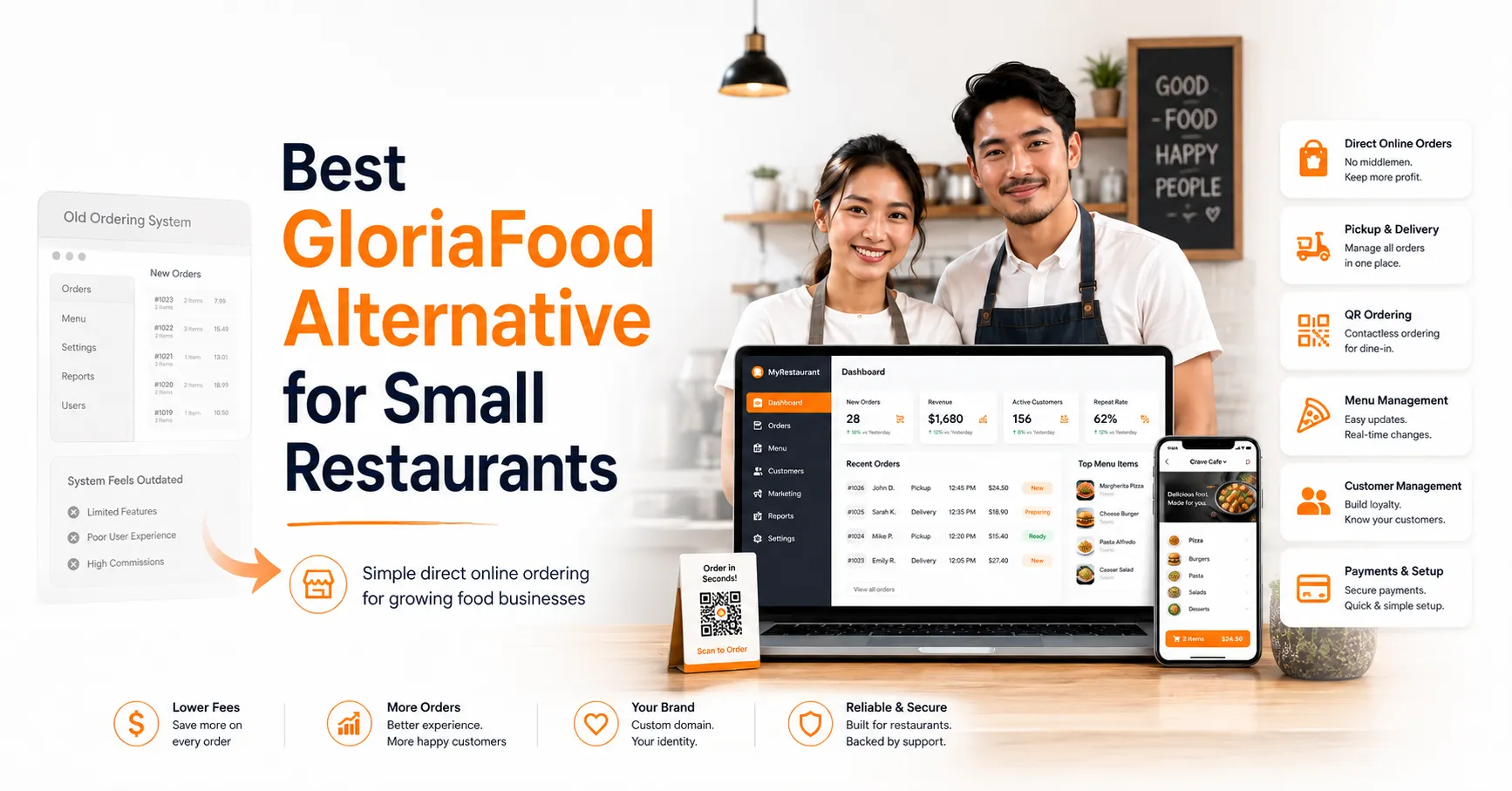
Small restaurants used GloriaFood because it made online ordering simple. A café could accept pickup orders, a pizzeria could manage toppings, and a family owned restaurant could receive direct orders from its website without paying marketplace commissions.
Now, many restaurant owners are searching for the best GloriaFood alternative for small restaurants because they need a safer long term option. The right platform should help them manage menus, pickup, delivery, payments, QR ordering, and customer data without making daily work harder.
Foodiv gives small restaurants a simple way to move from GloriaFood to a commission free online ordering system. It helps food businesses keep direct orders active, control their customer experience, and avoid last minute migration stress.
Quick Answer: What Is the Best GloriaFood Alternative for Small Restaurants?
Foodiv is a strong GloriaFood alternative for small restaurants that want simple direct online ordering without commission. It helps restaurants manage menus, pickup orders, delivery settings, QR ordering, payments, and customer data from one platform. For cafés, pizzerias, bakeries, takeaways, and family owned restaurants, Foodiv offers a practical way to move from GloriaFood without disturbing daily orders.
Why Small Restaurants Are Looking for a GloriaFood Alternative
GloriaFood gave small restaurants an easy way to start online ordering without heavy setup costs. Many cafés, pizzerias, bakeries, and takeaway businesses used it because they could add an order button to their website and accept direct orders without paying marketplace commissions.
Now the situation has changed. GloriaFood says it has been discontinued and is no longer accepting new signups, while existing customers are being supported during the transition. That means small restaurants need to plan their next move early instead of waiting until the ordering system creates problems.
For a small restaurant, even a small gap can hurt. A broken website order button, delayed payment setup, missing menu modifiers, old QR codes, or confused customers can affect real orders during busy hours. That is why restaurant owners are now looking for a GloriaFood alternative that feels simple, reliable, and easy to move into.
GloriaFood Is No Longer a Long Term Option
GloriaFood worked well for restaurants that needed a free and simple online ordering setup. But it is no longer open for new signups, and the platform is now in a transition phase. Existing users may still run their current setup, but they should not treat it as a permanent solution.
Small restaurants need time to choose the right replacement. They also need time to move menus, test orders, update links, and train staff. Waiting too long can turn a simple software switch into a stressful operational problem.
Small Restaurants Need a Simple Migration Path
A GloriaFood migration is not only about moving from one tool to another. Restaurants need to carry over the details that keep daily orders running smoothly.
That includes menu categories, item prices, images, add-ons, toppings, meal options, delivery zones, pickup timing, minimum order value, taxes, payment settings, and order notifications. Staff also need to know how to accept, manage, and complete orders in the new dashboard.
A small restaurant usually does not have a large technical team. So the best GloriaFood alternative should make migration easy, clear, and guided from the start.
Direct Online Orders Still Matter
Small restaurants should not depend only on third party delivery marketplaces. These platforms can bring orders, but they also keep restaurants away from full customer control. The restaurant may lose access to customer data, repeat order behavior, direct communication, and brand experience.
Direct online ordering gives small restaurants more control. Customers can order from the restaurant’s own website, Google profile, social media page, or QR code. The restaurant can keep the relationship, manage the ordering experience, and reduce commission pressure over time.
That is why many small food businesses are now looking for a GloriaFood alternative that protects direct orders while giving them more control over menus, customers, pickup, delivery, and payments.
What Small Restaurants Should Look for in a GloriaFood Replacement
Choosing a GloriaFood replacement is not just about finding another online ordering tool. Small restaurants need a system that keeps orders moving, saves staff time, and gives better control over daily operations. Before switching, restaurant owners should check these key features.
Commission-free online ordering
The platform should help restaurants accept direct orders without paying commission on every sale. This matters for small restaurants because every order counts. A café, pizzeria, or takeaway business should be able to keep more revenue from website orders, QR orders, pickup orders, and delivery orders.
Easy menu setup
Small restaurants should be able to manage categories, prices, images, add-ons, variants, and item availability without technical help. For example, a pizza shop may need toppings, sizes, crust options, and combo meals. A bakery may need daily item availability. The menu should be easy to update when prices or items change.
Pickup and delivery management
The system should support pickup slots, delivery zones, minimum order value, delivery fees, and preparation time. This helps small restaurants avoid order confusion during busy hours. Customers should know when their food will be ready, and staff should know how to manage each order without guessing.
QR ordering
QR ordering helps small restaurants manage dine-in, table ordering, and contactless menu access. It is useful for cafés, casual dining restaurants, food courts, and small eateries that want customers to scan, browse, and order without waiting for staff to take every order manually.
Online payment support
Restaurants should be able to connect payment options like cards, wallets, Stripe, or PayPal-style payment flows. Payment setup should be tested before launch so the restaurant does not face failed transactions, refund issues, or unpaid orders after switching from GloriaFood.
Customer data ownership
The restaurant should keep access to customer details, order history, and repeat order insights. This helps small food businesses understand what customers order, how often they return, and which offers may bring them back. Direct customer control is one of the biggest reasons to move away from marketplace dependency.
Easy migration support
A good replacement should help move menu data, order settings, links, and staff workflows smoothly. Small restaurants need help with old ordering links, Google Business Profile buttons, QR codes, delivery rules, payment settings, and test orders. A clear migration path reduces mistakes and last minute stress.
Simple dashboard
Small teams need one dashboard to manage orders, menus, payments, pickup, and delivery. Staff should not jump between too many tools during rush hours. A simple dashboard helps the restaurant accept orders faster, update menu items quickly, and keep daily work under control.
Why Foodiv Is a Strong GloriaFood Alternative for Small Restaurants
Foodiv works well for small restaurants that want to keep online ordering simple, direct, and easy to manage. It gives food businesses the tools they need to accept orders, update menus, manage pickup and delivery, use QR ordering, and stay connected with customers.
For a café, pizzeria, bakery, takeaway shop, or family owned restaurant, Foodiv can replace GloriaFood without making the ordering process feel complicated.
Direct Online Ordering Without Marketplace Dependency
Foodiv helps restaurants accept orders from their own website, social media pages, Google Business Profile, and other digital channels. Customers can place orders directly with the restaurant instead of going through third party delivery marketplaces every time.
This gives small restaurants more control over the ordering experience. They can promote their own brand, manage customer relationships, and reduce commission pressure on direct orders.
Menu Management Made Simple
Small restaurants need a menu system that is easy to update. Foodiv helps restaurants manage menu categories, item names, descriptions, prices, images, add-ons, modifiers, combos, toppings, sizes, and item availability from one place.
This is useful for restaurants with changing menus. A pizza shop can update toppings and crust options. A bakery can mark items as sold out. A takeaway restaurant can change lunch combo prices without needing technical support.
Pickup and Delivery Control
Foodiv gives restaurants control over pickup and delivery settings. Restaurants can set pickup time slots, delivery zones, delivery charges, minimum order value, preparation time, and store timing.
This helps small teams avoid confusion during rush hours. Staff can manage when orders are ready, where delivery is available, and how much customers need to order for delivery. It keeps the process clear for both the restaurant and the customer.
QR Ordering for Dine In and Takeaway Restaurants
Foodiv also supports QR ordering for tables, counters, and in-store ordering. Customers can scan a QR code, view the menu, and place orders without waiting for staff to explain every item.
This works well for cafés, casual dining restaurants, food courts, and takeaway counters. It can reduce manual work, speed up ordering, and give customers a smoother dine in or takeaway experience.
Payment Setup and Order Testing
Before going live with any GloriaFood replacement, restaurants should test their payment flow properly. Foodiv allows restaurants to set up online payment options and check the full ordering process before customers start using it.
Restaurants should test card payments, wallet payments, order confirmation, failed payment handling, refunds, and order notifications. This helps avoid payment errors after launch and gives staff more confidence in the new system.
Customer Data and Repeat Orders
Small restaurants grow when regular customers keep coming back. Foodiv helps restaurants keep access to customer names, contact details, order history, and repeat order patterns.
This data helps restaurants understand what customers like, when they order, and how often they return. A small restaurant can use this information to improve service, send better offers, and build stronger direct relationships instead of depending only on third party platforms.
Foodiv vs GloriaFood for Small Restaurants
GloriaFood helped many small restaurants start online ordering without heavy setup costs. It gave cafés, pizzerias, bakeries, and takeaway restaurants a simple way to accept direct orders from their website. For many small food businesses, it was a useful starting point.
But small restaurants now need more than a basic online ordering setup. They need better control over menus, pickup, delivery, payments, QR ordering, customer data, and migration. Since GloriaFood is no longer a long term option, restaurant owners need a replacement that can support daily operations without making things complicated.
Foodiv gives small restaurants that next step. It helps restaurants accept direct online orders, manage menu items, update prices, handle add-ons, set delivery zones, manage pickup slots, test payments, and keep customer data in one place.
For a pizzeria, that means easier control over toppings, sizes, crust options, and combos. For a café, it means smoother pickup orders and QR menu access. For a bakery, it means simple item availability updates when products sell out. For a family owned restaurant, it means one dashboard to manage orders without depending on multiple tools.
The biggest difference is long term control. GloriaFood helped restaurants get started. Foodiv helps small restaurants keep online ordering active, protect direct customer relationships, and manage more parts of the ordering process from one platform.
Small restaurants should choose Foodiv if they want a GloriaFood alternative that supports direct orders, commission free ordering, QR ordering, pickup, delivery, payment setup, customer data, and smooth migration without adding extra stress to daily work.
Best GloriaFood Alternative by Small Restaurant Type
Every small restaurant works differently. A café does not manage orders like a pizzeria. A bakery does not need the same setup as a cloud kitchen. That is why the best GloriaFood alternative should fit the way each food business sells, serves, and manages orders.
Cafes and Coffee Shops
- Foodiv helps cafés manage quick pickup orders, QR menus, add-ons, and repeat orders from regular customers.
- A coffee shop can let customers order drinks, snacks, breakfast items, and add-ons like extra shots, milk choices, flavors, or toppings.
- QR menus can also help cafés reduce counter pressure during busy morning hours.
Pizzerias
- Foodiv supports pizza sizes, toppings, crust options, combo meals, and delivery zones.
- A pizzeria can manage small, medium, and large pizzas with different toppings, sauces, cheese options, and side items.
- Foodiv also helps pizzerias control delivery charges, minimum order value, and service areas.
Fast Food Restaurants
- Foodiv helps fast food restaurants manage high-volume takeaway and delivery orders from one dashboard.
- Quick-service restaurants can handle burgers, wraps, fries, drinks, combos, meal upgrades, and add-ons with clear order details.
- This helps staff process orders faster during lunch, dinner, and weekend rush hours.
Bakeries
- Foodiv supports pre-orders, pickup slots, item availability, and daily menu changes.
- A bakery can update cakes, pastries, breads, cookies, and seasonal items based on stock.
- When an item sells out, staff can mark it unavailable so customers do not place orders for products the bakery cannot prepare.
Food Trucks
- Foodiv can support simple online menus, pickup ordering, and location-based order links.
- A food truck can share its order link on Instagram, Google Business Profile, posters, or QR codes at the location.
- This helps customers order faster without waiting in a long queue.
Cloud Kitchens
- Foodiv helps cloud kitchens manage direct orders, multiple menu categories, and delivery workflows.
- A virtual kitchen can run different food concepts, manage delivery zones, set preparation time, and control order flow from one system.
- This helps cloud kitchens reduce dependency on third-party delivery apps and build direct customer relationships.
Family-Owned Restaurants
- Foodiv gives family-owned restaurants a simple way to accept direct orders without building a complex tech stack.
- Small teams can manage menus, pickup, delivery, QR ordering, payments, and customer details from one dashboard.
- This makes Foodiv a practical GloriaFood alternative for restaurants that want control without extra technical pressure.
GloriaFood Migration Checklist for Small Restaurants
Before moving from GloriaFood to a new online ordering system, small restaurants should organize every detail that affects customer orders. A simple checklist can prevent missing items, wrong prices, broken links, and staff confusion after launch.
- Menu categories
Check all menu sections such as starters, mains, pizzas, drinks, desserts, combos, and specials. - Item names and descriptions
Review every item name and description so customers clearly understand what they are ordering. - Food images
Collect updated food images for key items, bestsellers, combos, and high-margin dishes. - Prices
Confirm item prices before migration. Make sure dine-in, pickup, and delivery prices are correct. - Add-ons and modifiers
List all add-ons such as extra cheese, sauces, toppings, spice levels, sides, and drink upgrades. - Pizza sizes or meal variants
Check sizes, crust options, meal boxes, combo choices, portion sizes, and other item variations. - Delivery zones
Define where the restaurant delivers and check if each area has the right rule. - Pickup time slots
Set pickup timing clearly so customers know when their order will be ready. - Minimum order value
Add the minimum order value for delivery or special order types if needed. - Tax and service charges
Review tax rules, service fees, packaging charges, and delivery charges before going live. - Payment methods
Set up payment options such as cards, wallets, Stripe, PayPal-style flows, or cash on delivery. - Restaurant opening hours
Add regular business hours for dine-in, pickup, and delivery. - Holiday hours
Update special hours for holidays, festivals, weekends, or temporary closures. - Order notification settings
Check how staff will receive new order alerts through dashboard, email, SMS, or device notifications. - Website ordering button
Replace the old GloriaFood order button with the new Foodiv ordering link. - Google Business Profile link
Update the order link on Google so nearby customers reach the correct ordering page. - Social media order links
Change order links on Instagram, Facebook, WhatsApp, and other social profiles. - QR codes
Replace old QR codes used on tables, counters, flyers, takeaway bags, and posters. - Staff training
Train staff to accept orders, update order status, manage pickup timing, and handle customer questions. - Test orders before launch
Place test orders for pickup, delivery, online payment, cash payment, order notifications, and customer emails before making the new system live.
Step by Step Process to Switch from GloriaFood to Foodiv
Switching from GloriaFood to Foodiv becomes easier when restaurants follow a clear process. Small restaurants should not rush the move. A planned migration helps protect active orders, menu accuracy, payment setup, and customer experience.
Step 1: Review Your Current GloriaFood Setup
Start by checking your current GloriaFood account and ordering flow. Review your menu categories, item prices, add-ons, modifiers, delivery zones, pickup timing, tax settings, payment options, order links, and QR codes.
This step helps you understand what needs to move into Foodiv. It also helps you spot outdated items, wrong prices, old offers, or menu options that no longer make sense.
Step 2: Export and Organize Restaurant Data
Save all important restaurant data before migration. This can include menu details, item descriptions, food images, customer records where available, order history, pricing files, delivery rules, and payment-related settings.
Keep everything organized in folders or spreadsheets. For example, you can create separate files for menu items, prices, images, add-ons, and delivery settings. This makes Foodiv setup faster and reduces mistakes.
Step 3: Set Up Foodiv Menu and Ordering Flow
Once your data is ready, set up your Foodiv menu and ordering flow. Create menu categories, add food items, upload images, add prices, set modifiers, build combos, and configure item availability.
Then set pickup, delivery, payment, store timing, minimum order value, delivery charges, and order notification settings. This gives your restaurant a working online ordering system before customers start using it.
Step 4: Run Test Orders
Before going live, run test orders from a customer’s point of view. Place pickup orders, delivery orders, online payment orders, and cash payment orders.
Check whether order notifications reach staff correctly. Test customer emails, payment confirmation, failed payment handling, refund flow, pickup timing, delivery charges, and order status updates. This step helps catch small issues before they affect real customers.
Step 5: Update Website, Google, Social, and QR Links
After testing the new Foodiv ordering flow, replace old GloriaFood links everywhere customers may order from. Update the order button on your website, the order link on your Google Business Profile, and links on Instagram, Facebook, WhatsApp, and other social channels.
Also replace old QR codes used on tables, counters, flyers, menus, posters, takeaway bags, and packaging inserts. One missed link can still send customers to the old ordering page.
Step 6: Train Staff Before Going Live
Train your staff before you fully switch to Foodiv. They should know how to accept, reject, update, and complete orders. They should also understand how to check payment status, update item availability, manage pickup timing, and answer customer questions.
For small restaurants, even a short training session can make a big difference. Staff confidence helps the launch feel smoother during busy hours.
Step 7: Monitor First Orders After Launch
Once Foodiv goes live, monitor the first few days closely. Check real orders, payment status, customer emails, kitchen instructions, pickup timing, delivery rules, and staff response time.
If you find small issues, fix them quickly. Maybe a modifier is missing, a delivery area needs adjustment, or a pickup time slot feels too short. Early monitoring helps small restaurants settle into the new system without losing customer trust.
Common Mistakes Small Restaurants Should Avoid When Replacing GloriaFood
Replacing GloriaFood does not have to be difficult, but small mistakes can create real problems after launch. A missed link, wrong menu option, or untested payment flow can lead to lost orders and customer frustration. Here are the common mistakes small restaurants should avoid.
- Waiting until the last moment
Do not wait until the old system creates pressure. Start early so there is enough time to review menus, test payments, update links, train staff, and fix small issues before customers notice them. - Choosing only based on price
A cheaper platform may look attractive at first, but price should not be the only reason to choose it. Small restaurants should also check menu control, pickup, delivery, QR ordering, customer data, payment setup, and migration support. - Ignoring migration support
Migration is more than copying menu items. Restaurants need help with prices, add-ons, delivery zones, payment settings, QR codes, website links, and staff workflows. Without support, small errors can affect daily orders. - Not testing payment setup
Payment issues can hurt customer trust quickly. Restaurants should test card payments, wallet payments, failed payments, refunds, cash orders, and customer confirmation messages before going live. - Forgetting old QR codes
Many restaurants use QR codes on tables, counters, flyers, posters, takeaway bags, and packaging. If old QR codes still point to the GloriaFood page, customers may land on the wrong ordering link. - Leaving old order links active
Website buttons, Google Business Profile links, Instagram bio links, Facebook buttons, WhatsApp links, and printed menu links should all be updated. One old link can confuse customers and send orders to the wrong place. - Not training staff
Staff should know how to accept, reject, update, and complete orders in the new system. They should also understand payment status, order timing, item availability, and customer notifications. - Missing menu modifiers and add-ons
Small restaurants often lose important menu details during migration. Check toppings, sauces, spice levels, drink upgrades, crust options, meal variants, and combo choices carefully before launch. - Not checking delivery zones
Delivery rules need a proper review. Restaurants should check delivery areas, minimum order value, delivery fees, preparation time, and store timing so customers do not place orders from unsupported locations. - Depending only on third-party marketplaces
Delivery apps can bring orders, but small restaurants should not depend on them completely. Direct online ordering helps restaurants keep customer data, reduce commission pressure, and build stronger repeat customer relationships.
Foodiv vs Other GloriaFood Alternatives for Small Restaurants
Small restaurants have many GloriaFood alternatives to choose from. Some platforms focus on online ordering only. Some work better for large restaurant chains. Some are built around delivery apps, branded mobile apps, or POS-heavy operations. These can be useful, but they may feel too complex or costly for a small restaurant that simply wants to keep direct orders running.
Foodiv fits small restaurants that need a balanced setup. It supports direct online ordering, menu control, QR ordering, pickup, delivery, payment setup, customer data, and migration support without forcing restaurants into a complicated system.
Foodiv
Foodiv is a strong choice for small restaurants that want a simple GloriaFood replacement with direct online ordering, QR ordering, pickup, delivery, menu management, and customer control. It works well for cafés, pizzerias, bakeries, fast food restaurants, cloud kitchens, and family owned restaurants that want one system for daily ordering.
CloudWaitress
CloudWaitress can be a good option for restaurants that mainly need commission free online ordering and a simple digital ordering setup. Small restaurants can consider it if they want a clean ordering system, but they should check how well it supports their full migration needs, customer data, QR ordering, and daily workflow.
Restolabs
Restolabs is suitable for restaurants that want online ordering with branded ordering features and restaurant control. It can work for small and growing restaurants, but owners should review setup needs, pricing, payment support, and how easy it feels for a small team to manage.
ChowNow
ChowNow is popular among restaurants that want online ordering and marketing support. It can help restaurants accept direct orders, but small restaurants should compare costs, customer ownership, delivery options, and flexibility before choosing it as a GloriaFood alternative.
Flipdish
Flipdish is often used by restaurants that want online ordering, branded apps, and digital ordering tools. It can support growing food businesses, but small restaurants should check whether they need all features or only a simple GloriaFood replacement for website orders, pickup, and delivery.
UpMenu
UpMenu is another option for restaurants looking for online ordering, menu setup, and marketing features. It may suit small restaurants that want ordering and promotion tools together. Restaurant owners should still compare ease of setup, migration support, payment options, and long term cost.
Toast Online Ordering
Toast Online Ordering can be useful for restaurants already using Toast POS. It may not be the first choice for every small restaurant, especially if they do not already use Toast. Restaurants should check POS dependency, pricing, setup process, and whether it fits their current workflow.
Menufy
Menufy can help small restaurants accept online orders and reach local customers. It may suit restaurants that want a ready ordering channel, but owners should review control over branding, customer data, fees, and how easily they can manage direct orders.
WPCafe
WPCafe can work for restaurants that use WordPress and want a plugin-based ordering setup. It may be useful for tech-friendly restaurant owners or agencies. But for small restaurants that do not want to manage plugins, hosting, updates, and technical settings, a dedicated platform like Foodiv may feel easier.
Why Small Restaurants Should Move Early Instead of Waiting
Small restaurants should not wait until the last moment to replace GloriaFood. Online ordering touches too many parts of daily work. It affects menus, payments, pickup, delivery, QR codes, website buttons, Google links, staff workflow, and customer trust.
Moving early gives restaurant owners enough time to choose the right GloriaFood alternative, set up the menu properly, test the full ordering flow, and train staff before real customers use the new system.
- Less migration pressure
An early move gives restaurants time to plan the switch without rushing. Owners can compare platforms, prepare menu data, check pricing, and set up Foodiv at a steady pace. - Better menu accuracy
Small restaurants can review item names, prices, images, add-ons, variants, toppings, combos, and availability before launch. This reduces the risk of wrong orders and customer complaints. - More time to test orders
Restaurants can test pickup orders, delivery orders, online payments, cash payments, order emails, refunds, and dashboard notifications. Testing helps catch small problems before they affect real customers. - Smoother payment setup
Payment setup can take time, especially when restaurants need to connect cards, wallets, Stripe, PayPal-style flows, or other payment options. Early setup helps avoid failed payments after launch. - Staff can learn the new dashboard
Small teams need time to understand how to accept, reject, update, and complete orders. Training staff early makes the switch easier during busy lunch and dinner hours. - Customers can be redirected smoothly
Restaurants need to update website buttons, Google Business Profile links, Instagram bios, Facebook pages, WhatsApp links, and QR codes. Moving early gives them time to replace every old GloriaFood link. - Lower risk of lost direct orders
A broken order button or outdated QR code can send customers to the wrong place. Early migration helps small restaurants protect direct orders and avoid unnecessary marketplace dependency. - Better long term control
Early planning helps restaurants choose a platform that fits their future needs, not just their urgent problem. Foodiv gives small restaurants a direct online ordering system with menu control, pickup, delivery, QR ordering, payment setup, and customer data ownership.
Final Verdict: Which GloriaFood Alternative Should Small Restaurants Choose?
Small restaurants should choose a GloriaFood alternative that keeps online ordering simple, direct, and easy to manage. The right platform should help them accept commission free orders, update menus, manage pickup and delivery, support QR ordering, test payments, and keep customer data in their own hands.
Foodiv is a strong choice for cafés, pizzerias, bakeries, takeaway shops, cloud kitchens, food trucks, and family owned restaurants that want to move from GloriaFood without adding extra stress to daily work. It gives small teams one place to manage orders, menus, payments, pickup, delivery, QR ordering, and customer details.
For small restaurants, the goal is not just to replace GloriaFood. The goal is to protect direct orders, avoid broken customer links, reduce marketplace dependency, and build a better ordering experience for the future. Foodiv helps restaurants do that with a simple and practical online ordering system built for real food businesses.
FAQs About the Best GloriaFood Alternative for Small Restaurants
What is the best GloriaFood alternative for small restaurants?
Foodiv is a strong GloriaFood alternative for small restaurants because it supports direct online ordering, menu management, pickup, delivery, QR ordering, payments, and customer data control. It helps cafés, pizzerias, bakeries, takeaway shops, and family owned restaurants move from GloriaFood without making daily ordering more complicated.
Is Foodiv a good GloriaFood alternative for small restaurants?
Yes, Foodiv is a good GloriaFood alternative for small restaurants that want a simple and commission free online ordering system. It helps restaurants manage menus, pickup orders, delivery zones, QR ordering, payment setup, customer details, and repeat orders from one dashboard.
Is GloriaFood discontinued?
Yes, GloriaFood says it has been discontinued and is no longer accepting new signups. Existing customers are still being supported during the transition, but small restaurants should start planning a replacement early to avoid broken order links, rushed migration, and customer confusion.
Why should small restaurants replace GloriaFood early?
Small restaurants should replace GloriaFood early because migration takes time. They need to move menus, update prices, test payments, replace website links, update QR codes, and train staff. Early planning helps protect direct orders and reduces the risk of last minute mistakes.
Can Foodiv help small restaurants migrate from GloriaFood?
Yes, Foodiv can help small restaurants move from GloriaFood by supporting menu setup, ordering flow configuration, pickup and delivery settings, payment setup, customer data handling, and link updates. This makes the migration easier for small teams that do not have technical staff.
Can I move my GloriaFood menu to Foodiv?
Yes, restaurants can move their GloriaFood menu details to Foodiv. Before switching, they should organize menu categories, item names, descriptions, prices, images, add-ons, modifiers, sizes, combos, and item availability. This helps create a cleaner and more accurate Foodiv menu setup.
What features should a GloriaFood replacement include?
A good GloriaFood replacement should include direct online ordering, commission free orders, easy menu management, pickup and delivery settings, QR ordering, online payment support, customer data access, order notifications, migration support, and a simple dashboard for daily restaurant operations.
Does Foodiv support commission free online ordering?
Yes, Foodiv helps restaurants accept direct online orders without paying commission on every sale. This is useful for small restaurants that want to keep more revenue from website orders, social media orders, QR orders, pickup orders, and delivery orders.
Does Foodiv support pickup and delivery orders?
Yes, Foodiv supports pickup and delivery orders. Restaurants can manage pickup slots, delivery zones, delivery fees, minimum order value, preparation time, and store timing. This helps small restaurants give customers clear ordering options and helps staff manage orders more easily.
Does Foodiv support QR ordering for small restaurants?
Yes, Foodiv supports QR ordering for small restaurants. Cafés, casual dining restaurants, takeaway counters, and small eateries can use QR codes for table ordering, counter ordering, digital menus, and contactless ordering. Customers can scan, view the menu, and place orders quickly.
Is Foodiv suitable for cafés and bakeries?
Yes, Foodiv is suitable for cafés and bakeries. Cafés can manage pickup orders, drink add-ons, QR menus, and repeat customers. Bakeries can manage pre-orders, pickup slots, daily item availability, seasonal products, and sold out items from one online ordering system.
Is Foodiv suitable for pizzerias?
Yes, Foodiv is suitable for pizzerias because it supports pizza sizes, toppings, crust options, sauces, combos, add-ons, delivery zones, and minimum order value. This helps pizzerias manage detailed menus and direct delivery orders without depending only on marketplace apps.
What happens if small restaurants wait too long to replace GloriaFood?
If small restaurants wait too long, they may face rushed migration, broken website links, old QR codes, missing menu items, payment delays, staff confusion, and lost direct orders. Moving early gives restaurants enough time to test everything before customers use the new system.
How long does it take to switch from GloriaFood to Foodiv?
The time needed to switch from GloriaFood to Foodiv depends on menu size, number of items, payment setup, delivery rules, and link updates. A small restaurant with organized menu data can move faster, especially when prices, images, add-ons, and ordering settings are ready.
Can small restaurants keep their customer data after moving from GloriaFood?
Small restaurants should save available customer data, order records, and important reports before migration. Foodiv helps restaurants manage customer details, order history, and repeat order insights after setup. This helps restaurants build stronger direct relationships with customers over time.

























Sign in to leave a comment.