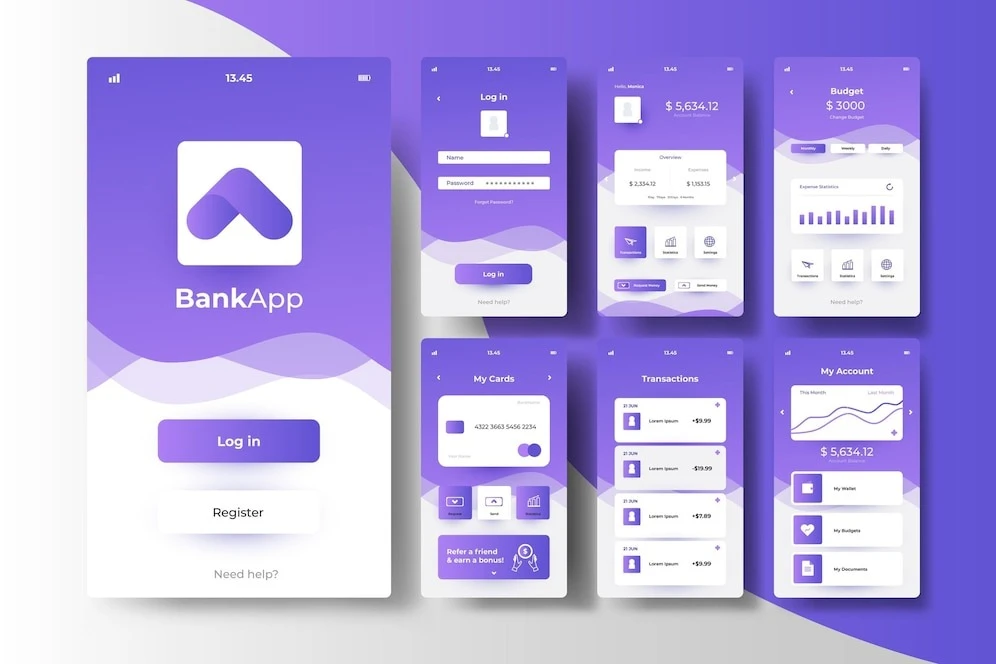

In today's digital era, mobile app development has become a thriving industry. With millions of apps available across various platforms, it's crucial for businesses to create engaging and user-friendly mobile applications to stay ahead of the competition. Whether you're a startup, an established company, or a mobile app development service provider, understanding the best practices for mobile app design is essential for delivering a successful product that meets users' expectations. In this article, we will explore the key principles and strategies that will help you create outstanding mobile apps that stand out in the crowded app market.
1. User-Centric Approach:
A user-centric approach is at the core of creating a successful mobile app. To truly understand your users and their needs, it's important to conduct thorough user research. Collaborate with your mobile app development service provider to identify your target audience, their preferences, and pain points.
Start by creating user personas that represent different segments of your target audience. These personas should include details such as age, gender, occupation, and goals. By understanding the demographics and psychographics of your users, you can tailor your app design to meet their specific needs.
Next, conduct usability tests and gather feedback from potential users. This will help you uncover any usability issues or pain points early in the design process. Observing how users interact with your app and listening to their feedback can provide valuable insights that will guide your design decisions.
Additionally, consider implementing user surveys or feedback forms within your app. This allows users to provide feedback directly, helping you understand their satisfaction levels and areas for improvement. Regularly analyze and act upon the feedback received to continuously enhance the user experience.
2. Simple and Intuitive Navigation:
Efficient navigation is a crucial aspect of mobile app design that can significantly impact user engagement. When users open your app, they should be able to navigate through its features and content effortlessly. Here are a few tips to achieve a simple and intuitive navigation system:
Firstly, minimize the number of navigation options presented to the user. Overloading the interface with numerous menu items or buttons can overwhelm and confuse users. Focus on the core functionalities and prioritize the most important features that align with your users' needs.
Consider using a bottom navigation bar or a hamburger menu for primary navigation. A bottom navigation bar provides easy access to key sections of the app, such as Home, Search, Favorites, and Profile, allowing users to switch between them with a single tap. On the other hand, a hamburger menu is a common practice for hiding secondary navigation options and revealing them when needed, reducing clutter on the screen.
3. Consistent and Responsive Design
Consistency in design elements such as colors, typography, and icons is crucial for creating a visually appealing and professional-looking mobile app. When users navigate through your app, they should experience a cohesive visual language that reflects your brand and maintains a sense of familiarity. Consistency also extends to the layout and organization of elements within the app, ensuring that users can easily understand and interact with the interface.
In addition to consistency, responsive design is vital to ensure that your app looks and functions well across various devices and screen sizes. Mobile devices come in a range of sizes and resolutions, from smartphones to tablets, and even foldable screens. By implementing responsive design principles, you can adapt your app's layout and content dynamically to fit different screen dimensions.
One aspect of responsive design is the use of fluid layouts. Instead of fixed-width elements, design your app with flexible grids and proportions that adjust automatically to different screen sizes. This ensures that your app's content remains legible and accessible, regardless of the device used.
4. Streamlined Onboarding Process:
One of the crucial aspects of mobile app design is creating a streamlined onboarding process. The onboarding experience is the user's first interaction with your app, and it sets the tone for their entire journey. A well-designed onboarding process helps users quickly understand the app's value, functionality, and how to navigate through it.
To streamline the onboarding process, focus on simplicity, clarity, and engagement. Start by minimising the number of steps required to get started. Lengthy registration forms or complex account creation processes can discourage users from proceeding further. Consider offering alternative login options, such as social media accounts or single sign-on, to make the onboarding process smoother.
Provide clear instructions and guidance throughout the onboarding process. Utilize tooltips, progressive onboarding, or interactive tutorials to help users understand how to navigate the app's key features and functionalities. Break down complex tasks into smaller, more manageable steps, making it easier for users to grasp and retain information.
5. Optimize Performance and Loading Times:
Optimizing performance and reducing loading times is crucial for ensuring a smooth and enjoyable user experience. Users have become accustomed to fast and responsive apps, and any delays or sluggishness can lead to frustration and abandonment. Here are some key considerations to optimize the performance of your mobile app:
One important aspect is efficient data management. Minimize the amount of data your app needs to download and process, especially during the initial loading phase. Compress images and other media files without compromising quality to reduce their file size. Implement lazy loading techniques to load content as needed, rather than loading everything at once.
Caching is another effective strategy to improve performance. Utilize caching mechanisms to store frequently accessed data locally on the device. This reduces the need for repeated network requests, resulting in faster loading times and reduced data usage. Cache static resources such as images, CSS files, and JavaScript files, as they tend to remain unchanged across user sessions.
6. Gesture-Based Interactions:
Gesture-based interactions have revolutionized the way users interact with mobile apps. With the increasing popularity of touchscreen devices, incorporating intuitive and meaningful gestures into your app design can greatly enhance the user experience.
One of the most commonly used gestures is swiping. By swiping horizontally or vertically, users can navigate between different screens, browse through images or content, and reveal hidden menus or options. Swiping gestures provide a natural and effortless way for users to explore and interact with your app.
Pinching, another widely recognized gesture, allows users to zoom in or out on content, such as images or maps. This gesture is particularly useful in apps that involve detailed visuals, such as photo editing or navigation applications. By implementing pinch-to-zoom functionality, you provide users with the ability to examine and manipulate content according to their preferences.
7. Seamless Integration with Device Features:
One of the key advantages of mobile app development is the ability to leverage the various built-in features of mobile devices. By seamlessly integrating these device features into your app's design, you can enhance its functionality and provide a richer, more personalized user experience.
Integrating GPS and location services into your app opens up a world of possibilities. You can offer location-based services, such as displaying nearby points of interest, providing real-time navigation, or delivering personalized recommendations based on the user's current location. Whether it's a restaurant finder, a fitness app that tracks outdoor activities, or a travel app that suggests attractions, leveraging GPS and location services can greatly enhance the usefulness of your app.
By leveraging the device features available on mobile devices, you can create a more immersive, engaging, and user-friendly app. However, it's important to strike a balance and only integrate the features that genuinely enhance the app's functionality and user experience. Prioritize usability, privacy, and user control to ensure that the integration of device features is seamless and beneficial for your app's users.
Final Words -
In the rapidly evolving world of mobile app design, following best practices is essential for creating successful and engaging applications. By adopting a user-centric approach, simplifying navigation, maintaining consistency, optimizing performance, and leveraging gesture-based interactions, you can design mobile apps that leave a lasting impression on users. Collaborating with top IT companies in India can further enhance your app's development process, ensuring high-quality results. Embrace these best practices, stay updated with the latest trends, and partner with industry-leading IT companies in India to create exceptional mobile app experiences that make a mark in the competitive app market.
























Sign in to leave a comment.